

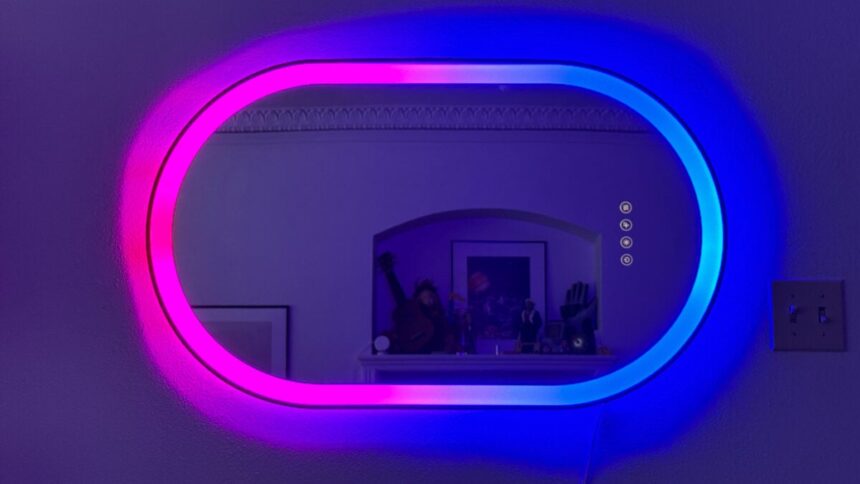
You know what your bathroom needs? Some party lighting. And you know what might be the best way to do it? The $250 Lifx Smart Mirror.
It’s not one of the smart mirrors you might be picturing if you’ve read about them over the years. It doesn’t have a sneaky built-in display that will let you hail a cab, show you the weather, or help you with your workouts. It’s not even a big ol’ touchscreen (though it does have some touch buttons).
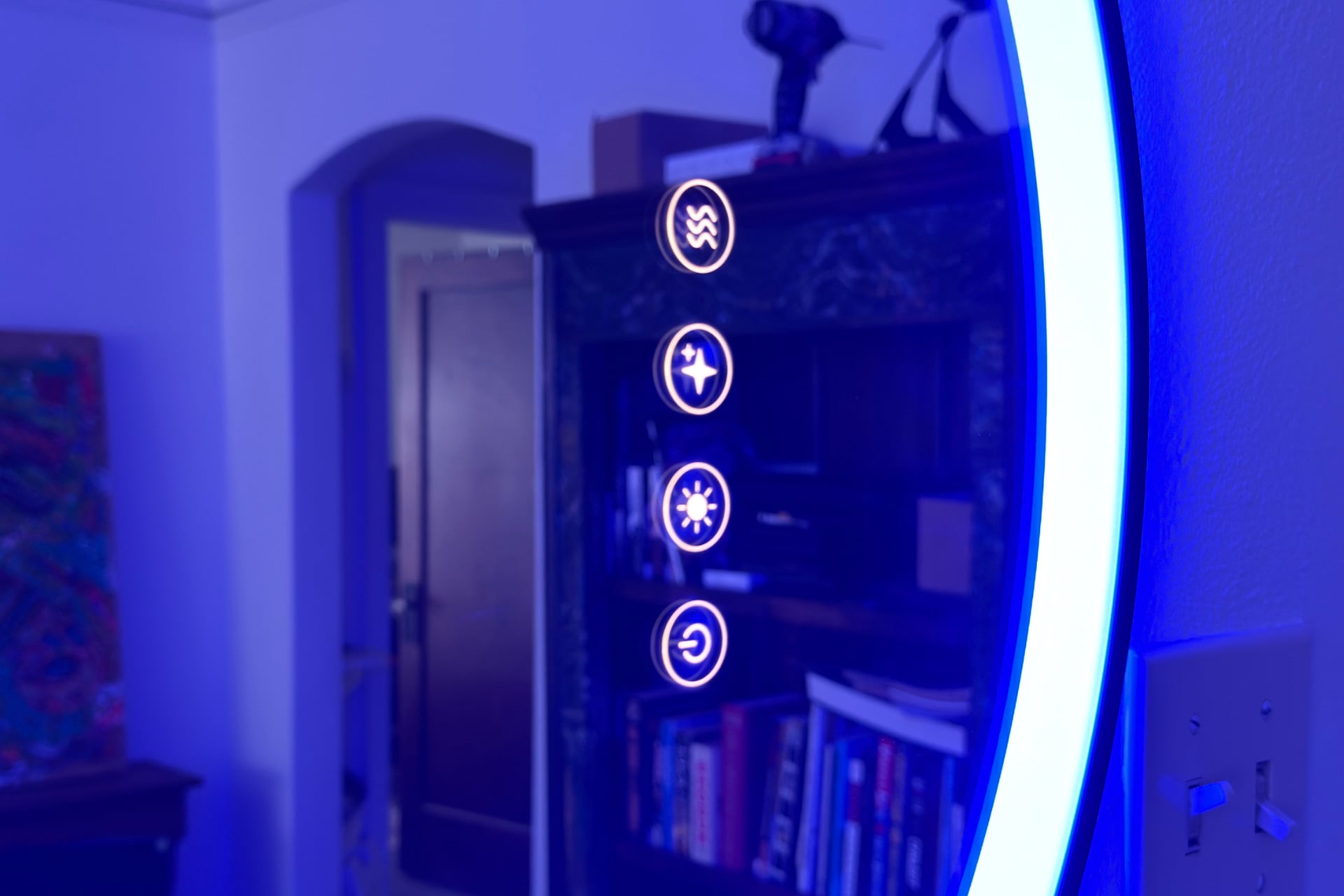
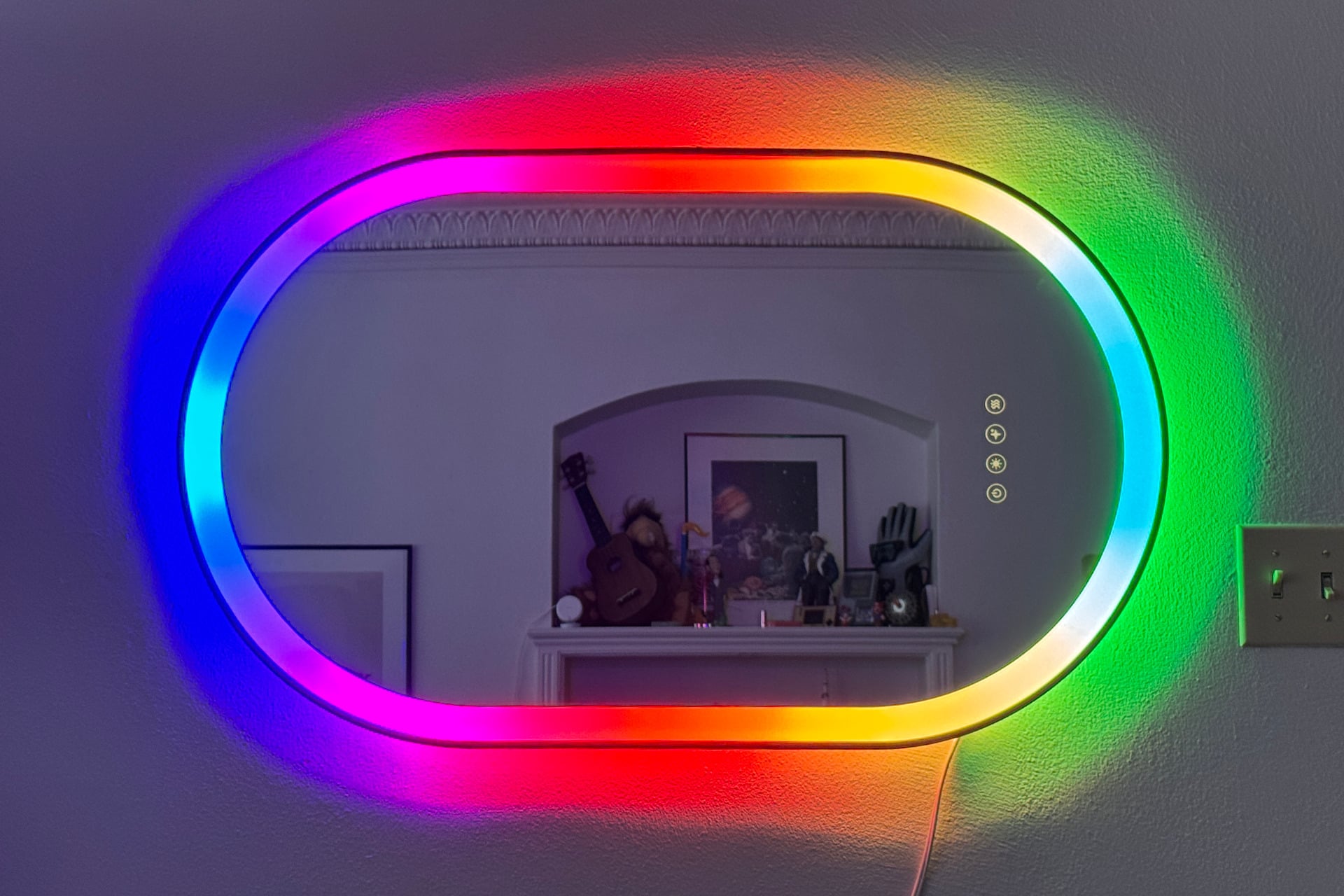
This Smart Mirror is simpler. It features a thick ring of LEDs around its periphery, additional lights in the rear to create a glowing backdrop, and a row of four buttons along the bottom (or right side, depending on its orientation) that let you operate either the mirror itself or other smart home devices. It also has a built-in heating element for defogging the mirror after a steamy shower.
Really, it’s just a fancy mirror, but I’d say that’s part of its charm.
Lifx Smart Mirror
A fun, LED-lit smart mirror that can also control your smart home devices.
- Slick, effects-driven front and back LED lights
- Matter compatible
- Plug-in and hard-wireable
- Responsive smart home touch buttons
- Two supported mounting orientations
- Defog button for bathroom use
- Effects don’t accommodate a sideways mount yet
- Lacking setup troubleshooting help
- Buttons could do more in the Lifx app
A portal to a well-lit you
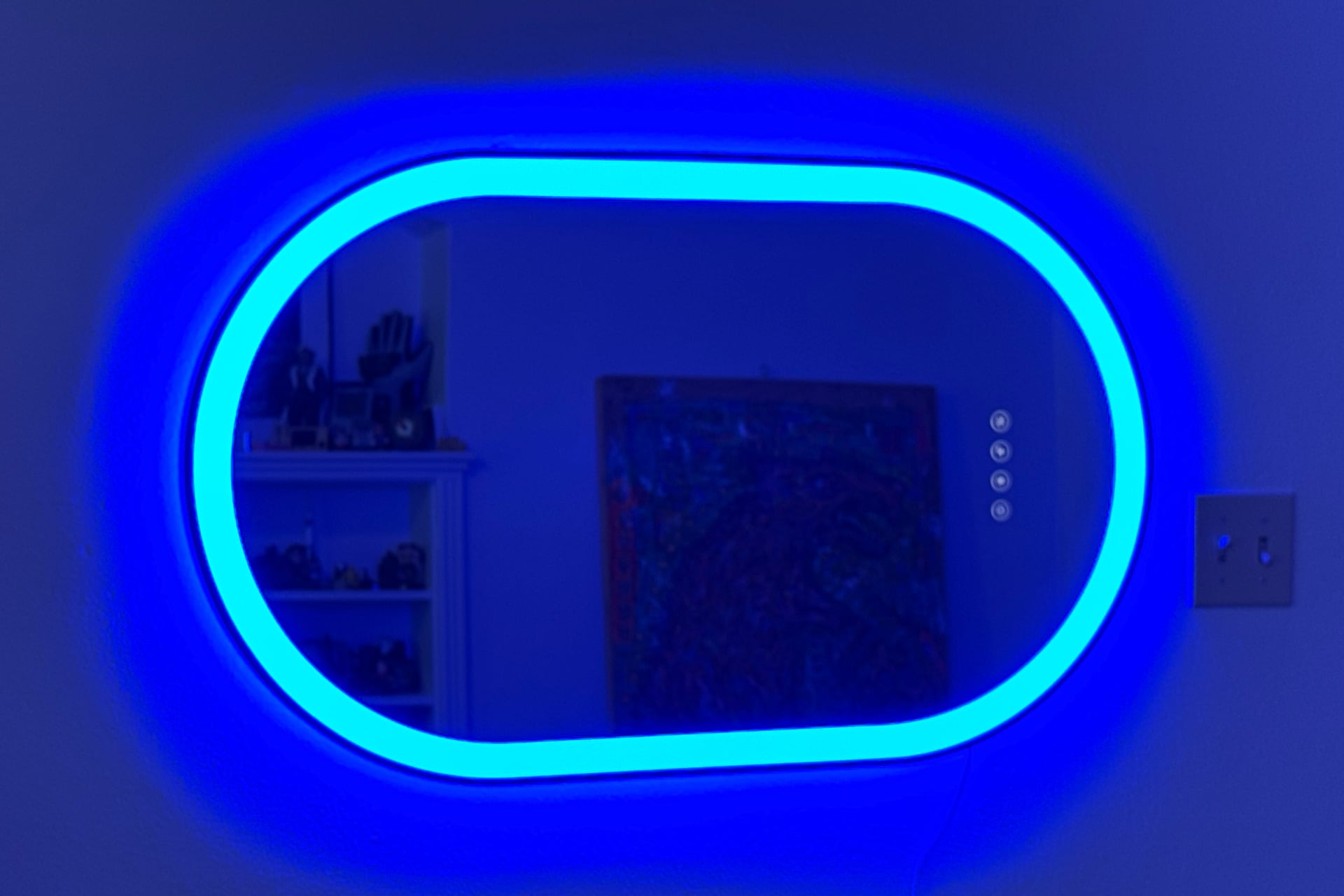
The first thing you’ll notice about the Smart Mirror is its pill-like shape with an inch-and-a-half-thick band of LED lights around the perimeter. Behind the ring’s frosted glass surface are 50 lighting zones that produce smooth, colorful gradients. It displays impressively granular, deeply saturated hues that are loud enough at full brightness to be a little unpleasant to look at. The white light it emits is generally natural, though a bit too orange at its lowest temperature of 1,500K. (But hey, nobody is forcing me to take it that low.) The same can be said for the LED strip in the back, which gives it a nice, gently blooming halo and is individually controllable via the Lifx app.
The Smart Mirror itself is made of what looks and feels like high-quality, smooth glass, framed within a solid black bezel. The mirror is close enough to circular that one of the first things I did was set its four backlit face buttons to turn the lights orange or blue so I could pretend there was a portal (from Valve’s Portal series, obviously) on my wall. It was easy to match those colors, and I was very pleased with myself for doing so. Maybe I’ll reward myself with a piece of cake.
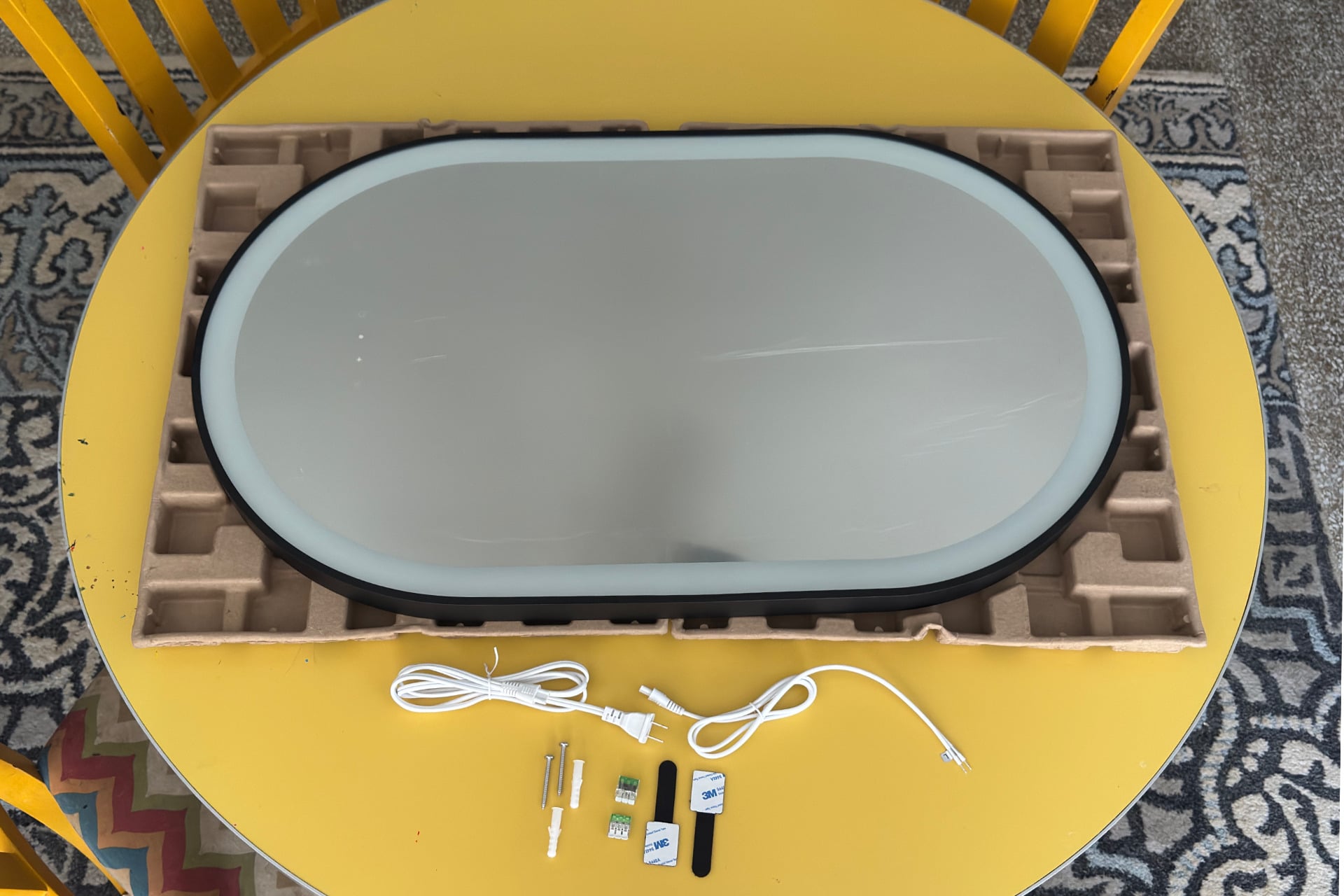
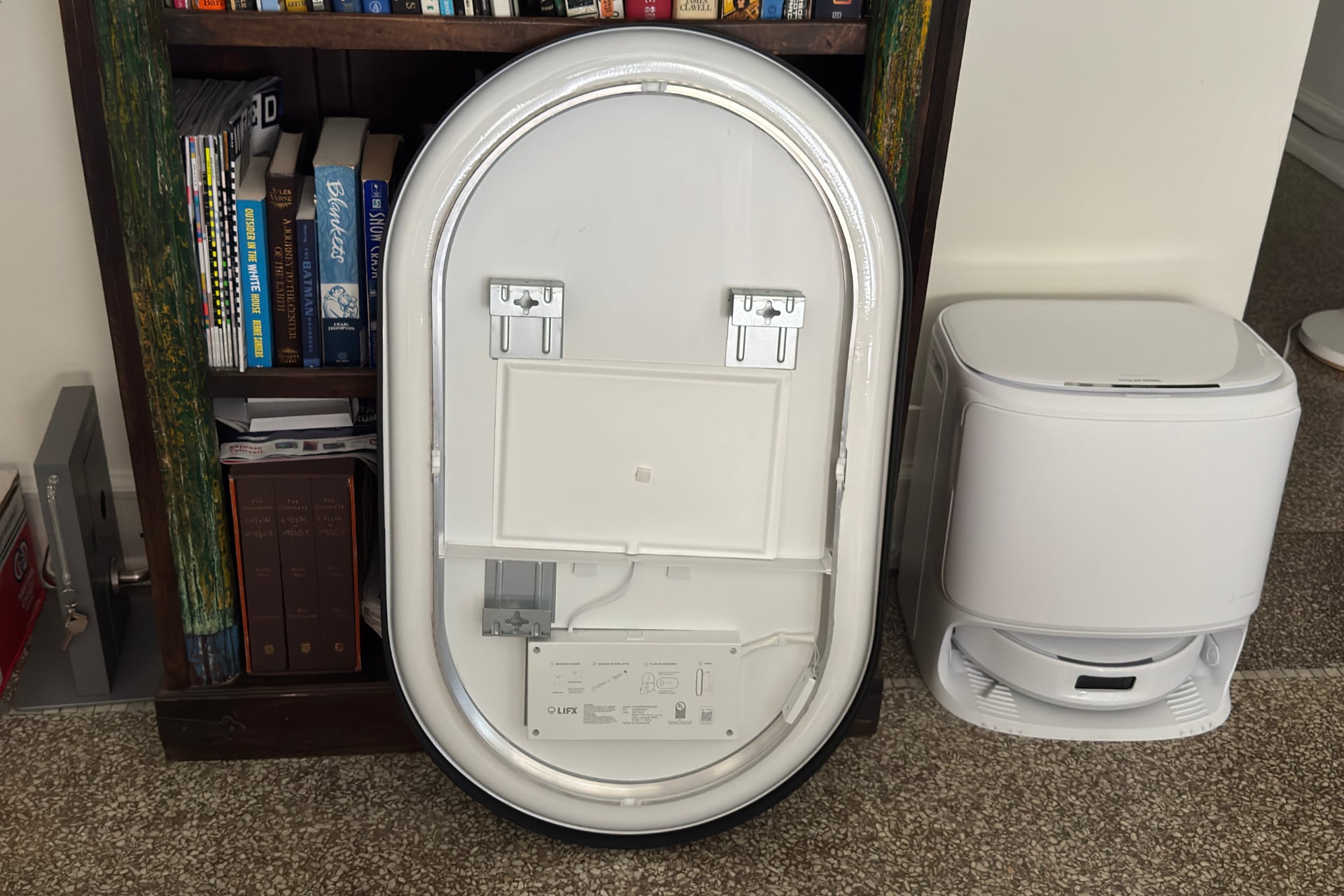
Mounting the Smart Mirror is straightforward. Metal plates on the back, with generously large, plus-shaped cutouts, let you hang it with the included screws and wall anchors either vertically or on its side. The product also comes with cables for either plugging it in or wiring it to your wall. Should you choose the latter, Lifx includes a pair of push-in connectors for splicing the wires. I appreciate that. It’s a lot cleaner, safer, and easier than twirling ends together and cramming them into a nut.
The four touch buttons on the mirror’s surface have default functions right out of the box. From left to right (or bottom to top if it’s sideways), the buttons turn the mirror’s lights on and off, adjust its white-light temperature, cycle through colors so you can check your makeup in different lighting conditions, and activate the defogging feature, respectively.
Three of the buttons become configurable and can control other lights once the mirror is connected to the Lifx app, but there are disappointing limits. You can basically only turn external bulbs on and off and adjust their brightness—but you can’t initiate any effects loops or color gradients, even on other Lifx lights that are capable of doing so. You also need an internet connection to do any of this, and even if you’re only controlling the mirror, which doesn’t require Wi-Fi, you can’t assign animations other than the “Make-up check” routine, which is a slight bummer. Actions also often take a few seconds to initiate after you tap the corresponding button.
See Lifx Smart Mirror at Amazon
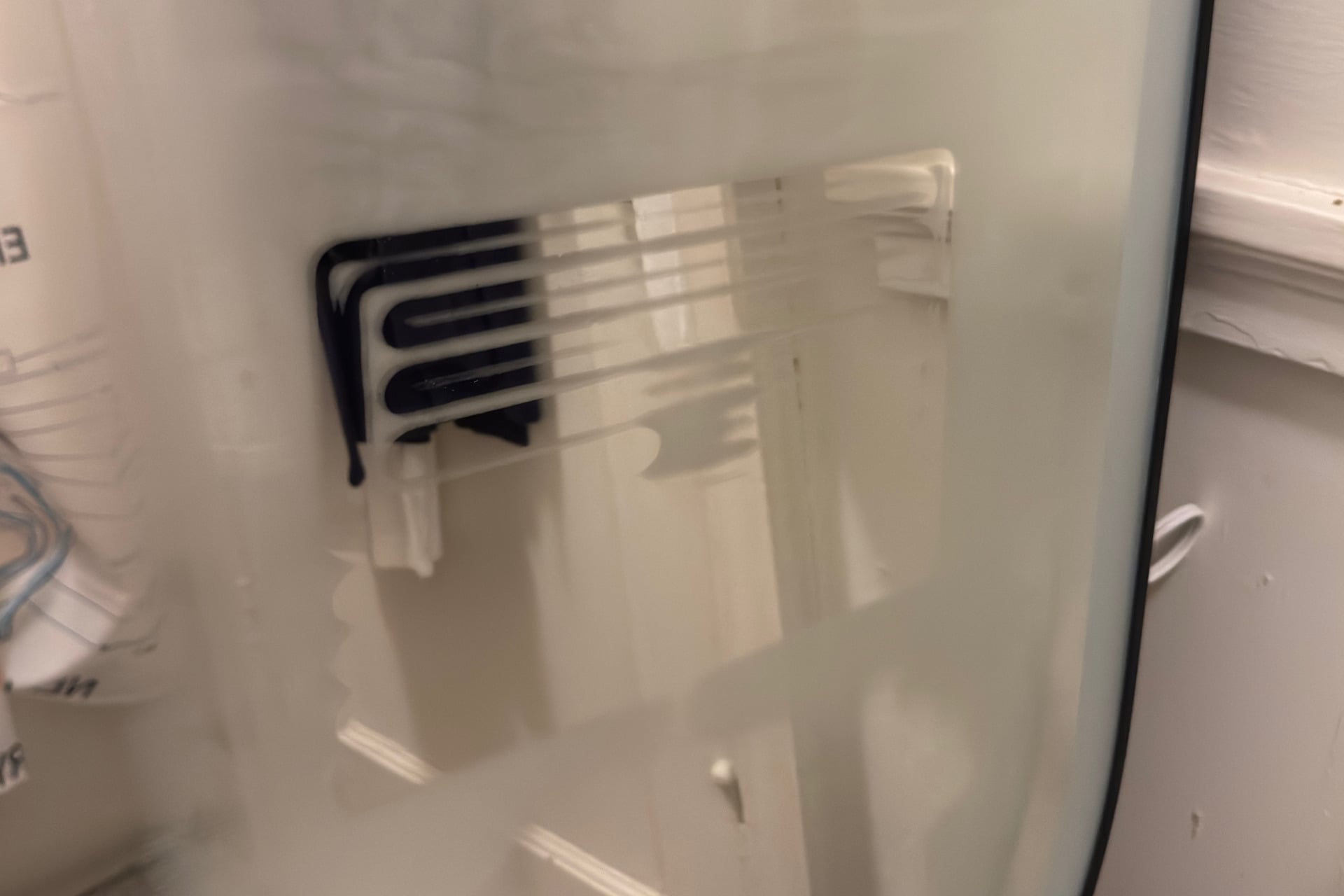
The fourth button is not configurable, although I wish it were. It controls a heating element behind the mirror, and my kid liked turning it on. I didn’t have the space to mount it in my bare-minimum apartment bathroom, but I did prop it up on my toilet and take a hot shower without my vent open to get it nice and foggy. Afterward, I tapped the defog button and started a timer. The heating element began to create a zigzag pattern after a minute or so. Within three minutes, the glass was usable. I gave up on waiting for the condensation to clear after about eight minutes; there was still a bit of water slowly evaporating around the outside, but I was tired of sweating and staring at it from the edge of my tub. If I were actually using the Smart Mirror on a daily basis in a poorly ventilated bathroom, I’d probably just turn the thing on before I start showering or give it a quick wipe afterwards and let the heater do the rest.
Since the Smart Mirror works with the universal smart home standard Matter, it can expose control of its lights and its buttons to any major smart home ecosystem. The thing to note, when doing this, is that you won’t be able to use its gradient features, so the colors and brightness you choose are all-or-nothing. You can’t control the front and rear lights independently through other platforms, either.
I had to finagle a bit to get the Smart Mirror added to Apple Home. The first thing I tried after unboxing it and plugging it in was scanning its setup QR code, but it never connected. I tried the Lifx app next, which worked, and then I could scan the QR code to finally finish the deed. All of that’s easy enough for me, a person who’s used to this kind of troubleshooting, but it could eat into your afternoon if you’re less familiar with such devices. I couldn’t find an official guide for dealing with setup issues, just a button on the Lifx site for reaching out to the company for help.
The good news is that the Smart Mirror’s face buttons work as quickly on my Apple Home network as the fastest smart home buttons I’ve tried, such as the Ikea Bilresa and the Hue Dimmer Switch. When I assigned them in the Home app to perform multiple functions—like operating a mix of 12 devices, setting lights to different brightness levels, playing music on two HomePods, and sending a robot vacuum to work—the devices all responded immediately after I tapped the corresponding button. I expected delays when I used the buttons for the first time after a long lull, but I never saw one.
A party in your bathroom (or wherever)
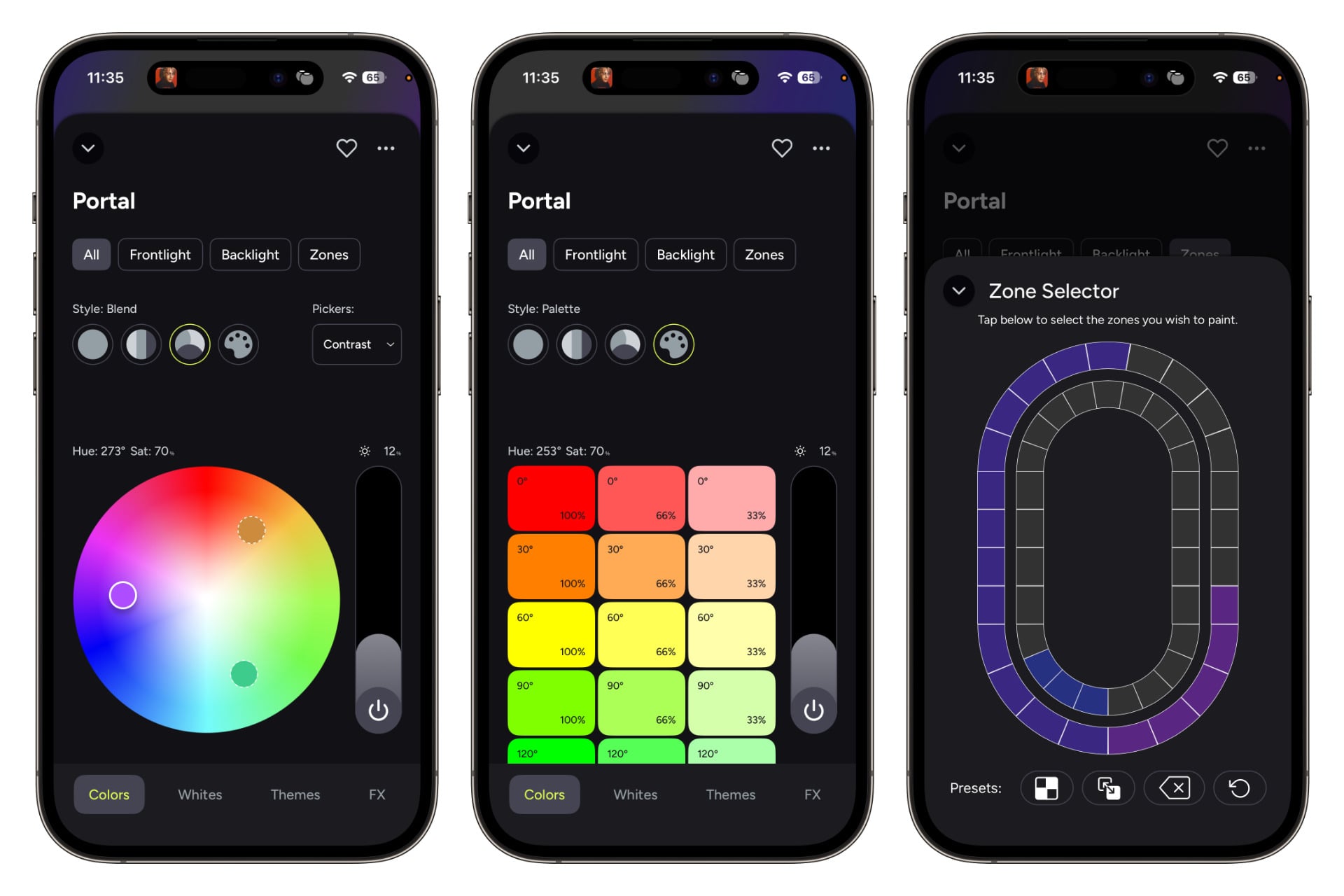
The gimmicky lighting effects of the Smart Mirror could be its main draw for some folks. When you open the device’s screen in the Lifx app, you’re immediately presented with a color picker and controls for distinct color bands, blended gradients, brightness, and more. Tabs at the top take you to basic controls for the front and rear lights, as well as those for painting the individual zones of each.
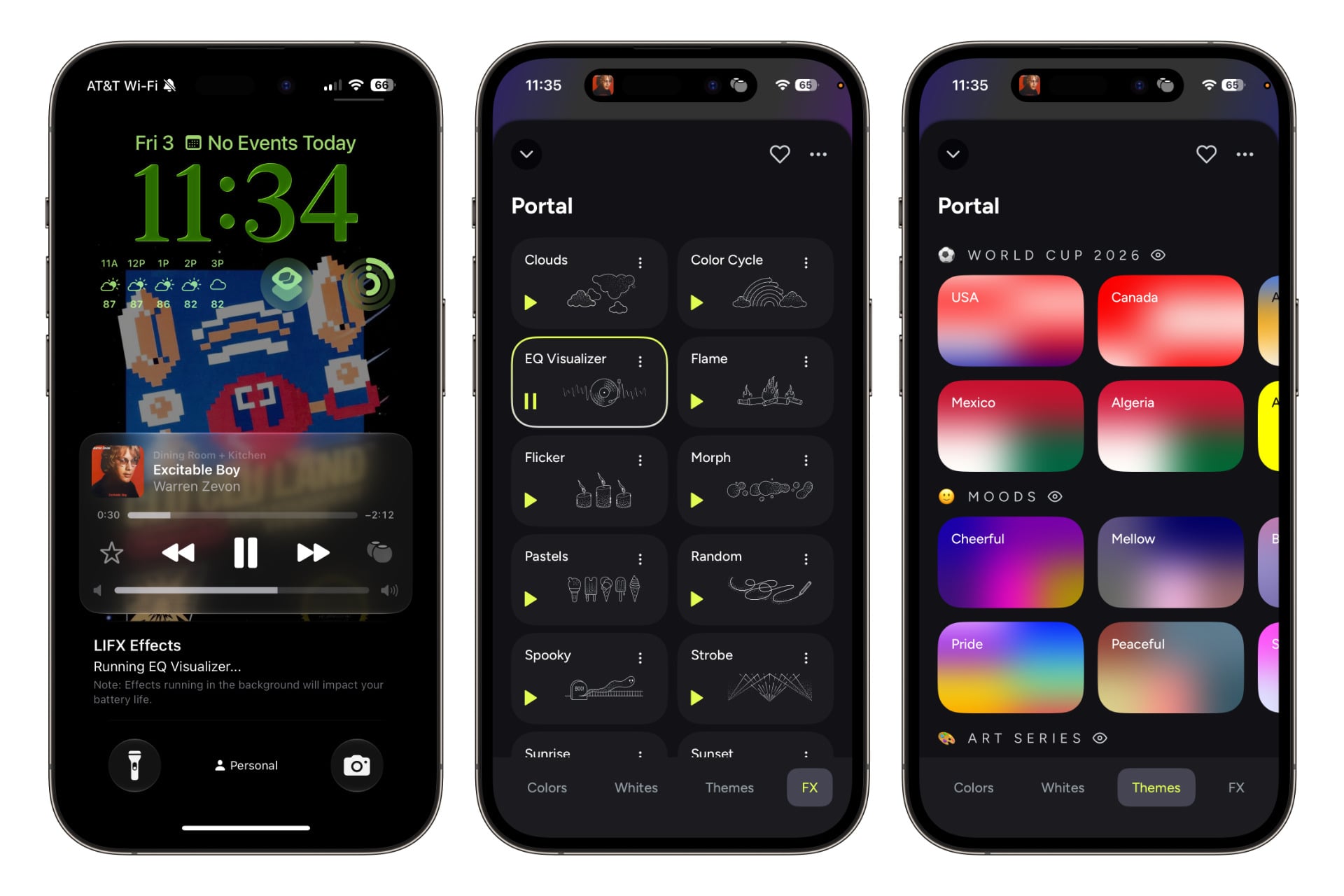
If you prefer a less manual approach, you’ll find plenty of premade color blends in the Themes tab at the bottom of the page. Each of these has a play button, too, and tapping it sets off a subtle (and sometimes not-so-subtle) animation. Using these is a bit unintuitive. If you tap the button for one of them, it doesn’t change immediately; you have to tap pause and then tap play again to change it.
There’s an FX tab that’s similar but has more intentional effects. Those include an “EQ Visualizer” option that uses the colors from your chosen theme and adjusts the lights on either side of the mirror in response to the room’s noise. Ideally, you’d use this for music, but the mirror doesn’t care; sound is sound. Also, the device uses your phone’s microphone for syncing. That means there’s a slight delay before the light responds to the music, and you have to keep your handset in the same room as your speaker. The app did work in the background of my iPhone 15 Pro once I allowed it to show live activities, so at least I could keep using my phone for other stuff without ruining the effect.
Another routine, “Sunset,” starts at a warm white and slowly lowers the light temperature until a dark grayish blue begins to creep in, taking over the light until it eventually turns off. There’s also a “Strobe” option that, by default, only works when you tap and hold the play button in its settings—a choice that a Lifx representative says, very reasonably, is “due to the risk of seizures with flashing lights.” You can switch it to just start strobing at a tap, but you’ll still need to go into the effect’s settings to do so. That might be for the best; I don’t think I want a gigantic light flashing rapidly in my face while I’m brushing my teeth.
Unfortunately, the Smart Mirror’s animations don’t accommodate its sideways orientation, and I couldn’t find a way to adjust this in the app. As a result, for instance, the simulated fire of the “Flame” visual emerges from the side of the mirror rather than the bottom. Lifx tells me this will be addressed in a software update later on.
Put briefly, the Smart Mirror would be a very cool addition to any RGB-laden, cyberpunk dungeon. I don’t know if people will want to use it in the bathroom, but hey, what you do in the shower is your business. As an old head, I think the effects are little more than a fun diversion. Who knows, though; maybe my next poker night will have a synthwave theme.
I love this stupid mirror
I like to think I’m immune to gimmicky tech, but the Lifx Smart Mirror nails its particular parlor tricks well enough to punch holes in my heart’s cynical shell. Its smart home buttons work very well in Apple Home, which is far from a given in this space. And the whole thing feels well-made, from the sturdy band around the outside to the quality of the LED lights under its surface. Plus, it’s just a cool thing to look at, especially when I’m pretending there’s an Aperture Science portal on my wall.
My complaints about the Smart Mirror are as minor as they are few. I wish the company had expanded the buttons’ usefulness more when configured in the Lifx app, for one. And some of the effects are a little goofy if you want to mount the mirror sideways. And a little more troubleshooting guidance would be nice for people who haven’t been in the smart home trenches as long as I have.
Once the Smart Mirror is set up, though, it works almost precisely as I’d hoped. At $250, it’s not exactly cheap, but it’s certainly more affordable than many designer decorative mirrors, which can go for hundreds of dollars or more. Also, as far as I’m aware, there are no other smart mirrors that both support Matter and have smart home control buttons. (I wouldn’t be surprised to see the likes of Govee or Nanoleaf copying it soon.) I don’t know who is out there looking for a big ol’ party mirror on their wall that works with their smart home platform of choice, but if you are, this Lifx device is a delight.
See Lifx Smart Mirror at Amazon
Read the full article here