
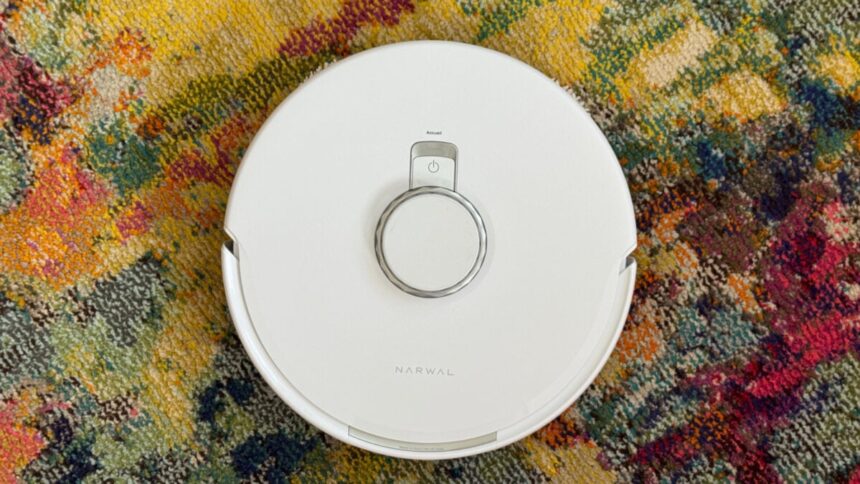
The trouble with many robot vacuums is that they’re too expensive and more frustrating than helpful. I went into testing the Narwal Freo Z10 Turbo carrying the trauma of testing endless disappointing multifunction robot vacuums and thinking, “Here we go again.”
Reader, I’m happy to report that we were not, in fact, going again.
The Z10 Turbo has just about everything you’d want out of a high-end robot vacuum. It can sweep and mop using self-mixing detergent, clean and empty itself, detect and avoid objects, and navigate with ease. It has a default AI cleaning mode called “Freo Mind” that, at the very least, didn’t provoke any strange behaviors in my testing. Its very large base will stick out like a sore thumb, but at least it’s nice to look at. And the kicker? It costs less than $1,000.
Narwal Freo Z10 Turbo
A less-expensive all-in-one robot vacuum with good, quiet vacuuming and okay mopping performance.
- Outperforms many pricier robots
- Great battery life
- Solid vacuuming
- Very quiet
- Good quality-of-life options
- Mopping performance is so-so
- Very slow
- Spot cleaning with the app is clunky
Quick setup
Given the Z10 Turbo’s $900 price tag—hundreds cheaper than many robots with similar but more expansive feature sets, like the Ecovacs Deebot X12 OmniCyclone or Roborock Saros 20—I worried that cut corners would make the device difficult to use or otherwise critically deficient. But right out of the box, the Z10 feels like a premium robot. The packaging is uncomplicated and relatively compact. The vacuum comes placed in its dock, with plenty of foam to keep it from jostling during shipping, a nice space-saving measure. Careful removing it, though. Only an easy-to-miss sticker lets you know the Z10 Turbo is packaged in its base, and even though I saw it, I still nearly dropped the device when I pulled the dock out.
Physically setting the Z10 Turbo up is about as complicated as it usually is with these things—you put the dock on the floor where you want it to live; remove some packing foam and stickers; insert the clean and dirty water mop buckets, mopping detergent, and dust bag; pop a couple of plastic pieces into the cavity where the robot will go; then slide the robot into it, after removing some more foam and stickers.
After you’ve gotten everything together, you download the Narwal app and run through some setup functions, which involves pressing a button on top of the dock, waiting for it to play a little tune, then scanning for the robot and adding it to your Wi-Fi network. After that, the app asks if you have pets, stairs, or carpets, and you’re ready for a mapping run.
The device took less than 10 minutes to map my 750-square-foot apartment, after which the app presented me with a familiar floor plan. Unlike robots from Dreame and Ecovacs, the Z10 didn’t make a doomed effort to pre-name my rooms for me; they were all just “Room 1,” Room 2,” and so on.
Altogether, the process took around 30 minutes (someone who isn’t a reviewer taking notes could probably get it done more quickly), and then I was ready to clean.
See NARWAL Freo Z10 Turbo at Amazon
Slow but surprisingly good performance
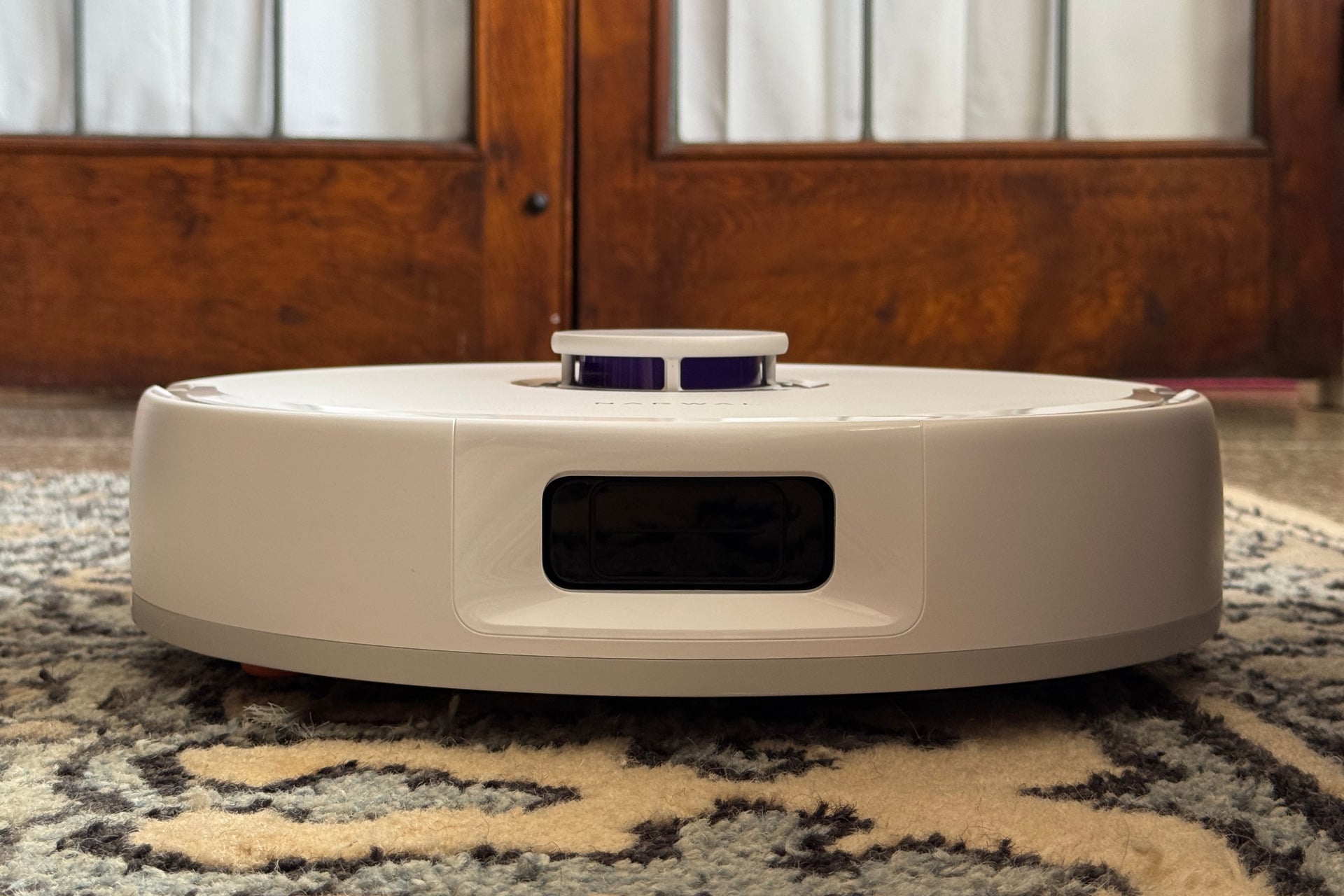
I found the Z10 Turbo to be slower than the Matic, which is by far my favorite robot vacuum. The Z10 took close to two hours to vacuum my whole apartment, a task the Matic can manage in an hour and 20 minutes. That the Z10 can fit under a lot of furniture that’s too low for the Matic probably accounts for some of the extra time the Narwal’s bot took, although most of my furniture has stuff stored underneath it. Mopping made the Z10 Turbo even slower. It spent nearly half an hour vacuuming and mopping my tiny, uncomplicated kitchen, a task the Matic got done in 14 minutes. Narwal’s product took about three hours to vacuum and mop the whole place, stopping regularly to clean its mop pads.
Speed aside, the Z10 Turbo is refreshingly simple to navigate. It cleans in a waffle pattern, zig-zagging across a room in one direction, then another, until it has covered an area. That’s a step up from the Dreame Aqua10 Ultra Roller and the Ecovacs Deebot X12 OmniCyclone, which both did the same but struggled heavily in cluttered areas during my testing. I’ve moved houses since I tested those, but my kid is just as messy in the new place, and the Z10 Turbo handled that with no issues. The Z10 has good battery life, too. It managed to vacuum and mop my entire apartment, which is mostly hard floor with area rugs throughout, in a single run, with around 40% of its battery remaining after those three hours of labor.
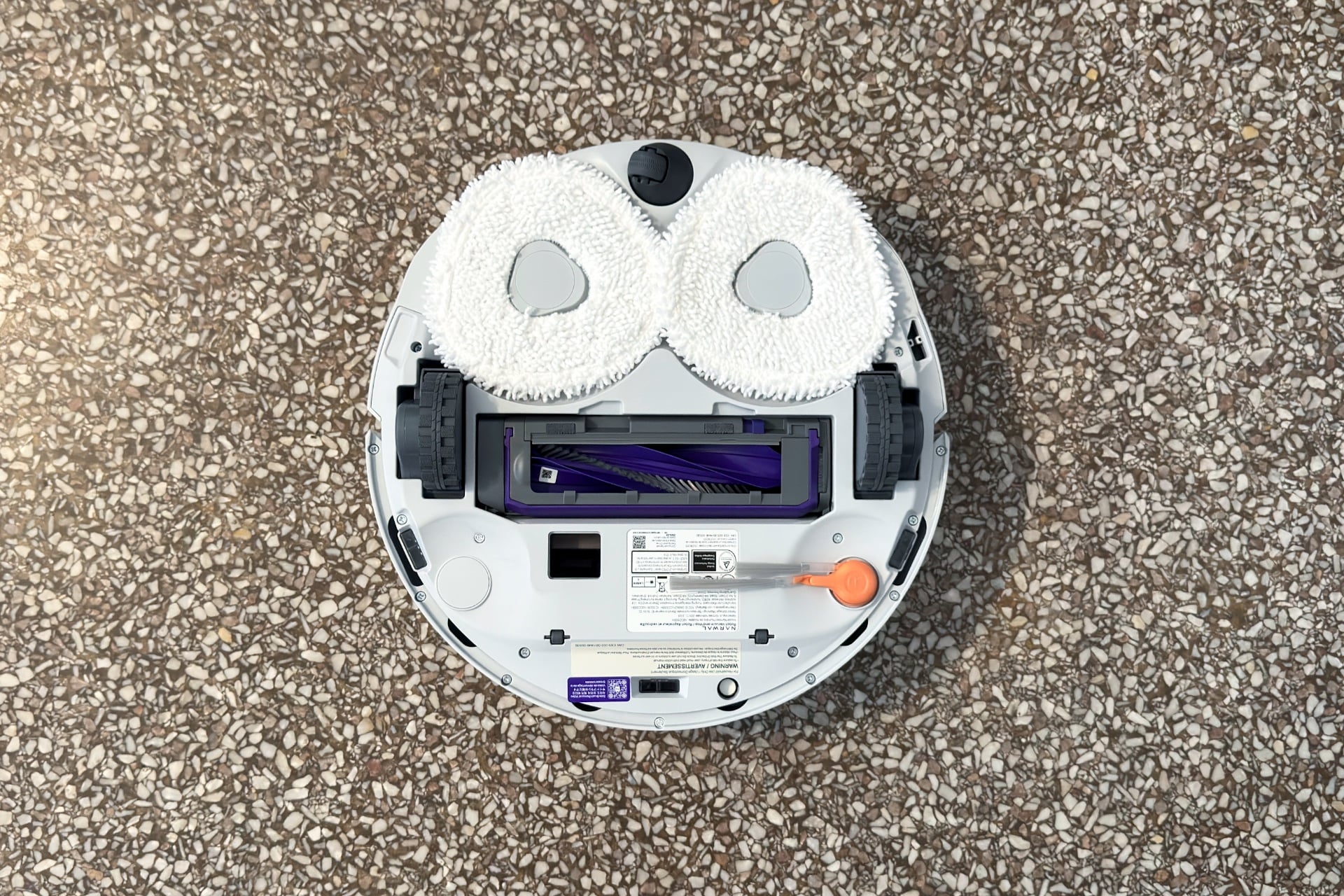
Of course, the Z10 Turbo shows its midrange price when comparing it to the fancy features you’ll get on the more expensive end of this space. It isn’t as thin, for example, as the Dreame X60 Max Ultra Complete, a device that has a sinking sensor cluster to allow it to go under super-low furniture the Z10 Turbo can’t. Narwal’s dock also doesn’t automatically remove the robot’s mop pads before vacuum-only tasks, which those of the X60 and other competitors do. And while it can do pushups with its wheels, it doesn’t have little feet to boost it over taller thresholds between rooms, a feature of Dreame’s recent robots and Roborock’s Saros S20.
But even without those bonuses, the Z10 Turbo did a fine job vacuuming. It could climb onto and clean my rugs—whether high- or low-pile—and reliably ratchet up its suction when it realized it was on carpet. It didn’t pick up quite as much small debris from the rugs as the Matic did, but the difference was minimal.
The Z10 Turbo’s cleaning isn’t totally flawless. It did get a piece of paper jammed in its roller early on, thwarting that first cleaning run almost immediately. However, that experience proved an anomaly. Over the next two weeks of testing, the robot completed almost every scheduled and on-demand vacuuming run without getting trapped. It ultimately proved adept at avoiding items like socks, books, and cables most of the time. It did snag on two cables in a later cleaning run but successfully freed itself from one of them without my intervention. (I didn’t wait to see if it could handle the other.) It even identifies obstacles on the map with little icons that resemble what it thinks they are.
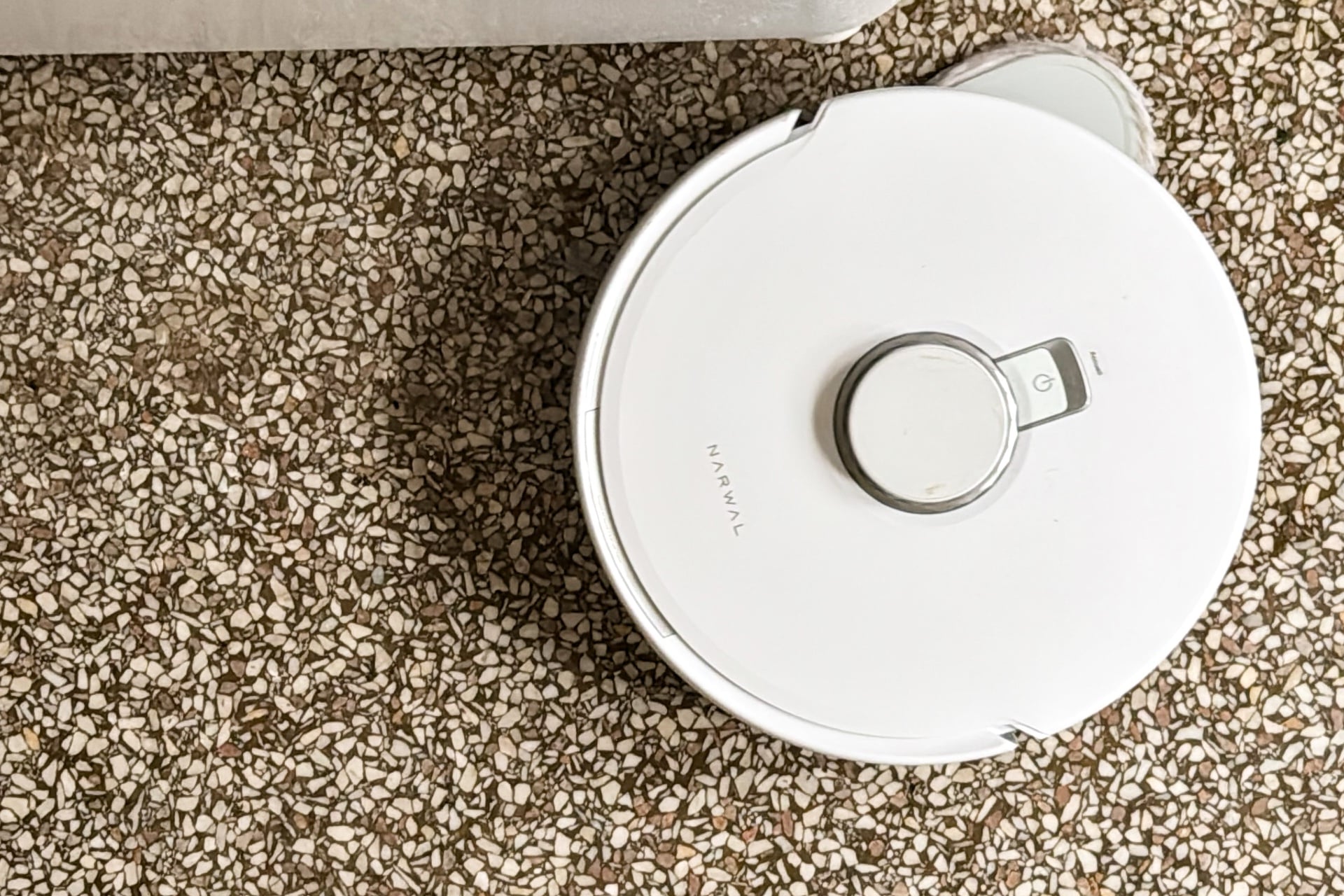
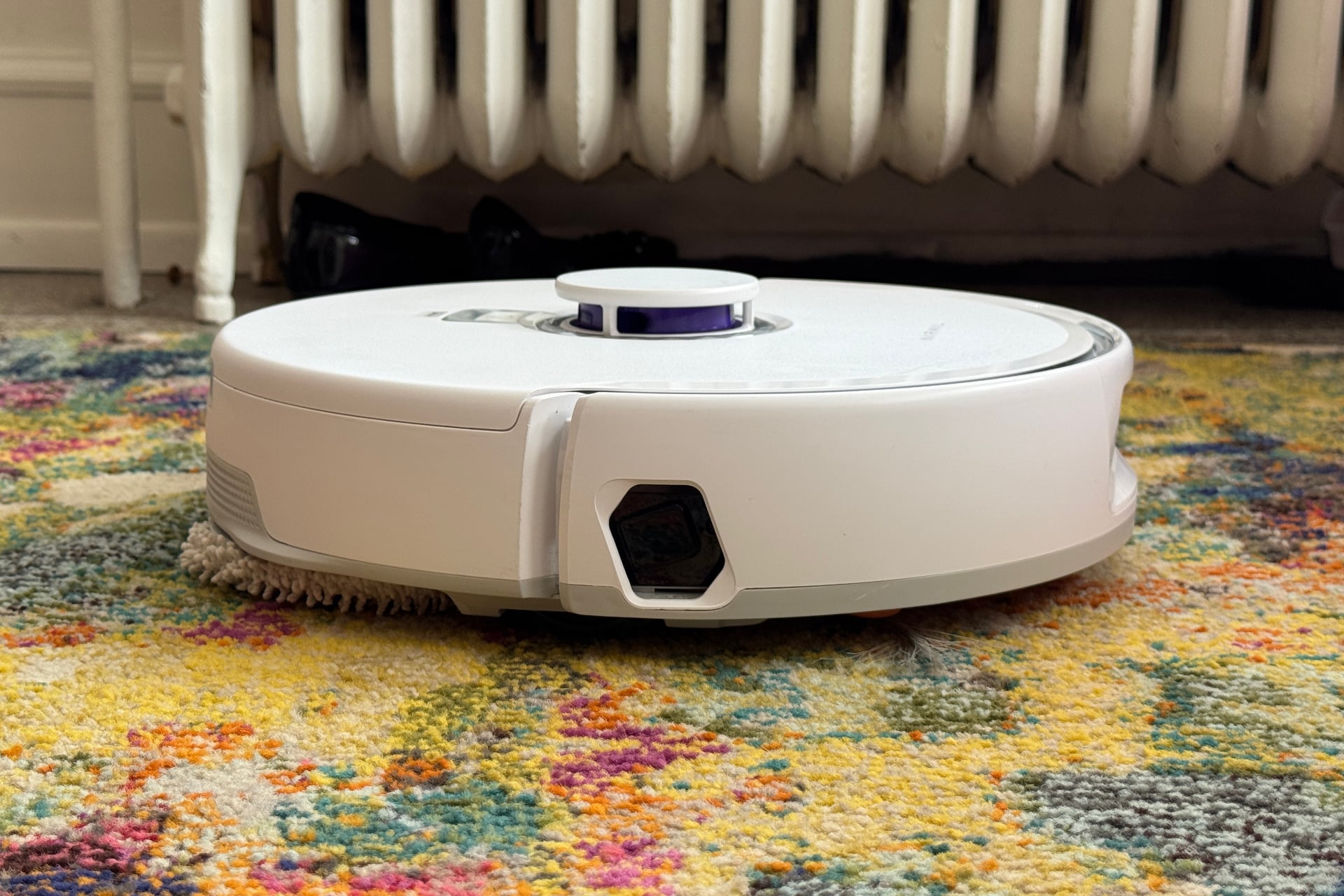
Speaking of mopping, I like that one of the Z10 Turbo’s mop pads swings out to reach under doors and cabinets and get up close to edges. It also gives my floor a glossy sheen and always successfully avoids mopping my rugs. I had it mop my kitchen after dinner several times, and it did a good job with it, leaving no sticky residue or grease that my feet could detect. It has limits, though: I tasked it with cleaning up a ketchup spill and ended up with ketchup spread everywhere. That particular cleaning task is hard for most robot vacuums, and only the Matic and the X12 OmniCyclone have actually completed it to my satisfaction.
One thing worth noting: a few days into testing, I noticed the Z10 Turbo had started dropping dirt around the edges of carpets. When I removed the top and pulled out its plastic dustbin, I saw why: it had developed some bad clogs and wasn’t actually vacuuming anymore. I didn’t see any obvious explanations for the clog, such as large objects, but the problem didn’t recur during testing. Maybe that’s because I’d turned off the dock’s “AI” self-emptying mode, which the app says “will dynamically adjust dust bin status based on cleaning area,” or because I’d had the dock in quiet mode, which makes its self-emptying vacuum noise more than tolerable. (There’s also a do-not-disturb option that prevents self-emptying during certain periods, ideal if you run it at night.) Whatever the reason, be warned that clogging can occur.
A standard-issue robot vacuum app
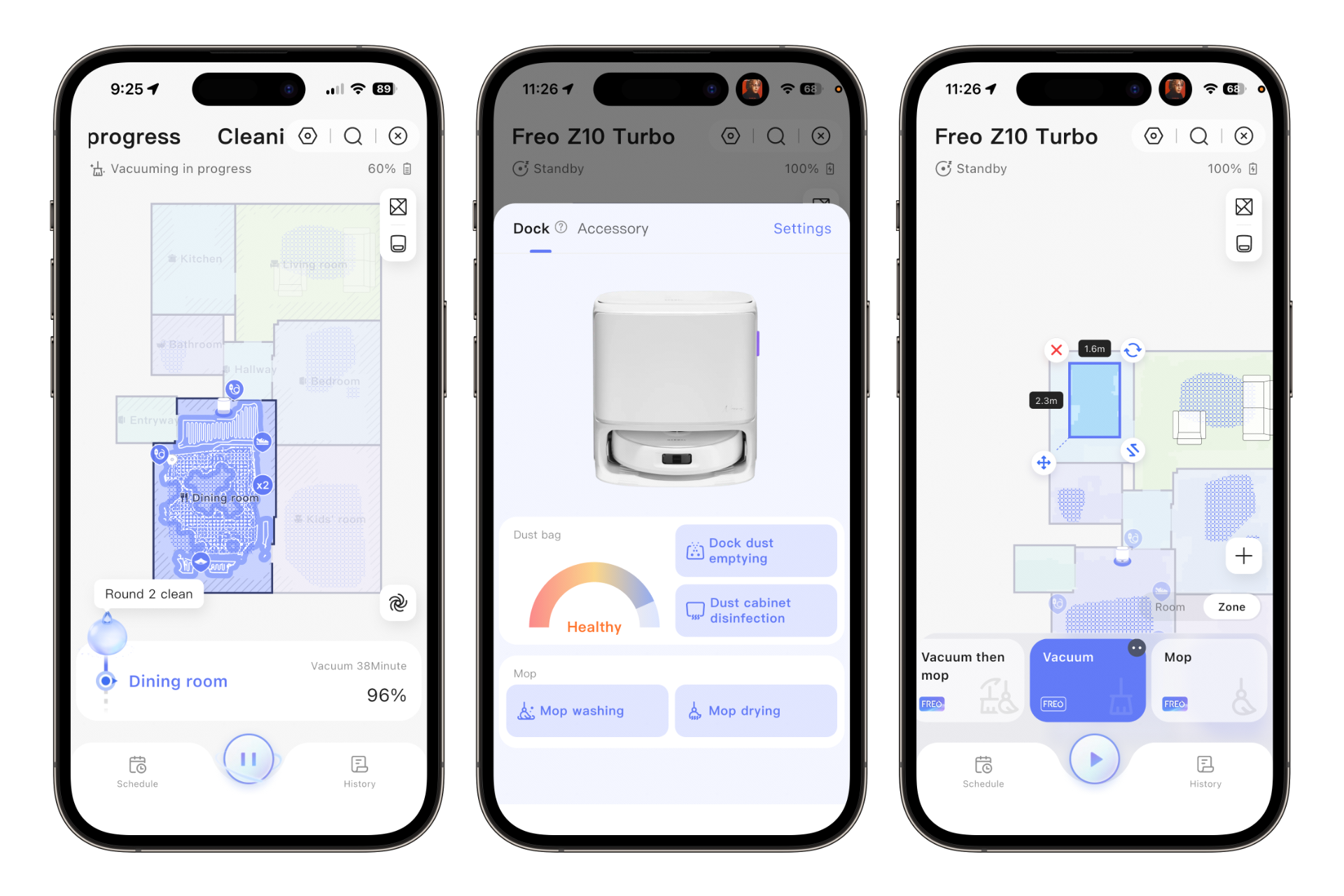
If you’ve used any robot vacuum app, Narwal’s will feel familiar. Its home screen displays a map of your home and a button that starts a cleaning run. Subsequent toggles let you choose whether and how you’d like the device to clean (vacuum only, vacuum and mop simultaneously, vacuum then mop, and so on) and take you to the map edit screen.
To make the robot start cleaning everything, you can hit the play button on the Z10 Turbo’s home screen (or press the button on top of the dock, a placement that I like quite a bit). To send the device off to individual rooms, just tap the areas in the order you want them hit, then press the play button.
The app brings some other typical annoyances. Spot-cleaning is clunky because, as with other robot vacuums, it requires drawing a box on the app’s map of your home and then moving or resizing it using tiny, hard-to-touch targets. (I wish more companies would adopt Matic’s approach and let us paint a specific area with our fingers. So far, nobody has, that I know of.) Doing either through Narwal’s software was frustrating in testing: the box either didn’t respond to my inputs or kept moving when I tried to resize it. When I realized I had put the box in the wrong spot and adjusted it right after the robot started cleaning, the device went all the way back to its dock to redo its mop pad routine. All of that made me want to just turn the thing off and pull out my Swiffer.
Down in the robot’s settings, you’ll find a number of familiar options, from tweaking the robot’s behavior around rugs and carpets (if, for example, you want it to vacuum those first so it minimizes driving over them with wet mop pads) to setting up schedules. The latter also caused problems for me; the robot defaults to Eastern Time, so it didn’t clean when I expected it to. I eventually found the time zone settings and corrected them.
Another very annoying thing about the Z10 Turbo (and the vast majority of robot vacuums) is how useless it becomes without an internet connection. You can’t start it from the app, nor will it perform a scheduled task, without Wi-Fi. The most you can do if disconnected is tap the start button on top of the dock (or the power button on the robot itself) and send it off on a whole-home clean, and even then, you have no way to choose whether it mops, vacuums, or both (although you could technically preempt this scenario by setting the button’s default cleaning mode inside the Narwal app if you’re really thinking that far ahead). Matic’s robot has proven that there is a better way: the Matic app can connect to and fully control its connected vacuum via Bluetooth. The idea that my spendy little robot won’t lose functionality, even if the company I bought my robotic puck from shuts down, is a powerful one. I wish the rest of this industry would learn that lesson already.
Despite these hiccups, however, the software is generally fine. Narwal doesn’t throw everything at the wall to see what sticks, and the result is an app that feels relatively streamlined compared to its contemporaries. It will still require a learning curve if you’re not already accustomed to using a robot vacuum app, though.
A better buy than pricier competitors
I like the Freo Z10 Turbo overall. It’s a great vacuum cleaner that eschews some of the bells and whistles of pricier robot competitors, and I never missed them. It does a good job picking up debris, it’s whisper-quiet most of the time, and its self-emptying base doesn’t get too loud when clearing the device’s dustbin or cleaning its mops. Using it after testing several vacuums that retail for more than $1,000 really drives home how much some of their extra features seem to exist solely to justify the high price.
It’s not all roses, of course. The Z10 Turbo is pretty slow, can clog, and requires an active Wi-Fi connection to do anything other than a whole-home clean. Its mopping performance is so-so, and its app can be clunky, as robot vacuum apps tend to be, especially when you’re trying to initiate targeted spot cleans.
I can forgive those issues, though, because the Z10 is a solid daily cleaner. Although $900 may feel like a hefty price to pay for any device, the features this one offers generally work. It’s less frustrating than it is useful, a blessing in the world of robot vacuums.
See NARWAL Freo Z10 Turbo at Amazon
Read the full article here