

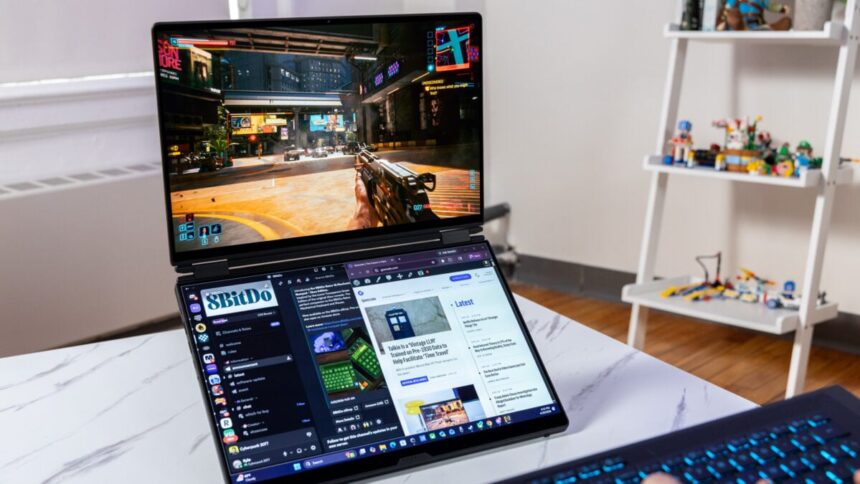
What is a laptop but a screen, a keyboard, and a mound of unseen processing potential? By that logic, a laptop with two screens should bring 50% more to the table than the traditional clamshell. In 2026 alone, I’ve tested two laptops with two screens that are breaking all conventions of the laptop scene. And yes, it makes a huge impact on gaming laptops as well.
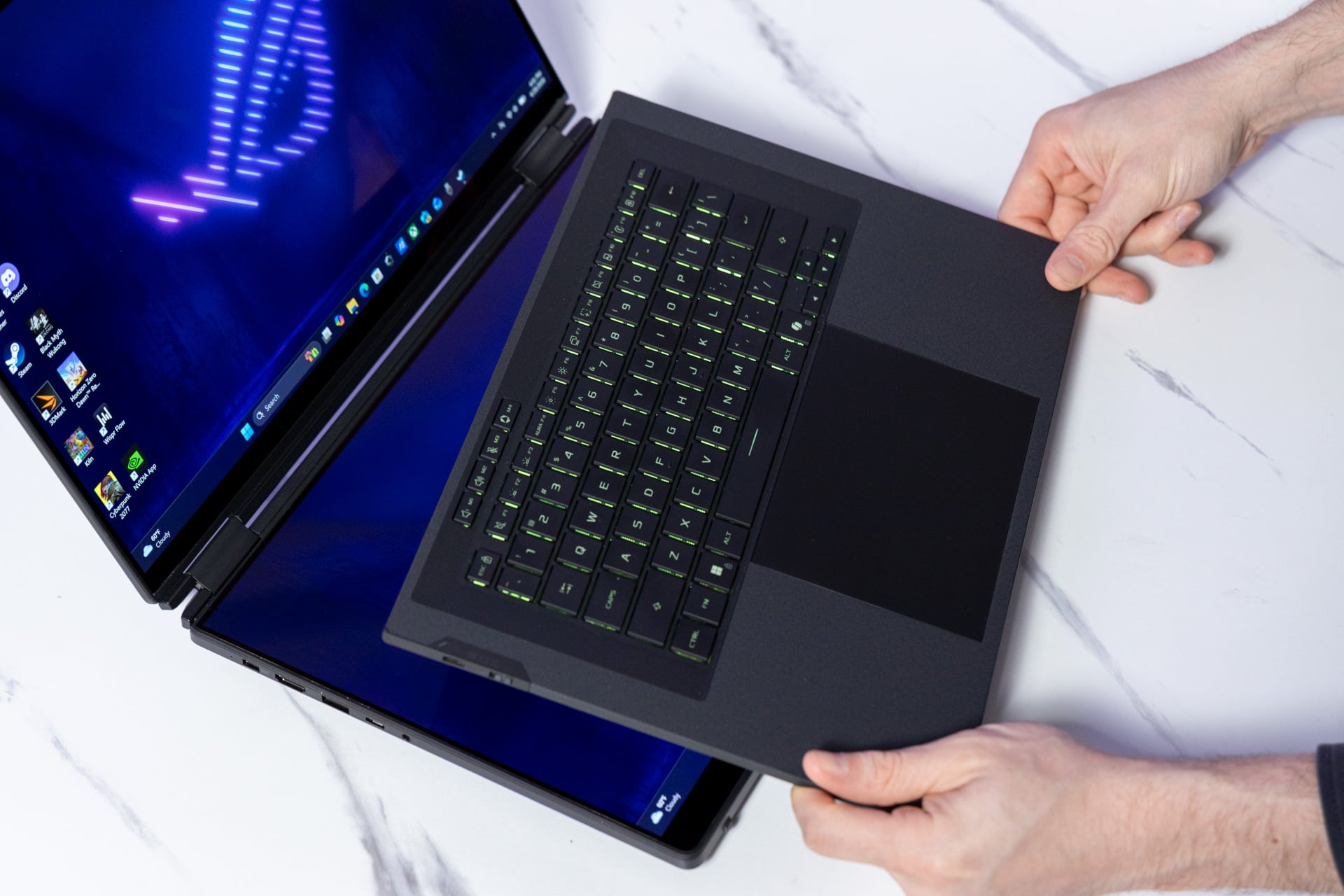
Enter the Asus ROG Zephyrus Duo. A magnetically-attached keyboard peels away to reveal an extra screen. The kickstand pops out to prop it up, and suddenly you’re sitting at a multi-monitor setup with a Bluetooth keyboard. It’s all housed in Asus’ sleek Zephyrus laptop design that’s still effective two years on. This gaming-ready laptop is packed with a mass of high-end components—including a top-end Intel chip and Nvidia GPU—that make it a powerful entertainment platform, and especially for making multi-screen gaming setups mobile. And it feels like you are indeed lugging around an extra monitor along with your gaming laptop.
It sure sounds appealing until you get into the nitty gritty. The Zephyrus Duo starts at $4,500 for a version that comes with an Nvidia RTX 5070 Ti discrete GPU. You’ll need to spend an astronomical $5,500 for a version with the top-end RTX 5090. At such a price tag, the Zephyrus Duo is a mountain of extravagance. Most people would be perfectly safe with a less-expensive gaming laptop. You’ll probably get better performance from another machine. But let’s get one thing clear: two screens are inevitably better than one.
Asus ROG Zephyrus Duo
It’s a weighty laptop, but the Asus ROG Zephyrus Duo makes it hard to return to single-screen laptops.
- Two screens are better than one
- Vibrant OLED displays
- Plenty of ports
- Multiple modes of play
- Powerful enough for AAA gaming
- Less expensive laptops perform better
- Weighty in a bag
- Keyboard feels thin
- Laptop shuttering design flaw
- Ultra-expensive
A chunky laptop, but not the chunkiest
Asus won’t stop with its dual display designs. The company’s original ROG Zephyrus Duo 16 from 2022 included a half-sized display that forced the trackpad to the right of the keyboard. Then came designs like this year’s fantastic Zenbook Duo, packed with twin 14-inch screens connected by a low-profile hinge.
The ROG Zephyrus Duo, by comparison, deploys with two 16-inch OLED displays. Compared to the Zenbook Duo, there’s more of a gap between each screen with a wider hinge. The Zenbook Duo was already moderately thicker and heavier than a typical thin-and-light laptop. The Zephyrus Duo is far larger than that. At a width of just under 10 inches, the dual-screen device barely squeezed into my backpack’s laptop holder.
The laptop is also a hulking monstrosity at nearly 6.2 pounds. For comparison, Asus’ own ROG Zephyrus G16 clocks in at 4.3 pounds. Then again, a powerful Alienware 16 Area-51 gaming laptop is outside of either Zephyrus’ weight class at nearly 7.5 pounds. Asus’ 16-inch dual-screen design sits on the very edge of being too heavy to comfortably carry around in any pack.
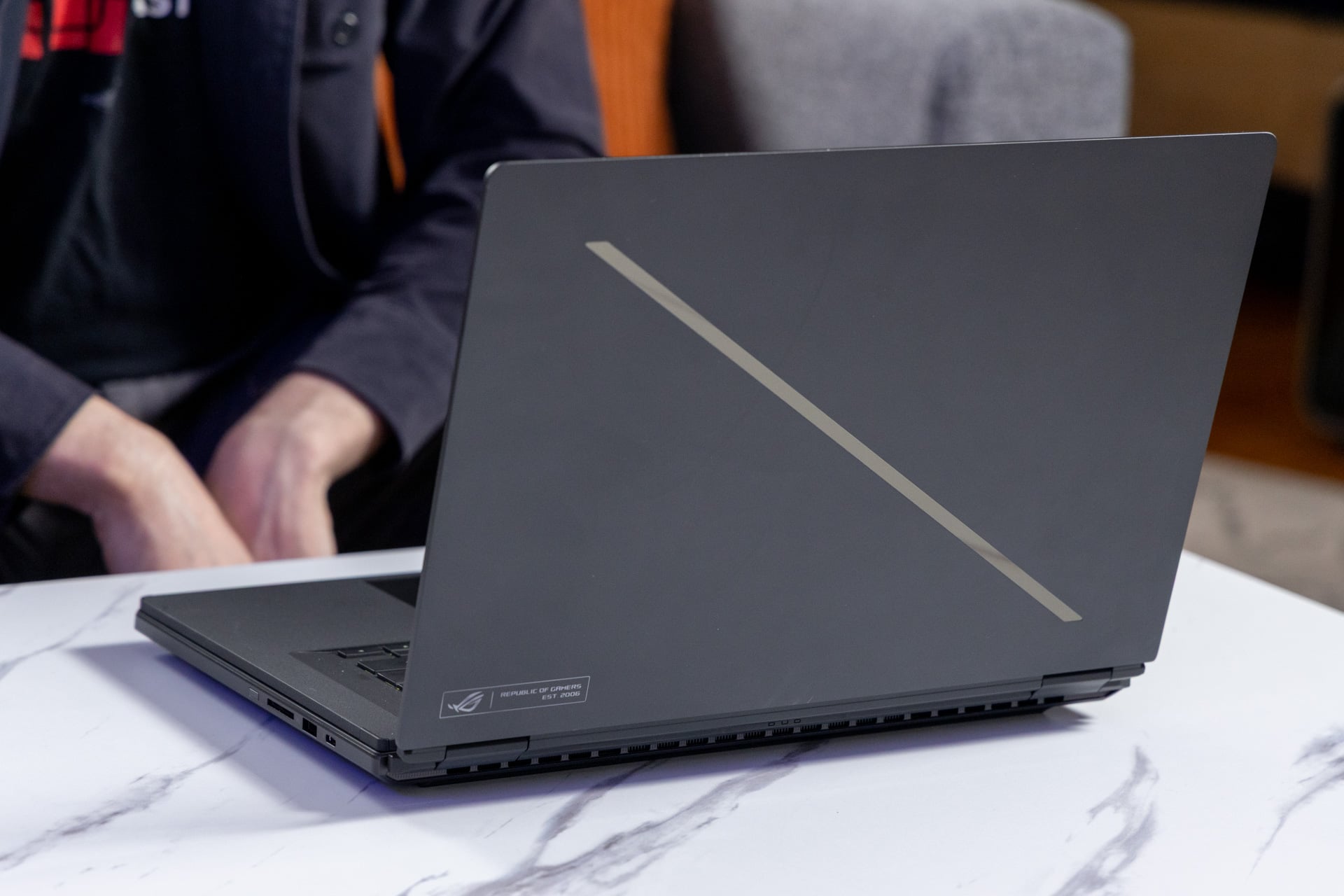
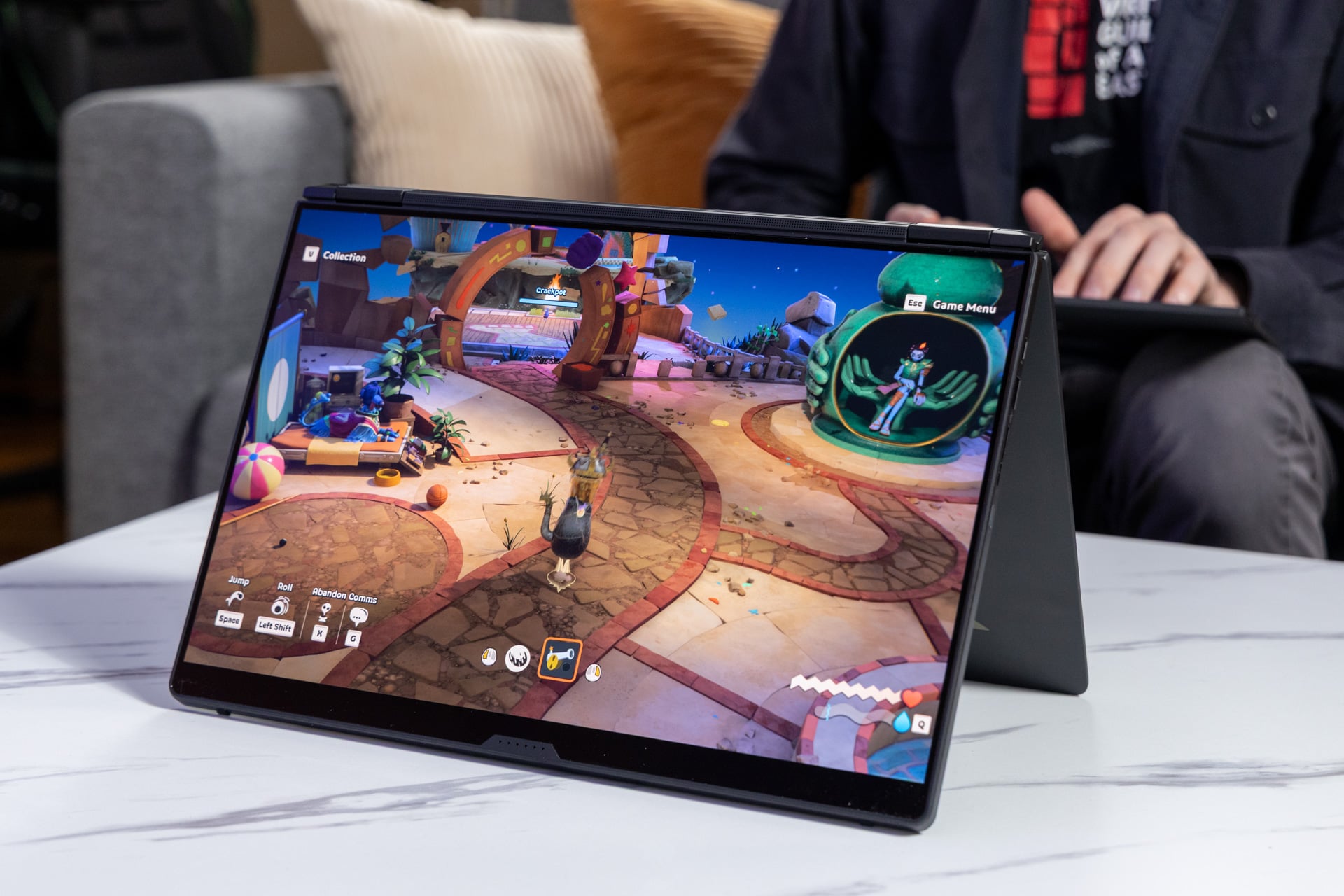
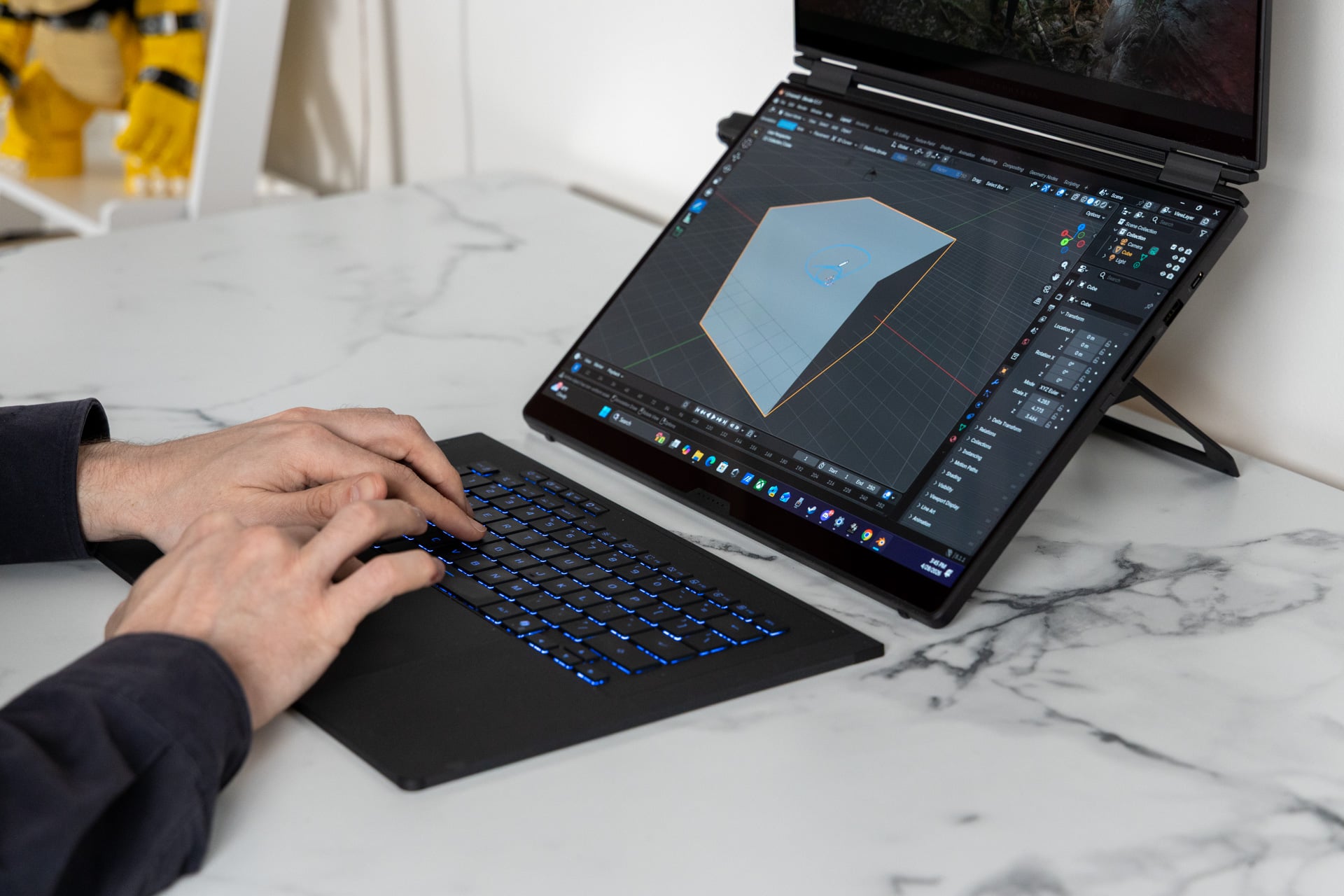
The heft is partially because of the need for a strong metal kickstand. The Zenbook Duo makes due with a thinner piece of aluminum to stand up straight. The tradeoff is versatility. I can play with the keyboard on the bottom screen, where it’s connected via six pins and magnets to keep it in place. I can prop it up for a multi-monitor desk setup and plug away at the keyboard in my lap. I can lay both screens flat, or I can fold the screen backward and enter a so-called “tent mode,” in case somebody on the other side of the table wants to see everything I’m doing.
In tent mode, you can also play games with the screen mirrored. This means instead of playing a co-op game by hunkering around the same small screen, each player gets their own display. During my testing, the laptop did a poor job automatically detecting screen orientation and required I manually change it in display settings. This is an interesting option if you want to play a co-op game that relies on the same screen, like Lego Horizon Forbidden West, without needing to sit elbow to elbow.
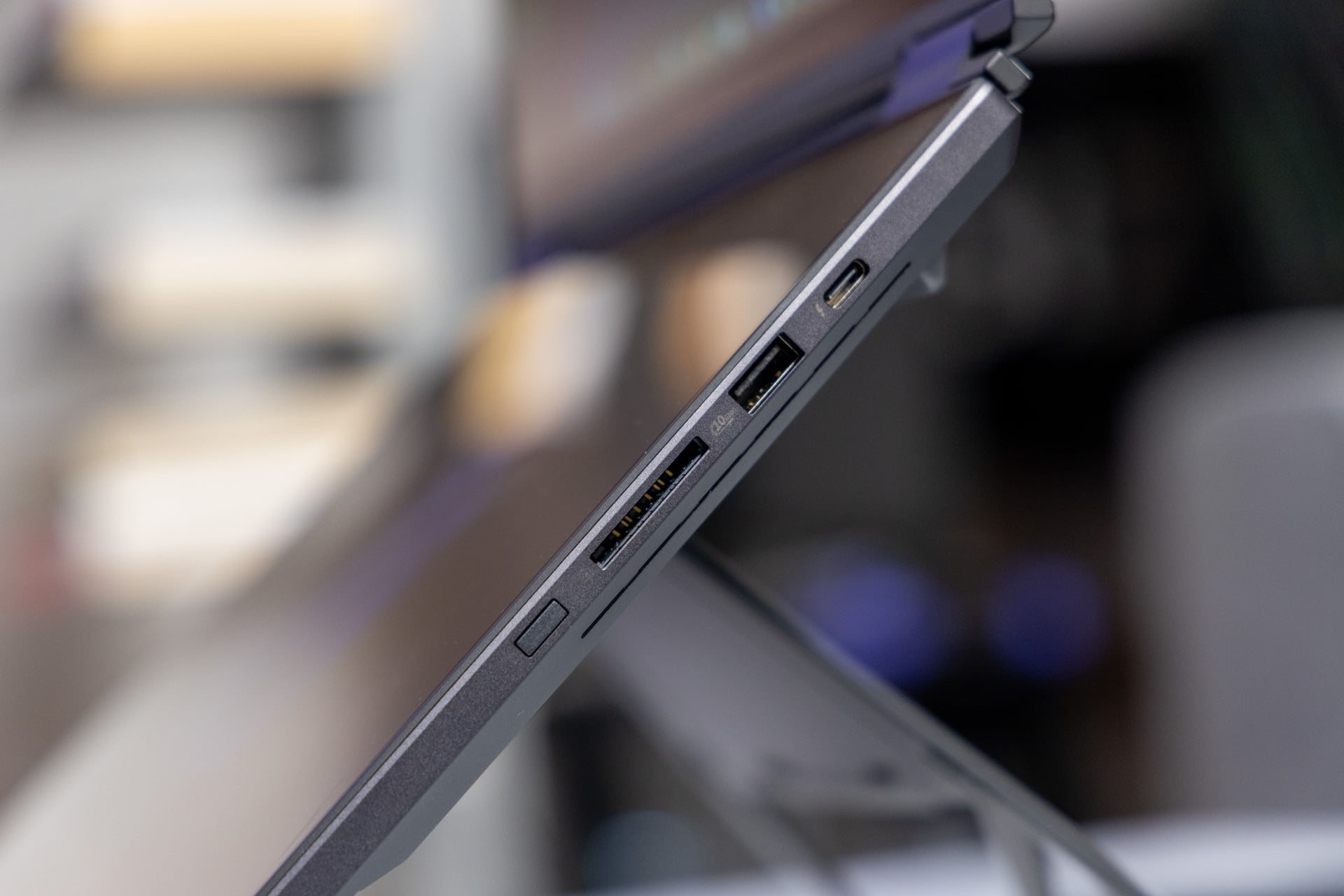
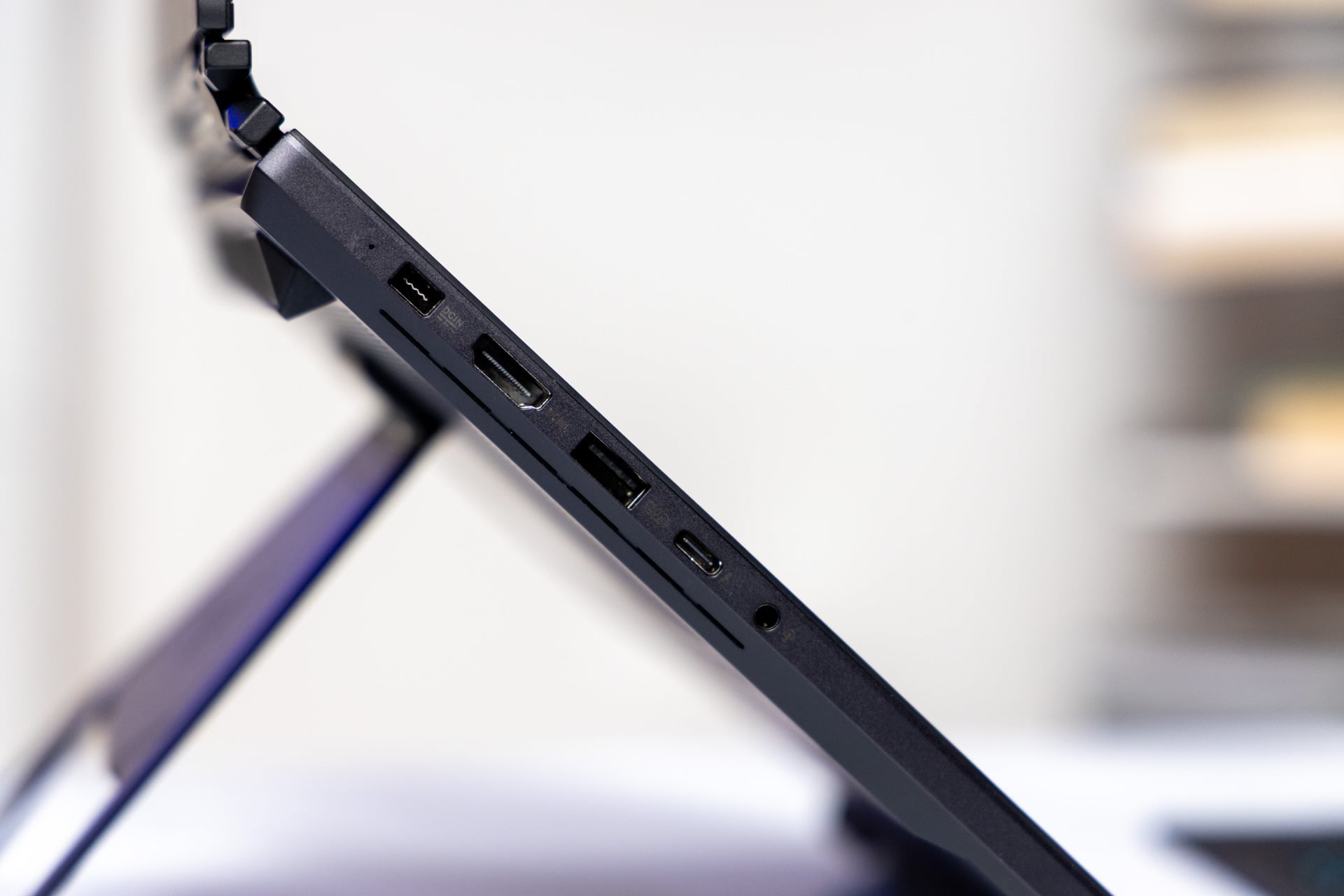
If it weren’t for the extra screen, the Asus ROG Zephyrus Duo would be an ultra-thin gaming laptop. Taken with the keyboard, it’s nearly an inch thick when closed up. However, you receive a fair number of I/O ports for your trouble. On the right, you have access to a Thunderbolt 4 USB-C port, a USB-A, and an SD card reader that photographers will be happy to see. The other side features another Thunderbolt 4 USB-C and USB-A alongside an HDMI and headphone jack. There’s no Thunderbolt 5 for higher bandwidth. It’s an unfortunate limitation of the Intel Panther Lake chip housed inside.
The Zephyrus Duo wants you to use a proprietary port for up to 250W power delivery. You can still charge via either USB-C for up to 100W charging when you don’t have the power brick handy. When firing on all cylinders, the Zephyrus Duo is somehow elegant and clunky all at once. Perhaps, it’s a factor of its smooth edges and minimalistic Zephyrus slash lighting on the laptop lid compared to its very un-Zephyrus-like bulk.
Two screens are not created equally
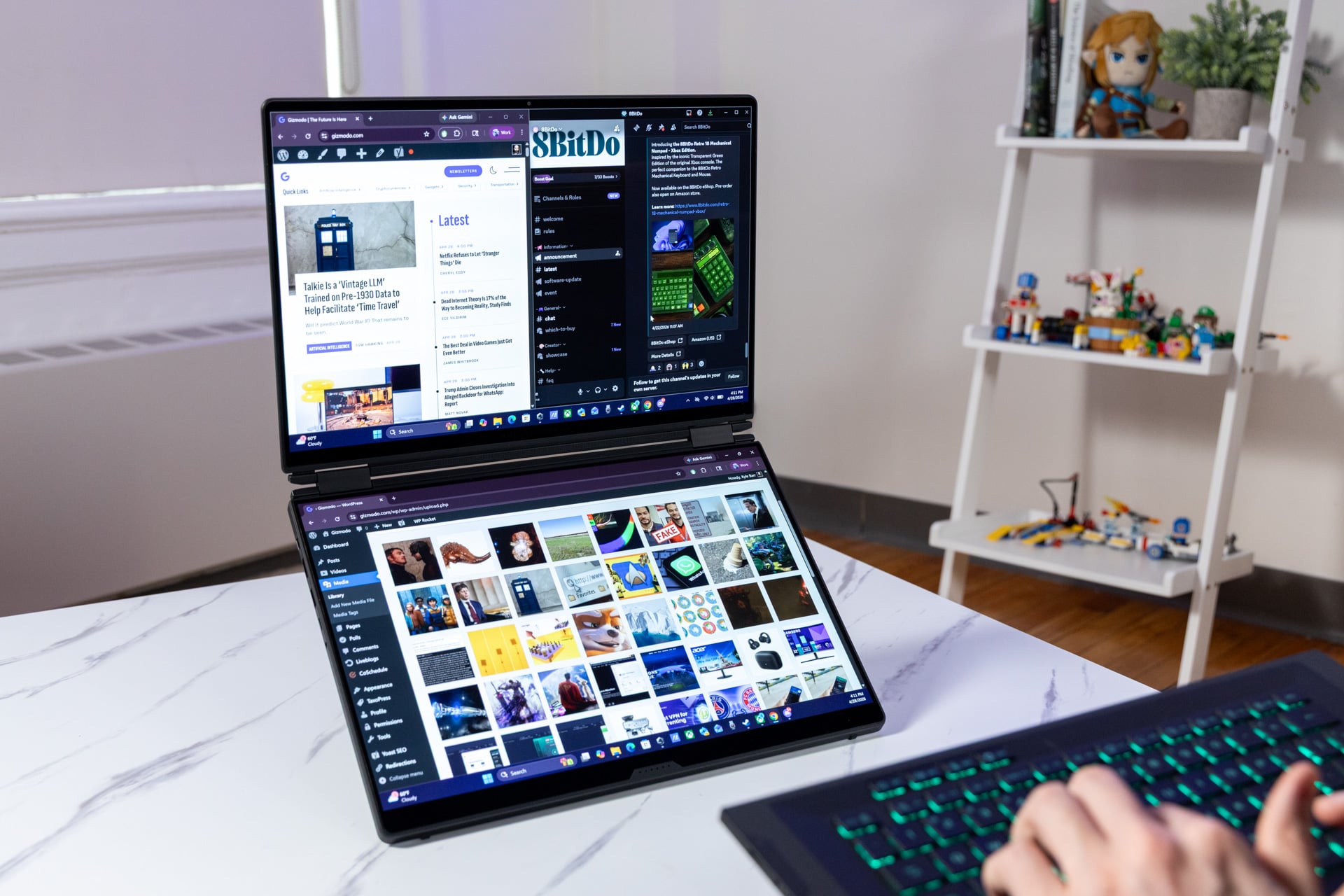
By first glance, you would assume each 16-inch display features the same specs. After all, both OLED touchscreens max out at 2,880 x 1,800 resolution and 120Hz refresh rates. The displays are built with a 1,100-nit peak brightness spec that comes in as vibrant and crisp. Each panel supports Dolby Vision HDR.
Despite all that, the top screen is considered the “main” display. It’s compatible with Nvidia G-Sync, meaning it’s the one display that supports a form of variable refresh rate, or VRR. You’ll want G-Sync when playing games to avoid any screen tearing issues, especially when pushing games as high as they will go to the max 120Hz.
OLED has now become the standard among gaming laptops, and Asus’s displays haven’t disappointed as of late. The Zephyrus Duo’s screens offer excellent contrast and near-instantaneous response time that are typical of self-emissive panels. Some laptops sporting a high-end GPU like the RTX 5090 will push refresh rates past 165Hz and as high as 240Hz. As somebody who plays games at their maximum resolution and the highest graphics settings possible to still run at 60 fps, I’ll rarely, if ever, need more than 120Hz.
The screens also feature slim bezels on the sides, though they’re expanded on the top and bottom of each display. The top screen hides a 1080p IR webcam, which makes it compatible with Windows Hello face unlock.
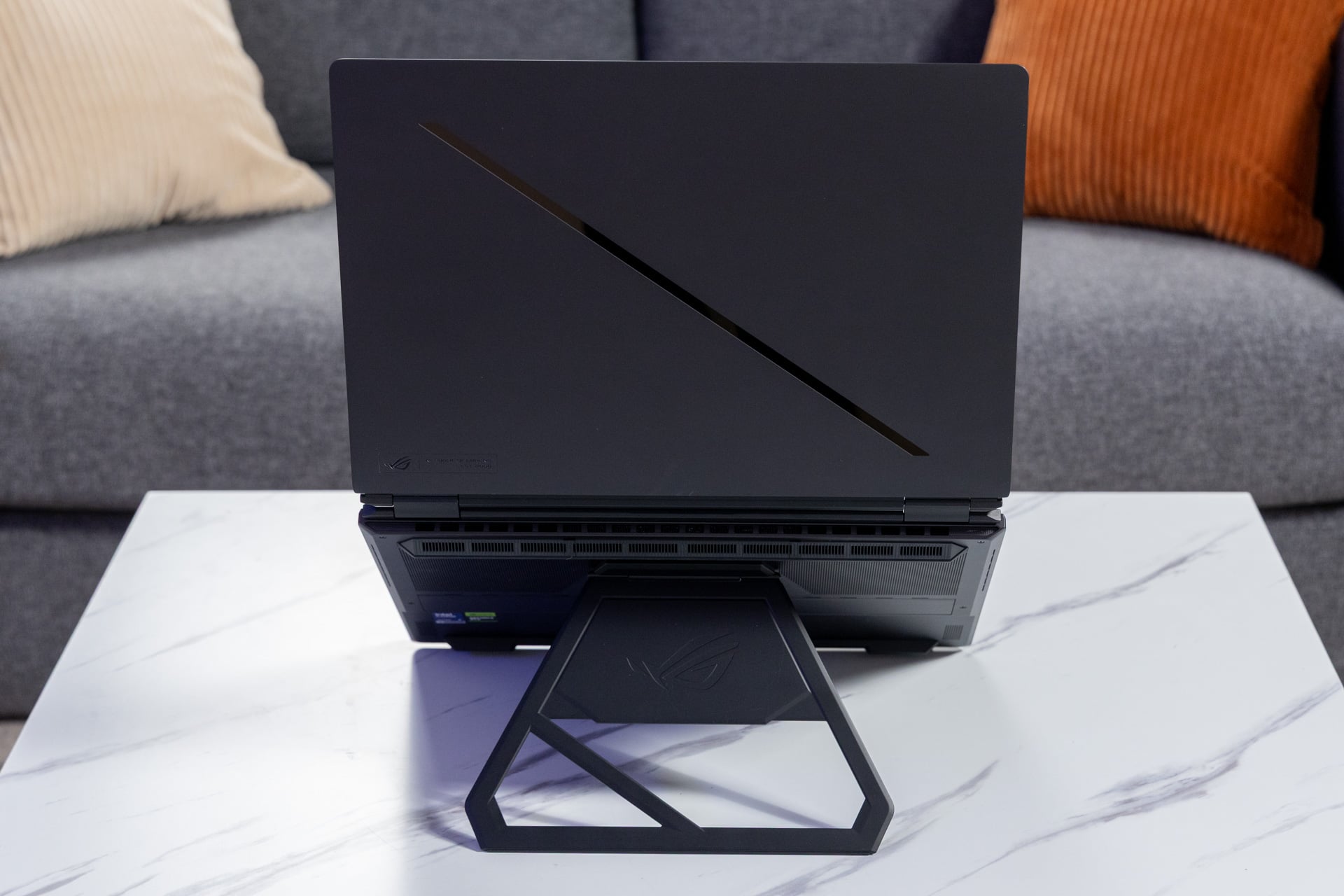
The laptop’s heft will naturally make the Zephyrus Duo a pain to travel with. It’s even worse than that, however, because of a strangely weak connection of the top screen to the keyboard when closed up. When clammed shut, the top laptop lid is far too easy to pry from the keyboard. Just by holding the laptop with the hinge facing down, gravity was enough to make the laptop yawn open by more than an inch.
I can’t say whether every Zephyrus Duo was like mine. I reached out to Asus for clarification, and we’ll update this post if we receive a response. That weak shuttering could pose a potential issue if your laptop is loose inside a bag. The screen could open and allow whatever junk you forgot in the bottom of your backpack to potentially damage the screen. Just to be clear, I never encountered such a worst-case scenario.
A laptop keyboard you can use in your lap
Two screens with almost the same specs meant I could either be more productive or more lazy. While I typed up this review on the top screen, I had my work Slack and my Discord chats running on the bottom display. When playing my PC games, I may have YouTube or Netflix distracting me during loading screens. With another monitor hooked up via the HDMI port, I was able to keep multiple browsers open at the same time and run through yet another playthrough of Red Dead Redemption 2 on the larger display.
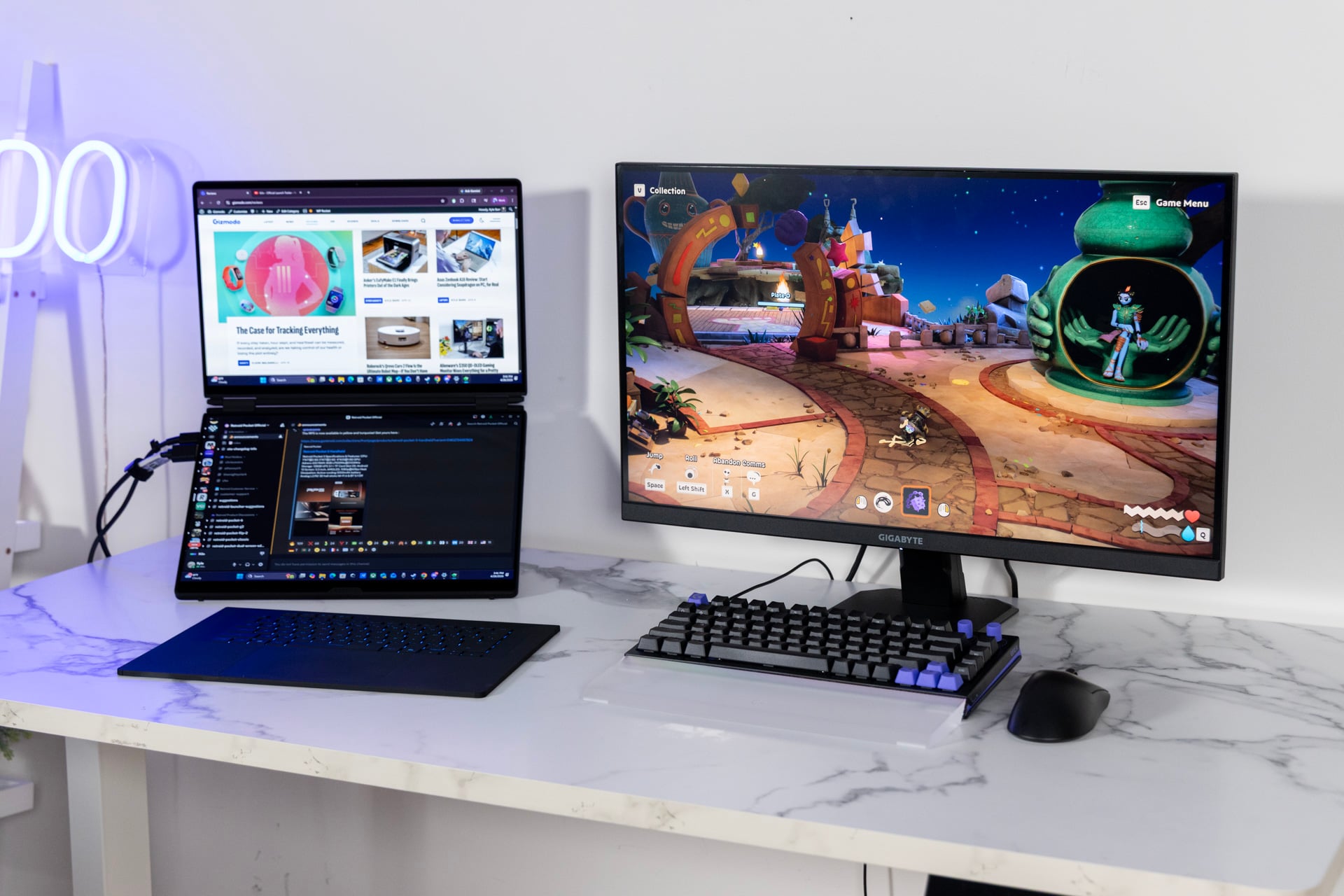
Better yet, because the keyboard connects via Bluetooth when removed from the Zephyrus Duo, I could sit back in my desk chair and type up my daily articles without needing to arch my spine for the sake of a cramped laptop keyboard.
The keyboard itself looks like other Zephyrus devices with square-shaped keys and per-key RGB lighting you can modify in the Armoury Crate app. These keys don’t quite feel like other Zephyrus models. The key travel is shorter—it has to be to keep the removable keyboard component so thin. It feels even thinner if you type with the keyboard in your lap rather than on a table or supported by the bottom screen.
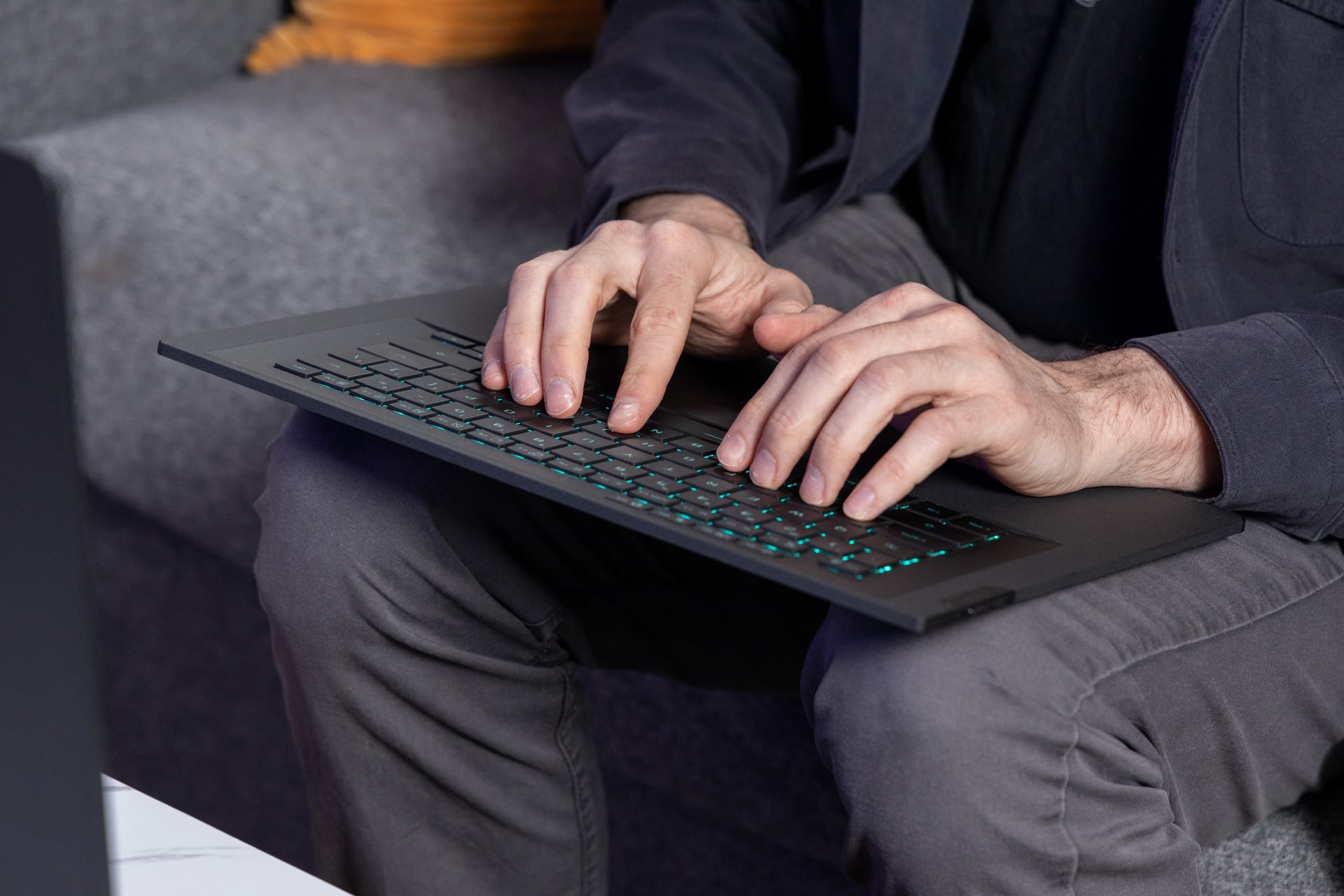
Let’s face it, you were never going to use a gaming laptop in your lap. Just like most devices with heavy-duty gaming components, the Zephyrus Duo needs to expel a massive amount of heat. When pushed to its limit, the dual screen laptop can sound loud enough to punch through a quality pair of headphones that may lack active noise cancellation (ANC). The benefit of the removable keyboard means you can find a relatively comfortable position when on a table, desk, or sitting back on the couch with both displays extended in front of you.
As an all-in-one media device, the Zephyrus Duo falls short in the sound department. The laptop features two, 2W woofers alongside another pair of 2W tweeters. There are two grilles on the bottom as well as more between the two laptop screens for the sake of sound. The laptop also supports Dolby Atmos.
It sounds good on paper, especially the promise of a low bass frequency of 100Hz. But then you actually listen to anything, and it’s not enough to impress. It can get loud enough to fill a space, but there’s a slight tinny quality to the noise you will find with most laptops using down-firing speakers.
The real reason you spend $5,500 for a gaming laptop
There is a potent combination of components burning inside the Zephyrus Duo. It’s enough to allow you to crank up the settings when playing games. Just know that even with the highest-end GPU, there is a ceiling for what you can expect from a mobile gaming machine—with or without two screens.
In a vacuum, the Zephyrus Duo would seem stacked to the nines as a gaming laptop. The Intel Core Ultra 9 386H is the chipmaker’s top-end 16-core Panther Lake CPU that lacks the extra graphics cores of the X9 variant. Its main claim to fame is high-end laptop CPU performance but with far better efficiency to boost battery life. The laptop is otherwise packing 32GB of LPDDR5X RAM and 1TB of SSD storage. The cherry on this (literally) stacked sandwich is the GeForce RTX 5090 GPU on the $5,500 variant.
In ideal settings, the RTX 5090 would be able to hit 150W of TGP (total graphics power). The Zephyrus Duo maxes out at 135W. And then you have to consider the CPU, which maxes out at 80W of TDP (thermal design power). And that’s if you can run each component in a vacuum. In reality, both chips are hindered by a limited total power package. Asus clearly had to constrain this laptop or else it would make the laptop even weightier.
The result of all these tradeoffs is performance benchmarks that don’t match laptops that cost less. The Core Ultra 9 386H performs 15% worse in Geekbench 6 multi-core benchmarks than the Intel Core Ultra 9 275HX in last year’s Lenovo Legion Pro 7i. It’s just managing 13% better performance in Cinebench 2026 multi-core tests than a Dell XPS 16 laptop with a lower-end Intel Core Ultra X7 358H. The Asus Zenbook Duo with the Core Ultra X9 388H performed better in most of these CPU-related tasks, but only by small percentage points.
I ran all these tests on the laptop’s Turbo performance mode with the default CPU and GPU wattages. But I’m not one to put much stock in line graphs and numbers. In real-life tests, the latest Intel Panther Lake is still a beast for its 16 cores. In our Blender test, where I timed how long the CPU takes to render a scene of a BMW, the Zephyrus Duo completed it in one minute and 46 seconds. That’s nearly 15 seconds faster than the Zenbook Duo was back in January. For comparison, a 14-inch MacBook Pro with the 18-core M5 Max chip managed the time in around 1 minute and 8 seconds.
The Zephyrus Duo was no slouch in game performance, though it still lagged behind past-gen laptops with an RTX 5090. It was 18% worse in 3DMark’s “Speed Way” test, a benchmark used for testing high-end gaming machines, compared to an MSI Titan 18HX I tested a full year ago. Several RTX 5080 gaming laptops like the Alienware 16 Area-51 and the HP Omen Max 16 beat this dual-screen design in terms of raw rendering capabilities.
You give up absolute peak performance for versatility. That doesn’t mean the Zephyrus Duo performs poorly. You can easily hit around 60 fps when playing Cyberpunk 2077 at the full resolution with ray tracing on and not even need to employ Nvidia’s DLSS upscaling. There wasn’t a game I tested where it felt like this laptop was underperforming. I got an average of 86 fps in a game like Total War: Warhammer III—which is normally very CPU dependent.
When you do add in DLSS for improved performance, you can nearly max out some intensive games. It’s just not enough for the absolute peak experience. Playing Black Myth: Wukong at the highest possible settings with ray tracing set to max, the laptop wouldn’t get more than 43 fps on average. That was with DLSS on “balanced” settings. Inevitably, you’ll have to capitulate to some amount of upscaling for demanding AAA games. The $4,500 Zephyrus Duo with an RTX 5070 Ti will have less power draw, and so this laptop may offer better bang for buck.
Finally, a gaming laptop with a strong battery life
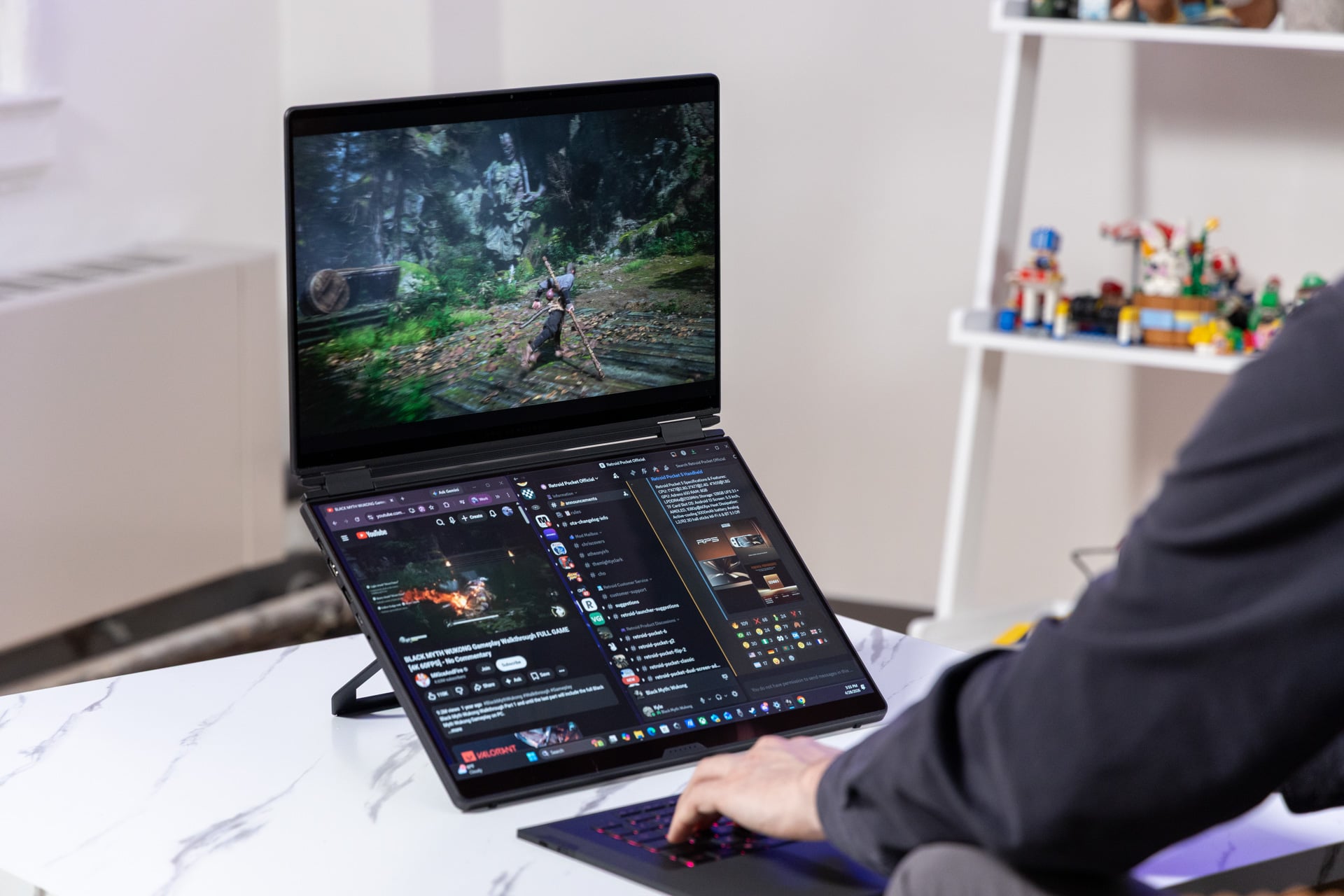
With this dual-screen PC running with extended displays, balanced power settings, and moderate screen brightness, I could still do about six hours of my daily grind before the battery indicator was in the red. With a single screen, I could make it a little more than seven hours before the laptop was begging for a charger.
Extra battery life would make this a more versatile machine. The fact is, once you have two screens at your disposal, it’s hard to go back to just one. And it’s a fact of life that 16-inch screens offer more room to breathe than two 14-inch screens, like on the Zenbook Duo. Even so, Asus’ other dual-screen laptop may be a better fit for most people. It’s more portable and has fewer hinge issues.
The Zenbook Duo with an Intel Core Ultra X9 can game if you stick to 1080p resolutions. The Zephyrus Duo can game much, much better. If you have a very small apartment without much desk space for multiple monitors, this model of Zephyrus offers a flexible desktop alternative. The hinge issue isn’t necessarily a fatal flaw.
And that’s a shame, because I enjoyed the perplexed looks of my office coworkers with my Zephyrus Duo in tow. Those stares inevitably turned to envy at my lounging posture and the two screens arrayed in front of me. Little did they know that behind my smirk, I was dreading the thought of lugging this mass of aluminum and silicon home with me.
Read the full article here