

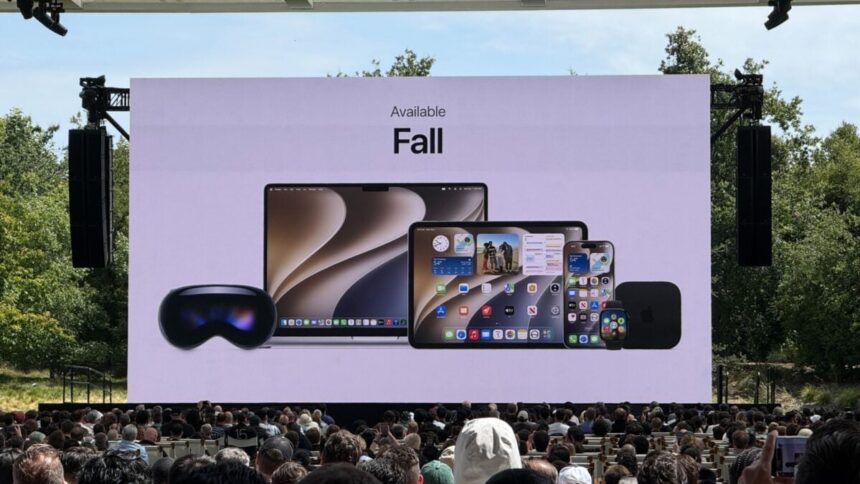
Siri AI stole WWDC 2026 for sure. And based on the real demos that I saw, it looks like Apple might have really delivered on most of its intelligent features. (I’m still on the waitlist to get access to Siri AI, so I haven’t tried it with my own data). But if I’m being honest, it’s been more fun bookmarking the boatload of tiny features that flew under the radar in Apple’s “27” software updates.
Just as I started writing up a list, I saw that Rishi Ó’s Oneberri Blog had already made an exhaustive list detailing many of the small improvements for Apple’s family of platforms. It’s definitely worth a read if you want to find some gems that you and the seven other people like you would care about.
The Consumer Tech Team and I are in the process of installing all of the “27” developer betas and will have more thoughts soon, but for now, here are some of my favorite improvements that I’m looking forward to, some of which Rishi Ó didn’t catch:
- The Photos app lets you save a video frame as a photo (no more needing to pause a video and screenshot it).
- The Photos app lets you sort by “Captured by Me,” which filters out your library by photos and videos taken with your device’s camera (a return to the old camera roll).
- visionOS 27 lets you screen record in 4K resolution/30 fps and without foveation (no more blurred borders; previously you could only record in 1080p resolution with foveation).
- The terrible specular highlights that made app icons on the home screen look tilted is no more.
- The Mickey Mouse hand is back in macOS 27 Golden Gate.
- iOS 27 lets you set different volume levels for ringtones, alarms, and alerts.
- Tapping the timer shortcut in Control Center opens up the Dynamic Island instead of the Clock app.
- Menu bar icons in macOS 27 can be collapsed so that they aren’t cut off by a MacBook’s notch
- The keyboard clipboard can show when you’ve copied a photo for easy pasting
- Extra large widgets on iOS 27 and iPadOS 27
- Pull to refresh in Safari on macOS
- iOS 27’s lock screen lets you move the clock into the date bar
Thumbnail in your keyboard clipboard for paste from screenshots is such a killer feature in iOS 27 pic.twitter.com/KM1mqSW6O3
— Ray Wong (@raywongy) June 10, 2026
There are just so many little tweaks to discover, and I’m all for it. Under-the-hood changes aren’t always boring.
Read the full article here