
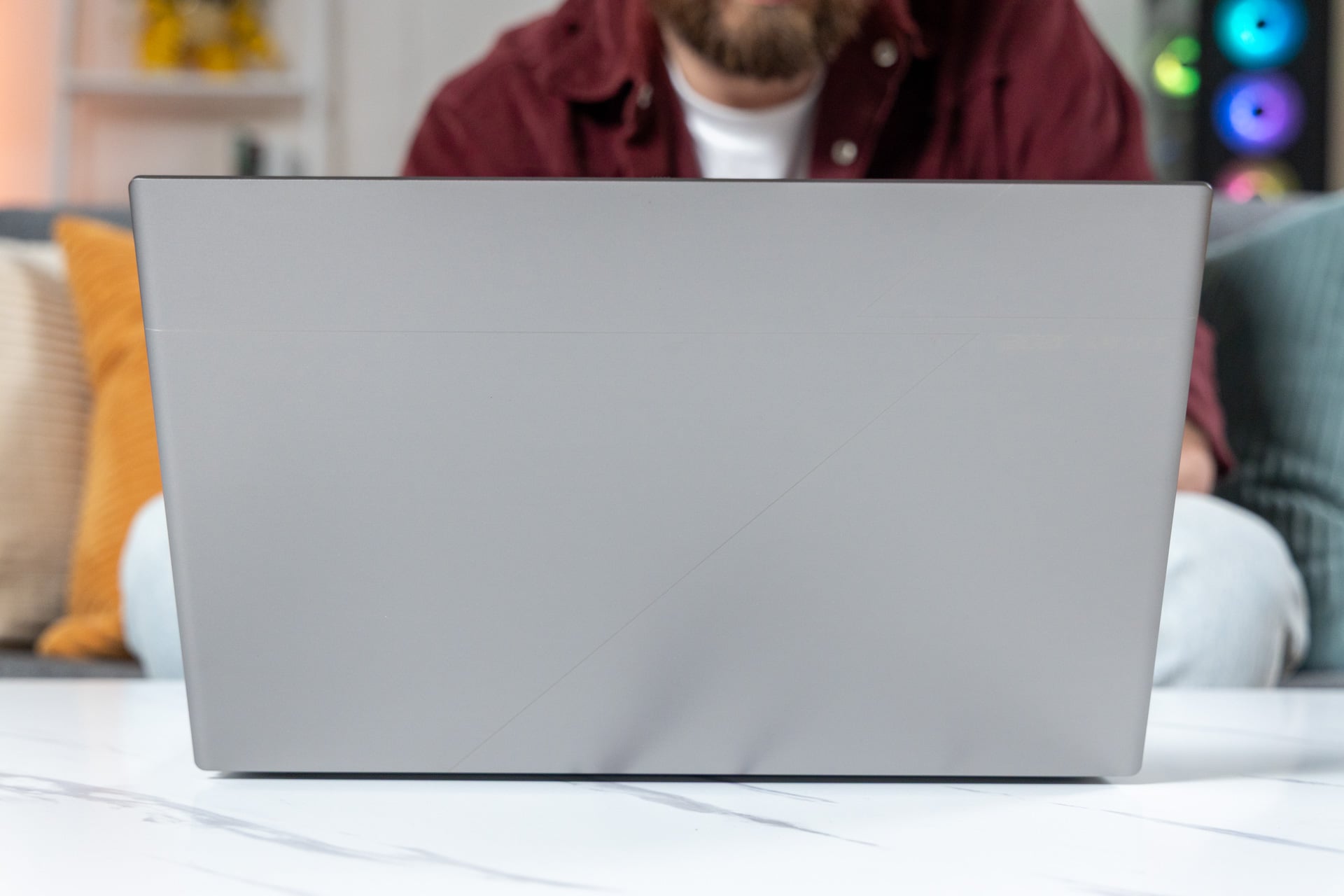
While the detailing on the cover panel does help add some character to Acer’s Swift 16 AI (2026), it doesn’t quite meet the same level of icon status as a MacBook. However, the features and performance packed into the Swift 16 AI’s aluminum chassis offer a compelling choice if you’re willing to forgo brand recognition in favor of broader app support and stronger gaming opportunities.
Unfortunately, those benefits are hindered by the Swift 16 AI’s sheer size. The oversized trackpad works great with the included Acer Active Stylus, but is too large to be useful when typing. And the ultra-slim design comes with a steep sacrifice to keyboard comfort. These drawbacks don’t make the Swift 16 AI unusable, but they do make a great case for buying the smaller, 14-inch Swift AI laptop instead.
Acer Swift 16 AI (2026)
The Swift 16 AI (2026) features strong multitasking performance, a lightweight design, and a vibrant OLED display. Unfortunately, it’s held back by a sub-par keyboard and a touchpad that’s just too large for most uses.
- Great gaming and video editing performance
- Lightweight
- Vibrant OLED display
- All-day battery life
- Uncomfortable keyboard
- Trackpad is too large
The Acer Swift 16 AI comes in two models, which both feature the Intel Core Ultra X7 358H processor, integrated Intel Arc B390 graphics, 1TB SSD, and a 16-inch, 120Hz, 3K OLED display. The only defining feature between the two versions is RAM: either 16GB of RAM or 32GB of RAM.
With the ongoing memory shortage, the 16GB Swift 16 AI will set you back $1,599 while the 32GB RAM model retails for $1,799. While steep, those prices aren’t out of step with comparable devices; it just feels too expensive for a laptop that could be better.
It is one of the cheaper laptops featuring Intel’s new Panther Lake platform, especially with one of the high-performance X-series SKUs. But if you’re looking for the best iteration of Panther Lake, there are stronger options than the Swift 16 AI.
Luxury design features, but missing an identity
The subtly embossed lines feel like a compromise between a more edgy design and something that is bland enough to fit in an office. And while there is value in not alienating potential customers, it feels like Acer’s never known how to create a consumer laptop that looks unique.
Silvery, metal-body laptops are dime a dozen and the iron gray colorway chosen for the Swift 16 AI’s chassis doesn’t help with the lack of identity. It’s a bit deeper than your average silver color, but not by much.
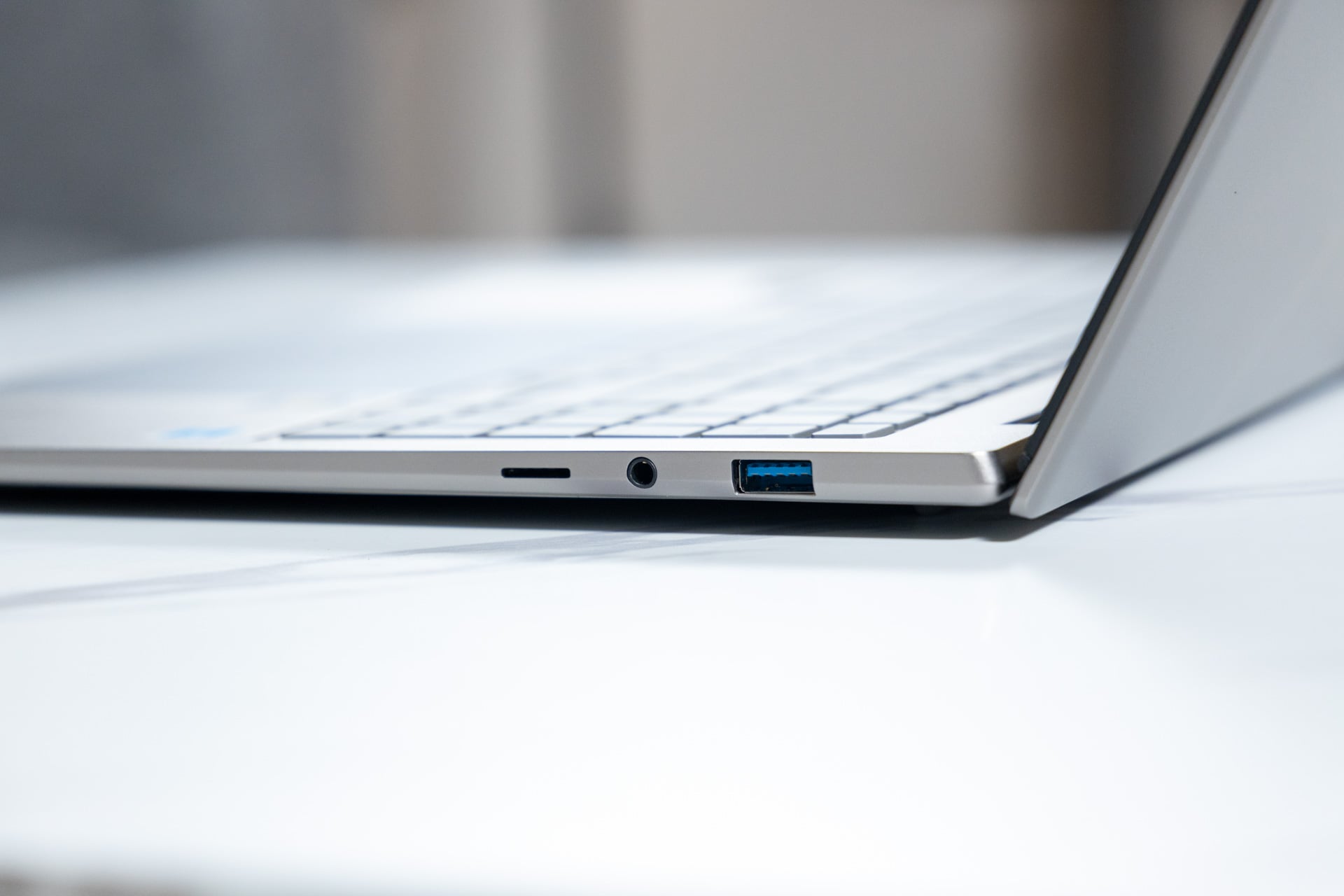
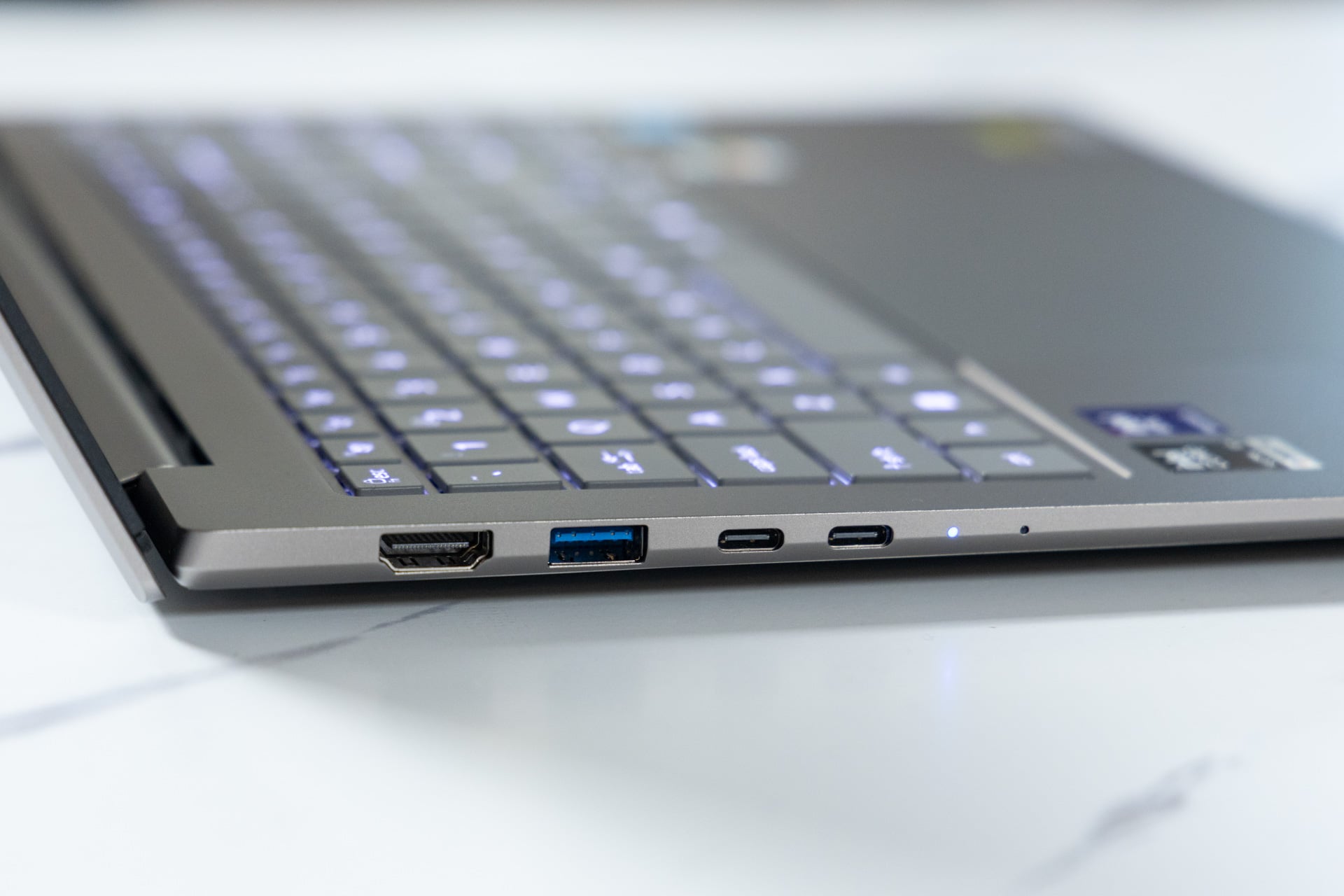
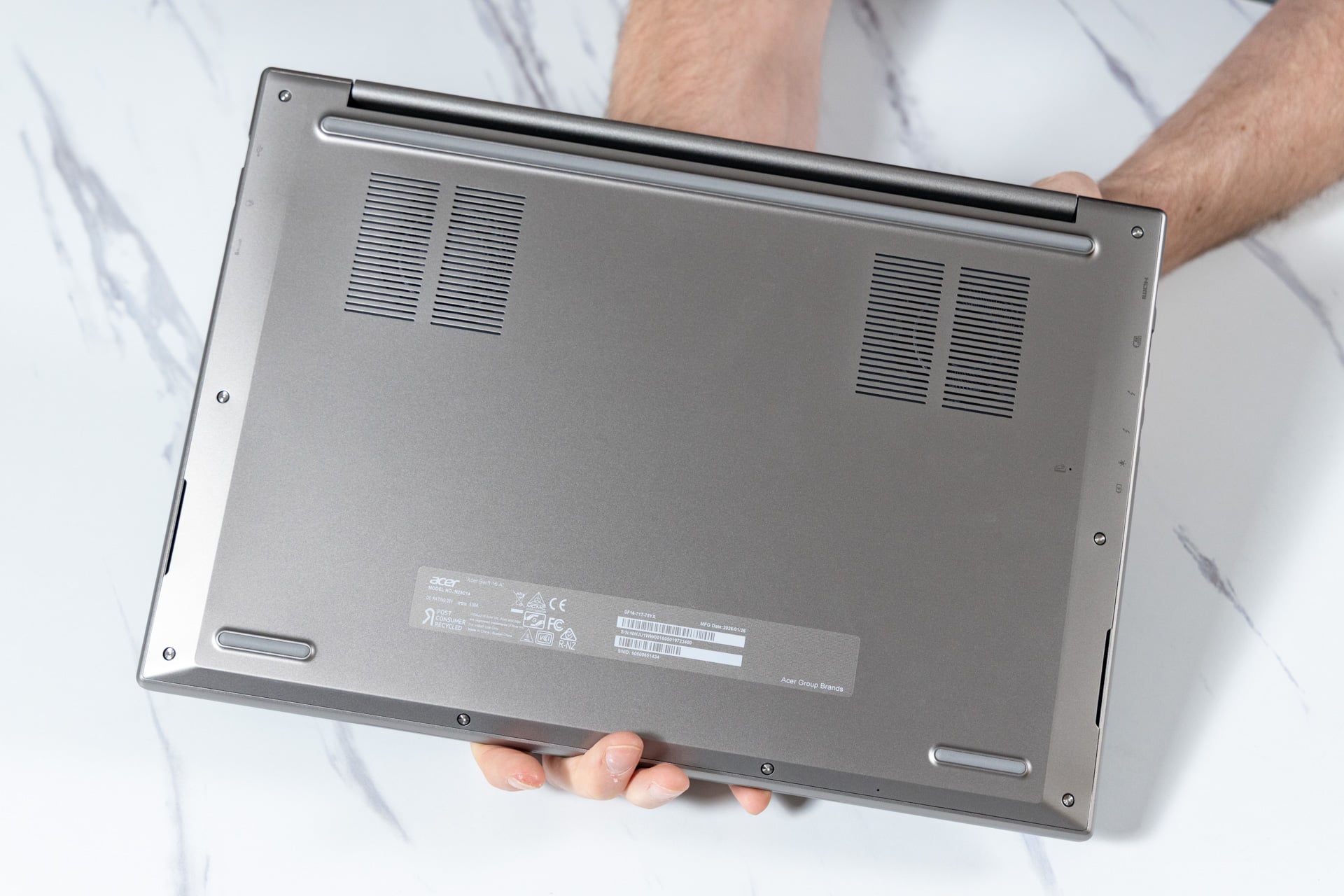
Luckily, the rest of the features can help offset the laptop’s plain aesthetic. Acer paired the Swift 16 AI with plenty of I/O ports. The Swift 16 AI has two USB 4 ports (Type-C), one USB 3.2 Type-A port, and an HDMI 2.1 port on one side, with one USB 3.2 Type-A port, one 3.5mm audio jack, and a microSD card reader on the other.
The Swift 16 AI’s aluminum build is slim and lightweight, measuring just 0.59 inches and weighing only 3.42 pounds. So carrying it through an airport or two won’t give you any new back problems, unless you decide that slouching over a laptop screen for a 12-hour flight is a good life decision.
But at least the 16-inch, 2,880 x 1,800, CineCrystal OLED display is plenty bright and vibrant, which offers a great video streaming experience. The glossy CineCrystal display is designed to counter the glare from competing light sources, though at just over 350 nits, the OLED will struggle in broad daylight.
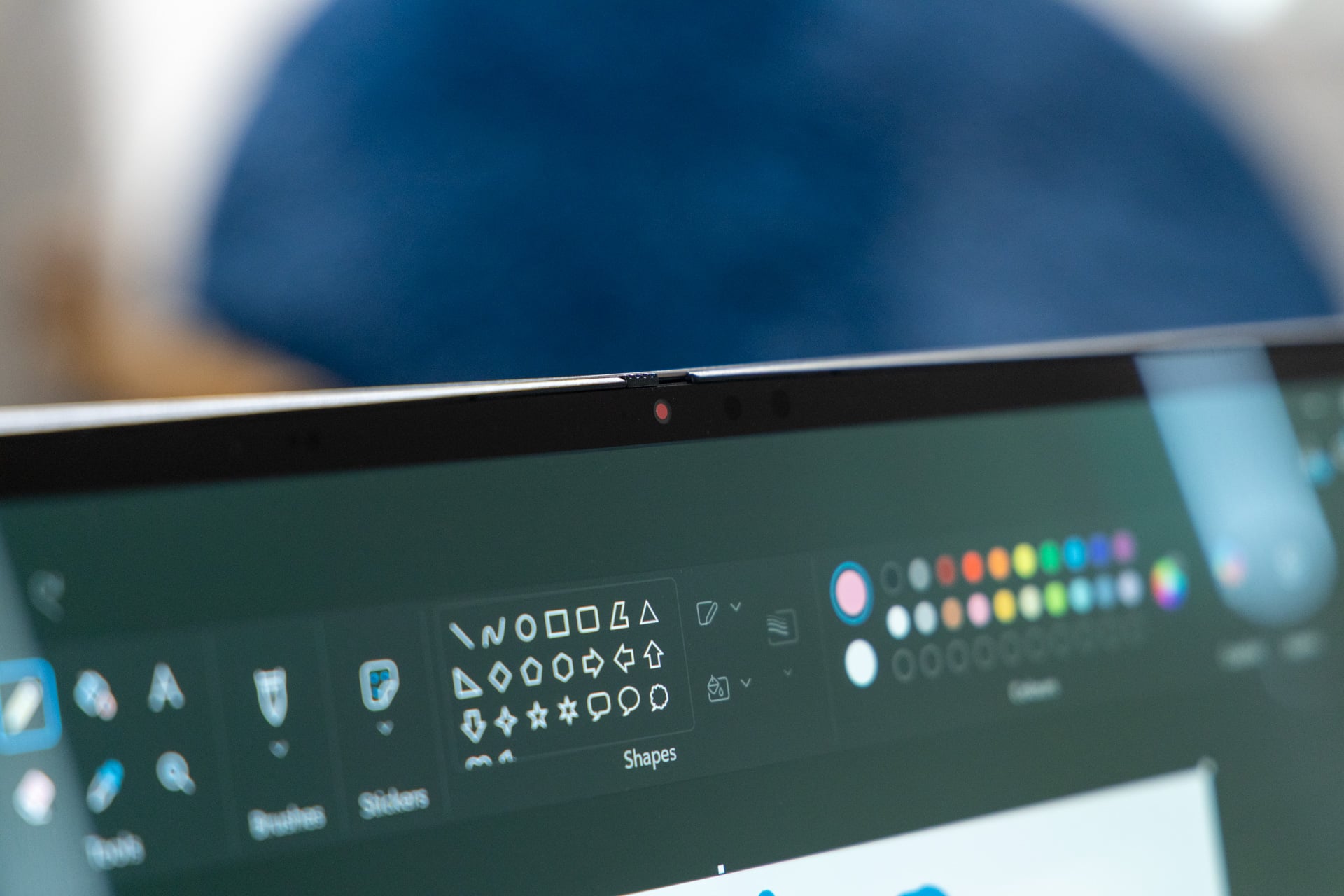
The Swift 16 AI’s webcam is 1080p resolution, so the feed is generally alright for most virtual meetings, but may fall short if you need to present anything on camera. Acer’s Purified Voice and Purified View can help get better clarity out of the built-in mic and webcam with some AI-powered tweaks, but the upscaling isn’t going to suddenly bring that 1080p camera up to 4K standards. If you need to do a lot of video calls for work or school, you may want to invest in a separate, 4K webcam instead of relying on the built-in camera. At the very least, the Swift 16 AI’s camera comes with a physical privacy shutter.
Oversized trackpad is good for the stylus, but not for human hands
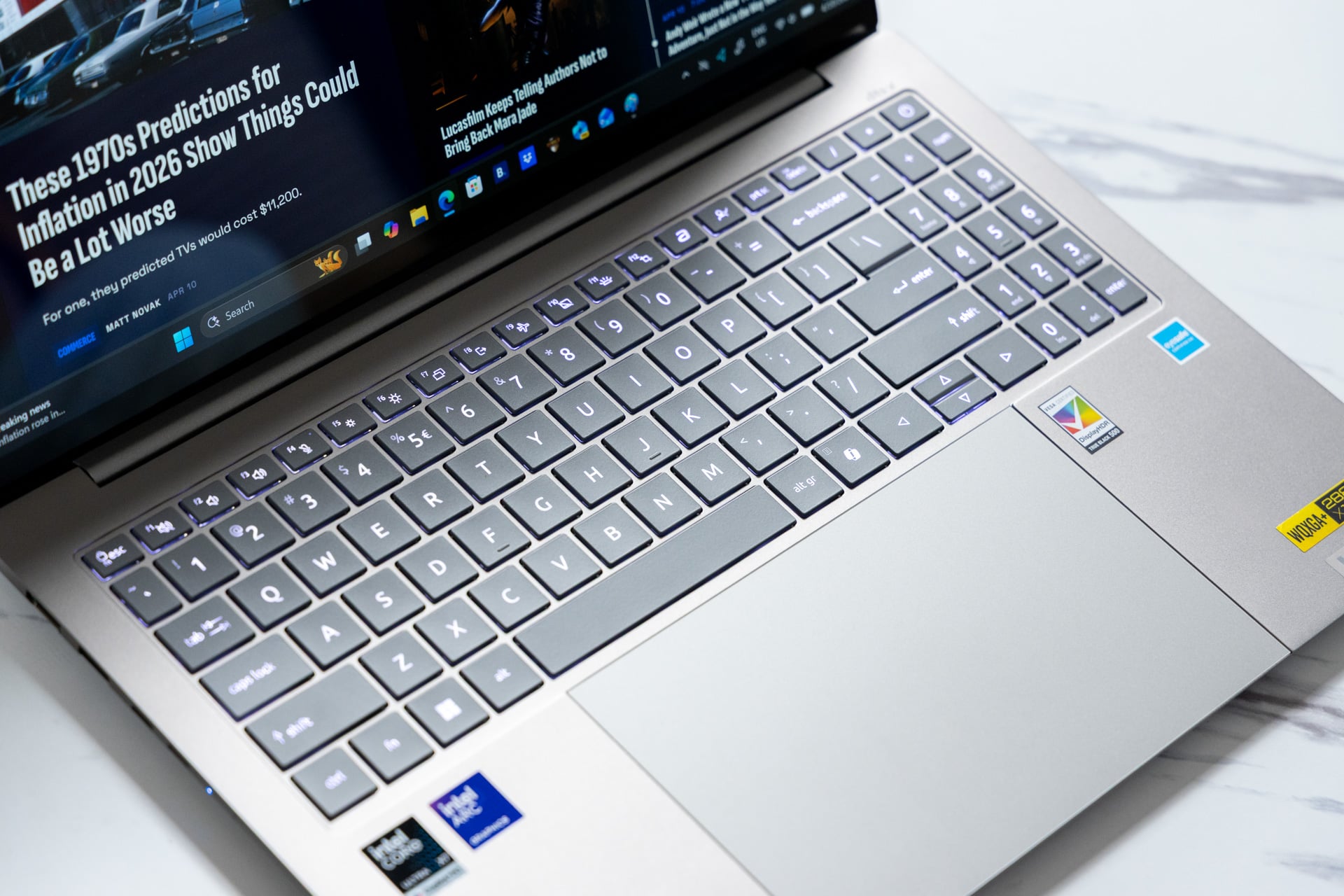
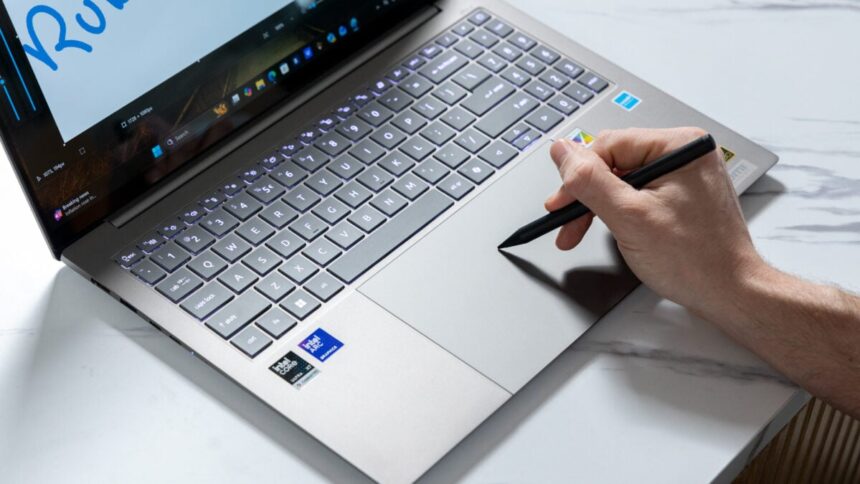
Acer claims the Swift 16 AI has the “world’s largest” haptic trackpad, and it is certainly immense. The trackpad takes up the majority of the palmrest, which makes it ideal for use with the included Acer Active Stylus.
The Stylus is powered by a single AAAA battery and has two buttons built-in, so it’s pretty basic. The most annoying thing is that there’s no storage nook for the Stylus, nor does it magnetize to the cover, so it is incredibly easy to lose track of.
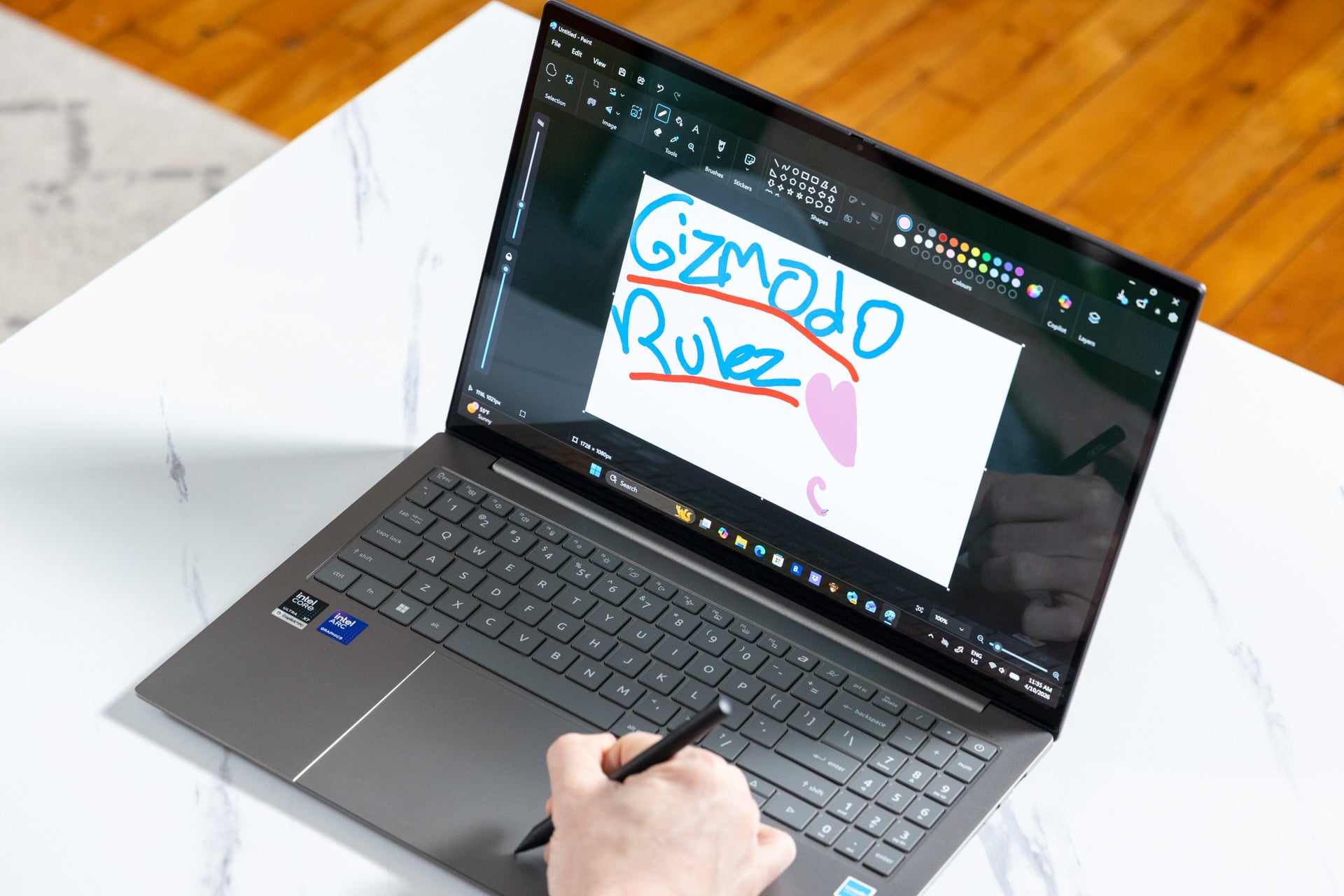
If you plan to use the Swift 16 AI for graphic design, having such an oversized trackpad is a blessing. It gives you plenty of space for sweeping digital brush strokes as well as precision fine-tuning, and the Active Stylus works well with basic digital design tools, but professional designers will find it lacking in features. And because the Swift 16 AI doesn’t have a pen-enabled display, the Active Stylus is rather limited in functionality, even for the average laptop user.
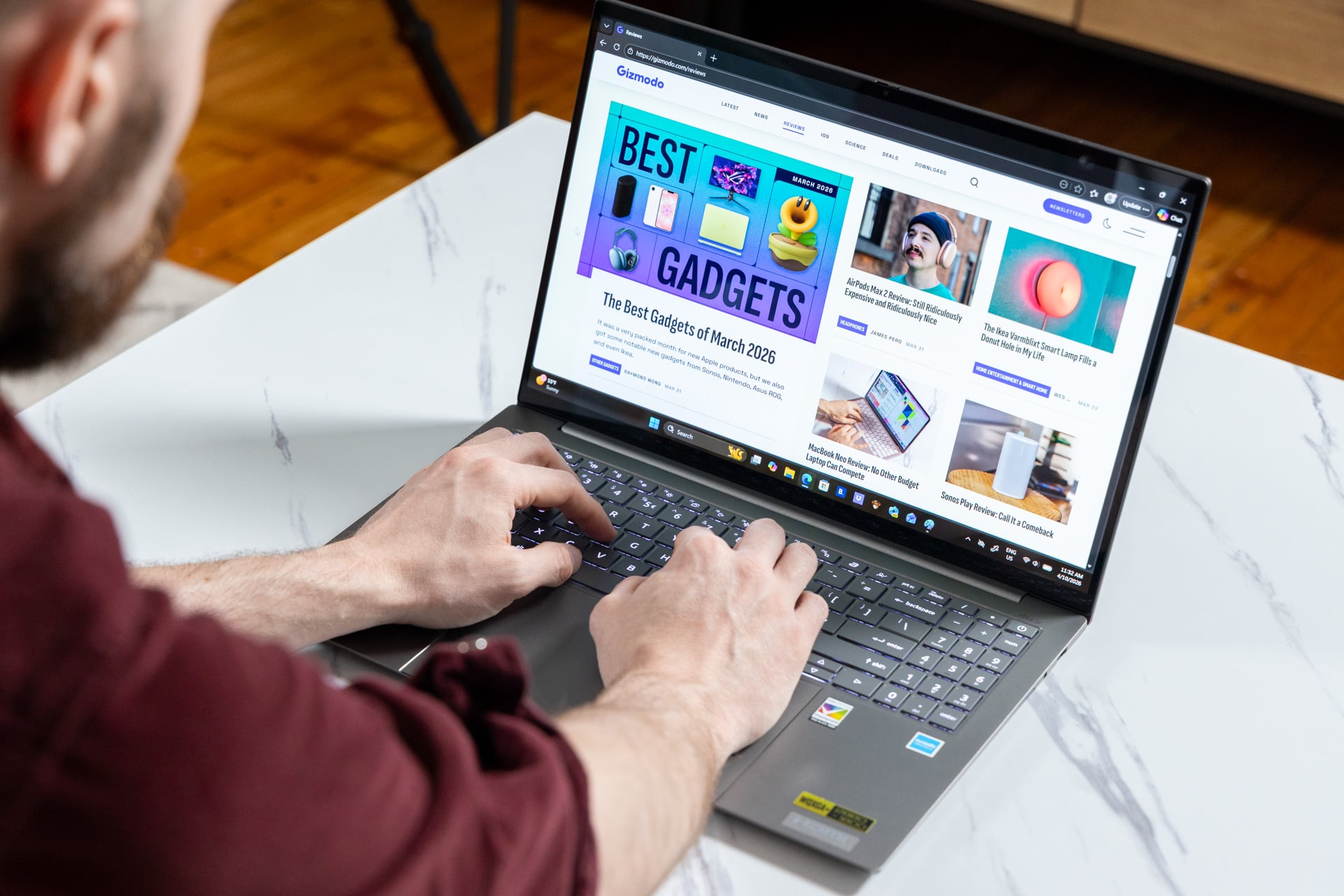
Unfortunately, while the extra trackpad space is great for the stylus, it’s equally awful for typing. Because it takes up so much space on the palmrest, accidental palm clicks are an inevitability, and this makes it very difficult to type anything of note on the Swift 16 AI keyboard, as no palm-rejection software is quite capable of combatting the sheer amount of accidental inputs you get from such a large trackpad.
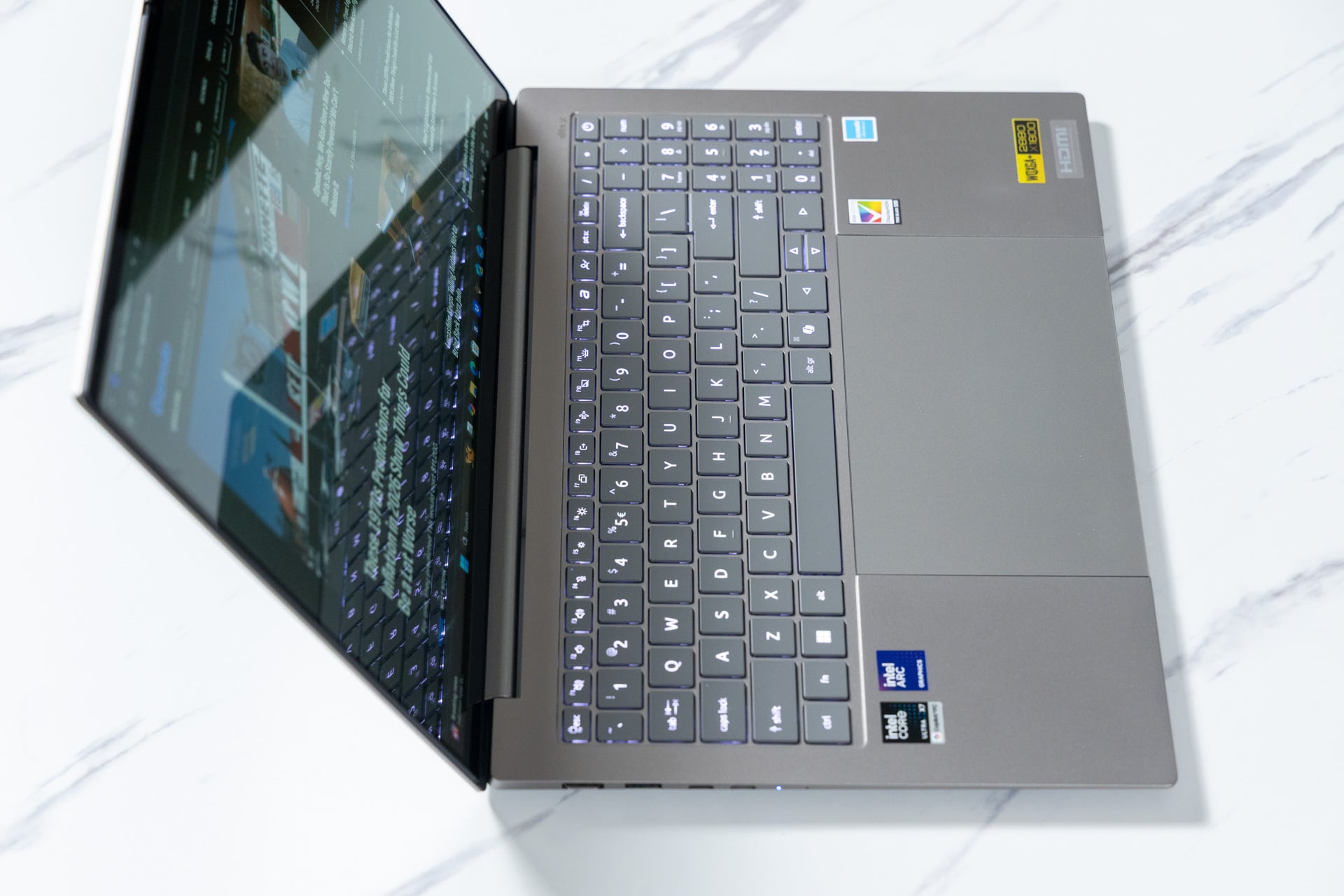
The keyboard itself isn’t much to write home about. Because of how thin the Swift 16 AI is, there’s not much key travel, so you can easily bottom out your fingers while typing, for an overall unsatisfying experience. While the presence of a numpad on the keyboard is a selling point for me in general, the overall typing experience of the Swift 16 AI is disappointing at best and unusable at worst.
For Acer, the choice to gamble on stylus users instead of a good keyboard backfired. The Active Stylus just isn’t useful enough to overcome the drawbacks of the shallow keyboard and oversized touchpad.
Intel’s Core Ultra X7 may be too powerful for this laptop
Intel’s Core Ultra X7 358H is one of Intel’s top-of-the-line processors, boasting powerful multi-core performance and the overpowered B390 integrated graphics chip. It’s the kind of CPU that gives a laptop workstation-like performance at a fraction of the weight and cost.
While Acer’s Swift 16 AI isn’t the most powerful iteration of the X7 we’ve seen so far, it is certainly overpowered for most laptop users. It’s hard to imagine a great use case for the X7 on the Swift 16 AI since it isn’t a gaming laptop or a content creator laptop. Even video calls and streaming don’t require the B390.
That said, if you’ve never heard of the Intel Core Ultra X7, you might be wondering just how powerful the chip actually is. When put through Gizmodo’s series of benchmarking tests, the Swift 16 AI performed around 11% worse in multi-core settings in Geekbench 6 CPU tests compared to the M5 MacBook Pro. However, the 2026 model came with a significant improvement over a previous-generation Acer Swift 16 AI with the Intel Core Ultra 7 256V. It saw a near 40% improvement in CPU rendering tests like Cinebench 2024. In non-synthetic tests in Blender, it took nearly two minutes less to render a scene of a BMW than the 2024 Acer Swift 16.
The X7 CPU and Arc B390 integrated GPU really shine when it comes to more graphically intense tests like the 3DMark suite, where the Swift 16 AI performed similarly to the M5 MacBook Pro. Meanwhile, the Asus Zenbook Duo (2026)’s Intel Core Ultra X9 and Arc B390 was about 17% faster than the Swift 16 AI on high-performance gaming benchmarks tests like 3DMark’s “Steel Nomad” and “Time Spy.”
While the Swift 16 AI may have similar graphics performance to the M5 MacBook Pro, thanks to its X7 processor, the laptop has access to the larger library of Windows games, which makes it a slightly better choice for gamers. And that was a fact I took advantage of, installing Steam and getting back into my Baldur’s Gate III save and Final Fantasy XIV weekly grind. On “High” settings at 1080p, Baldur’s Gate III ran smoothly at 50 fps and the X7 CPU kept even massive battles moving without major bottlenecks. On “High (Laptop)” settings at 1800p resolution, Final Fantasy XIV reached about 42 fps average in busy hub zones or while running dungeons, and peaked at 60 fps while exploring in less busy areas. Performance increased to 60 fps all around at “High (Laptop)” settings when the game was dropped to 1080p resolution.
Much like the MacBook Pro’s M5 chip, having the X7 CPU onboard makes the Swift 16 AI a jack of all trades, but while the Swift 16 AI can handle a variety of workloads, including gaming at 1080p, it isn’t the ideal laptop for any of them. Like most products that try to do a bit of everything, the Swift 16 AI lands firmly in that “master of none” territory.
As for the X7’s efficiency, the Swift 16 AI’s 16-inch, 120Hz, 3K OLED does compromise the battery life a bit. Intel promises up to 17 hours of productivity battery life on Panther Lake platforms, and while devices will exceed that estimate, the Swift 16 AI doesn’t quite hit the mark. I easily completed full 8-hour workdays of word processing, email management, and photo editing with 30% battery life to spare, but the Swift 16 AI isn’t going to survive two workdays on one charge. So the Swift 16 AI isn’t even the most efficient Panther Lake laptop.
In search of a saving grace
If you want a clamshell laptop that’s designed to work well with a stylus, the Acer Swift 16 AI (2026) may just be the laptop for you. But for everyone else, it’s just wrong enough to be unsatisfying.
The Swift 16 AI is powerful and has solid battery life, but there are more impressive Panther Lake laptops out there. It’s got a large keyboard with a numpad, but the key travel is too shallow to be comfortable, and the oversized trackpad designed for use with a stylus makes it difficult to type on for longer than a quick email.
In fact, it feels like the Swift 16 AI may have been better off going with one of the non-X Core Ultra 300 CPUs or even opting for Wildcat Lake because I struggle to see anyone dropping $1,599 or more on this particular Acer laptop.
The CineCrystal OLED display is gorgeous, but that would hold more weight if the Swift 16 AI were a 2-in-1 laptop instead of a clamshell. A 2-in-1 design would also make better use of the included Active Stylus as well. Which just leaves the Swift 16 AI feeling like a laptop that has to constantly justify its existence. You may as well save some money and grab the M5 MacBook Air or shop around for a different Panther Lake laptop like the Dell XPS 14.
Ultimately, the Swift 16 AI isn’t a bad laptop. I’ve certainly used and tested far worse. But with the high price tag and powerful components, I expected more than the Swift 16 AI is equipped to give. With a few changes to the design, next year’s Swift 16 AI could be a proper mainstream laptop contender.
Read the full article here