

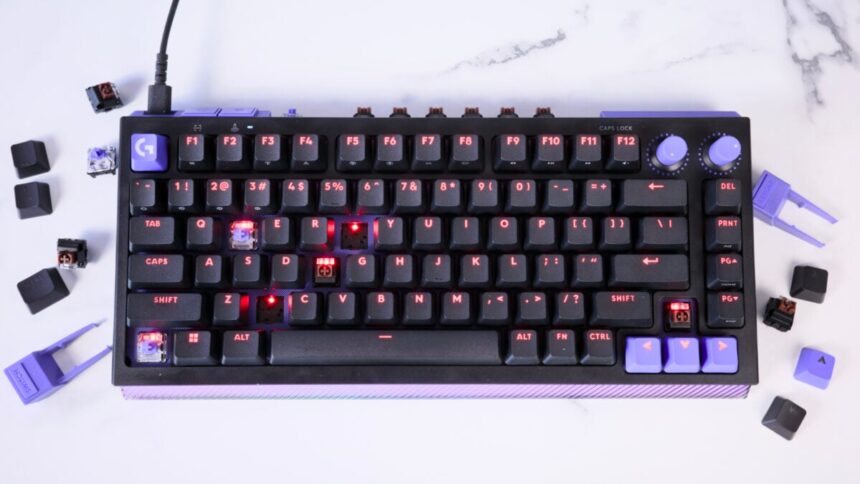
Unlike so many esports-fueled keyboards, the Logitech G G512 X doesn’t force Hall effect switches down your throat. Logitech’s latest controls for mechanical-minded typists include nine analog switches housed on the keyboard itself. It’s one of the only non-DIY keyboards that makes it so easy to swap with (most) of the keyboards’ mechanical switches at a moment’s notice.
Logitech’s new keyboard is a tasting menu of “pro”-level controls. If you’re curious what analog keyboard switches feel like, you don’t have to spend a ton of money to be stuck with a keyboard that’s not the right fit. Logitech’s combination of handy software and intelligent design choices makes it so damn easy to test which keys and switches work for you. The keyboard’s feet act as the keycap and switch remover. Every other component is housed on-device. With the press of a special button, the keyboard recognizes which switch is which. If anything, Logitech deserves kudos for engineering such a seamless experience.
Logitech G G512 X 75
Logitech’s latest keyboard is excessively customizable if you only ever wanted analog switches in some of your most-used keys.
- Mx mechanical switches feel thonky
- All the components housed on-device
- Super easy to swap switches
- SAPP rings add PS2-like capabilities
- 8K polling rate
- Very plasticky
- Wired only
- Limited number of analog switches
- Not as premium as other expensive keyboards
Despite its user-friendly nature, the G512 X is a little too over the top. The ridged sections of purple plastic on either flank of the keyboard remind me more of electronics from the Walmart toy aisle rather than a $180 keyboard (for the 75-key version). While the G512 X itself isn’t overly expensive for everything you get, Logitech wants to sell you a $40 acrylic palm rest that goes in front of it, helping diffuse some of the strobing RGB lights that will take over your desk.
It’s not as if you’re receiving the pinnacle typing experience when this keyboard demands a relatively hefty sum. But if you’ve only been curious about keyboard modding, the G512 X may be the gateway drug that opens your mind to the endless realm of keyboard switches, keycaps, backplates, and beyond. Just don’t blame me if you end up buying a soldering kit by the end of this journey.
Insert Hannah Montana’s ‘The Best of Both Worlds’ lyrics here
For review, Logitech granted me a G512 X with the 45g tactile switches (in black and purple, though there’s another version in a white and cyan color scheme). There’s a separate 98-key version of the G512 X available for $200 (alongside a separate $45 palm rest).
There are some gamers who will swear by analog switches. I am not one of them. As a writer, I need a visceral “thonk,” like the clatter of a train on a track, to drive my sentences to their destination. I have had issues with other analog keyboards where the resistance is so minimal that the weight of my finger alone will result in an unintended input.
I didn’t have that experience with Logitech’s latest. Both versions of the G512 X are slotted with low-profile MX mechanical switches with a standard 3.2mm travel. These keys have a rolling, clacky feel that made for an engaging typing experience. It’s just a hair less pleasing to press than a high-end, DIY keyboard like those from Keychron.
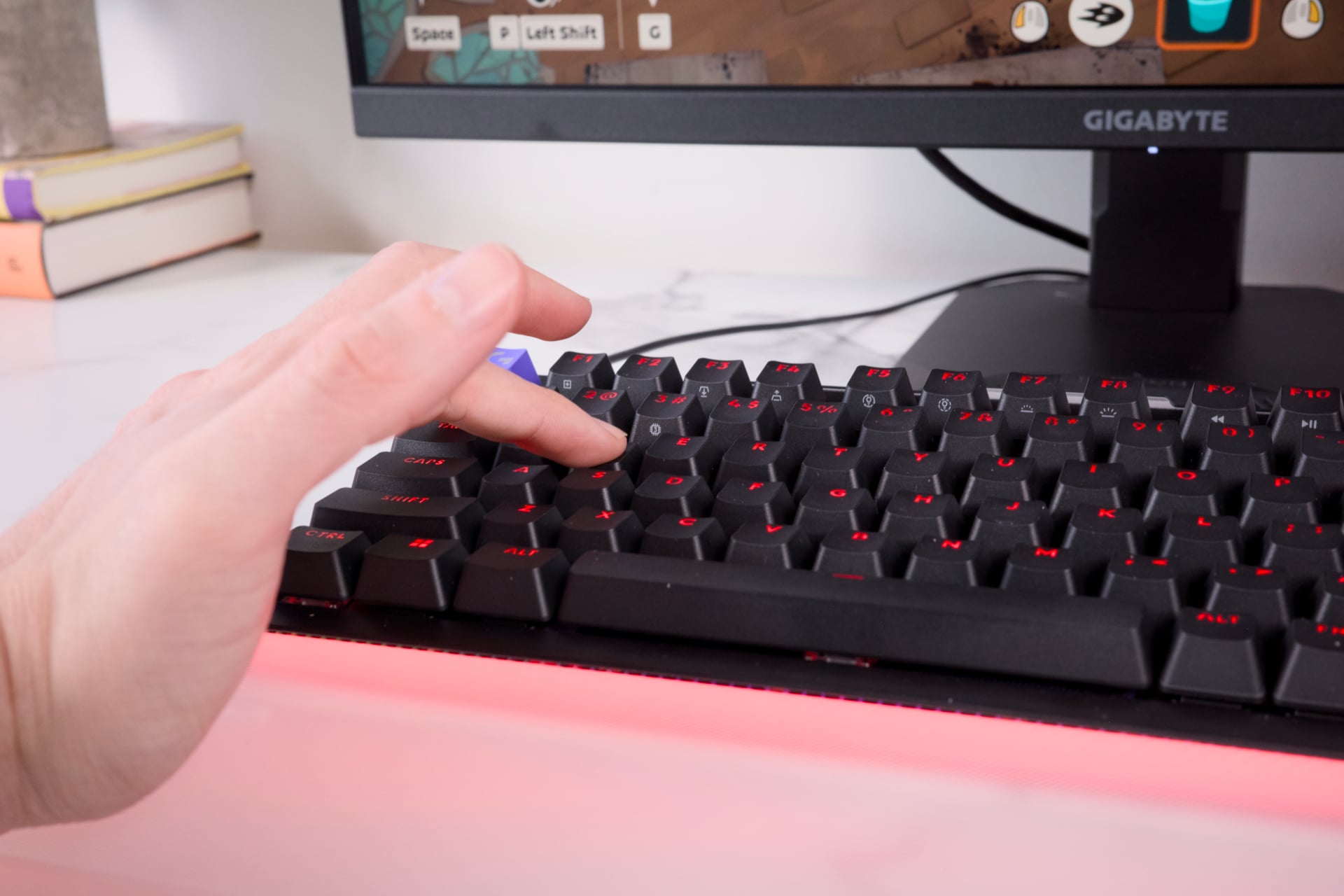
Logitech’s last novel gaming product from this year, the G Pro X2 Superstrike, brought analog inputs and, haptic mouse clicks to gamer mice. The G512 X is similarly built with customizability in mind, but it’s not as much of a sea change in PC gaming. There are loads of analog keyboards available today. Some makers sell the same basic design with swapped switches. But for those who don’t need the ability to change actuation points (the depth at which the keyboard registers an input), you can stick with a mechanical keyboard that has the best look and feel for your lifestyle.
That’s why the G512 X may represent the best of both worlds. Logitech provides enough analog switches to swap out just nine keys. You can’t actually replace every key, either way. Everything to the right of the U, J, and M keys are off limits, save for the up, down, left, and right buttons. Unless you’re playing an MMO or an RTS at a high skill level, you probably won’t need more than nine.
Logitech reps told Gizmodo that the company limited the number of keys because, according to surveys, most gamers rarely make the lengthy trek over to the right side of the keyboard for much outside of some specific games. If analog switches are built for the “Pro” gamer or—at least—a wannabe pro, then most would be replacing their W, A, S, D, shift, spacebar, and CTRL keys.
Logitech’s G512 X still has access to a true 8,000Hz polling rate through its wired connection. That means it’s sending information to the computer 8,000 times per second. That’s standard for higher-end gaming keyboards. But whereas the G Pro X2 Superstrike mouse was explicitly pushed to competitive gamers, the G512 X keyboard is supposed to be an every-gamer kind of key slab.
Limiting the number of replaceable keys also keeps the price down. Logitech staff told me that the goal was to make a keyboard that cost under $200. That helps the keyboard fit into its G5 line of PC peripherals. It also means the G512 X may not scale well with you if you decide you want to become a full analog-switch gamer. At least it offers a bevy of options for the few keys with analog.
Even more customizable than most analog switches
Logitech’s Gateron KS-20 magnetic analog switches are using TMR sensors. For those who don’t know, “tunneling magnetoresistance” technology measures the electric resistance caused by magnetic fields (the actual technology is far more complicated than that—it involves quantum tunneling—but we need to move on). All you need to know is TMR technology can register very precise inputs.
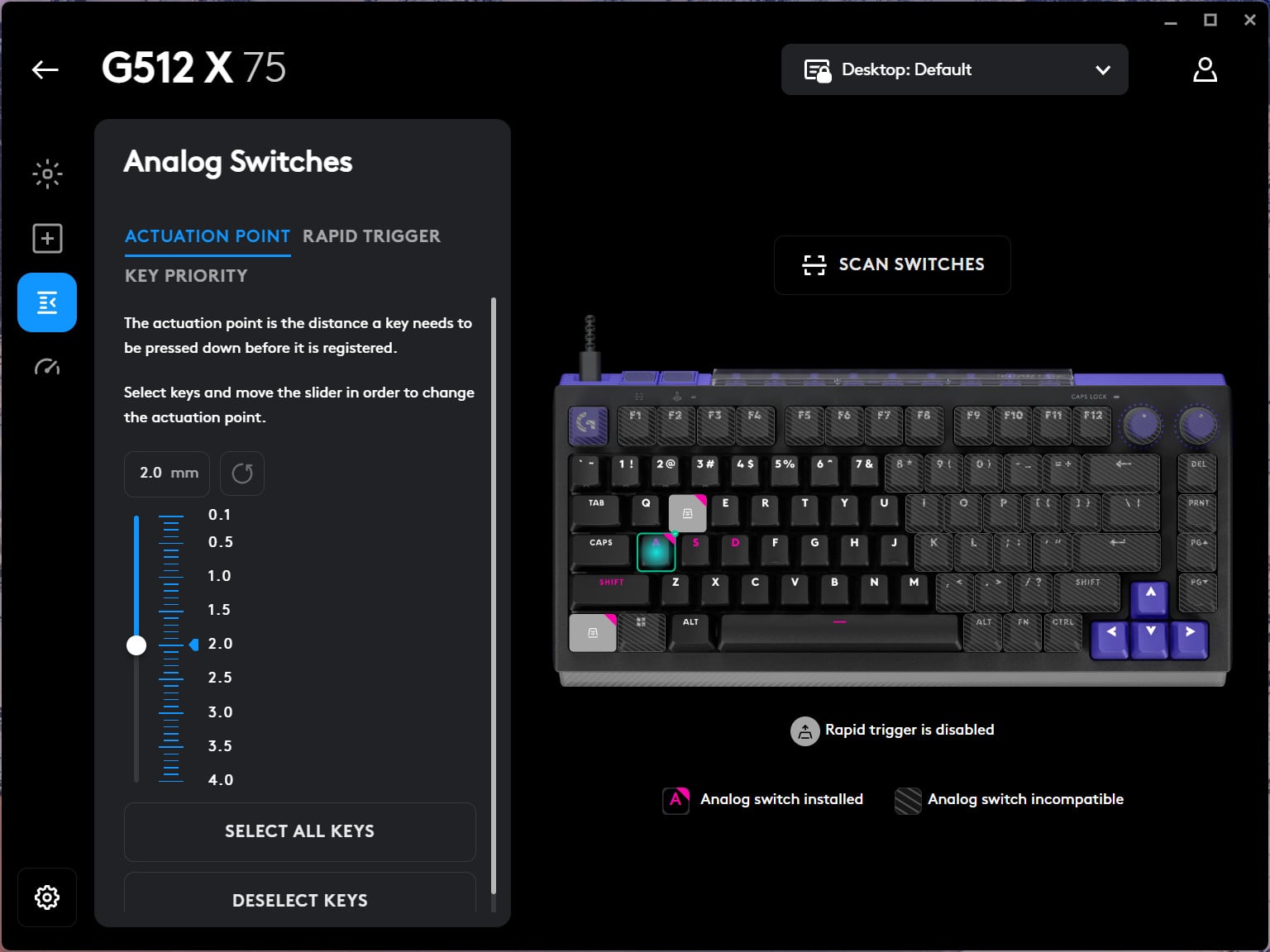
Within the Logitech G app, you can see which keys are mechanical and which are analog. From there, you can use the software to change the actuation point when the keyboard registers an input on a per-key basis. That isn’t new for these kinds of magnetic switch-based keyboards. However, Logitech’s app does a better job than most helping you visualize the pressure you can provide for each key press. The keys will let you set an actuation point between 0.1mm and 4mm.
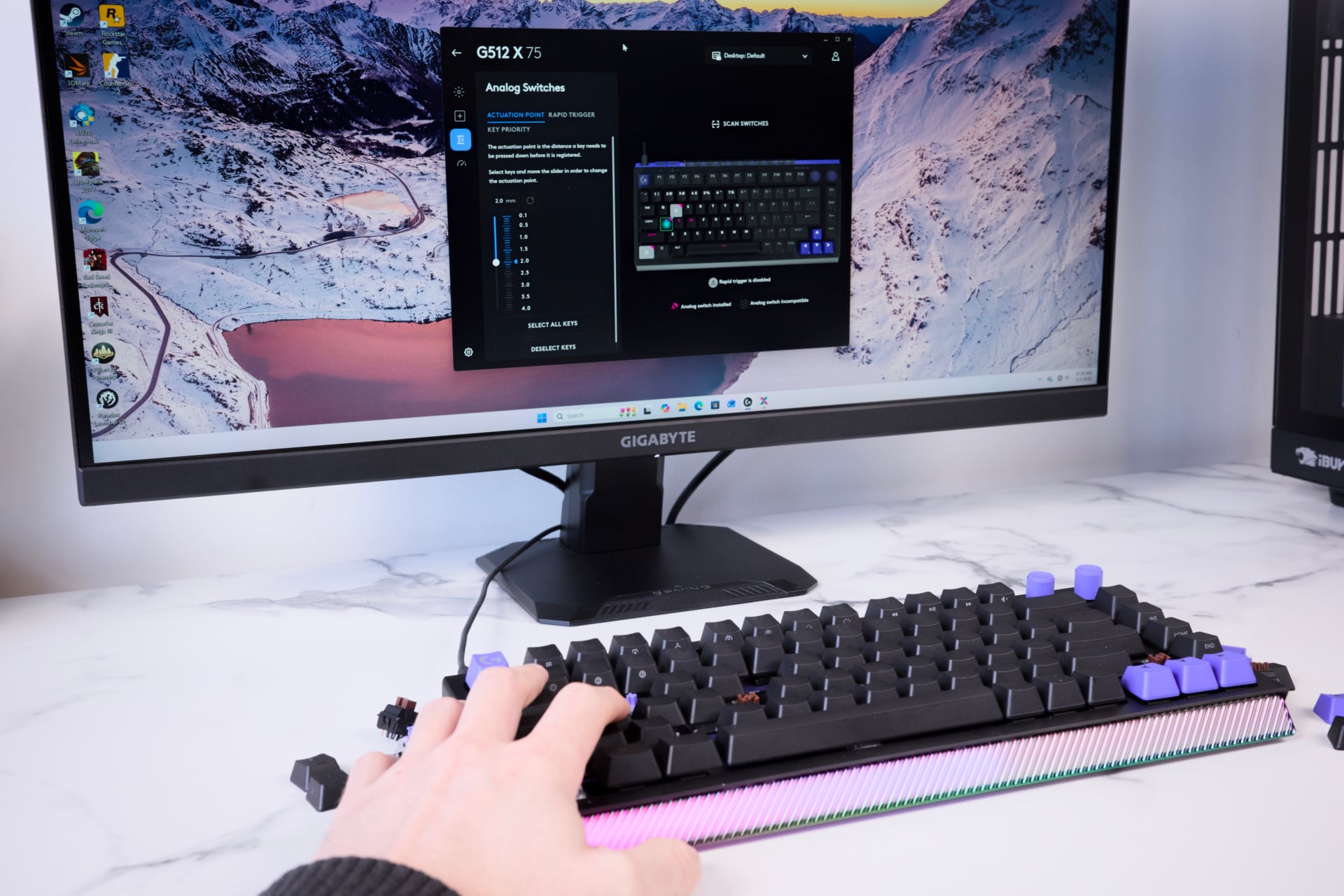
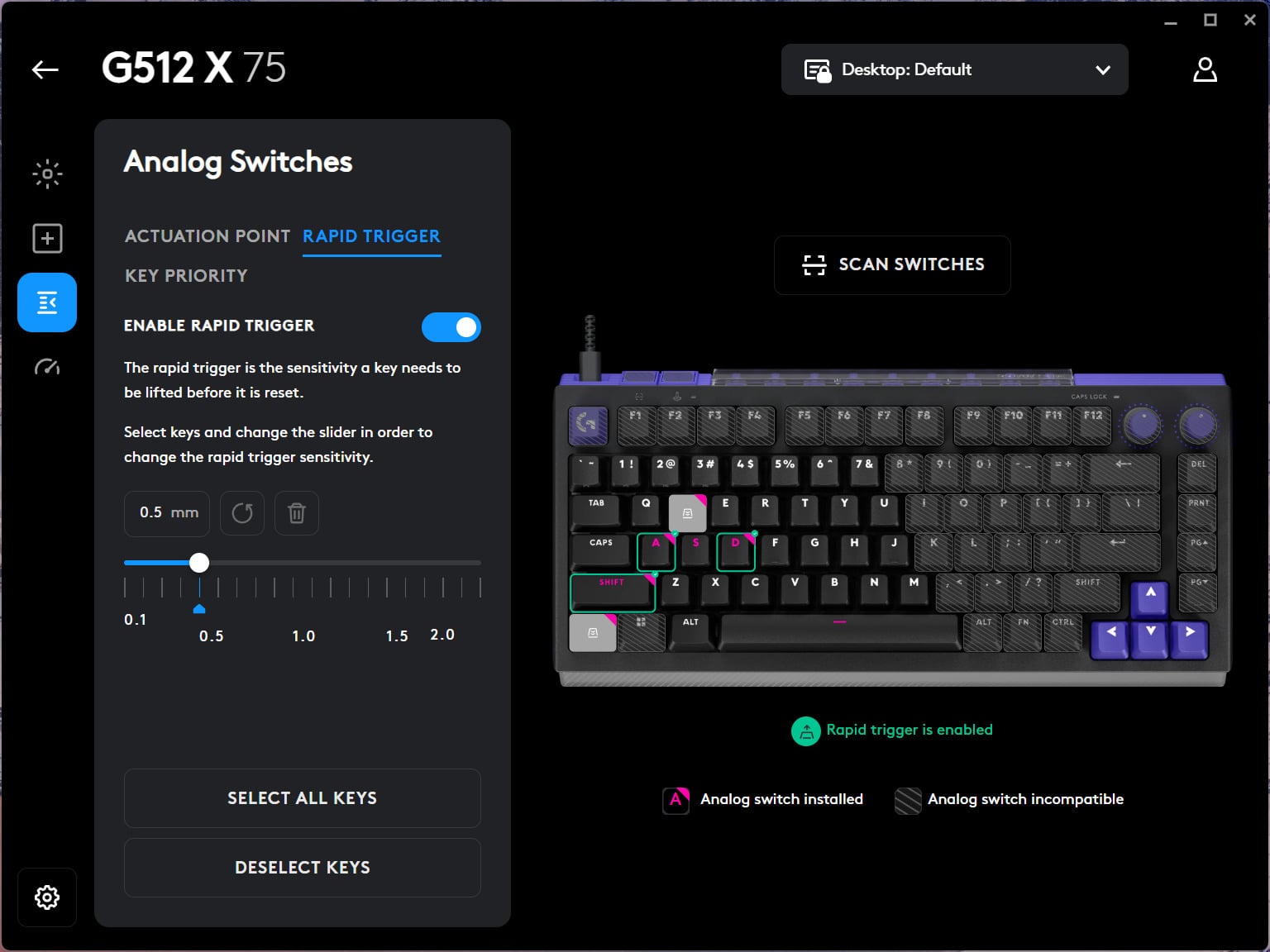
You can also set up keys to enable “Rapid Trigger” functionality. It will change the sensitivity of individual keys, meaning you can spam the button as fast as you can humanly go. It’s all so customizable, but it gets even crazier.
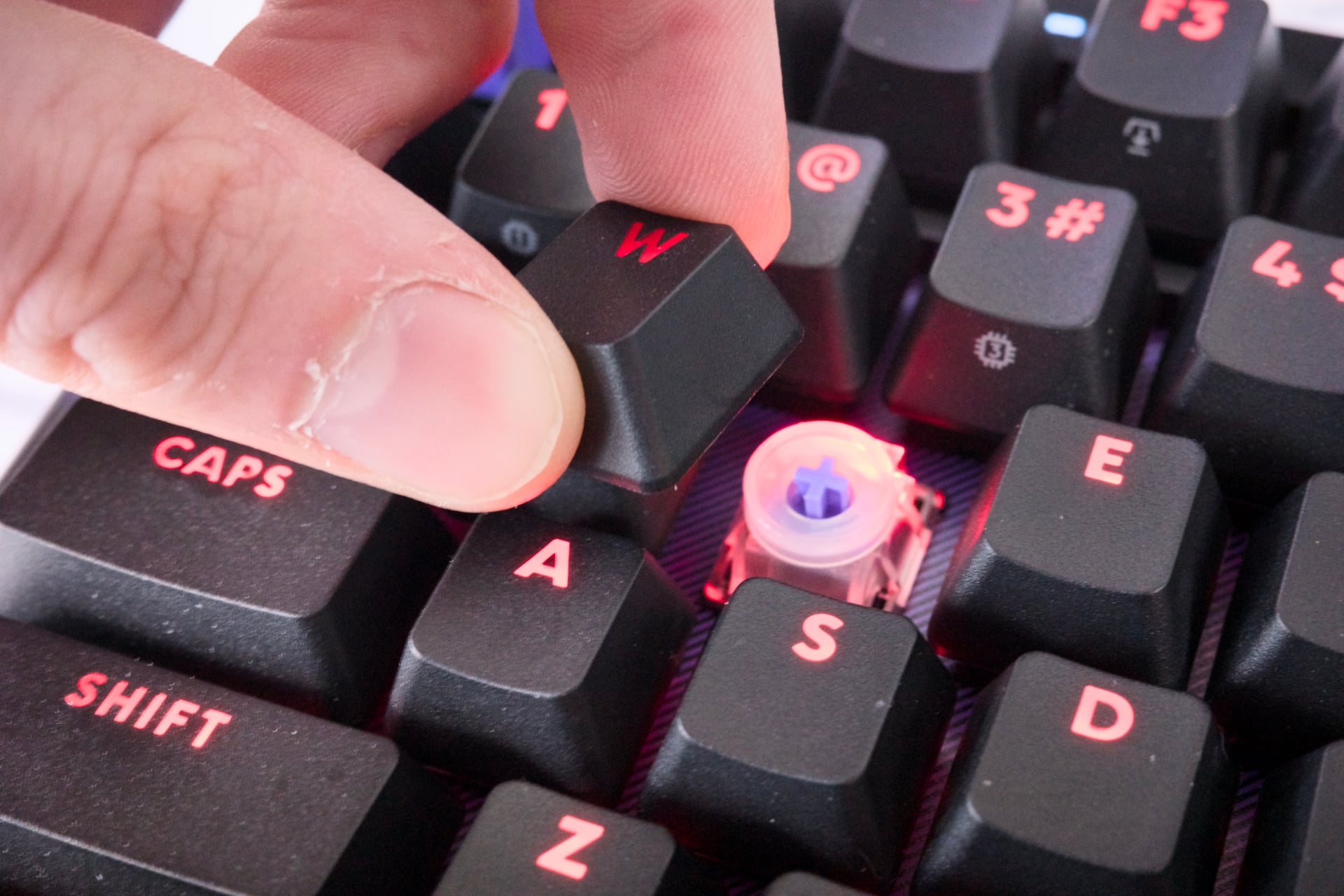
Logitech has an array of five silicon “SAPP” (second actuation pressure point) rings sleeved under the keyboard. These rings sit right underneath the keycap, surrounding the switch’s stem. If you ever used the PlayStation 2’s DualShock 2 controller, you may remember a little-used feature that would enable special inputs depending on how hard you press the face buttons. These SAPP rings enable a similar “multi-action” ability when mapping inputs.
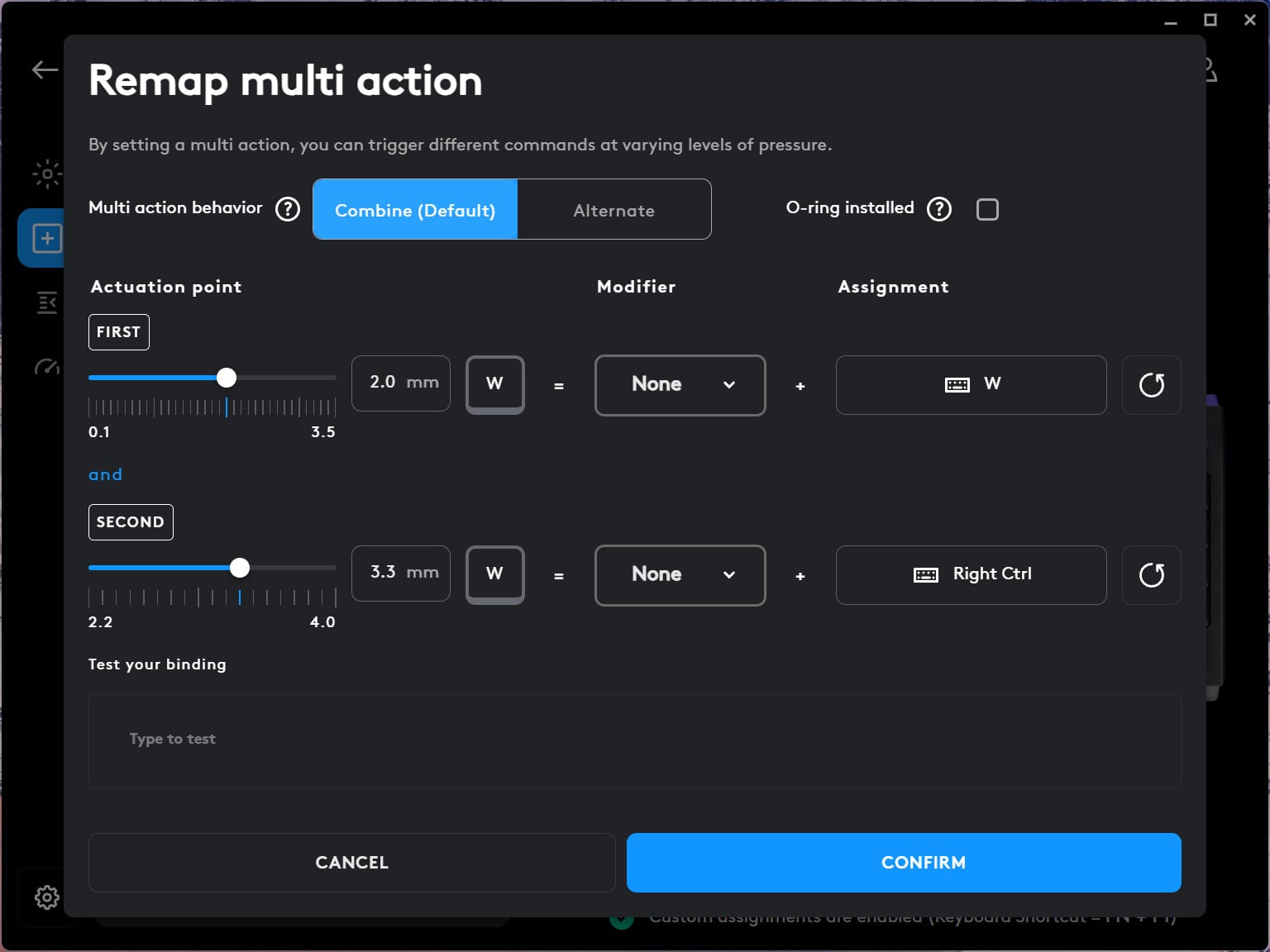
That means at a certain depth, I can have the key register a totally different input than what I’m pressing. For instance, if I’m playing a game like Red Dead Redemption 2, I could map my “W” key’s first input to walk. Then, if I depress the key further, I can have Arthur Morgan sprint as if pressing the shift key. Or, in a game like Double Fine’s latest pottery party brawler, Kiln, I could set the same key to walk at half press and then have my little potted spirit roll on a full press.
It’s a means to manually make some actions in games more immersive. I still have yet to play Metal Gear Solid Delta: Snake Eater, but this keyboard may be one of the few ways to remind myself of the original Metal Gear Solid 3 control scheme on the PS2. You had to jam the circle button firmly to slit guards’ throats. I know what you’re thinking: that’s a morbid image to get excited over. You can blame my gamer-pilled brain.
A big chunk of plastic
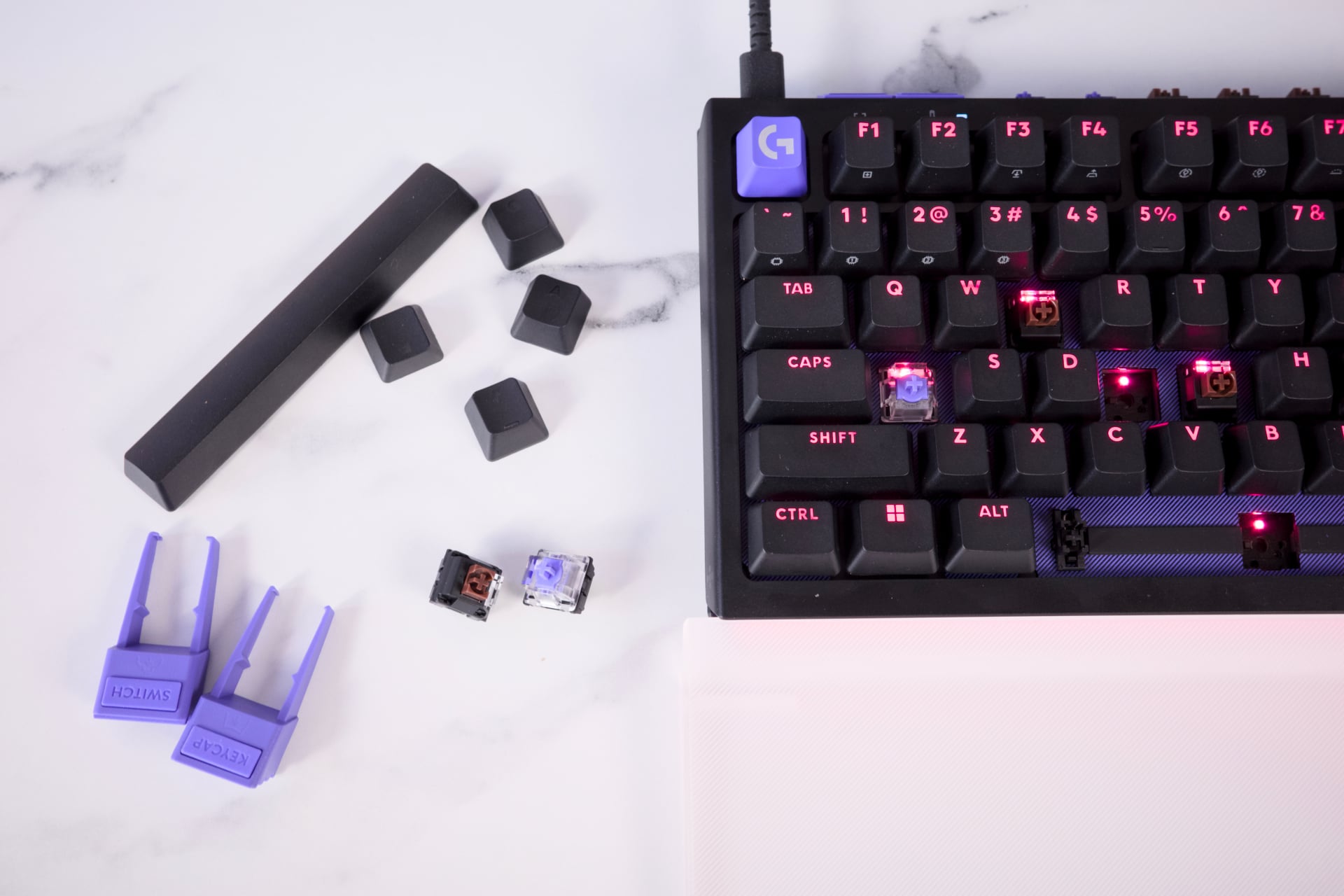
The front lightbar is shielded with clear plastic. The feet, which double as the keycap and switch remover, are plastic. The body is made of a thick plastic that, when you tap it, at least has a premium feel. The only non-plastic thing you’ll find on the whole keyboard are its two dials. By default, one controls the G512 X’s RGB brightness. The other adjusts the PC volume. You can change these inputs in the app.
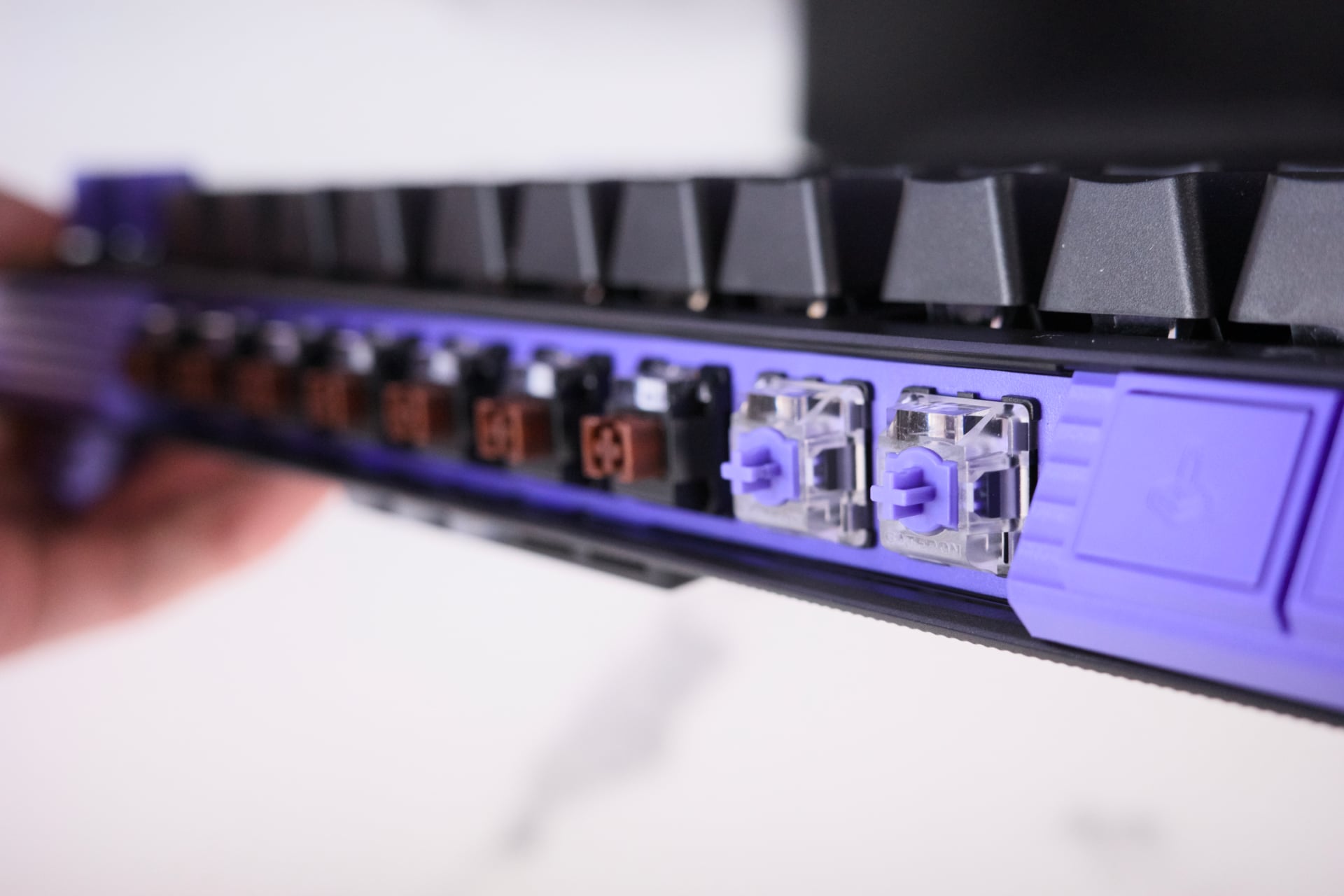
You’ll find all the extra key switches right on the keyboard itself, behind a translucent plastic cover. When we talk about “hot swapping,” normally we don’t literally mean replacing your switch from a bandolier, like one of those viral “tactical reload” videos.
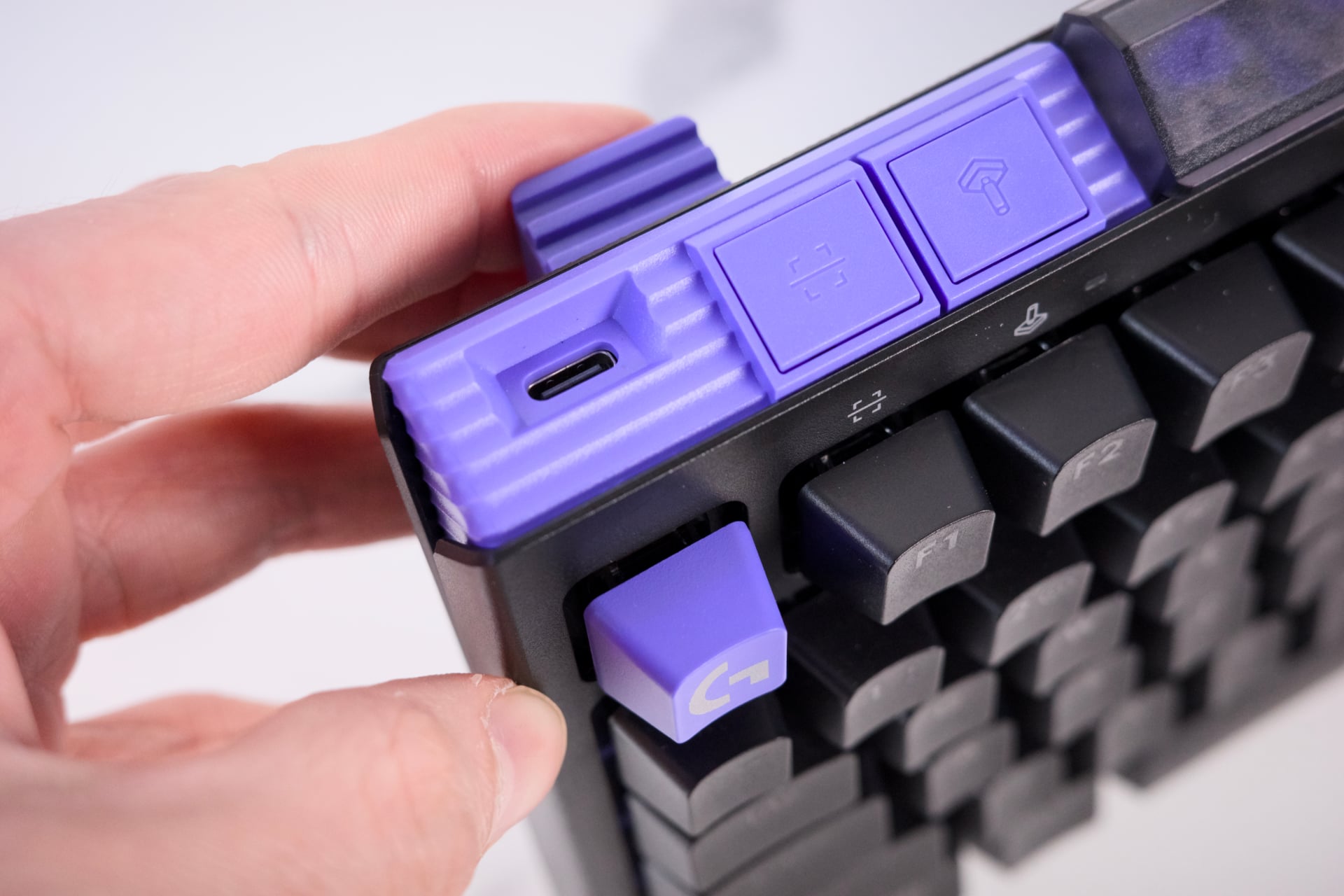
The rogue switches in their compartment need to be inserted a very specific way, with the RGB light facing toward the user, or you risk damaging or bending the pin connections. The reality is you’ll rarely be changing out keys in the middle of a gaming session or even in between work and pleasure. Swapping switches takes time. The G512 X’s accessible components take less time, but laziness is a hell of an anesthetic after a long day of working behind a screen.
It’s honestly impressive how much design forethought went into this keyboard. There’s a physical button you press after swapping out a switch to help the keyboard recognize which keys are mechanical or analog. A button right next to it activates “Game Mode,” which you can use to disable certain keys. A keyboard novice won’t have to think so long and hard about what to do. All your equipment is housed on the keyboard itself, meaning you’ll only lose the switches or SAPP gaskets if you throw your 1.9-pound keyboard around the room, for some reason.
Is this really the right keyboard for you?
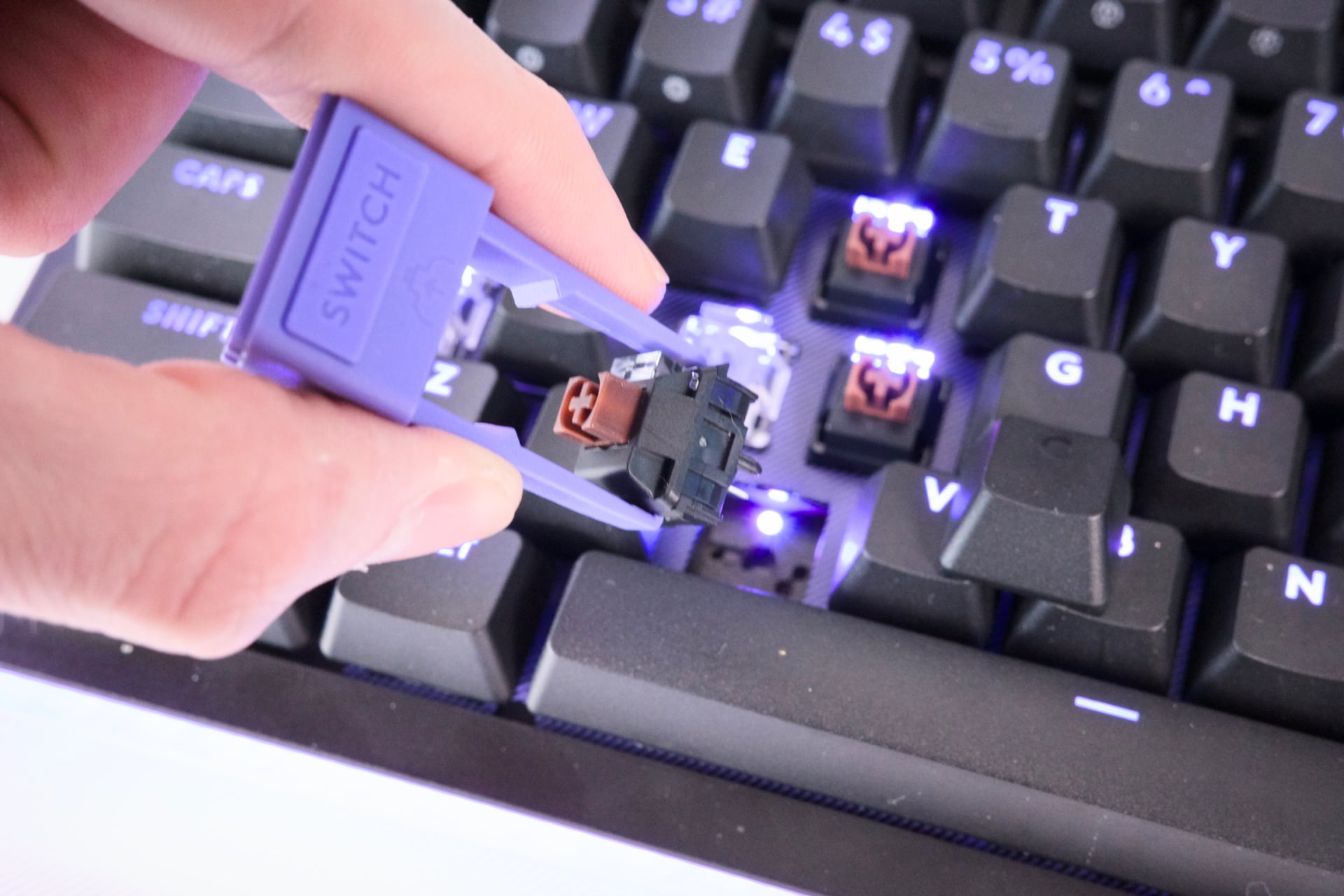
Logitech’s latest shouldn’t be considered a ‘pro’ keyboard. All those “multi-action” key assignments may not have much utility in most hardcore scenarios where you normally see analog keyboard switches. Counter-Strike 2 or Valorant players aren’t thinking about remapping multiple controls onto the same button. Like me, you may forget you left the SAPP ring on, and then you will accidentally type capital “Ws” everywhere. There’s an instance where you may ask yourself, “Have I gone insane, or is the keyboard screwing with me?”
It’s like a prank you’re playing on yourself. It would have been nice to have an option to reset to default key bindings with a switch. The “Game Mode” button only disables other keys you don’t want to accidentally press when in a marathon game session.
There are many fine mechanical, analog, or optical switch keyboards you can buy for less than $180. As for even more premium keyboards, for $40 more, you can get another 75-key Keychron Q1 Ultra 8K Wireless at $220. It comes with a full metal body.
Gaming, at its heart, is a marriage between software and the player in front of the screen. It’s a transportative process, where we use esoteric inputs on a keyboard or controller and translate them into actions of the characters we control. It’s why there is such a premium on controls that feel good. They facilitate your immersion in the experience. Logitech G’s G512 X will offer more options than you’ll find on any other keyboard. If you’re still trying to figure out whether you even like mechanical or analog keyboards, this is your best way to try out both for the long haul.
Read the full article here