

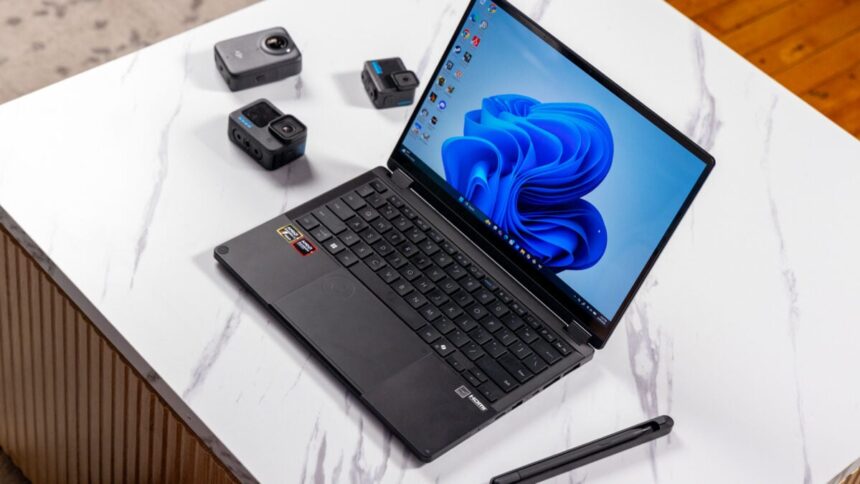
The Asus ProArt PX13 GoPro Edition pitches itself as the total creative’s package, so long as you’re really, really keen on the dude-bro-iest action cameras. Asus seemed to pigeonhole itself by designing a special version of one of its creative laptops built for GoPro. In reality, this laptop is an incredible all-rounder. And there’s a reason you want this version more than the cheaper, non-GoPro-aligned rendition. It’s because of a number: 128.
The refreshed ProArt PX13 2-in-1 laptop is still a versatile laptop two years after I saw its first iteration that used a discrete GPU. Its design has stood the test of time thanks to a solid build and the fact the latest version comes with AMD’s Ryzen AI Max+ 395 chip. That processor offers some truly impressive graphical capabilities. However, the reason you should really care about this $3,000 (yes, $3,000) laptop—beyond the included carrying bag and sleek, ridged laptop lid—is because it’s configured with 128GB of RAM. Asus goes a step further and allows users to allocate up to 96GB of RAM to the AMD Radeon 8060S iGPU (integrated graphics processing unit), pushing what this chip can do to its limit.
Asus ProArt PX13 GoPro Edition
This 2-in-1 laptop bundle stacks some awesome performance, though the GoPro integration doesn’t add much at all.
- Sturdy build with cool design
- Sharp OLED display
- Excellent performance
- 128GB of RAM
- Ports you want on this kind of laptop
- Limited refresh rate
- Poor brightness
- Muffled speaker audio
- GoPro integration tied to subscription
- High price
It’s that number, 128, that should have you ruminating on what you want from a laptop for $3,000. Current RAM prices have skyrocketed to the point where laptops with 32GB of RAM cost more than $2,000. A version of the ProArt PX13 without the GoPro branding demands $2,800 for only 64GB of RAM. Already this year, I’ve reviewed the $2,400 Asus Zenbook Duo and $2,200 Dell XPS 14. Both of these ready-to-rumble notebooks contain the latest Intel Panther Lake chips with extra graphics processing capabilties. They proved able to match up a few steps below AMD’s leading Strix Halo processor and could eke out better battery life besides.
What really sets this laptop back is its adherence to the GoPro brand, not so much the GoPro lifestyle. A less-than-stellar laptop case and pointless GoPro button don’t detract from the overall laptop. And hell, if you enjoy sporty black ridges on your devices, I honestly don’t know of any laptop quite as bold as Asus’ odd 13-inch ProArt.
Beautiful OLED, dim screen, and poor sound
You would imagine a creator’s laptop built with video editing in mind would sound much better than the ProArt PX13. You may also imagine a device designed for the GoPro aficionado would be best for working outdoors, perhaps under the piercing eye of the midday sun while motors rumble by on a dirt bike track.
The ProArt PX13 sports a vibrant OLED screen, but it is not the brightest I’ve seen on similarly sized devices. The laptop uses Asus’ Lumina OLED display, which appears visually clean thanks to excellent contrast with deep blacks. Asus claims you can get up to 500 nits of peak brightness. In reality, I found I had to maximize the screen brightness levels just to have a comfortable experience, even in dim surroundings. The Dell XPS 14 with its tandem OLED—which stacks two layers of organic light-emitting diodes on top of each other—was much brighter overall and good enough for outdoor use. What’s more annoying is the ProArt PX13’s limit of a 60Hz refresh rate, which will prove especially annoying if you plan on doing any gaming.
Since this is a creator-first laptop, you would assume the audio would be more up to snuff. Instead, what came through the ProArt PX13’s twin down-firing speakers sounded muffled. There was a subtle tinny quality that made merely watching Netflix less of a premium experience than it should have been. If you’re planning to use this for editing your video clips’ audio levels as well as the visuals, you’ll need a quality pair of headphones sitting nearby.
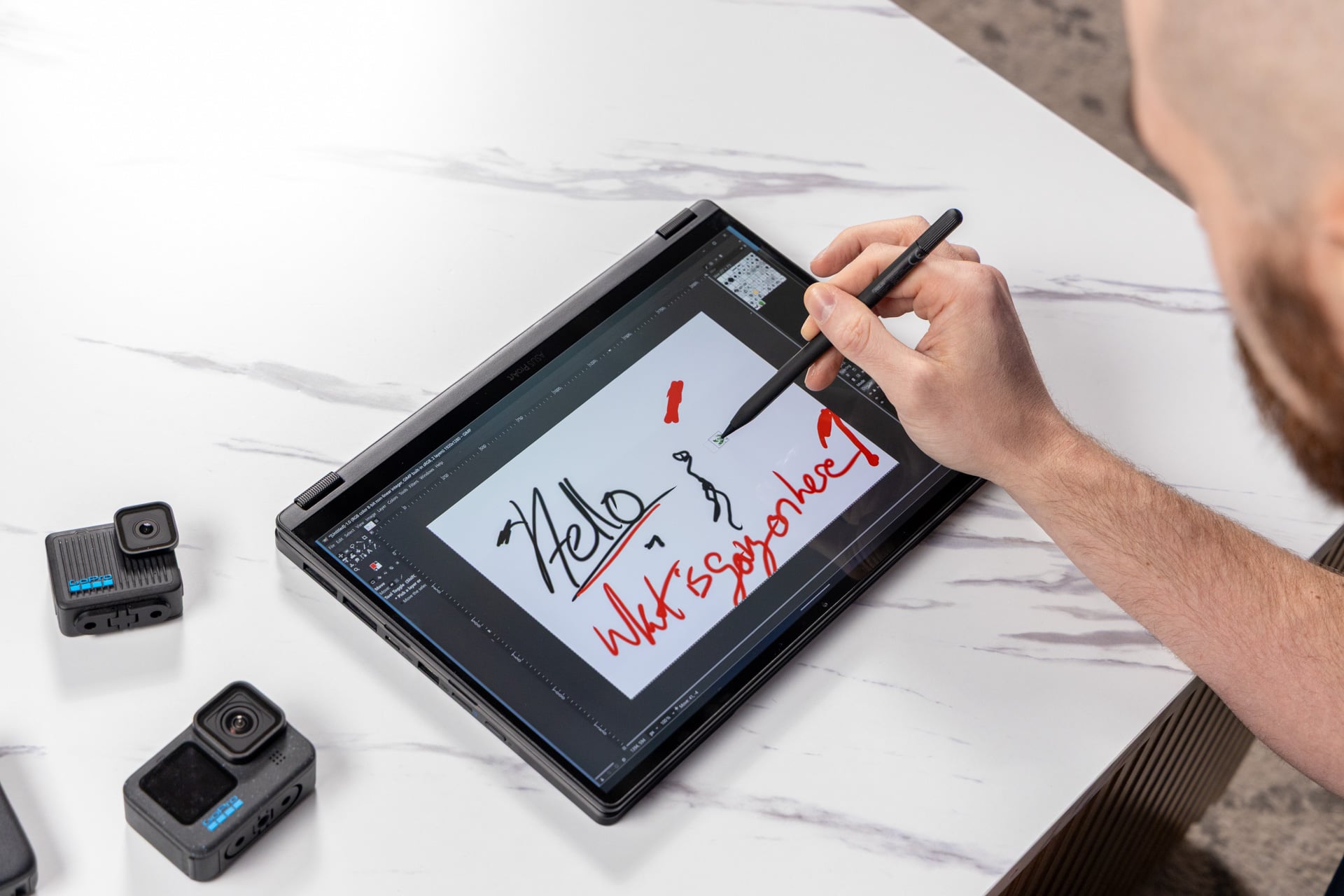
If you do end up using this laptop for more intensive tasks, just know that the fans can kick up quite a racket. This may be less important if you’re out editing in the field. To that end, Asus packs in a few extra bits and bobs for the $3,000 you’re paying. The ProArt PX13 GoPro Edition comes with an extra carrying case and an Asus stylus with a wireless charging case. The pen unfortunately doesn’t have anywhere to attach to the laptop itself. Instead, it all goes in the case.
You shouldn’t get this bundle for the case
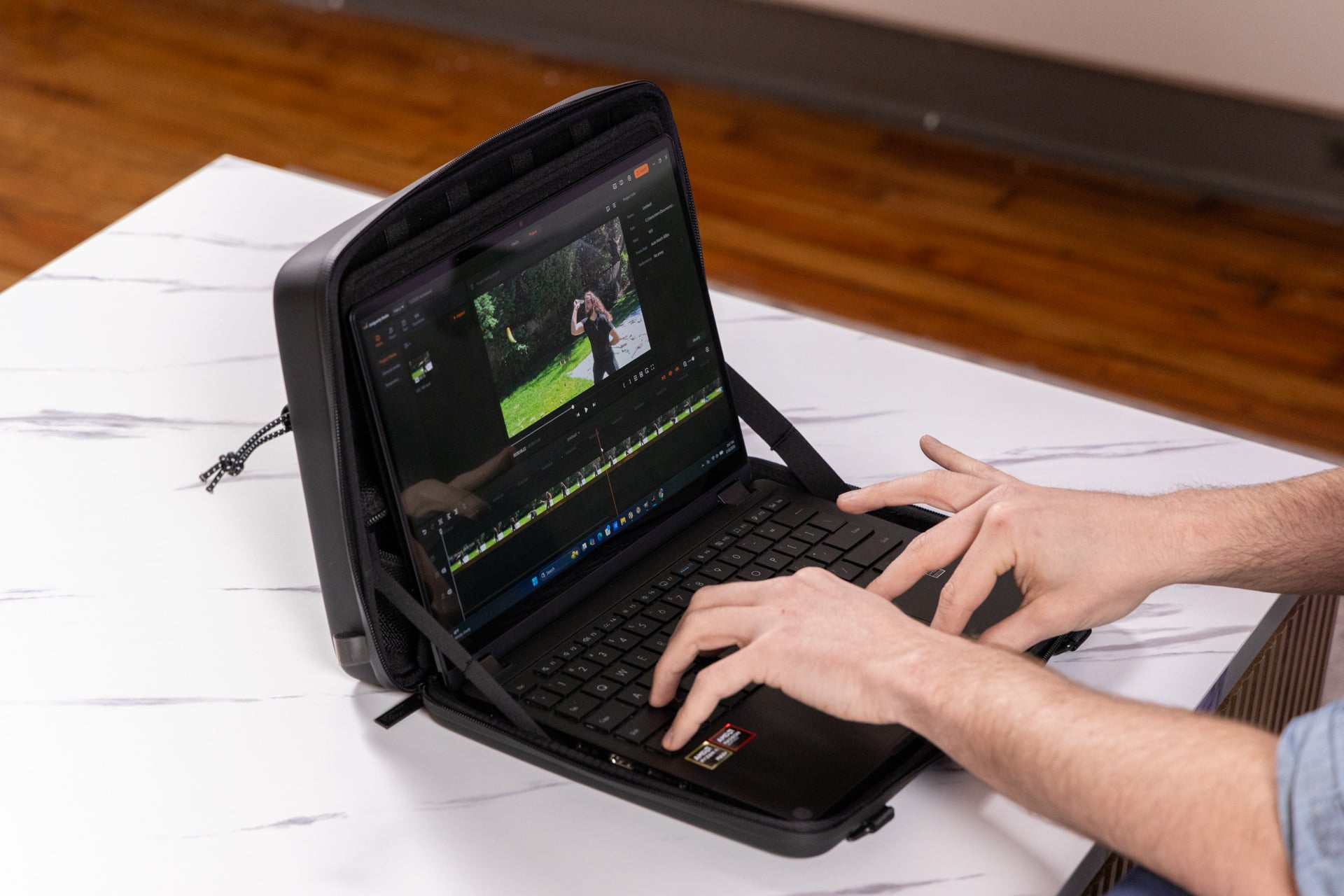
Considering everything that’s going on with this laptop bundle, Asus needed to consider what people would want to pack inside. The package comes with a large, hard-shell bag with a bungee cord wire on the outside and a half-dozen elastic webbing straps found within. The hardback laptop cover includes a flap to stick the ProArt PX13 into. When you open up the pack, the case can double as a workbench in case you hate using a laptop on your lap.
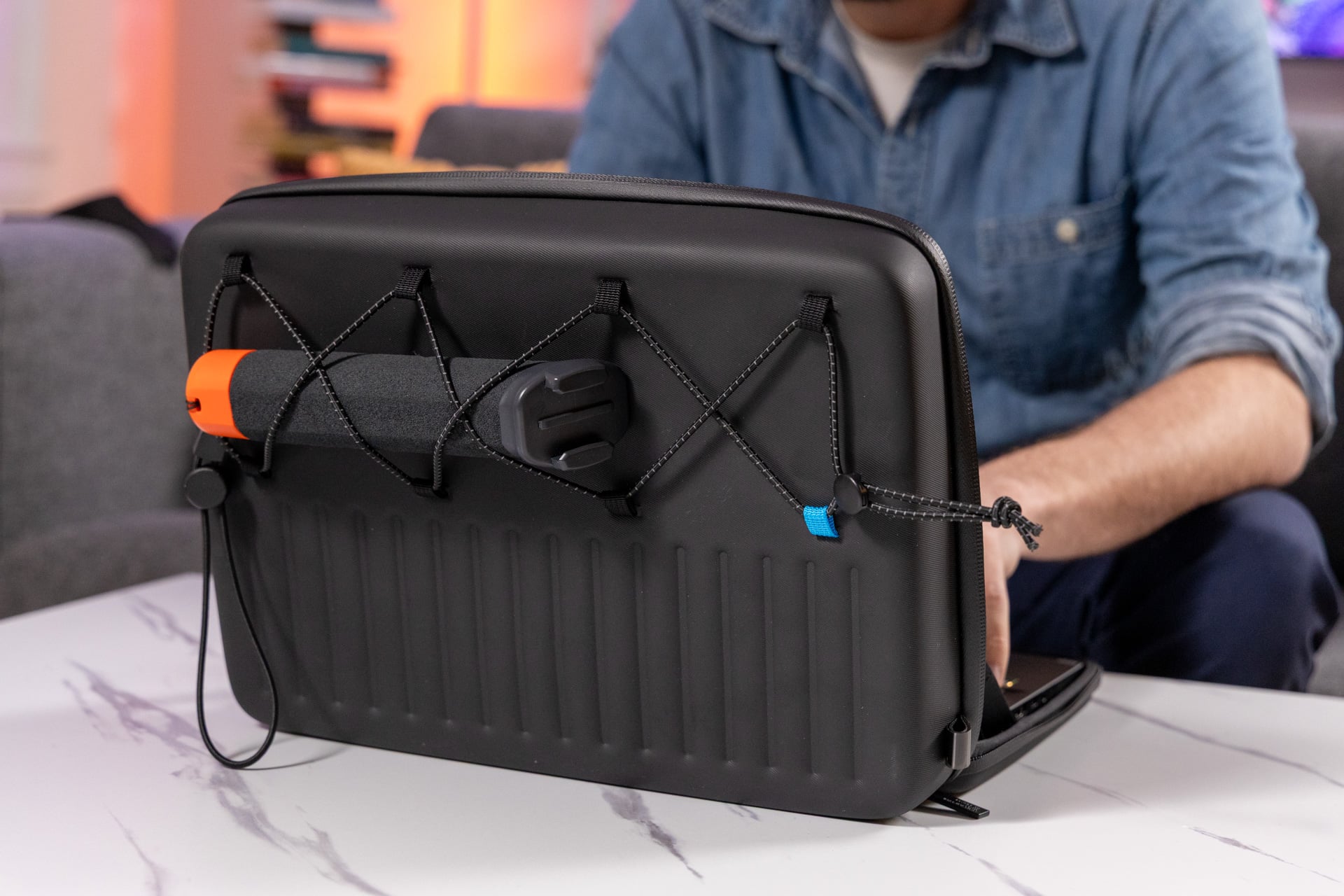

If this is supposed to be a bag for storing camera equipment, it’s very lackluster. I could fit in a GoPro Hero 12 Black and a GoPro Hero inside along with the included Asus Pen 3.0 with its charging pad. I also had just enough space to pack in the 200W charging brick inside the zipped-up pouch. During transit, one of my cameras came loose. That’s fine, it’s a rugged camera. But I imagine there could have been a much better way of containing all your gear. In reality, I would want extra space for GoPro mounts and some way to protect the camera lenses. If I had to bring all my camera gear with me, I would still be better served with just a backpack with a laptop sleeve.
Few laptops feel this sturdy
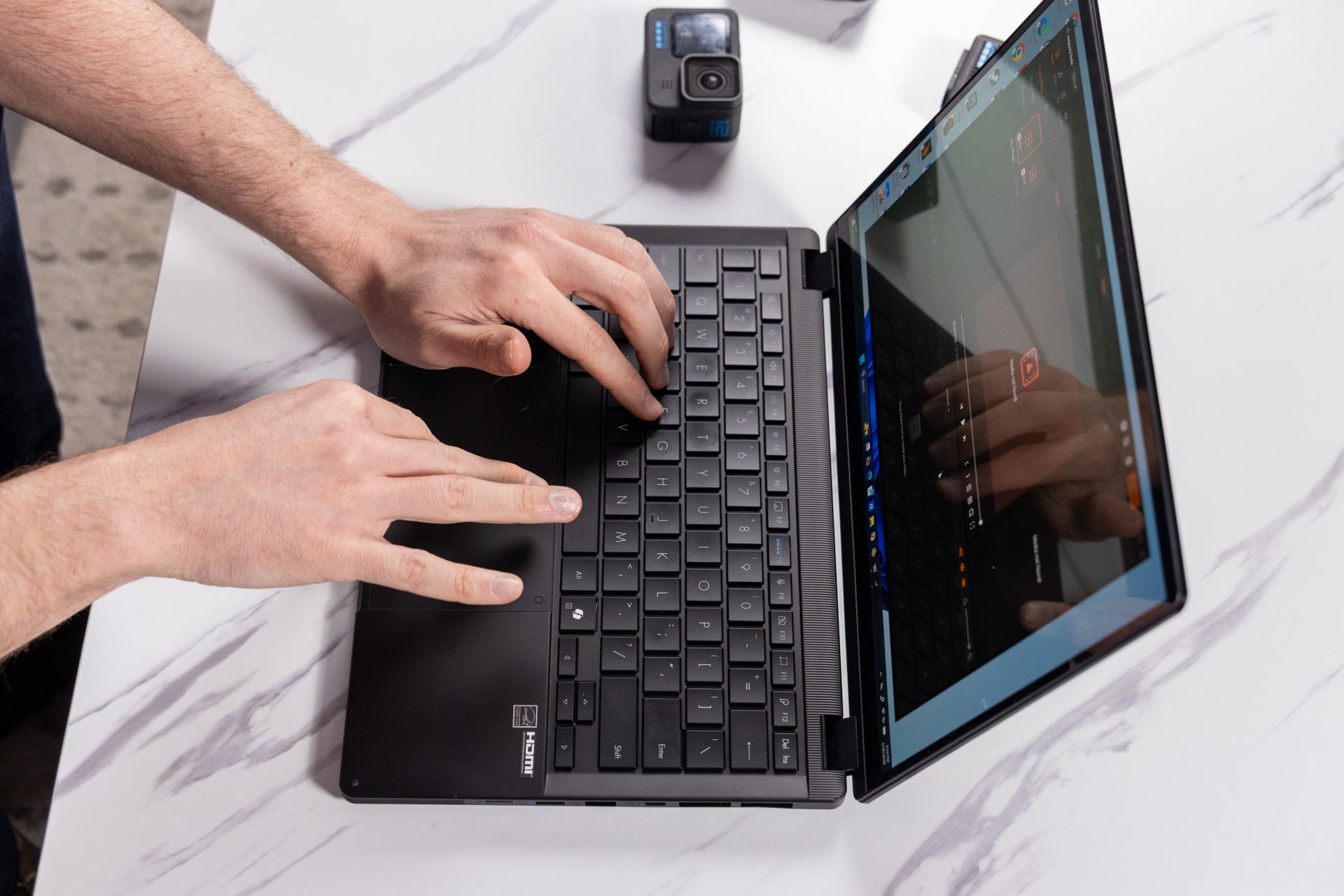
A laptop built for on-the-go video editing needs a certain level of sturdiness. There’s good news on that front, since the ProArt PX13 with the added black ridges makes an already sturdy laptop even better. The latest ProArt laptops took the basic layout of Asus’ ROG Zephyrus series. That means these devices are well built for handling some intense heat and pack in plenty of ports.
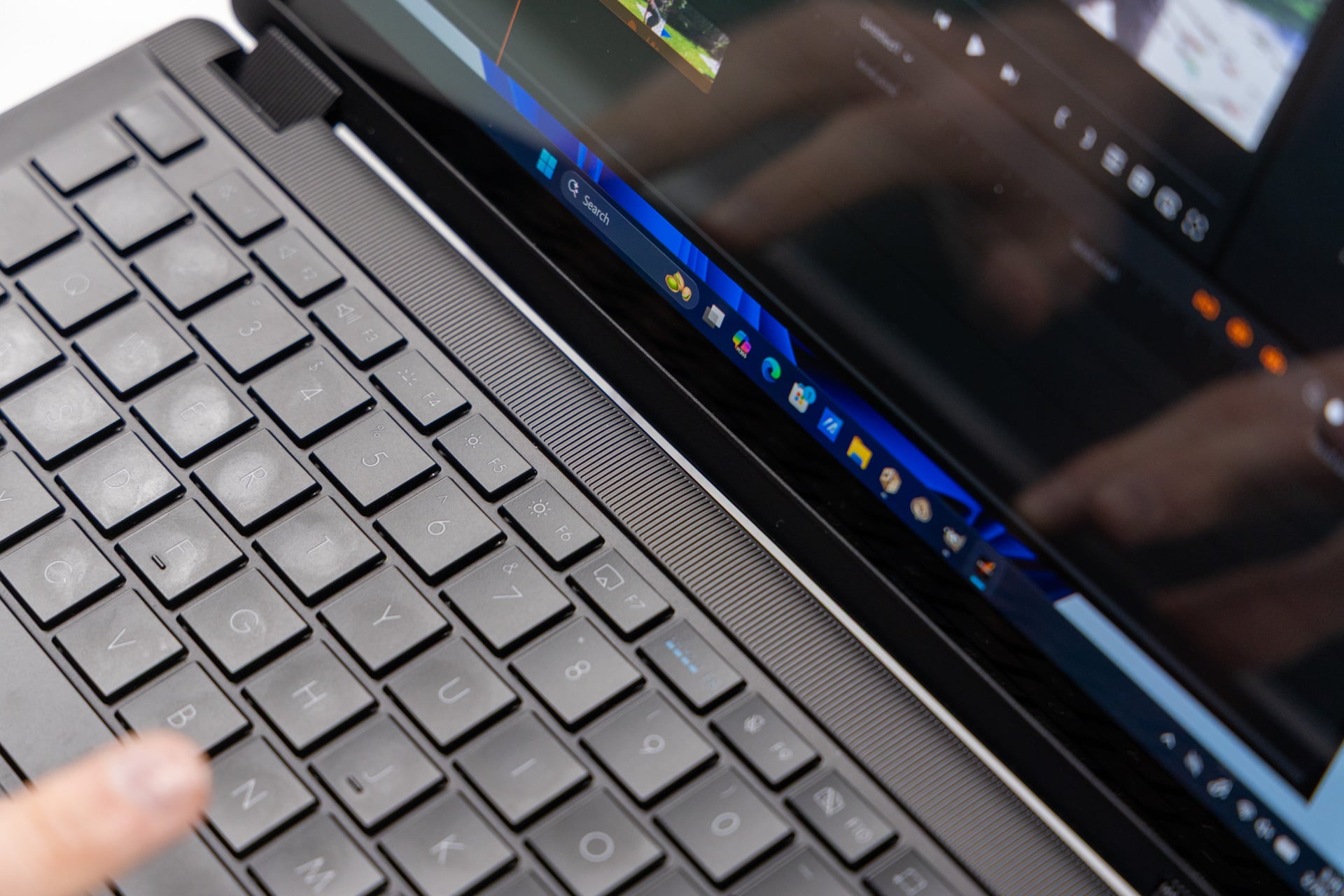
The ProArt PX13 GoPro Edition adds a few extra bits and bobs that are wholly welcome and one or two that don’t add much to the overall design. Case in point, the GoPro hotkey is hovering like a big blue evil eye from the function row. That key brings up the GoPro Player app by default. Thankfully, the software isn’t pre-installed on the device (there’s already enough extra Asus apps taking up space on the taskbar).
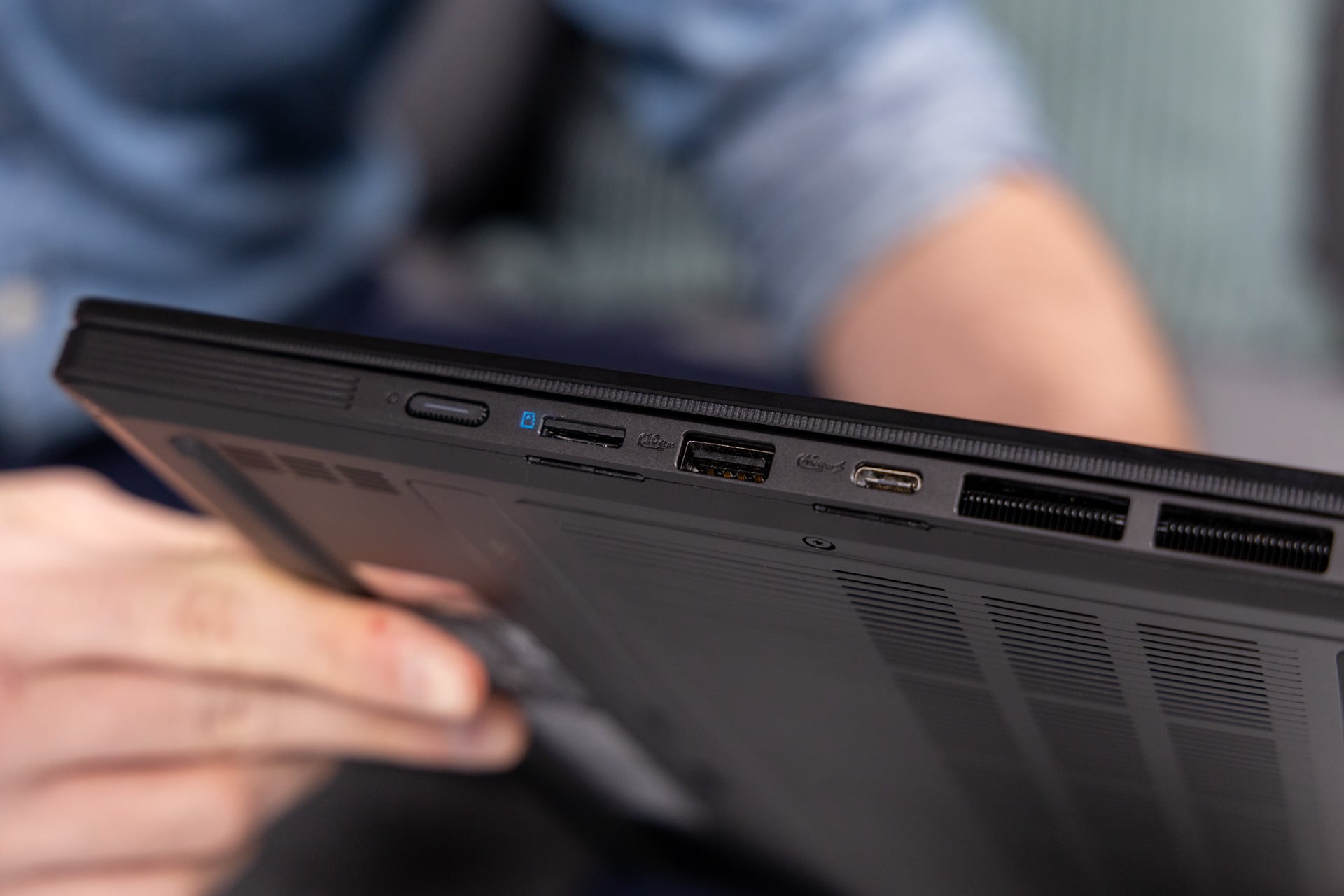

The laptop is flanked by two Thunderbolt 5 USB-C ports, one on each side. There’s an HDMI port and an extra USB-A alongside the proprietary charging port necessary for the 200W power brick that comes packed in the box. Finally, there’s a microSD card slot on the right-hand side. Instead of merely slotting in the card, the laptop uses the typical click-in mechanism you’ll find in most action cameras to keep the card flush with the chassis. It’s a small thing, but so very welcome on a device geared toward creators.
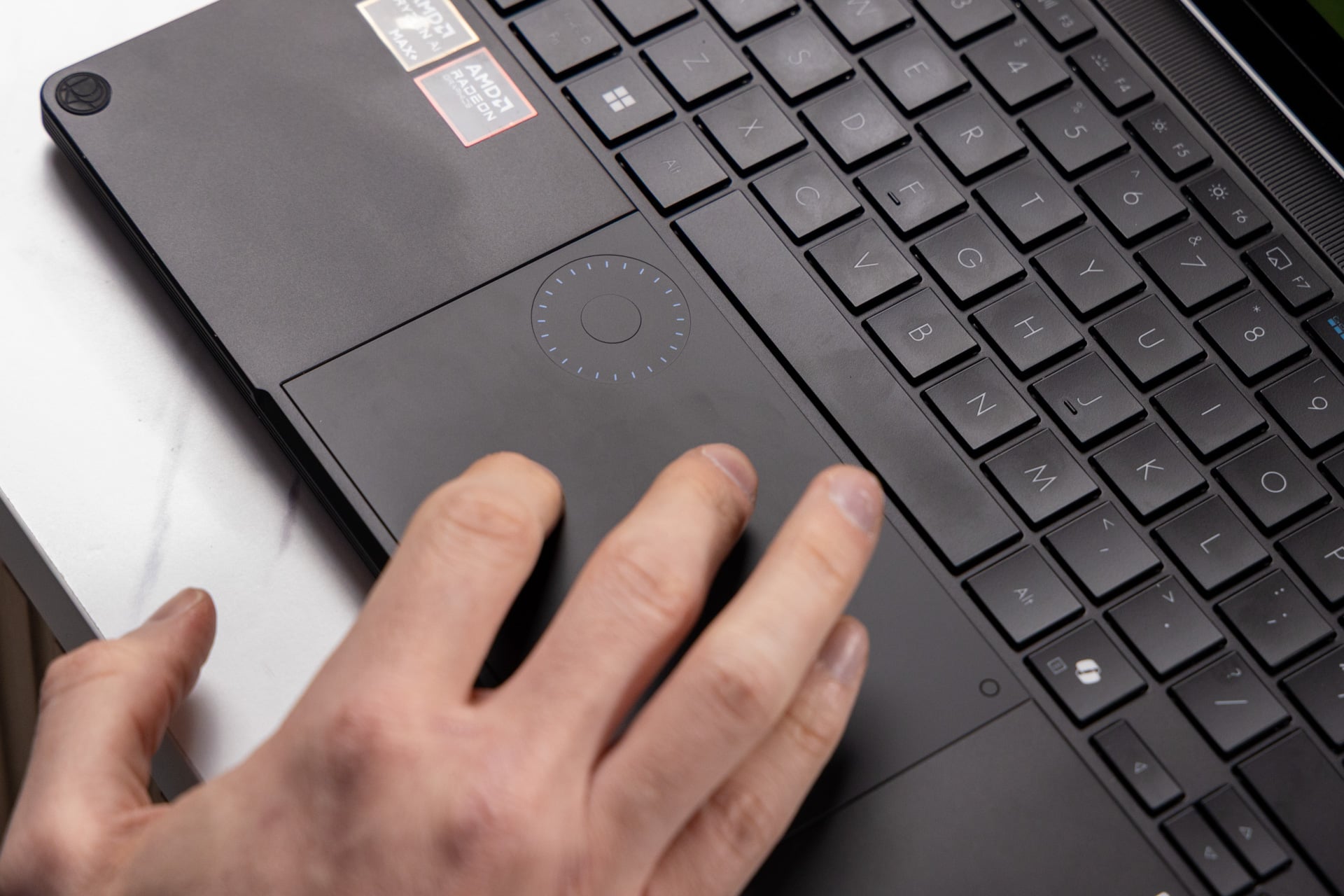
I’ve enjoyed this style of square-edged keyboard since Asus first introduced it with the ROG Zephyrus G14 two years ago (practically a lifetime). The trackpad features a “DialPad” (useful in certain supported video apps for scrolling through footage) and also includes small blue indicators that make it look extra GoPro-like. This is not the thinnest laptop around at a thickness of 17.7mm toward the rear. However, it’s plenty light at just over three pounds. I wouldn’t mind carrying this powerhouse everywhere, with or without the case.
Epic GPU capabilities with extra RAM

This is not a PC for the layperson or just the video editing-curious who got a GoPro for Christmas. The ProArt PX13 is a PC for somebody who plans to do a lot with a single laptop. With 128GB of RAM at your disposal, the use cases are quite extensive considering the size of the device.
The 16-core AMD Ryzen AI Max+ 395 APU (accelerated processing unit) remains one of the best standout chips for GPU performance on a single SoC (system on a chip). Just by itself, even without the extra memory at its disposal, the top-end chip in the expanded Strix Halo lineup can already outperform previous-gen discrete GPUs in some tasks. It almost manages to catch up to the lower-end Nvidia GeForce RTX 50-series laptop GPUs.
By default, the laptop set the RAM allocated to the GPU at a mere 4GB. That pushes the rest of the RAM for CPU tasks. The MyAsus app has a small section under Device Settings that lets you set the operating mode and allocate memory to the GPU. The one issue is changing RAM allocation requires restarting the laptop.
If you opt for the “Recommended” memory allocation, the laptop offers half of the RAM—64GB—for the sake of the GPU. You should be able to work with this setting for most regular tasks. However, if you plan to game on this device or push through with an intensive 3D rendering task, you can enable up to 96GB toward the GPU.
In terms of CPU capabilities, this AMD’s top-end Strix Halo chip has fallen behind Intel’s latest Panther Lake devices in multi-core and single-core tests in Geekbench 6 benchmarks. However, with that extra RAM, I can easily push Cinebench 2024 and 2026 well past many other CPUs, including the modern Intel’s Panther Lake and midrange Arrow Lake CPUs from last year. It still can’t match up to the most-powerful laptop-level chips you may find in a full 16- or 18-inch gaming laptop like last year’s MSI Raider 18HX or a Lenovo Legion Pro 7i.
This 13-inch laptop packs a more significant punch in 3D applications. In 3DMark’s “Speed Way” and “Steel Nomad” tests, the ProArt PX13 was just a few hundred points shy of a Framework 16 laptop with a full RTX 5070 GPU. That is with the machine plugged in with the 96GB of RAM allocated to the GPU. It’s easily a top contender in 3DMark “Time Spy” tests—which are normally more CPU intensive.
I know, I know, you’re wondering if the ProArt PX13 can game. Let me give you the nod. It’s a surprise powerhouse, enabling playable frame rates at the laptop’s full 2,880 x 1,800 pixel resolution in multiple taxing games. If you rely on upscalers like AMD’s FSR, you can hit 43 fps in Cyberpunk 2077 on “Ray Tracing Low” graphics settings. In Assassin’s Creed: Shadows, the laptop managed to hit 33 fps in benchmarks at high settings. After turning on FSR, I could get around 52 fps. For gaming on the go, you’ll be able to push the graphics potential of many demanding games, so long as you push the laptop to its limit.
Software built for the GoPro-pilled

I’m a contrarian by nature. If you order me to grab a GoPro, I immediately start looking at the competition, purely out of spite. That being said, I have gone hands-on with a number of GoPros and I still have most of them at my office. While reviewing this laptop, I didn’t have the most recent GoPro Max2 360 camera, the action cam maker first revealed in the middle of 2025.
I don’t know about you, but I don’t just use GoPros for action shots. It just so happens that DJI sent me its Osmo 360 for review. GoPro’s Player software won’t load up files from DJI. Nor will it work with any of the files I took on my Insta360 Go Ultra. That’s to be expected. None of these companies will let you load their competitors’ videos on their respective editing apps. Still, it’s something you should consider if you’re a creator who has multiple go-to cameras from several brands.

Asus really wants those buying this laptop to use a few special additions to its StoryCube app. StoryCube is ProArt-specific software that is supposed to make finding and parsing all your various footage easier. In time for the ProArt GoPro Edition, Asus added the ability to see 360-degree content without having to load up your respective video app. Well, it will let you view GoPro 360 footage. It doesn’t import any of the special .LRF files I took with the Osmo 360.
If you are a mainstay GoPro user, and you feel like getting yet another subscription, the laptop comes with a full year of GoPro Premium+ to let you auto-upload your footage to the cloud. StoryCube can connect to those servers to let you import any of that cloud footage directly to your laptop. This can prove handy if you don’t want to take the extra step of sticking your SD card into the laptop. At the same time, I can’t imagine anybody doing video editing will find the built-in 1TB SSD nearly enough. They’ll likely be using an external drive, in which case it’s far easier to dump their footage themselves without relying on cloud storage.
Buy this laptop for the chip and RAM, not because of the logo
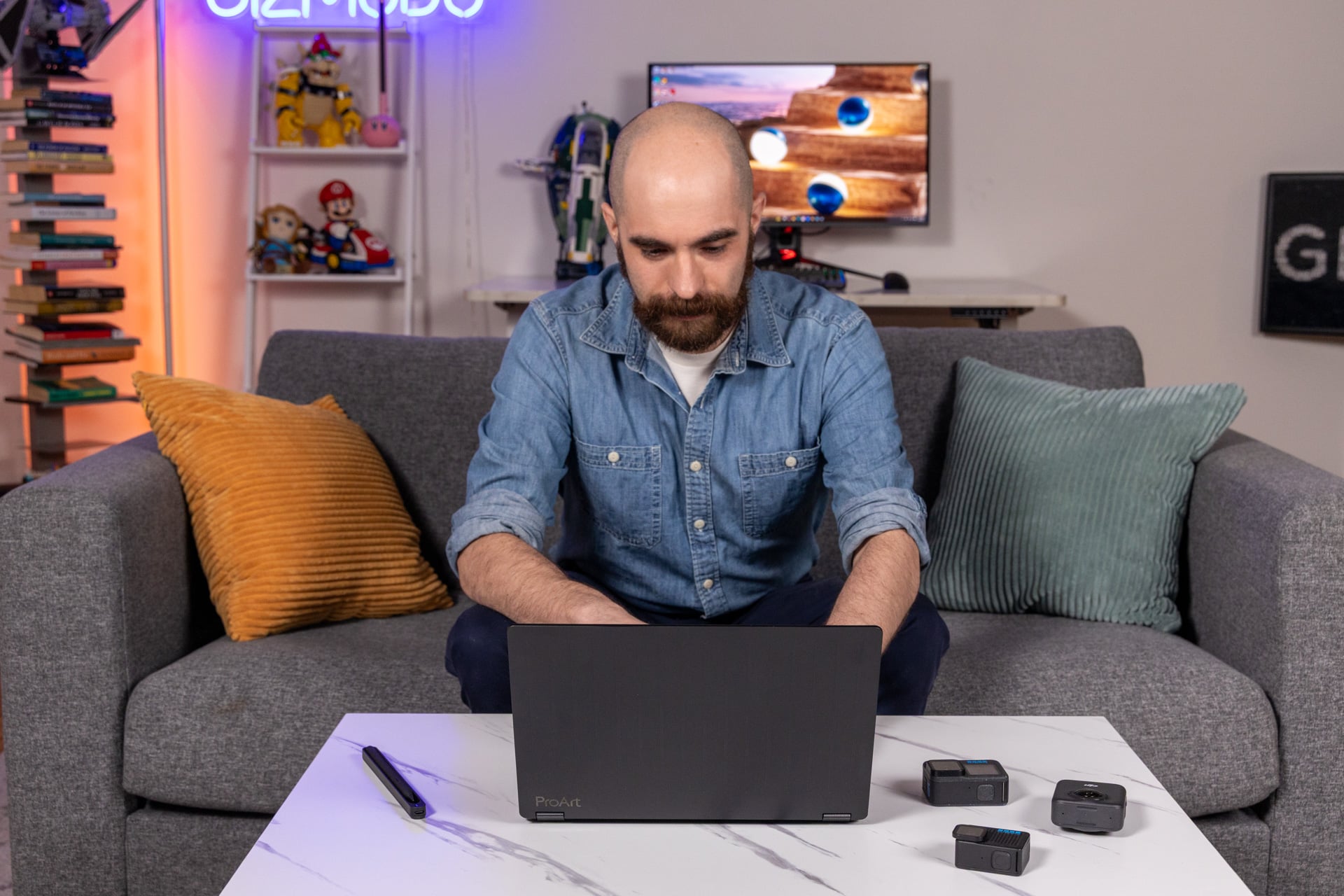
This is a laptop built for creators, so I tried to use it like your typical GoPro jockey. I had extra footage from amongst the many cameras in the Gizmodo office. I spooled back through current and previous historical fencing sparring matches and crafted a few clips for my friends’ social media accounts. The laptop tended to go from 100% to 50% in about 1.5 hours of editing video. This was on the maximum brightness setting (because without a bright screen I could barely make out the footage in a dark room).
The laptop tends to lose juice rather quickly on standby power. A full 24 hours after shutting the laptop lid after a video editing stint, the ProArt PX13 lost a full 10% while in the carrying bag. In total, I could maximize about three hours doing video editing and exporting footage. In other scenarios, I could squeak out between four and five hours of active use doing my usual grind of browsing and writing emails and stories.
The ProArt PX13’s battery seems decent for most tasks. It’s just not equivalent to the likes of a MacBook or one of Intel’s latest Panther Lake notebooks. So what you really come to this laptop for are aesthetics and performance. I certainly enjoy the laptop’s performance. If I ignore the GoPro logos, it’s one of the more striking and bold-looking laptops I’ve fondled in many months. When you’re spending $3,000 on a laptop, looks still account for something.
Read the full article here