
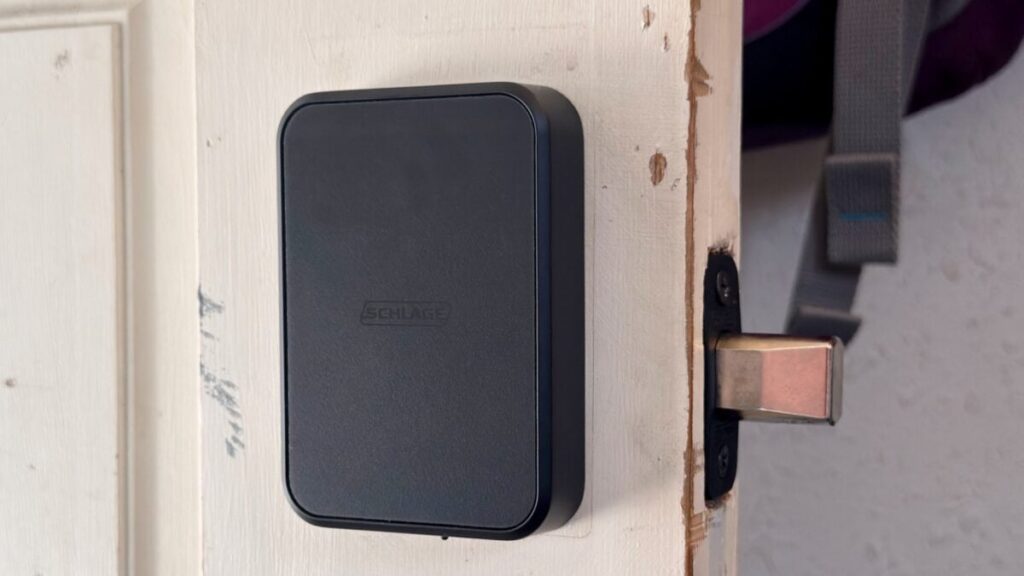
Smart locks are finally great. That’s how I felt after reviewing the Aqara U400 smart lock, which uses ultra-wideband (UWB) to unlock hands-free when you approach it with your smartphone in your pocket. It’s also sort of how I felt after a few days with the Schlage Sense Pro, at least in day-to-day use.
Schlage’s smart lock is endowed with the same UWB-sensing capability as Aqara’s smart lock. Its main appeal over the U400, at least for me, is its appearance—I like its clean aesthetic. But I’m struggling to see why anyone would buy it over Aqara’s lock. One reason is that Schlage’s product is $400, while Aqara’s costs just $270. Another is that it doesn’t use a physical key at all, though you could see that as a plus, since it means the lock can’t be picked.
Other factors, like the lack of a fingerprint sensor and the use of replaceable AA batteries instead of a rechargeable one, could put people off, too. I feel like a prince when my door unlocks right before I reach out to open it, but I came away feeling like the Sense Pro will only appeal to a narrow set of people.
Schlage Sense Pro
A good UWB smart lock that’s hard to recommend over Aqara’s more featureful and cheaper U400.
- Responsive, reliable UWB unlocking
- Clean look
- Can’t be picked via traditional means
- Easy installation
- Expensive
- No physical key (if you’re a key lover)
- Few unlocking options
- UWB support still absent on Android phones
Good looks and easy unlocking
Installing the Schlage Sense Pro just requires removing the old lock, slotting the length-adjustable bolt in, sliding the exterior keypad’s spindle through it, then fixing a mounting plate to the interior side of your door and using two small screws to attach the thumbturn part. You’ll insert the four included AA batteries into a plastic holder, slide the holder into the top, then add the device to your preferred smart home platform using the Matter QR code printed on a sticker just above the battery compartment. It only took me about 10 minutes to do all of this. This is where I point out that hands-free unlocking with UWB is still an Apple-only affair—as of this writing, Samsung and Google plan to add it but haven’t yet.
The Sense Pro looked nice on the (admittedly shabby) back door where I tested it, particularly the exterior keypad. It has a simple, rectangular body with a touch-based number pad that lights up when you tap it, ready for you to input an entry code. When it’s unlocked, you’ll tap the top edge twice to lock it again.
The Sense Pro uses either Wi-Fi or Bluetooth for its primary connectivity; to use UWB, you’ll need a Thread border router, such as a 2nd-gen HomePod or HomePod Mini. I don’t have one of those devices set up particularly close to where the lock was installed, but that didn’t seem to affect response time.

I experienced a slight adjustment period before the Sense Pro reliably responded to my iPhone 15 Pro’s UWB signal. At first, I had to wait in front of the door for a few seconds before it responded. After a couple of attempts, though, it was unlocking before I could even reach for the handle.
At first, the Sense Pro wouldn’t respond to my Apple Watch at all when I left my phone behind, even when I held the wearable up to the lock for NFC detection. However, after unpairing and setting my Apple Watch up again—I’ve been running the iOS 27 and WatchOS 27 betas and had been experiencing other quirks that led me to do so—UWB worked almost as well on my watch as it did on my phone. I did find that physical interference was more of a problem with my watch: I needed to open my metal storm door or hold my arm out to the side to create a direct line of sight through the window for the lock to trigger. That wasn’t an issue with my phone’s UWB signal.

Once I’d figured out the quirks of the situation, the Sense Pro generally worked great, unlocking whether I approached it from either side or head-on—although, if I’d been away for a day or so, it could leave me standing at the door for a few seconds before responding. I also couldn’t trick it into reacting to my phone or watch from the inside, so I wouldn’t expect any surprise unlocks when walking by while indoors.
The one issue I had occurred after I factory reset the lock and set it up again. I’d done this because I couldn’t get it to pair with the Schlage app (and I’d forgotten about the Apple Home option to put Matter devices into pairing mode). After I set the lock up again, I found I couldn’t use my Apple Home PIN with the lock anymore, while others in the house could. I could set one in the Schlage app, however, which worked just as well. Another reset, without connecting to the Schlage app, and I could then use Apple Home code again.

Although the Sense Pro works fine if you only ever connect it to Apple Home, there are a couple of reasons to consider the Schlage app. There, you can set the lock to blare an alarm if it detects a forced entry attempt. The proprietary software also allows you to change how UWB unlocking behaves—for instance, you can set the Sense Pro not to unlock automatically until you touch it after approaching with your connected iPhone or Apple Watch. You can also turn off the beeping noises it makes while in use or schedule it to lock or unlock at specific times using the app.
See Schlage Sense Pro at Amazon
Design and missing features
As I said earlier, I like the way the Sense Pro looks on my door. I’m not fond of putting something there that looks like I’m hiding state secrets inside; I just want something that lets me stop fumbling with keys or check to see if I remembered to lock my door. But that look comes with some compromises that not everyone will accept.
The unbroken slab of gray on the front wouldn’t be possible if there were a keyhole, so there isn’t one. Schlage positions this as a positive feature, writing on its product page that there’s “no keyway to bump/pick.” Given how easy it can be to pick a keyhole smart lock, that’s nothing, and after years of using smart locks, I’ve found that physical keys are almost vestigial in their existence on my keychain. I’ve been guilty of putting off replacing my lock’s batteries too long and needing my key to get in, but it’s rare. In fairness, the Sense Pro will warn you—via app notifications and a low-battery indicator on the touchpad—that it needs changing. A USB-C port on the lock’s underside also lets you jumpstart it with an external power source in case you do put off changing batteries for too long. Schlage says four AA batteries should last up to six months.
The Sense Pro also lacks the fingerprint sensor found on the U400. That leaves you with five unlocking methods: UWB, close-up NFC scanning on your device, asking Siri (or whatever digital assistant) on your iPhone or Apple Watch, app control, or entering your key code. That’s all fine, but knowing there is a much cheaper, more feature-rich hands-free lock available diminishes the Sense Pro’s appeal a bit, even if you’d rarely use anything but UWB to get in.

I’ll give the Sense Pro one other win here, though: it’s got an ANSI grade two rating, which is higher than the U400’s grade three and means it’s more resistant to someone trying to brute-force their way into the door. That’s not a big enough deal for me to ignore all the extra features of the U400—or its lower price—in favor of the Sense Pro, but maybe it is for you.
Not worth it when the Aqara U400 exists
For me, the Schlage Sense Pro is a good proof of concept for hands-free unlocking with UWB. It worked reliably and left me confident it would continue to do so as long as its battery lasted. If it were the only UWB-based smart lock in existence, it would be easy to recommend.
The problem is that the Aqara U400 exists and is a better lock in some notable ways. Both locks respond quickly and consistently to the UWB signal from an Apple smart device, and both support NFC and have keypads. But the U400 also has a fingerprint sensor and a keyhole, both of which make it more viable for Android users still waiting on UWB support. And it’s hard to overlook that it’s almost $150 cheaper, to boot. So unless you’re particularly taken by its looks, its higher ANSI grade, and the fact that it has no keyhole to be picked, the U400 is a better bet.
See Schlage Sense Pro at Amazon
Read the full article here