
Back in 2024, Humane hoped to upend our dependence on smartphone screens with its Ai Pin. Instead, the perfunctory pin and its overheating shell set a harsh tone for all future wearable AI doohickeys. Humane is dead, but a similar AI twinkle in the eye remains within HP’s latest commercial laptops—in software made to speed up dull work tasks.
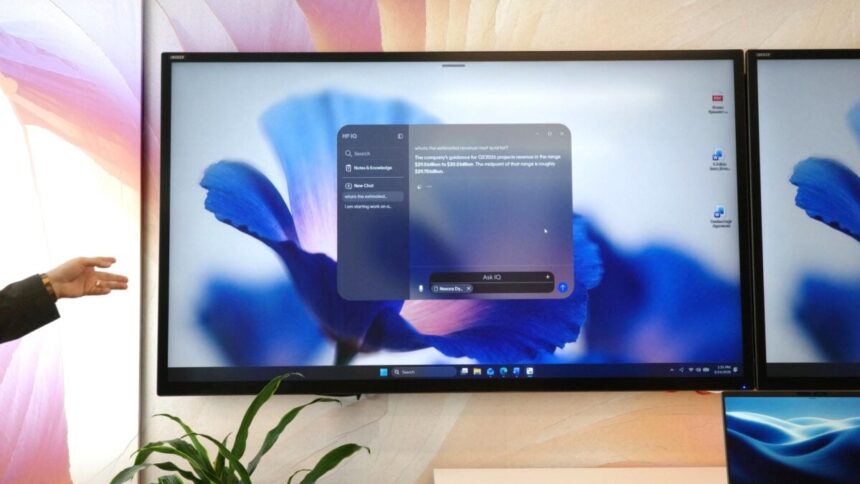
On Tuesday, the PC and printer maker showcased its HP IQ app for the first time. To put it plainly, it’s a chatbot with an interface like ChatGPT that’s accessible from the desktop. The chatbot isn’t built to handle “complicated” tasks like cloud-based models that can order groceries or call your Uber—all the while accessing your most sensitive account information. It can make bullet point lists, summarize documents, and transcribe audio. HP’s AI won’t have access to all your device’s data unless you physically hand it over. The bot is also made by many of the same people who created the Humane Ai Pin, including its one-time head honcho, Imran Chaudhri.
It’s AI in its most rudimentary—aka dumbest—form. That brings us to an important distinction between this and most other chatbots. HP IQ doesn’t require an internet connection to run. All your sensitive chatbot prompts aren’t being sent to the cloud for processing.
Ex-Humane head wants to bring back some Pin capabilities
Chaudhri, the former cofounder and chairman of Humane, is now HP’s senior VP in charge of HP IQ. While the Ai Pin was a cloud-centric wearable that was dependent on a 5G internet connection, the laptop chatbot is running wholly on-device. Well, most of it is. The AI may still reference online data for up-to-date information about the weather, stock prices, or financial data. During Tuesday’s keynote, Chaudhri promised the rest of the data is being processed on these laptops and nowhere else.
In a conversation with Gizmodo, Chaudhri said the bones of HP IQ were based on Humane’s old CosmOS, the operating system originally built for the Ai Pin. The startup had planned to expand CosmOS for wider use cases after the Ai Pin hardware showed its weaknesses, just before HP bought the company for a reported $116 million.
“We’re going to be bringing more CosmOS-like layers into it as we develop,” Chaudhri said. That could mean more AI imagine functionality to understand its environment. The biggest hurdle will be the limitations of the relatively small-scale 20 billion parameter model running on-device. We’d need more refined AI and more powerful processors before we’ll be doing everything the Ai Pin promised directly on a device the size of a lightweight laptop.
Can HP IQ fix your HP printer, too?
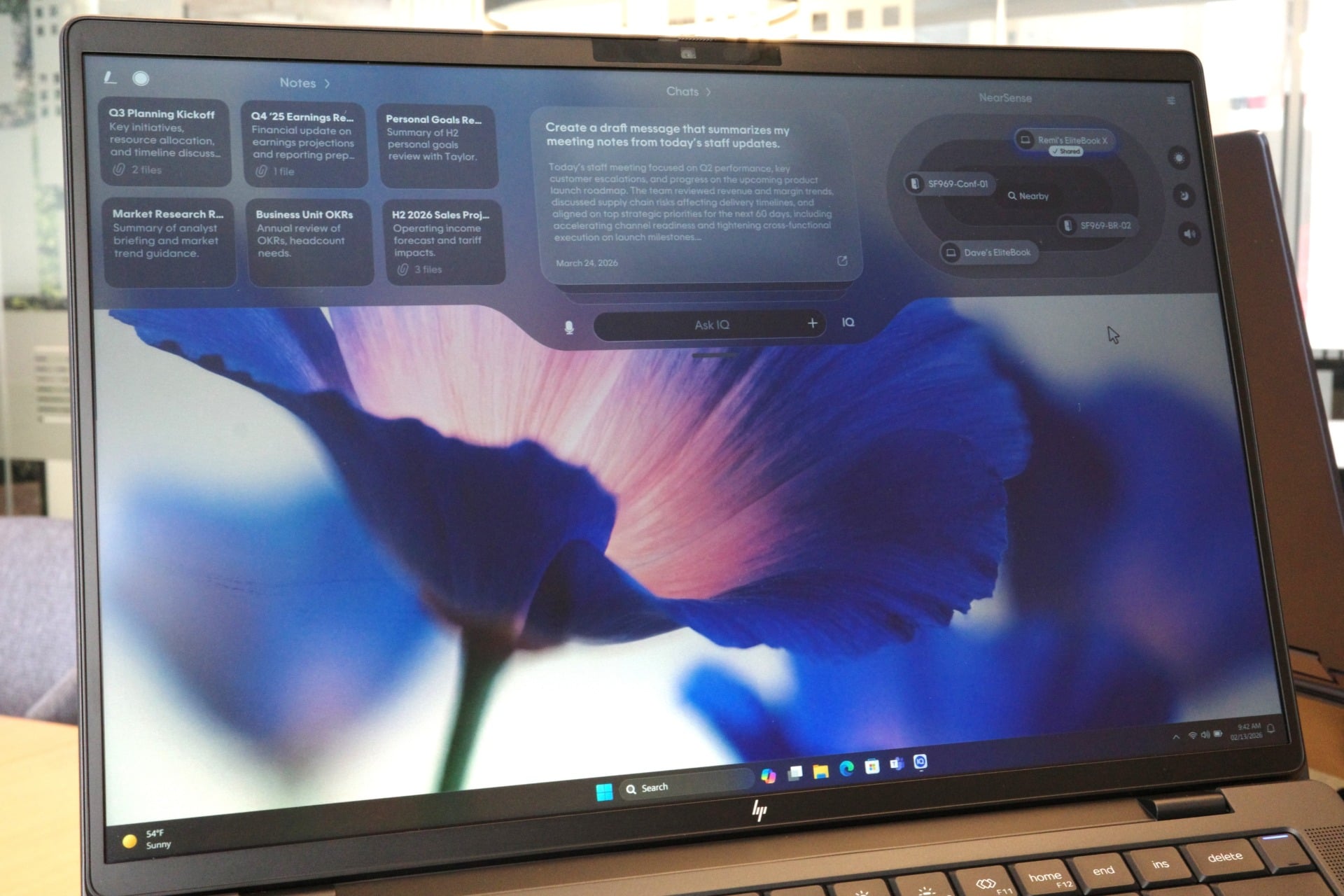
HP’s laptop will run the GPT OSS 20b AI model launched late last year by OpenAI. This is not built to be a “reasoning” model capable of any kind of OpenClaw-like agentic work. Users have to manually drag and drop their own files for the AI to interpret. It can interact with text, images, and audio files. There’s a dropdown interface that will allow you to interact with the chatbot and select between various conversations you’ve had recently. The top menu lets you drag and drop files into it for the sake of individual conversations.
All of that information gets saved on the device, according to HP. However, this is still a commercial device, and so it’s meant to be used in tandem with an office space. The added feature, called NextSense, is supposed to let users share files back and forth between Android phones using Google’s D2DI platform. Chaudhri promised that, sometime in the future, we’ll be able to connect to HP printers without needing to download device drivers. If Chaudhri’s and Humane’s tech could somehow eliminate HP’s anti-consumer printer ink restrictions, then maybe it was worth losing any hope of an Ai Pin 2.
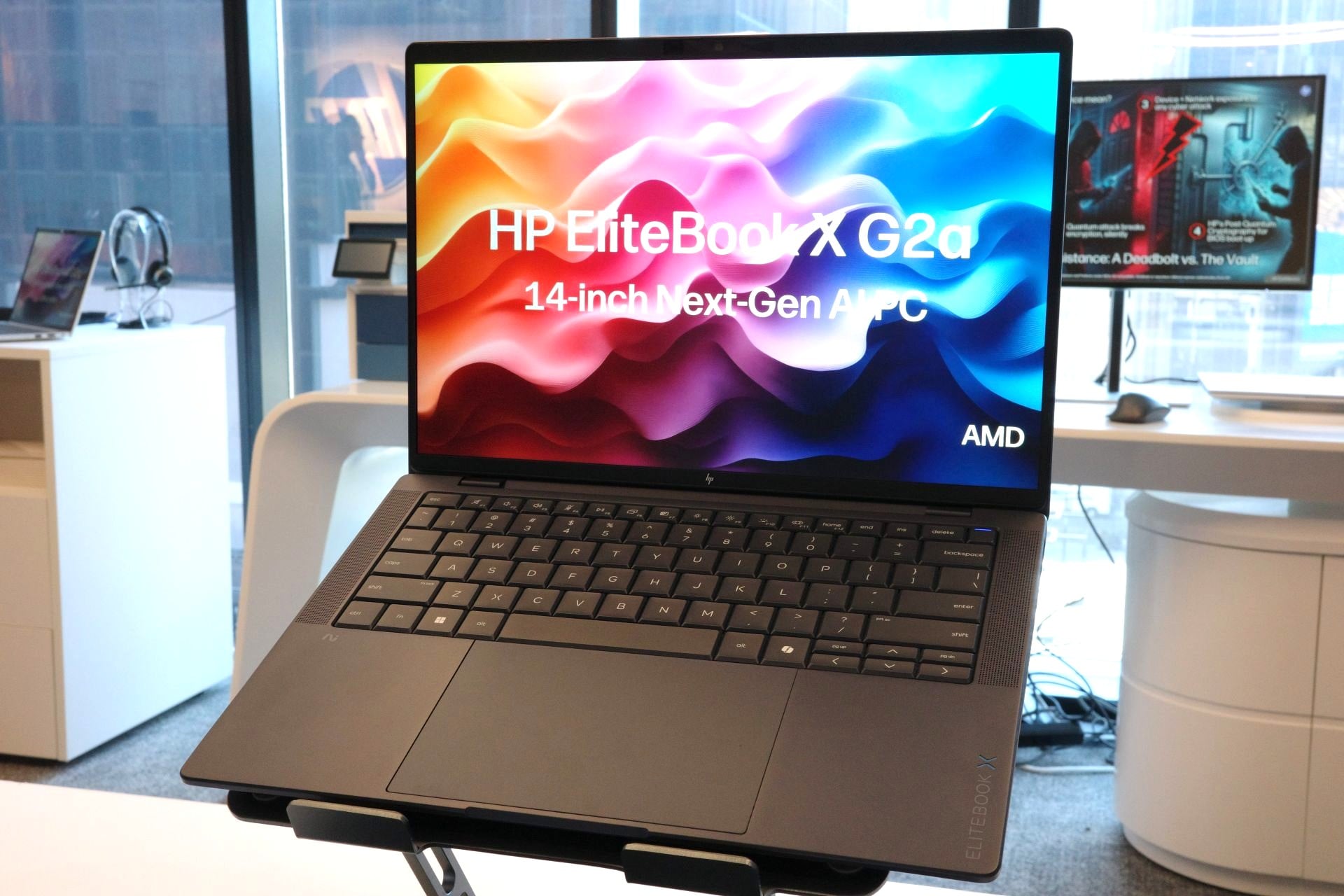
The UI isn’t complete yet. The HP IQ feature was designed with offices and full IT staff in mind. HP IQ product manager Matt Brown told Gizmodo that the team was still working to create a toggle within the UX that could grant the AI full access to the internet.
Brown added that the AI app will work across systems with an AMD, Intel, and Qualcomm Snapdragon chip inside. The feature won’t ship with any EliteBook X laptops, though. Instead, the shell of the app will remain installed on new notebooks and then come alive with an update set to launch later this spring. Other HP commercial laptops may gain the feature later, as well. As for the consumer-end laptops for the regular Joe Schmoes out there, they likely won’t see this feature until 2027.
Microsoft’s proliferation of Copilot AI on Windows 11 has ensured PC owners’ antipathy toward any desktop-native chatbots. HP imagines the next best use case will be for PC owners who will want AI for work only. Time will tell if they’ll eventually want an AI pin, too.
Read the full article here