
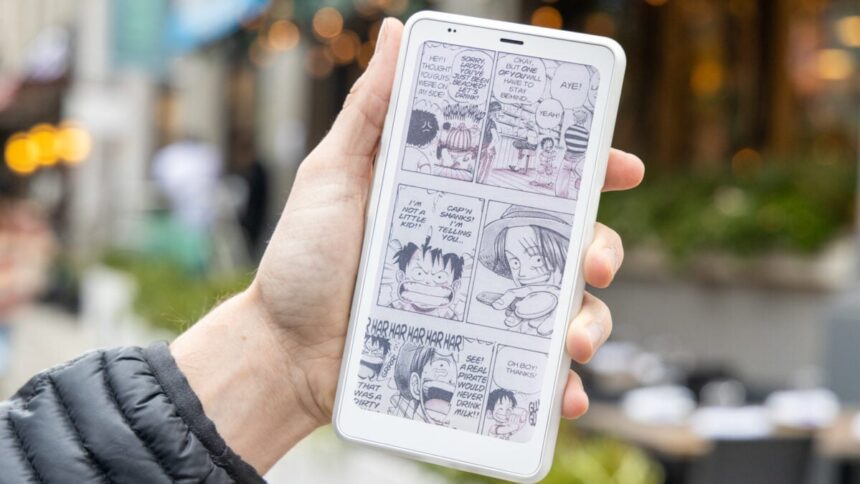
Color E Ink isn’t what you think it is. While you may imagine a device like the Boox Palma 2 Pro would become the easily pocketable trove of your impressive online comics collection, the washed-out colors won’t appear as appealing as having the graphic novel in your hands. So why then has the expensive, $400 phone-like e-reader, which starts shipping on Dec. 3, remained my constant coat pocket companion?
Boox Palma 2 Pro
Sure, your regular phone will do fine as an e-reader, but there’s something very nice about color E Ink in such a small package.
- Easy to read in one hand
- Good amount of storage for an e-reader
- Dual SIM/microSD tray works well
- Customizable smart button
- Faster refresh than original Boox Palma
- Small screen can make reading comics difficult
- Pointless camera
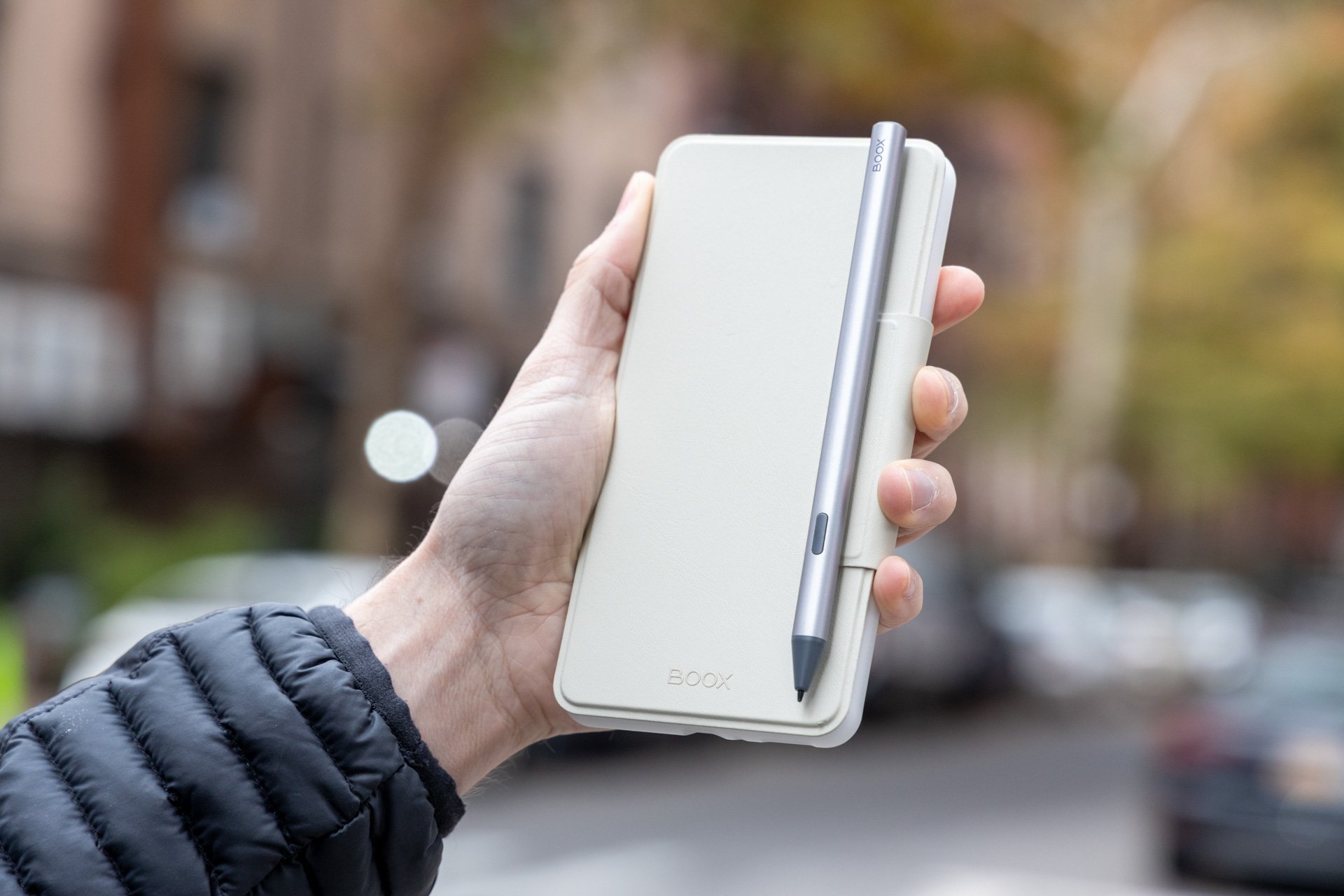
- No place to put stylus
- Notetaking on small screen is difficult
For many months, I had been an avid commute connoisseur of paperbacks. I was feeling as haughty as the typical cosmopolitan reader for my ability to stand upright on a packed subway car and continue flipping through pages. At some point, what became clear was how little reading I could actually do in such a strained position.
And so I stopped. I was busy checking my phone for Slack messages, and my reading habits evaporated. So I already knew why the original Boox Palma was so appealing and became a sensation among reading circles back in 2023. A phone-shaped E Ink device wouldn’t necessarily occupy the same space as the phone, but it would have the same feel as our regular pocketable supercomputers. If there’s a new trend in tech that is all about tricking our brains into better habits, the Boox Palma would surely seem like the least egregious and most beneficial, right?
So why then do I enjoy the Boox Palma 2 Pro as much as I am confused by it? It’s because the device wants to split the difference between both phone and e-reader, and it can’t do the phone part that well at all. Nor should it. This device has become my go-to doohickey for reading as of late—both comics and literature—and that’s coming from a die-hard, dyed-in-the-wool, and dead-eyed physical paper reader. Better yet, the Boox Palma 2 Pro has become my favorite way to take notes, even if the small screen isn’t best for my chicken scratch scribblings.
The Boox Palma 2 Pro is not a phone, thankfully
For those who still don’t understand E Ink, the technology is some of the most interesting you can get for any screen. These devices use an electrical field to maneuver white, yellow, cyan, and magenta particles around to generate the image you see on screen. It’s an alternative to your typical LCD or OLED displays, but in reality it’s a much more specific screen experience that’s easier on the eyes since it’s—well—essentially ink behind a pane of glass.
The Boox Palma 2 Pro is essentially the same Boox P6 Pro Color the company started selling in China earlier this year. That includes a 6.13-inch color E Ink screen based on Kaleido 3 technology. This variety of E Ink was announced in 2022 and proved more responsive than the earliest versions, and supports 4,096 colors and a 150 PPI (pixels per inch) color resolution. Amazon’s $630 Kindle Scribe Colorsoft uses this same technology. Kaleido 3 is older than Gallery 3, which supports many more hues and clearer 300 PPI for color. Gallery 3 can be found in e-paper devices like the Remarkable Paper Pro and the $500 Paper Pro Move.
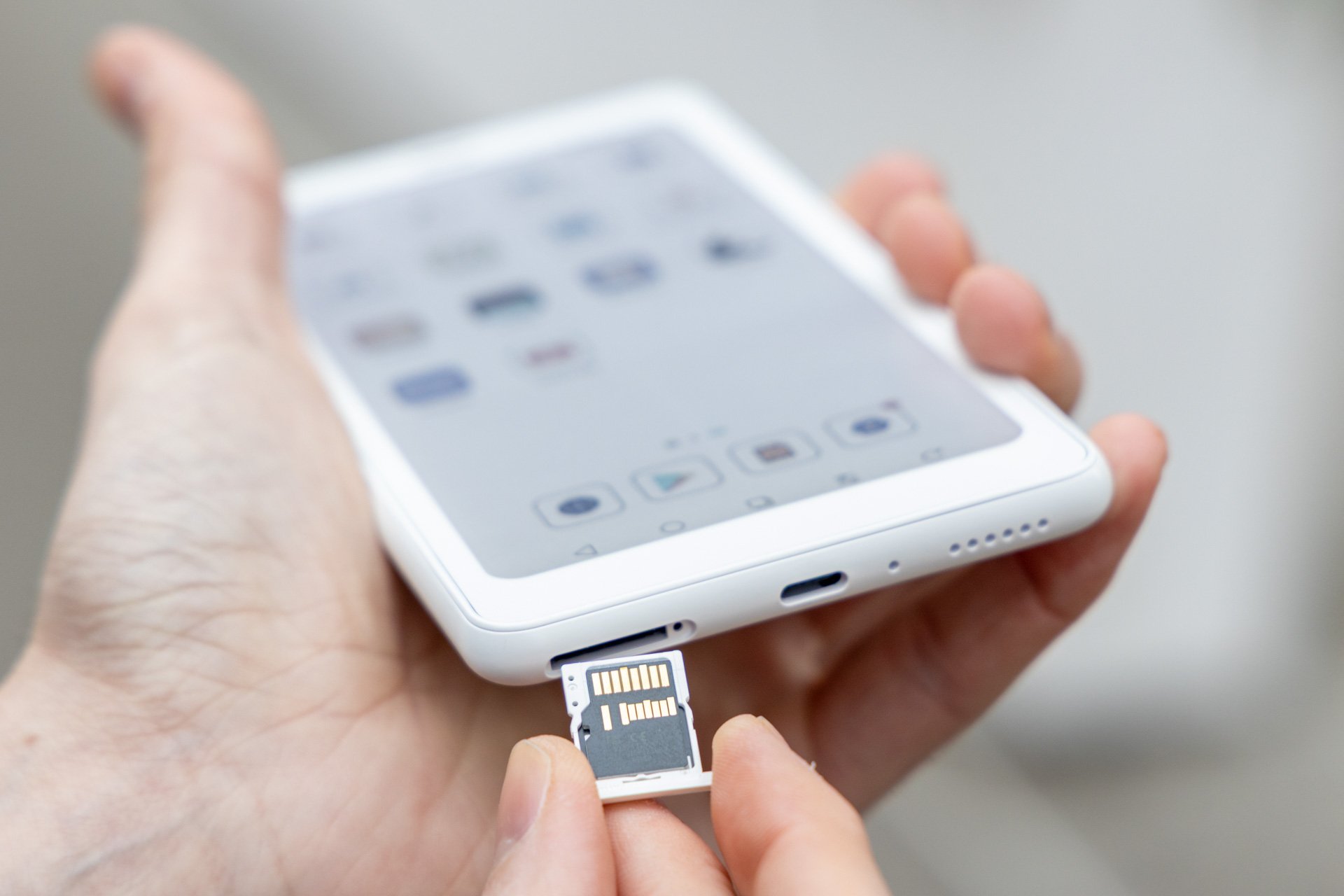 The dual SIM card and microSD card tray actually makes a surprising amount of sense. © Raymond Wong / Gizmodo
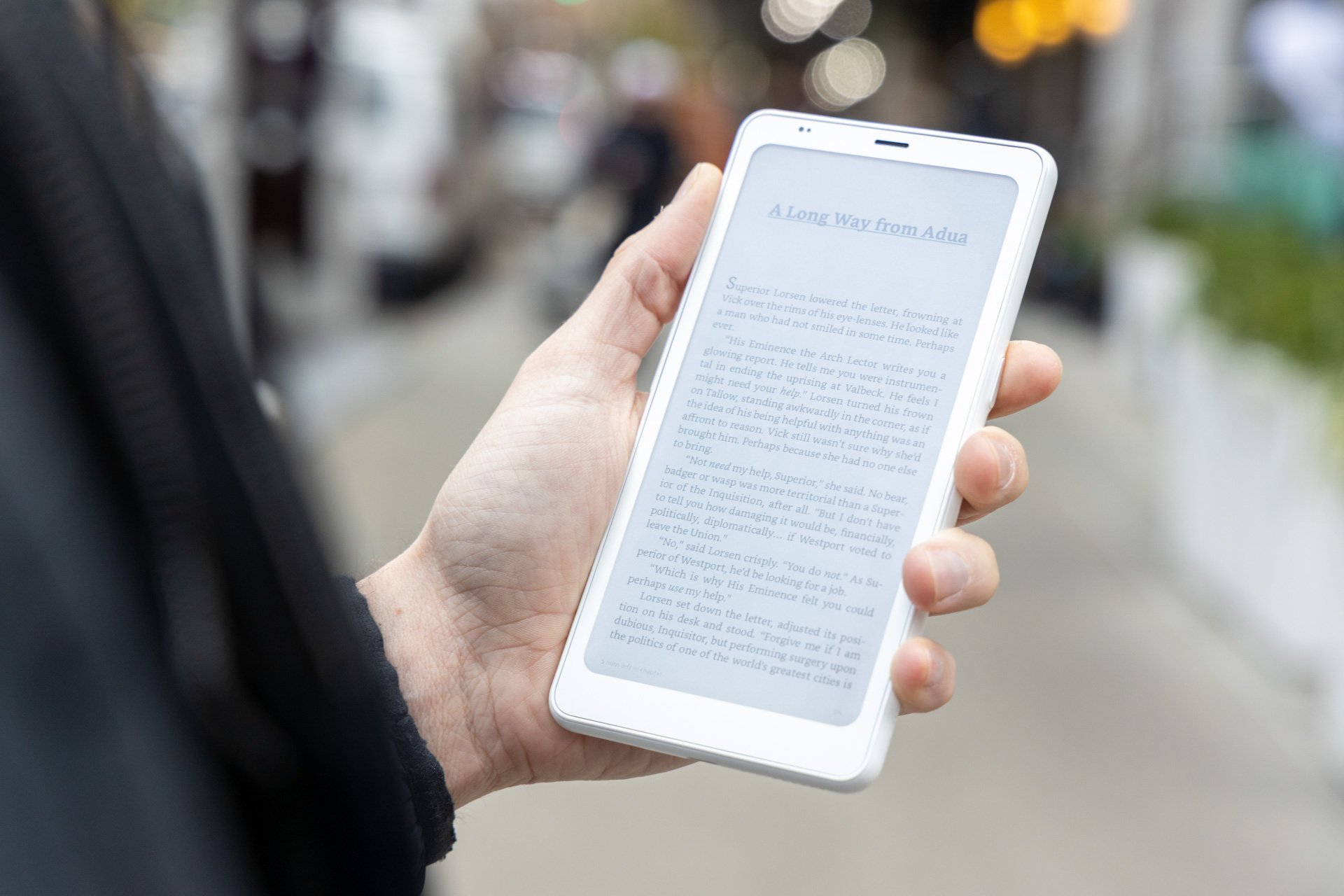
The last Boox Palma was beloved by the many who used it, but in my mind it was less than stellar since it lacked stylus support if you wanted it to be a personal notetaker. It was also limited by the lack of 5G connectivity and a relatively slow refresh speed for its black and white E Ink. You would think that would be enough for reading the typical novel. But as I broke out the Palma 2 Pro every day, I learned just how much even small color accents at the top of each chapter while I was reading Joe Abercrombie’s The Trouble With Peace help to get you engaged with the work.
So the Boox Palma 2 Pro adds everything that was missing, though in some very odd ways. The phone-shaped device is still based on Android—specifically Android 15—which means it has access to an assortment of all your favorite reading apps plus YouTube if you want to see how your favorite creators appear on color e-paper. The also has a nano SIM card slot that doubles as a place to insert a microSD card (up to 2TB). While it may be more annoying to dig into your desk drawer for a SIM removal tool just to retrieve your memory card, the slot cuts down on extraneous ports. The Palma 2 Pro comes with 128GB of internal storage (far more than the 32GB or 64GB in the Kindle Scribe Colorsoft), which means you’d need to download quite a few books before you fill it up. If you plan to download and watch movies on this device, don’t. The refresh rate can keep up with video, but it just won’t look good when you do it.
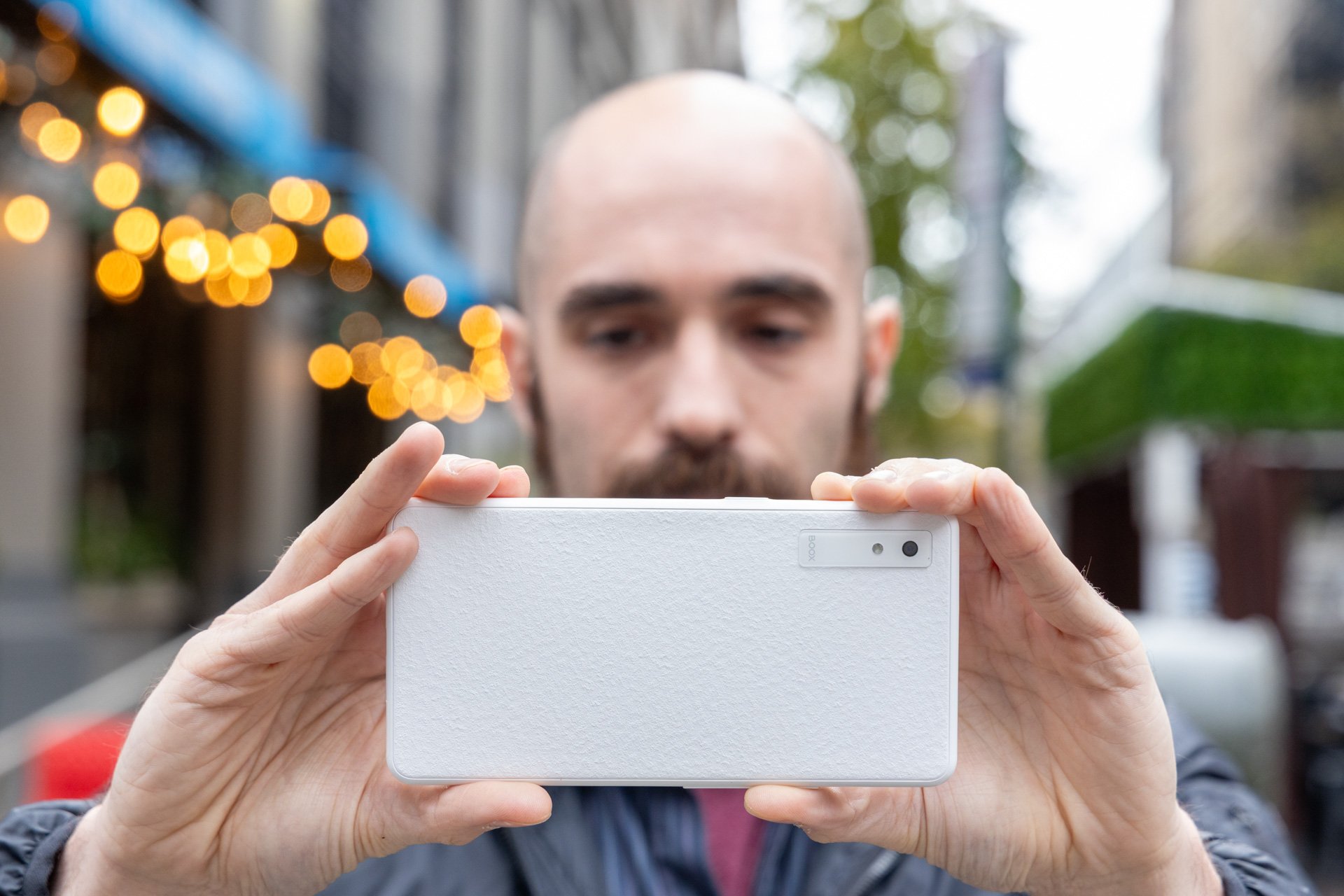
Sure, that textured back has the gentle feel of a stucco wall, but as soon as you slap a case around it, the e-reader feels like a phone. The 16-megapixel camera is mostly pointless, save for the novelty of looking at those low-quality pictures on the muddled E Ink screen. The power button doubles as a refresh toggle, and then there’s the “Smart Button,” which is almost like the latest iPhone’s Action button, as it’s customizable for different functions. I set a single press to refresh the page and a double press to enable the “FreeMark” feature for jotting notes down on my books and comics.
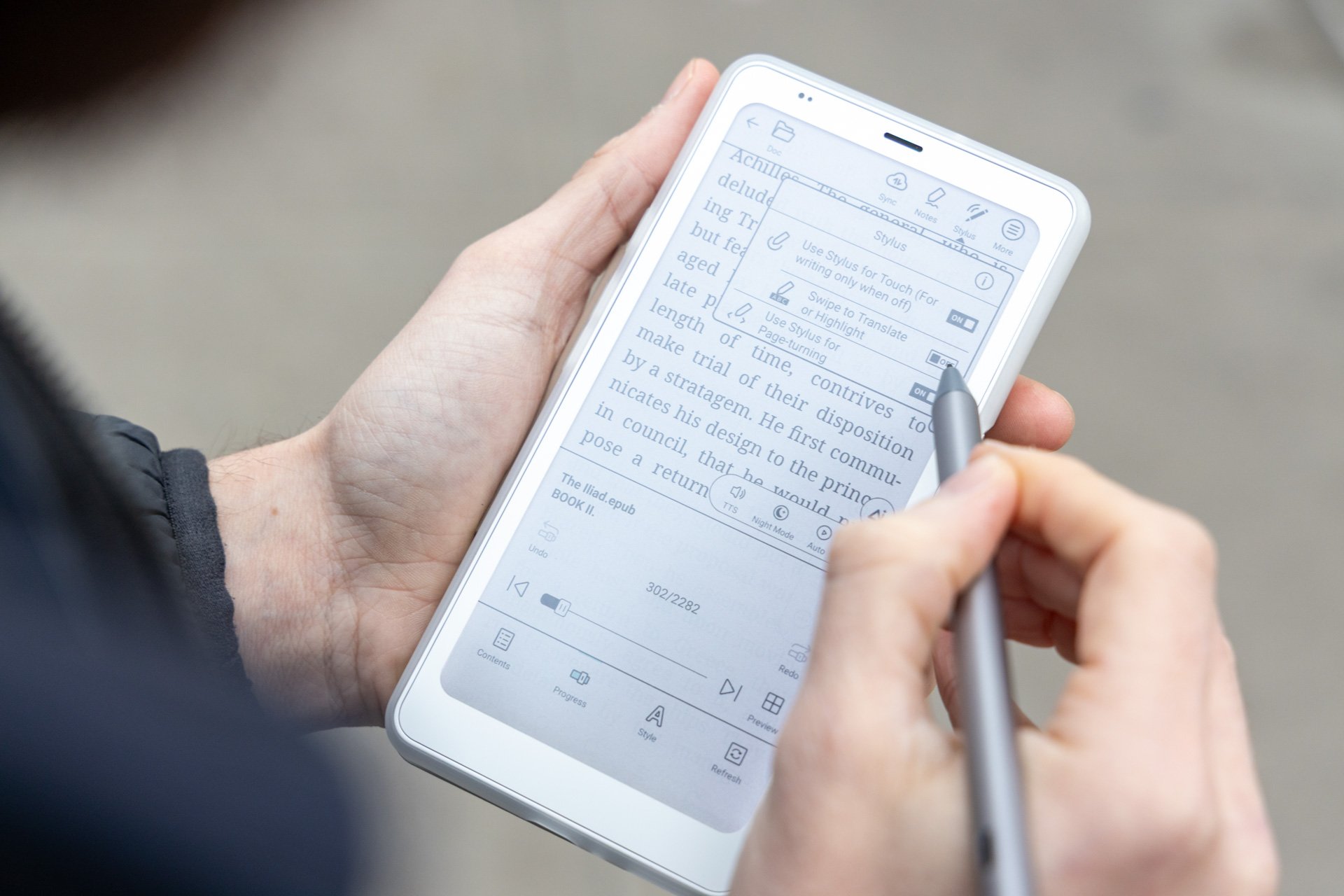
And yes, you can order a $430 bundle that comes with an InkSense Plus stylus. It does the job and feels good in hand, but you may find out that trying to write notes on such a small screen isn’t to everyone’s taste.
Adding a stylus to an e-reader with a built-in camera would signify you may be able to do some interesting things with photos. For instance, I was curious to see if this device would work well for marking up documents I took pictures of. Unfortunately, the limited size of the sensor and the E Ink screen made text illegible. You can mark up these images to your heart’s content, but it will only be useful as a party trick if you want to show your friends a horrifyingly pixelated version of their face with a drawn-on mustache.
At least, the Boox Palma 2 Pro has solid battery for reading on the go. Without internet connection and reading during my roundtrip 1-hour commutes to work, the Palma 2 Pro could last four days without needing a charge. That being said, the more you use it like a phone, including with 5G, the less the 3,950mAh battery can keep up.
Reading comics requires some setup
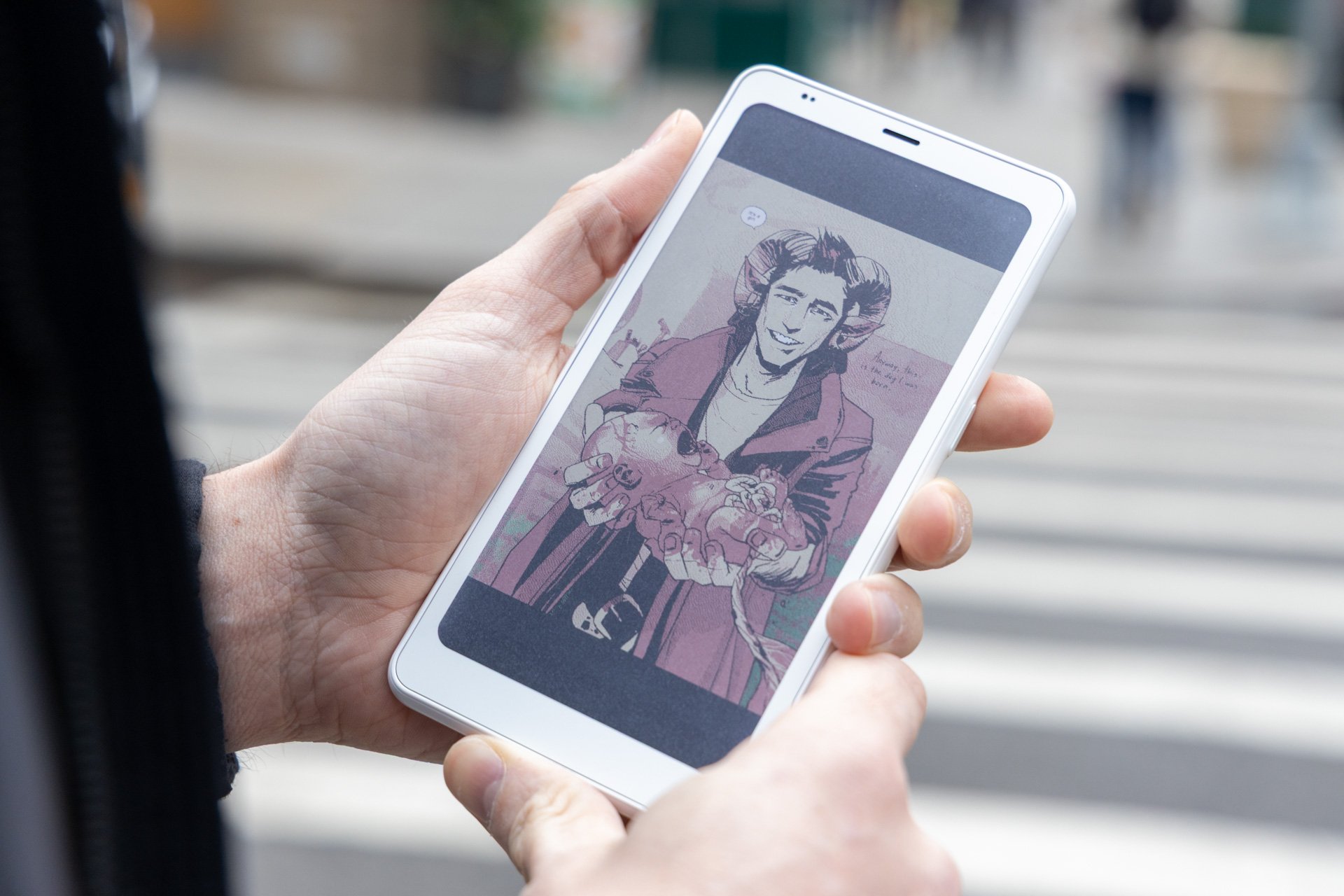
Boox supplies a variety of options for reading your color comics, but you’ll need to sacrifice something if you want the clearest image on your Palma 2 Pro. The “EInkWise” menu contains options for how fast you want the device to refresh the screen and how clear you want the colors. The “Regal” refresh mode and “Vivid” colors will make your comics pop. The setting is essential for some comics which use small white text on background scenes, like Brian K. Vaughan and Fiona Staple’s Saga series. However, this will slow the refresh speed every time you swipe through another comic panel.
The Palma 2 Pro is great for reading black and white manga, but that’s not why you’d jump for a color e-reader in the first place. If I’m reading colorful comics, I would want the device to be as accurate as possible to the creator’s vision. The Kindle app works seamlessly on the Palma 2 Pro, and with that I looked at several western comics to get a better idea of how vibrant the screen can be compared to the actual pages in real life. The image is more dull than what you will get with the actual comic. The contrast between colors in a comic like Kieron Gillen and Caspar Wijngaard’s The Power Fantasy was good enough that shapes didn’t bleed into each other, but the lack of a fuller color spectrum will make bright pinks read more like diluted magenta.
For black and white comics, you can rely on faster refresh speeds. You’ll inevitably see the ghost of older scenes on the screen in some scenarios—which is an artifact of E Ink’s design. To resolve this, you often have to refresh the page you’re on. But because of the small screen you’re going to want to pinch to zoom in on hard-to-read text. Having the more vivid color options and slowest “Regal” refresh rate will make zooming that much slower as well as creating more ghosting.
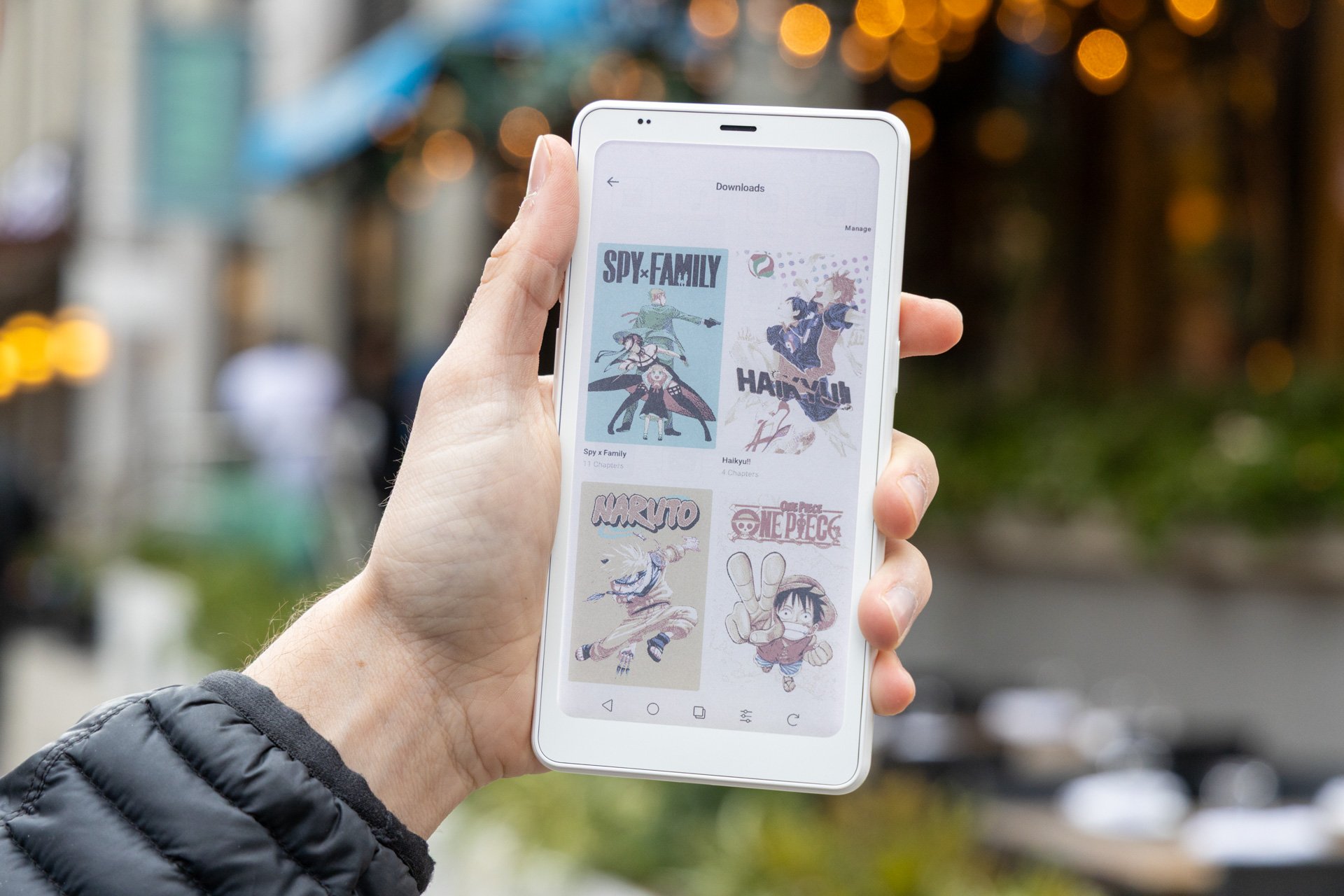
My eyes are keen enough (and somehow weren’t destroyed by three decades of gaming on infinitely smaller screens). I can read relatively small text, but even I have a problem trying to parse white text on a dark background in the wan light of a subway car. Reading comics on a 6.13-inch display is doable, but it may not be to everyone’s preference. Since this device uses Android, that meant I could easily get several apps like Hoopla, Kindle, ReadEra, Libby, and Crunchyroll Manga working enough that I could download all my various books from all my usual sources. However, not every app will support the FreeMark markup feature. Crunchyroll Manga, for instance, would say that the page contains “private information” which disallowed handwriting input. The same feature worked fine on Kindle, so your mileage may vary.
I also had to adjust the Palma 2 Pro’s front light if I ever wanted to read my comics and manga in the way they were intended. The device’s Auto light settings will often dim the screen and warm the color temperature so much that all but the typical tome become illegible. I had to push the brightness to nearly as high as it would go before it felt comfortable for my eyes.
The little e-notepad that could
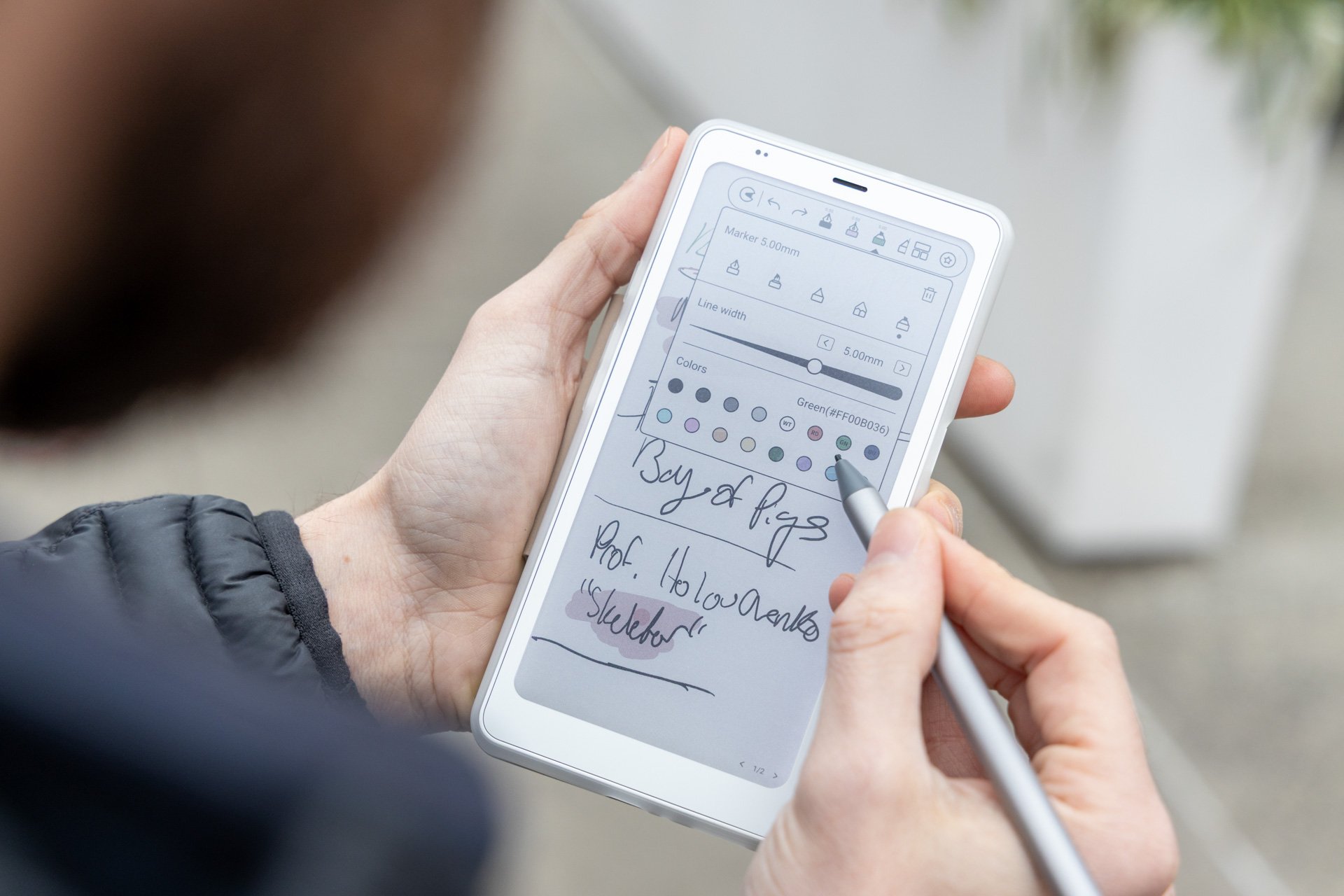
I’m a journalist who’s very used to writing notes on miniature notepads, so in practice I should be much better at writing small. In reality, I would fill up an entire page like SpongeBob scribbling a fanciful calligraphied “The.” So when I try and take notes on the Boox Palma 2 Pro, I find I have to create quite a few pages after just one session with my local tabletop RPG group. However, taking the stylus out can create some anxiety since there’s no specific magnet on the device that will hold it firmly in place. The included Magnetic 2-in-1 Protective Case has several MagSafe-like magnets, but none of them will keep the pen from coming loose in your pocket.
The Palma 2 Pro is Boox’s first Palma to come with stylus support. The one in the box is thick enough to feel comfortable in my adult-sized hands, and it pairing was seamless. When trying to reference a document, having to scroll through page after page can get tedious, and it means you’re more liable to miss things. The default notes app is fine for jotting down a few thoughts in multiple colors, but it’s rather barebones. If you have a favorite notes app on Android, you should opt for that first.
If there’s any one device the Boox Palma 2 Pro will get compared to, it’s the Paper Pro Move with its 7.3-inch display. That device will inevitably feel more like an iPad mini than a phone. Hell, both reMarkable and Apple’s tiny tablets have magnets to attach the stylus when not in use. And as much as you think you want an E Ink phone like this, the refresh rate simply isn’t enough to keep up with most apps you need a phone for.
I prefer the Boox Palma 2 Pro to any other e-reader because of its compact nature. Considering the price of other, popular, larger color E Ink devices, it’s not egregiously expensive, either. That being said, you need to know your preferred size of e-reader before you drop $400—the cost of a solid budget phone—on a reading-specific device. But screw it all. If it makes you read more, then the device makes the case for itself.
Read the full article here