

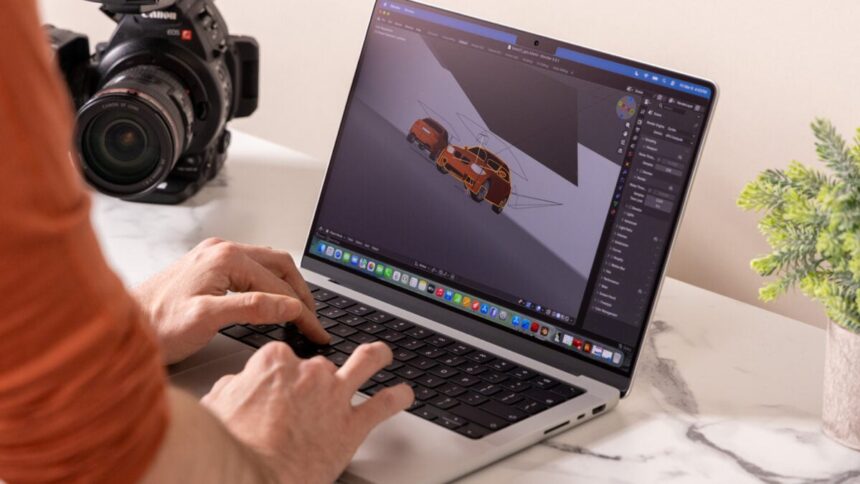
Gripping Apple’s latest 14-inch M5 Max MacBook Pro is like holding onto a piece of the sun. It’s so powerful, so obviously preeminent; I’m stuck asking myself the intrinsic questions, such as, “What the hell do I do with this thing?”
My first utterance of a “Jesus f*cking Christ” slipped from my open mouth when I loaded up Cyberpunk 2077 on the M5 Max MacBook Pro. I considered pushing the game to “Ray Tracing Ultra” settings. Just to give it a fighting chance, I left MetalFX upscaling settings on. I thought to myself, “I wonder if it’s going to crash.” Then the game loaded, and I saw I was managing a frame rate around 50 fps running at a moderately high resolution.
I could usually get about that same performance with a gaming laptop sporting a high-end Intel chip and a mobile version of the Nvidia GeForce RTX 5080 discrete GPU.
Over just a few minutes, with the fans kicking in, the game’s frame rate started to dip. But even so, the M5 Max MacBook Pro was hanging in there at around 37 fps. After multiple tests, even with the fans pushing as hard as they would go, it seems the M5 Max MacBook Pro is literally too powerful for its own good.
M5 Max MacBook Pro (14-inch)
There is no faster chip I’ve seen on a 14-inch laptop. It’s so fast, the laptop body may not be able to handle it.
- Extreme performance with 40-core GPU
- 128GB of RAM makes loading fast
- Strong read/write SSD speeds
- Solid screen and speaker
- Tons of ports including Thunderbolt 5
- The enormous price tag
- Sustained performance problems
- Screen notch, same as it ever was
See M5 Max MacBook Pro at Amazon
And beyond power, the M5 Max MacBook Pro is also eye-wateringly expensive. The 14-inch model starts at $3,600 with an 18-core CPU, 32-core GPU, 36GB of RAM, and 2TB of storage. The unit Apple sent to me for review included the upgraded 40-core GPU version of the M5 Max chip and 128GB of unified memory. Here came my second “Jesus f*cking Christ” of this review process. Those two specs alone would make this laptop cost $5,100. My review unit also had 4TB of storage and the $150 nano-texture display. In total, with all the trims, I was staring down at a $5,850 laptop. Just saying that aloud is enough to make my bank account cry out in agony.
Simply put: Apple’s latest high-end MacBook Pro is a 3D-rendering mammoth in a 14-inch package. If you thought the M4 Mac mini was good for running on-device AI applications like OpenClaw, the M5 Max chip is a speed freak for vibe coding (for better or worse). The 14-inch MacBook Pro with Apple’s most expensive, most powerful chip will handle everything you throw at it until the nearly five-year-old aluminum shell can’t handle it anymore.
If you don’t need the sheer power of the M5 Max chip, you can step down to the still-very-beefy M5 Pro chip. A 14-inch MacBook Pro with the M5 Pro starts at $2,200 for a 15-core CPU, 16-core GPU, 24GB of unified memory, and 1TB of storage. That’s $1,400 less than what the 14-inch M5 Max version starts at.
For an even bigger 16-inch screen with an M5 Pro chip, you’re looking at a minimum $2,700 for a 18-core CPU, 20-core GPU, 24GB of unified memory, and 1TB of storage. The 16-inch MacBook Pro with M5 Max starts at $3,900 for an 18-core CPU, 32-core GPU, 36GB of unified memory, and 2TB of storage.
Faster speeds through Thunderbolt 5 and new SSD
If you’ve manhandled any MacBook Pro model released in the past five years, you know exactly what you’re getting with the latest model. The unibody aluminum chassis was a quality and sturdy design half a decade ago—and it still is today. Even if it’s looking too long in the tooth, the MacBook Pro still has everything a user needs save for a USB-A port.
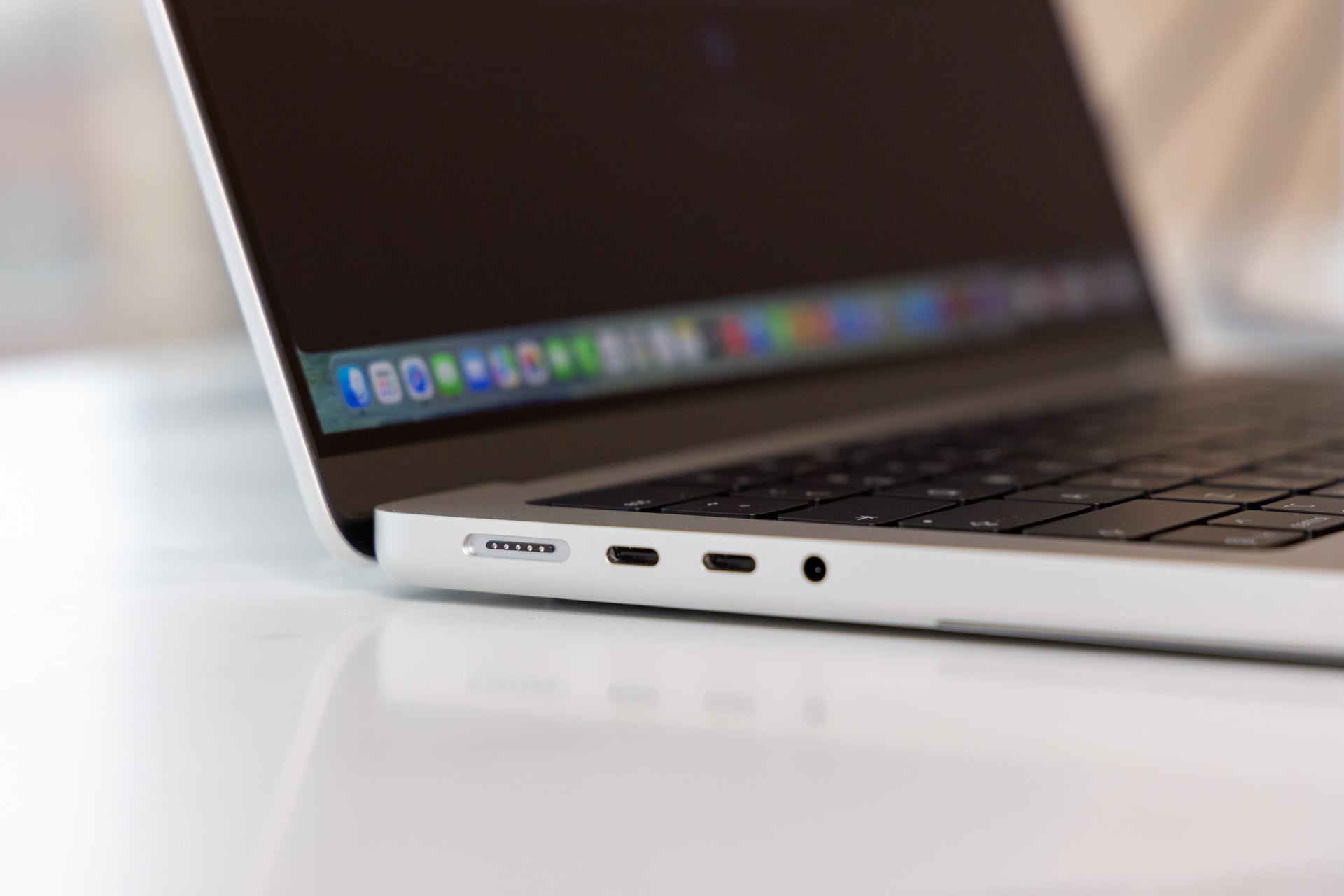
Compared to the base 14-inch M5 MacBook Pro , the new versions with an M5 Pro or M5 Max chip come with three Thunderbolt 5 ports instead of Thunderbolt 4. This allows for faster data transfer speeds up to 120GB/s. Any port can be used to charge the laptop. Thunderbolt 5 accepts up to 240W for fast charging. The magnetic MagSafe 3 port also allows for fast charging through the included 96W power adapter that promises up to 50% charge in 30 minutes. Based on my own use, that claim proves true.
Finally, there’s a 3.5mm headphone jack, HDMI 2.1, and a full-sized SDXC card slot. As a sub-amateur photographer, that memory card slot often proves so dang handy. Unlike many other 13- or 14-inch laptops, the MacBook Pro saves me from having to reach into my bag for a dongle.
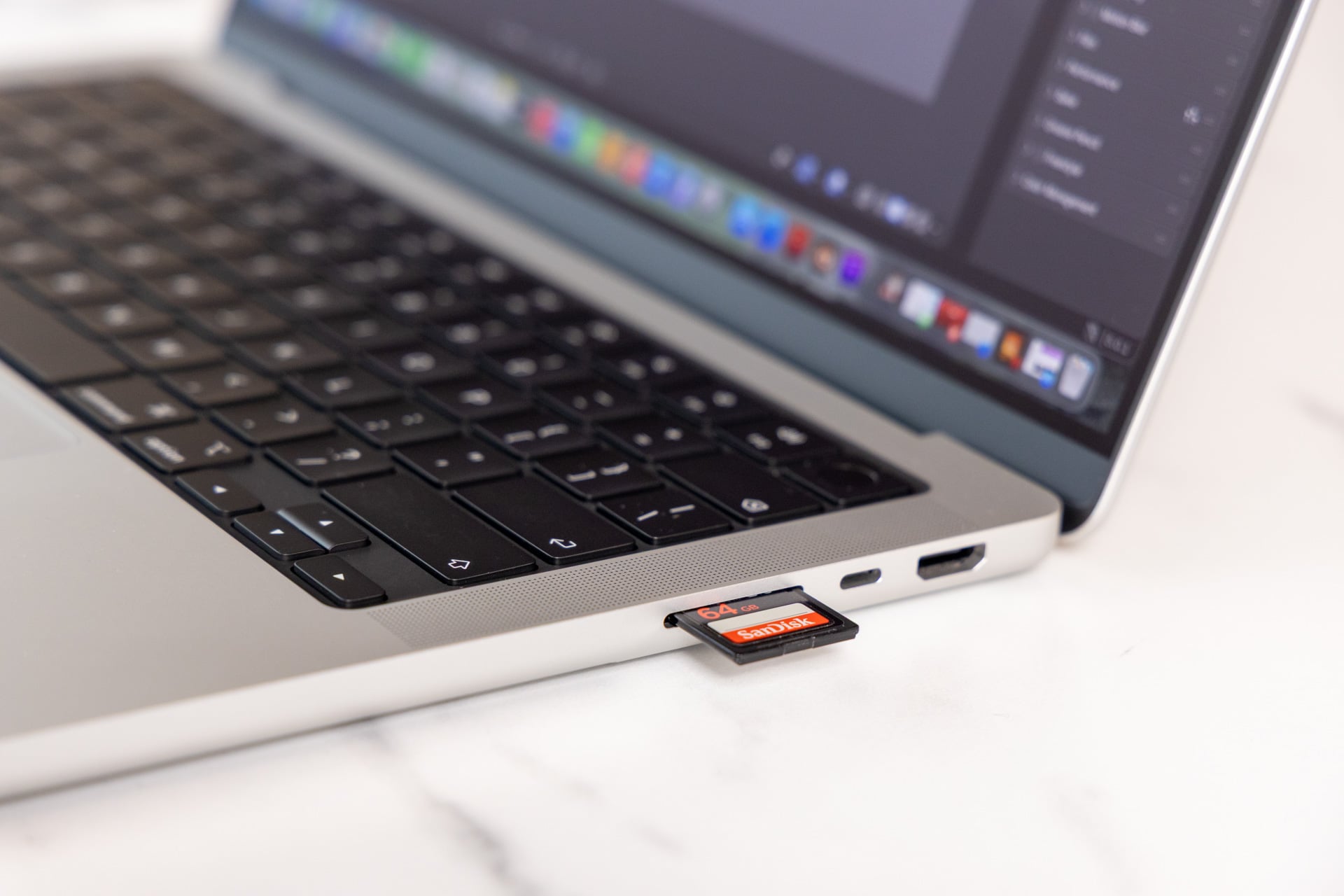
Some other upgrades you won’t find on any of the M4 MacBook Pros: an N1 chip for Wi-Fi 7 and Bluetooth 6 connectivity. The M5 Pro and M5 Max MacBook Pros also have SSDs with faster read and write speeds up to 12GB/s. Just as we found on the 14-inch M5 MacBook Pro, it’s indeed a far faster SSD than previous editions. That will mostly matter when you’re trying to dump videos or photos to your MacBook Pro (and maximizing that 2TB storage capacity at base).
The M5 Max chip can support up to four external monitors at up to 6K and 60Hz or 4K at 144Hz through its various HDMI and Thunderbolt 5 ports. If you want to save space, you can technically daisy chain two 5K monitors like Apple’s new Studio Display XDR screens, at the full resolution with 120Hz refresh rate, and connect them to the MacBook Pro with a single Thunderbolt 5 cable. This 14-inch laptop packs a bevy of options for regular use, even if I’m not able to plug in the USB-A dongles to some of my favorite mice or headphones without a USB-C adapter.
The M5 Max version of the 14-inch MacBook Pro is the heaviest of the bunch at 3.56 pounds. The M5 Pro version weighs slightly less at 3.5 pounds; the regular M5 chip model clocks in at 3.4 pounds. You can feel the difference in hand, but not at all when the laptop is sitting safe in your backpack. The more-expensive models weigh more because they also include more-robust cooling systems. The M5 Max MacBook Pro’s twin fans barely sounded above the hum of the nearby radiator, even when playing games.
The same screen and the same notch
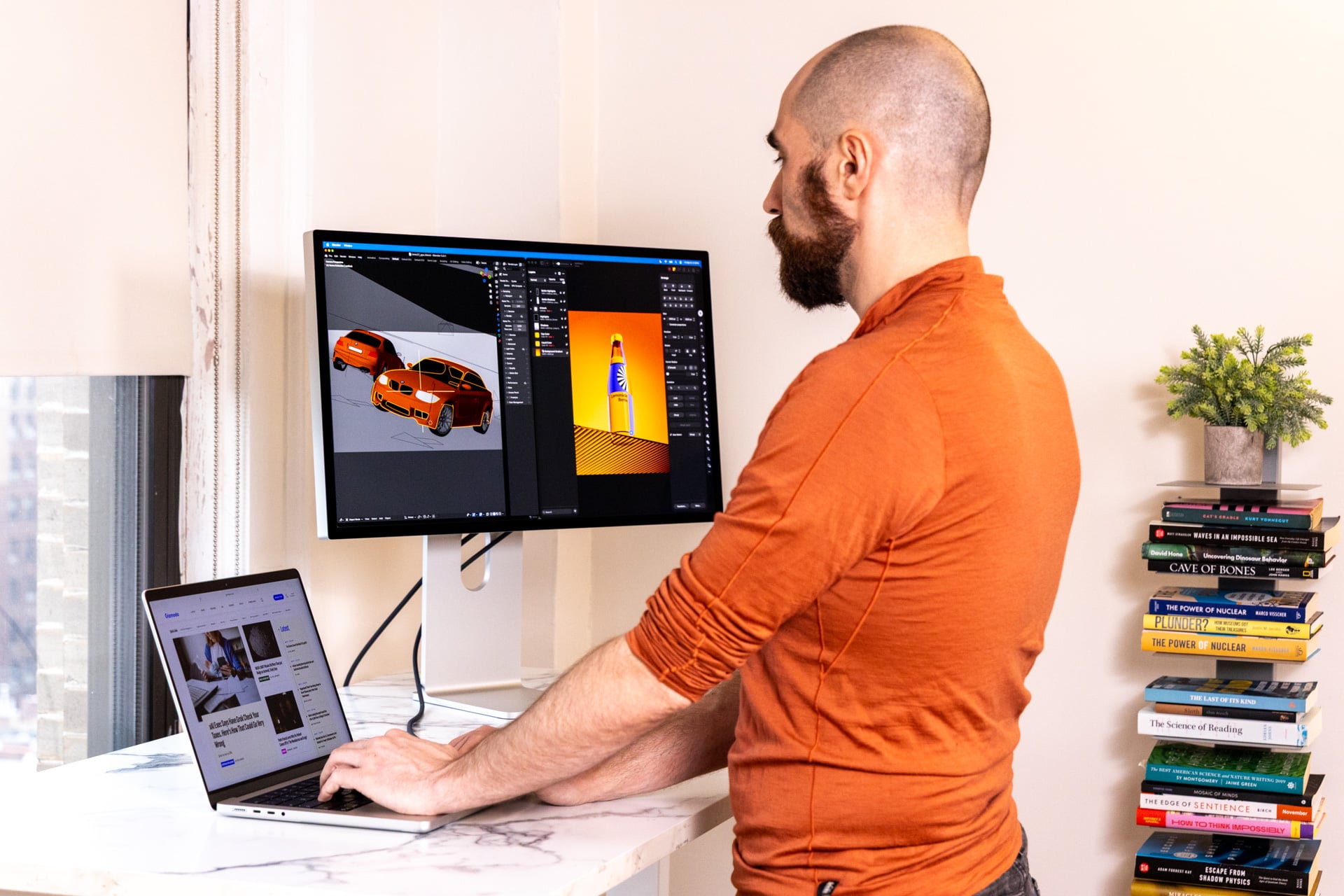
Apple’s latest MacBook Pro once again asks users to look upon its Liquid Retina XDR display. This is Apple’s own rendition on mini LED screen technology. That means it uses an LCD panel with a complex array of backlights to enhance color quality and contrast. Apple’s screens usually sport higher pixel density than other, similarly sized laptop displays. The 14-inch M5 Max MacBook Pro tops out with a 3,024 x 1,964 resolution at 254 pixels per inch (PPI). The Retina screen is vibrant and bright enough for most conditions.
Or it would be without the optional nano-texture display. This is built to reduce glare and reflections—which might be handy for working outside in full sunlight. Indoors, I find the texture only reduces screen brightness. Matte screens can make visuals look more muted. If I compare the M5 Max MacBook Pro with nano-texture display to the same model with the M5 chip and glossy screen, the latter is more visually striking. I would advise most consumers to just stick with the standard display and save themselves $150.
MacBook Pro models also come with a six-speaker system with force-canceling woofers. These support Dolby Atmos sound in select apps and include head tracking when combined with a pair of AirPods. The sound from these speakers is clean with just enough bass to make your hands rumble on the palm rest. The entire audio/visual experience on the M5 Max MacBook Pro is still some of the best on a laptop of this size. Other recent laptops, like the well-built Dell XPS 14, have similar-quality audio despite using down-firing speakers. The MacBook Pro still has the edge overall.
With that same Liquid Retina XDR display comes the same screen tradeoffs as before. The most obvious is the notch hanging out at the top. It doesn’t fit with macOS 26 Tahoe’s Liquid Glass aesthetics, especially since the menu bar is now completely clear. The screen bezels are relatively thin, but the recent XPS 14 has it beat. That notch is the dinner plate serving up a 12-megapixel Center Stage camera supporting 1080p video recording. The camera also supports Desk View, which lets you show what’s happening near your fingers without needing to physically push the lid down.
M5 Max demolishes competing chips

We’re truly reaching the point where graphics performance on laptops don’t require the tradeoffs that stem from housing a discrete GPU. Other workstation or gaming laptops normally suck down power and require an umbilical cord to the nearest power source to hit their top performance.
Whereas Apple wanted to use previous MacBooks like the M3 MacBook Pro to entice over lingering Intel Mac users, the M5 Pro and M5 Max chips are built to pied piper those still using Apple’s M1 silicon. Apple claims the M5 Max chip is up to 2.4 times faster in compiling code compared to an M1 Max MacBook Pro and up to 5.4 times faster in effect rendering.
The M5 Max’s “Fusion Architecture,” namely the separated CPU and GPU dies, allows for faster memory throughput and the ability to greatly expand the size and performance of the chip’s graphics performance. Intel already showed this off with its latest Panther Lake CPUs for PCs, and Apple is merely taking the same bridged chip dies to their logical extreme.
This new version of Apple’s “Max” chip tops out with 18 CPU cores and 40 GPU cores. The separated CPU and GPU tiles allowed Apple to maximize core counts compared to the M4 Max, which topped out at 16 CPU cores and 40 GPU cores. For the M5 chips family, Apple also upgraded the AI performance within each GPU core with additional neural accelerators. The M5 Max also features additional ray tracing capabilities. This means games and apps that can simulate realistic lighting should run smoother on M5 Max compared to previous generations. It may also have enough juice for path tracing, which is an even more computationally intense form of digital light simulation.
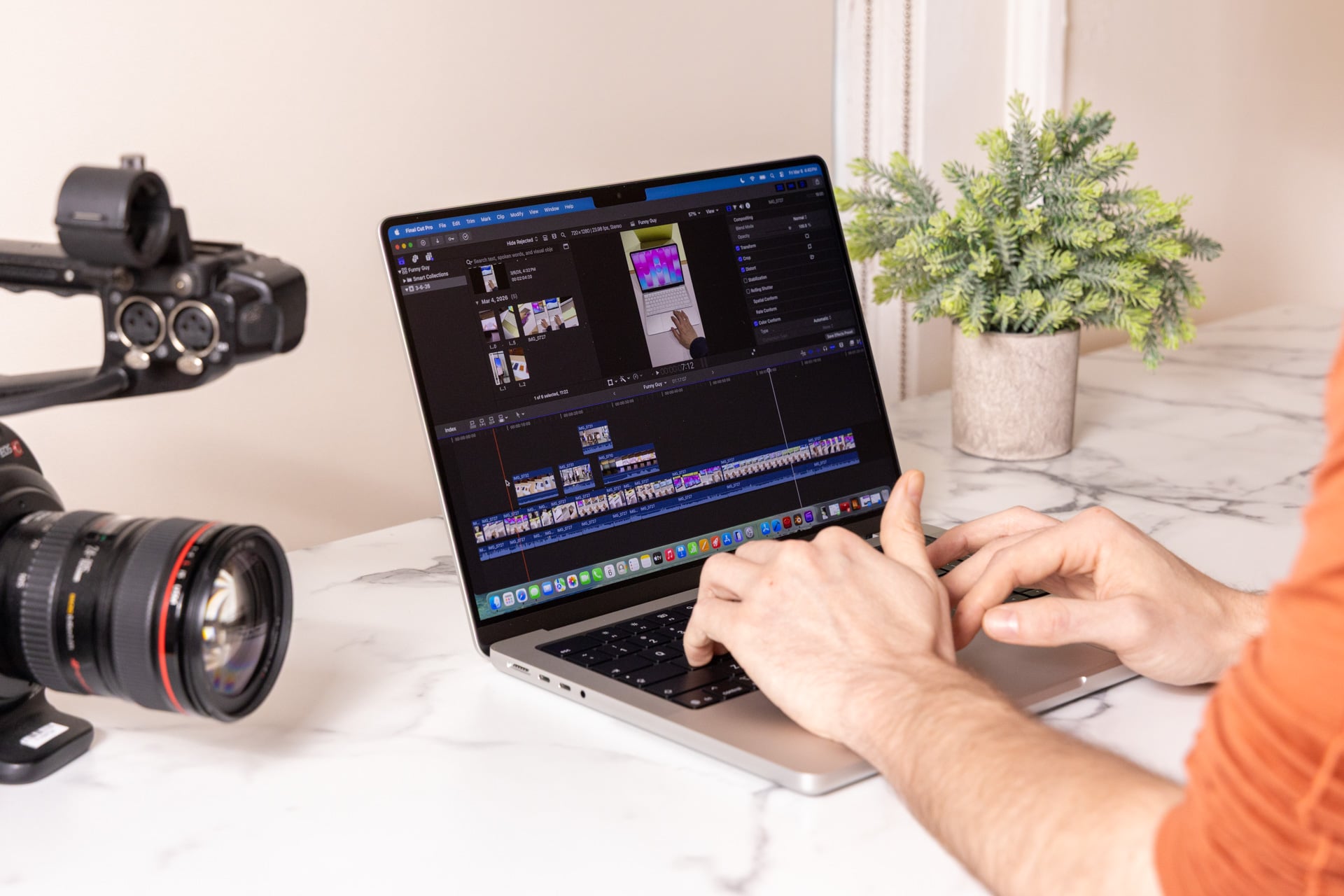
The best equivalent of a performant single-chip design we have currently are SoCs (system on a chip) like the AMD Ryzen AI Max+ 395. I just tested that chip in an Asus ProArt PX13 with a similar 128GB of RAM (96GB can be pushed exclusively to the GPU). With the same 128GB of unified memory, the M5 Max chip easily tops whatever the 13-inch PX13 could accomplish. I run most laptops through a Blender test, where I have the computer render a scene of a BMW using the CPU and the GPU. While AMD’s top-end Strix Halo from late 2024 rendered the scene in 26 seconds, the M5 Max beat the scene in less than four seconds. I blinked, and it was done.
The CPU is no slouch, either. It easily tops out the Intel Core Ultra X9 388H released this year in an Asus Zenbook Duo with per-core and multi-core settings in Geekbench 6. Apple’s ARM silicon normally tops benchmarks above competing x86 chips. However, even for Apple, the M5 Max is by far the best-performing chip I’ve personally used on a 14-inch laptop, let alone anything larger.
Compared to a base M5 chip, the M5 Max gets 100 points more in Geekbench 6 single-core settings. In multi-core settings, it scored 7,000 points higher than an Intel Core Ultra 9 285HX, Intel’s last-gen Arrow Lake chip for high-performing laptops. In Cinebench 2026, which tests the CPU’s rendering potential, the M5 Max MacBook Pro scored more than 1,000 points higher in multi-core tests compared to an AMD Ryzen AI Max+ 395 inside the creator-focused Asus ProArt PX13 laptop.
In our HandBrake test, which times how long it takes a laptop to transcode a 4K movie to 1080p, the M5 Max MacBook Pro managed it in just under a minute, twice as fast as a MacBook Air with an M4 chip and a minute and a half faster than AMD’s top-end Strix Halo chip.
Questionable sustained performance
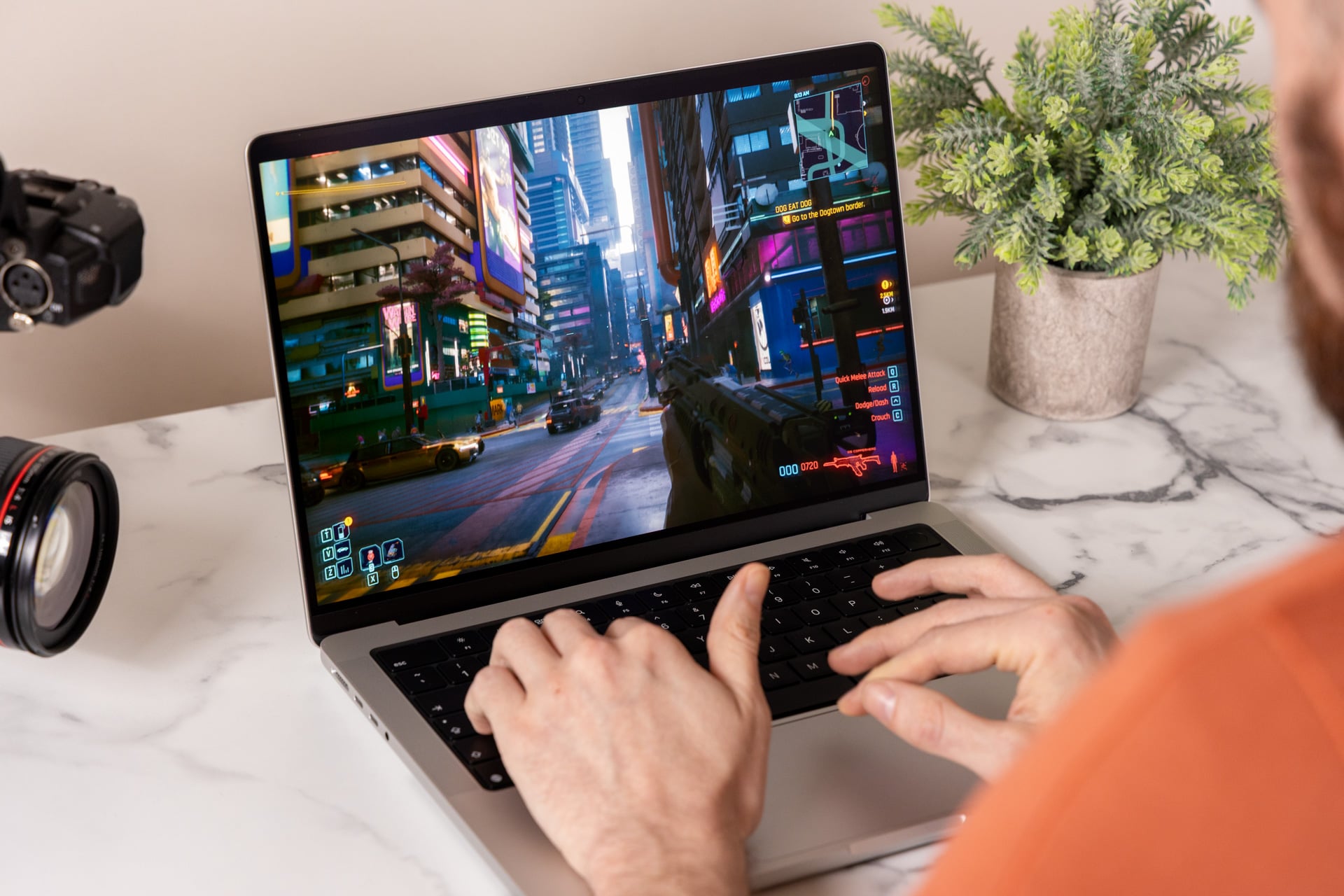
Gaming-wise, Apple claims the M5 Max should be up to 2.1 times better for in-game performance compared to the M1 Max. That edges out the M4 Max, which was up to 1.9 times faster than the M1 Max. In our 3DMark benchmarks, which judge how well a computer can handle real-time graphics, the M5 Max MacBook Pro smashed through any laptop not sporting a discrete GPU. In 3DMark’s “Steel Nomad” tests, the M5 Max chip scored 3,880. That’s 1,000 points more than a Lenovo ThinkPad P1 Gen 8 with an RTX Pro 2000 GPU and close to 700 points more than what you could get with an Nvidia GeForce RTX 5070 GPU inside a Razer Blade 14.
For gaming, an RTX 5080 GPU will still win out. Those gaming laptops will also cost well over $2,000 less than the M5 Max MacBook Pro. However, the performance margin is closing. It’s such a pain that the MacBook Pro design isn’t keeping pace with its silicon.

In my Cyberpunk 2077 benchmarks, the M5 Max MacBook Pro could hit a high of 46 fps in that scenario I mentioned before, with “Ray Tracing Ultra” graphic settings and its resolution set to 2,294 x 1,432 (the same as what the game enables in default “For This Mac” graphic settings). In “Ray Tracing Overdrive” settings, which enables path tracing, the game could only meet an average of 24 fps. However, if you enable MetalFX upscaling, you can indeed get playable performance with what’s easily one of the most demanding gaming scenarios available today.
For comparison, an Alienware 16 Area-51 running an Intel Core Ultra 9 275HX and an Nvidia GeForce RTX 5080 discrete GPU could hit around 50 fps when using Nvidia’s DLSS upscaler. That the M5 Max MacBook Pro manages to get similar performance on a single SoC is, itself, already jaw-dropping.
Now we come to the elephant in the room. In my tests, the M5 Max would start to falter when running these intense scenarios inside Cyberpunk 2077 over the course of 15 minutes while in-game. It hampered my ability to run benchmarks in other games, like Total War: Warhammer III. Whereas one pass through Warhammer III’s intensive “Mirrors of Madness” benchmark on “Ultra” graphics settings at 3,024 x 1,964 resolution would result in a score of 37 fps, another pass would drop it down to 27 fps.


Right: Cyberpunk 2077 running at the start of my test on “Ray Tracing Ultra” settings at 50 fps. Left, Cyberpunk 2077 after a few minutes of running at the same settings, which dropped to 37 fps on average. © Screenshots by Kyle Barr for Gizmodo
In my tests, the fan speeds never increased past 68% of their top rpm. The external port registered around 120 degrees Fahrenheit, and so did the middle of the keyboard when checked with a laser thermometer. Using third-party software to manually increase fan speed improved performance to a marginal degree, but nowhere near the MacBook Pro’s potential.
That being said, I didn’t have trouble running other games. I played Resident Evil 4, Baldur’s Gate III, and Death Stranding for close to an hour at the M5 Max MacBook Pro’s highest 3,082 x 1,964 resolution and saw no performance hiccups. That was running each game without any upscaling at the highest possible graphics settings. In Resident Evil 4, the game managed a steady 60 fps with highs above 70 fps in indoor areas. Death Stranding managed 80 fps consistently in the game’s open outdoor environments.
I reached out to Apple about my issues with sustained performance in these specific games, and we’ll update this review if any update remedies the situation.
A ‘full-day’ battery, so long as you don’t push it

There are multiple benefits to a laptop that isn’t dependent on a discrete GPU. The main one is battery life. Apple’s M-series silicon laptops have long boasted some of the best battery life in the business. That isn’t any less true with the M5 Max MacBook Pro. There’s a 72.4Wh battery packed inside this 14-inch chassis (the 16-inch model pushes that up to a 99.6Wh battery).
Apple promises the 14-inch model can get 22 hours of battery life, though that’s only with streaming tests done at a low brightness. Apple also claims you can get 14 hours in wireless web browsing without needing to reach for your plug. In my tests, I found I could make it through a nine-hour workday (with as many Apple reviews as I’ve worked on this week, it’s more like 10- to 12-hour days.)
A use case will drastically change your overall longevity. If I’m working in multiple web browsers at once, pushing the screen brightness as high as it will go (thanks to the nano-texture display making things dim), and playing music through Apple Music, I may only make it a little more than six hours before the laptop is begging for me to plug in the MagSafe charger.
A generation away from the best possible MacBook
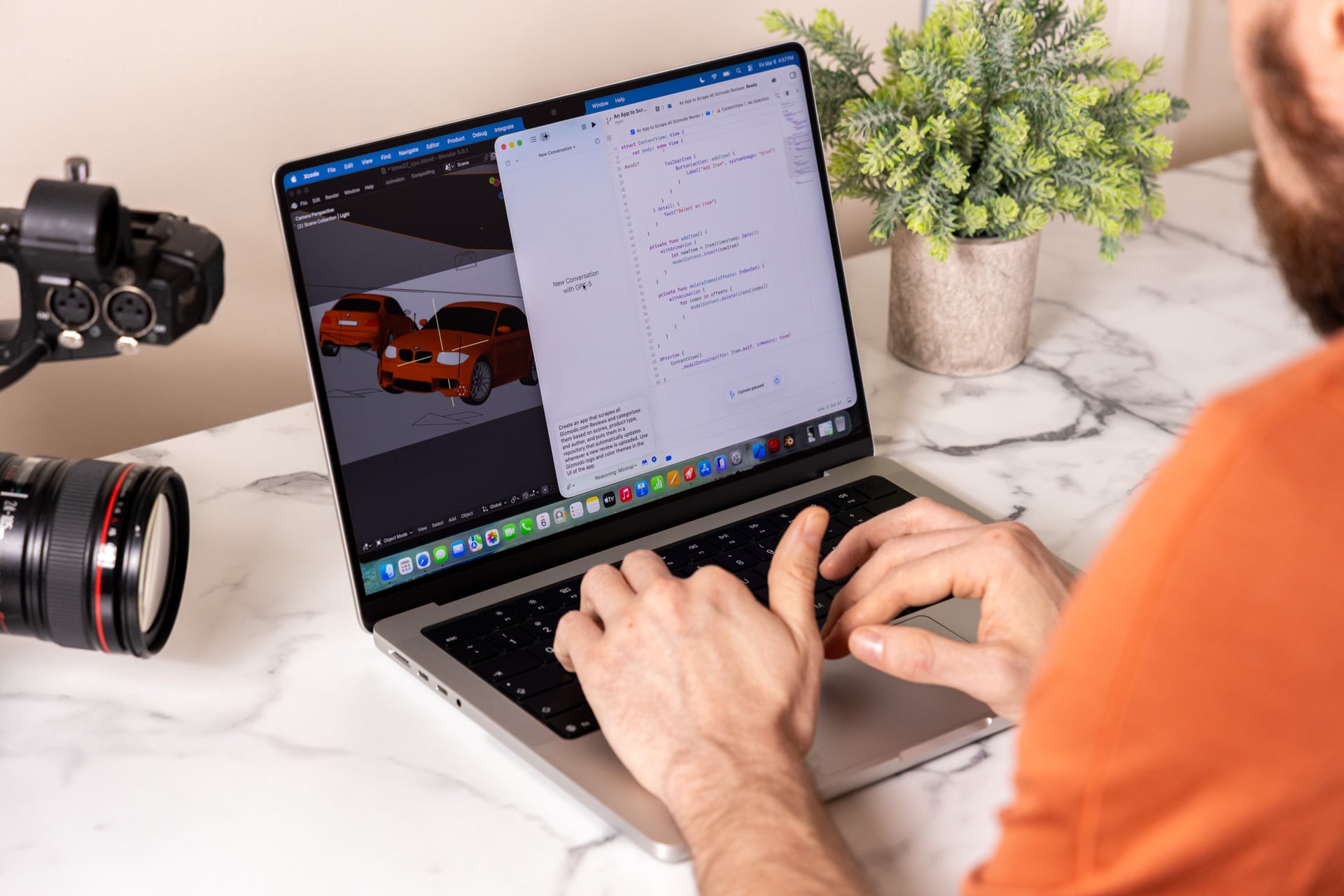
I have long dreamed of having the one “everything” laptop—the one portable machine with top-end performance, a beautiful screen, solid sound, and a battery life that doesn’t quit. The M5 Max MacBook Pro is definitely the most powerful 14-inch laptop I have ever used. If the fans were up to snuff, this would be the one laptop I would be able to use for literally everything. We’re finally at the turning point where mobile computers don’t need to rely on battery-sucking discrete GPUs.
The M5 Max MacBook Pro is really held back by an aging shell. Apple’s aluminum body is still top-tier, but there are many PCs with keyboards that I enjoy more. Apple’s Liquid Retina XDR display looks great, but it’s not as good as OLED, especially what Apple has already showcased on its tandem OLED M5 iPad Pro.
The next big update to the MacBook Pro may come later this year. Bloomberg’s well-connected Mark Gurman has suggested Apple will bring us an “ultra”-tier MacBook Pro with an OLED touchscreen. That could make an already super-expensive laptop even more costly.
I can’t help but feel annoyed at the prospect of more-expensive MacBook Pros that finally offer everything I could possibly want. If the rumored OLED and touchscreen MacBook Pro fixes its thermal design, updates the screen, and includes the same chip or an even faster “M6 Max,” it will indeed be as near perfect as Apple has ever made. And it will certainly cost a price equivalent to a piece of the actual sun.
See M5 Max MacBook Pro at Amazon
Read the full article here