


Apple’s $600 MacBook Neo isn’t the pinnacle of design. It can’t be at this price point. And still, it’s perfect for all the people who don’t give a damn about what PC or Mac nerds have to say about memory constraints.
The MacBook Neo is a laptop built for Apple users who just can’t spend the money on anything more expensive. There is a large number of consumers who are likely considering six-year-old M1 MacBook Air laptops for around the MacBook Neo’s price point rather than any new $1,100 M5 MacBook Air. In this tightening economy, even a few hundred dollars matters.
Cheapness comes with other considerations. The MacBook Neo starts at $600 with only 256GB of internal SSD storage and 8GB of unified memory. There is no option to upgrade either after purchase. If you’re a student, you can get that base model for $500 (easily the best deal in laptops, period). A $700 model comes with 512GB of storage and Touch ID. Either way, the MacBook Neo is built on an iPhone chip—the A18 Pro. It’s far less capable of running intensive tasks than any of Apple’s M-series chips or any moderately powered Intel or AMD processor. It’s merely the right kind of performance for anybody who wants to browse the internet or stream video.
MacBook Neo
There are few budget laptops that can hope to look, sound, and feel this good. There are several compromises you have to consider before buying.
- Sturdy MacBook feel
- Bright, pretty LDC display
- Cute colors
- Solid sound
- A price that can’t be beat
- Tiny storage options
- Non-upgradable 8GB of memory
- Performance isn’t exceptional
- Slow charging speed
That’s not to say the MacBook Neo is not yet another attempt to entice consumers into Apple’s welcoming and ever-restrictive walled garden. The MacBook Neo is best used in tandem with a relatively recent iPhone. Its limited memory will naturally endear users to an iCloud account. And we don’t know how well the A18 Pro chip may perform in another few years’ time, necessitating upgrades. But as a laptop to buy now, I can think of few better deals. The MacBook Neo is set to ship on March 11. Judging solely on consumers’ reactions online, we can already tell it will be one of Apple’s most significant releases of the past few years.
A small, sturdy, and extremely pink MacBook

Apple sent Gizmodo the $600 MacBook Neo with 256GB of storage and no Touch ID button. The $700 model is certainly an upgrade, but I would bet good money most customers will buy the cheapest version. Yes, the lack of Touch ID is annoying once macOS starts asking you to put in a password to change every little setting. At the same time, I have serious qualms with offering biometric data to any major tech firm, especially in today’s political landscape.

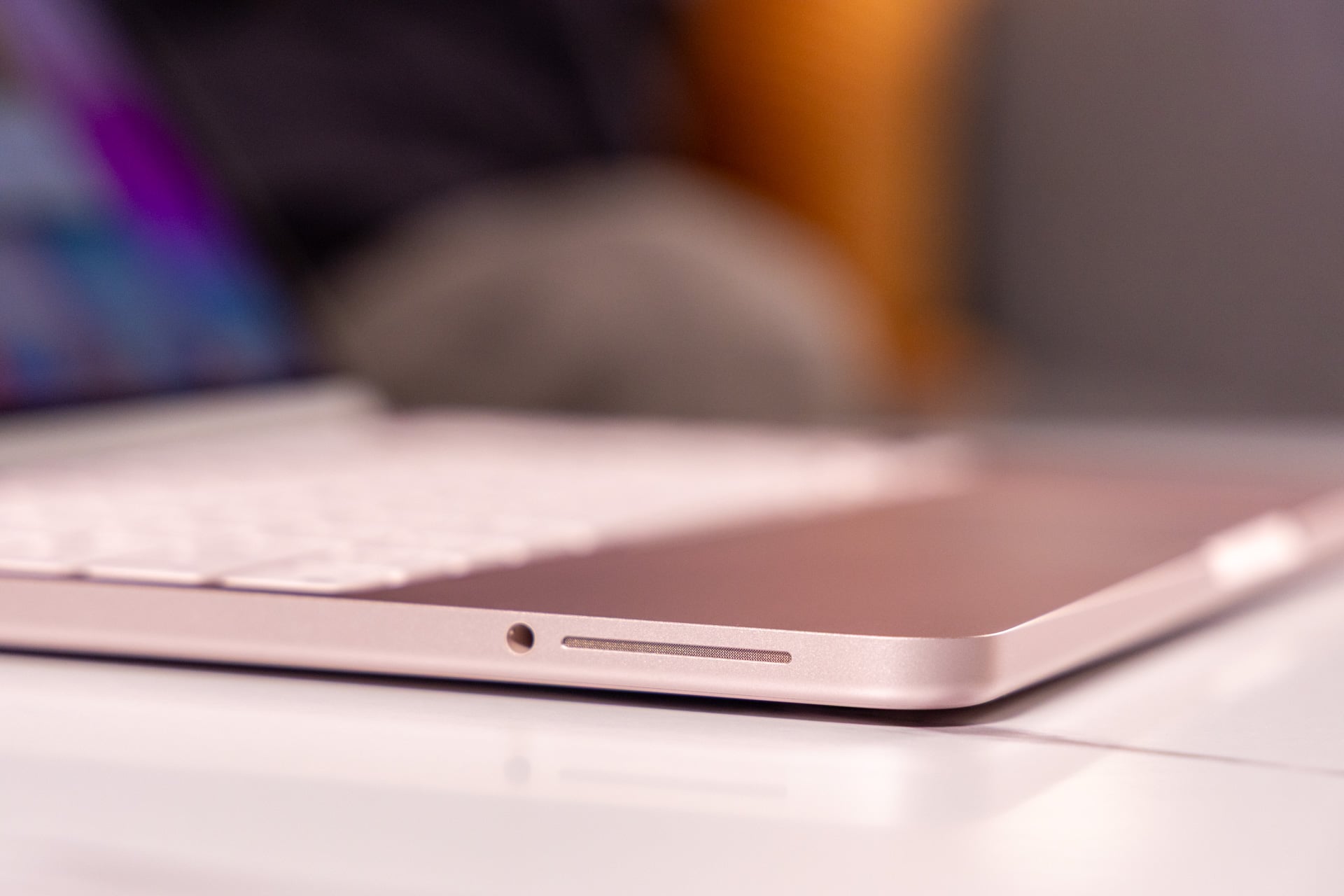
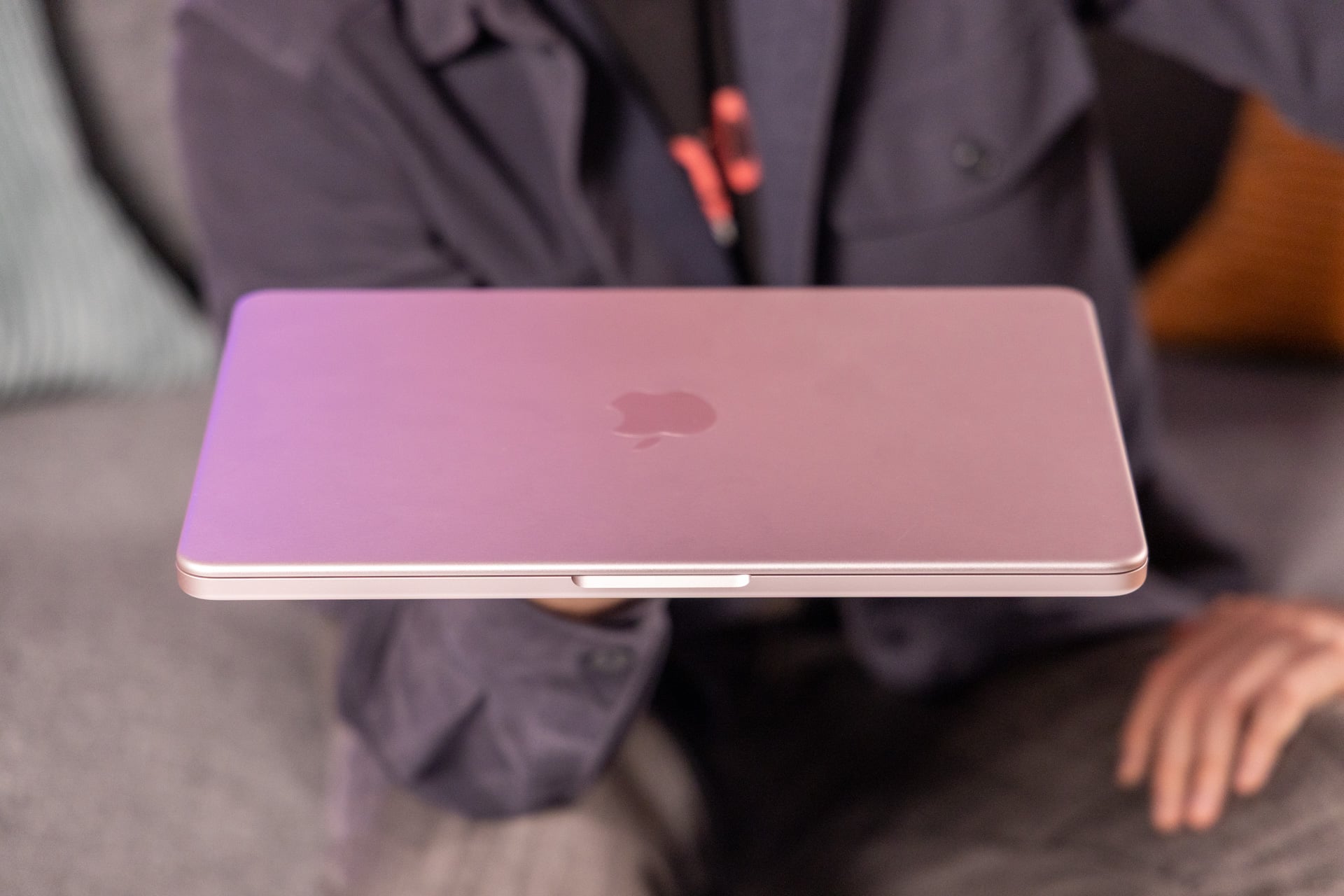
And no matter which version you buy, you’ll probably want the more colorful models. Of the four colors—silver, “Citrus” yellow, “Indigo” blue, and “Blush” pink—my favorite is the subtle banana tone, followed by the goth-flavored Indigo. Just know that any of the lighter shades, including my Blush review unit, will appear more silver in person, especially under bright lights. Each laptop’s keyboard is tinted slightly to match their respective colorway. I found that with enough typing, my oily fingers started staining each key even more pink. As if that weren’t pink enough, macOS 26 Tahoe defaults the UI to match the color of your MacBook Neo. I was pleasantly surprised when highlighted text in Safari also bore a pink hue.
I have been on a rotating carousel of Macs for the past several years. I just finished reviewing Apple’s top-of-the-line M5 Max MacBook Pro. It felt seamless moving between the most and least expensive Macs. The MacBook Neo has the same aluminum finish and an extremely familiar Magic Keyboard. The laptop, even without fans, stayed cool under my wrists. It’s light, compact, and fit into any pack I tossed it in. The only accessibility consideration to keep in mind is the lack of keyboard backlight.

Apple did make other small accommodations for the sake of maintaining the price. The MacBook Neo’s domed feet are a translucent plastic material, different from the MacBook Air and MacBook Pro. You can see through each cap to the screw holding it together. Apple claims this laptop is more “repairable” than its other MacBooks with eight screws holding on the backplate. What that really means is that it’s easier for Apple “Genius” technicians to repair the MacBook Neo. It’s not as if you’ll be swapping in your own SSD or RAM sticks to give the laptop a new lease on life in a few years.
Yup, only two USB-C ports

Just because it’s cheaper doesn’t mean it’s necessarily smaller or lighter. The MacBook Air is actually slightly thinner and weighs the same 2.7 pounds. That tells you much of what you need to know—the MacBook Neo is less compromised than its price tag suggests. Putting the A18 Pro chip aside, the MacBook Neo differs from every other Apple laptop in two major ways: the trackpad and the screen.
Apple’s “Multi-Touch” trackpad isn’t the same haptic one found on other MacBooks. Multi-Touch is a more traditional mechanical trackpad. That means instead of sensing inputs and then using force feedback to simulate a click, the trackpad physically depresses when you push it down to register a click. Thankfully, unlike many other cheap laptops, the trackpad doesn’t register differently if you press toward the top or bottom. It lacks the deep click capabilities of other MacBooks, but that’s fine. If you’re like me, you only ever used a deep click on accident.

What will prove far more limiting is the port selection. The MacBook Neo comes with only two USB-C ports on the device’s left side along with a 3.5mm headphone jack. One is USB 3 speed and the other is USB 2. Both ports can charge the MacBook Neo. However, the USB 2 slot’s slower speed is more for accessories like a keyboard or mouse. That also means the only port that can connect to a monitor is the rearmost USB 3 one.
The MacBookNeo only supports one other display at 4K resolution and a 60Hz refresh rate. That means the 13-inch laptop is somewhat wasted on a new $3,300 Studio Display XDR, which maxes out at 5K resolution with a 120Hz refresh rate. At least you’ll still get power passthrough with a USB-C cable with enough throughput. If you have a monitor at home that accepts USB-C or you have a port adapter handy, don’t bother shelling out for anything extra. For reference, an M5 MacBook Air can connect to two external displays running at 6K resolution and 60Hz, or 4K at 144Hz.
Apple’s pretty screens, for less

Even the screen is familiar if you’ve used a Mac product these past 15 years. The MacBook Neo’s 13-inch Liquid Retina display is a typical IPS LCD screen with 2,408 x 1,506 resolution.
For comparison, a similar display on a 13.6-inch MacBook Air hits a slightly higher resolution. The MacBook Air also has Apple’s True Tone technology, which automatically adjusts the screen’s color temperature and brightness based on ambient settings. It’s supposed to reduce eye strain. That feature isn’t available on MacBook Neo.

Apple likes to proclaim its screens have higher pixel density than most similarly sized devices, but what matters more is how it looks. The MacBook Neo’s screen supports HDR content, though it uses the sRGB color gamut and not the typical P3 of the MacBook Air models. Apple still claims the MacBook Neo’s screen can support 1 billion colors. I couldn’t tell the difference between the displays on a MacBook Neo and a MacBook Air unless I paid extra close attention to small color differences when watching the same content side by side.
The MacBook Neo’s display supports 500 nits of brightness, which I found more than enough for work indoors and was fair enough for typing outdoors. Direct sunlight hampered screen clarity, but it’s still usable if you plan to type up your emails in the park rather than be stuck indoors.
That’s not to say you’re not accepting some tradeoffs for the price. The screen is flanked by extra-thick bezels that squeeze the picture and make multitasking harder than it can be on other, more-expensive devices. Instead of a notch around the camera cutout, this Mac hides its 1080p webcam within the bezel, like most other laptops. The webcam does support “Center Stage,” which means it can automatically focus on your face during video calls. The only downside I can think of is that it lacks the “Desk View” feature that gives a top-down angle.
Sounds just about right

If there was any one thing that convinced me Apple made the right calls when crafting the MacBookNeo, it’s in the sound department. Apple went with two 2W speakers on either side of the laptop shell. Each side-firing speaker also has its own subwoofer. That means that while the laptop doesn’t get exceptionally loud, the audio from the MacBook Neo is balanced and clear. There’s just enough bass to give your music or movies some presence.
Many other laptops at this price point make use of down-firing speakers, which naturally hit whatever table or surface you’re working on and create that “tinny” sound you’ve heard audiophiles wax on about. That being said, I have heard quality down-firing sound stages, like in the recent Dell XPS 14. Still, the MacBook Neo sports some of the best audio I’ve heard at this low price point. Other similarly priced laptops, like the HP Laptop 14 with an Intel Core 5 chip and 8GB of RAM, sound like they’re getting their audio through a paper cup on a string.
I went directly from listening to tunes through Apple Music on the M5 Max MacBook Pro and its six-speaker system to the MacBook Neo and I could certainly hear a difference. The MacBook Pro’s soundstage is far more full and louder. But for the price you’re paying, there’s not much wrong with the audio and visuals from the MacBook Neo.
Performance won’t blow you away
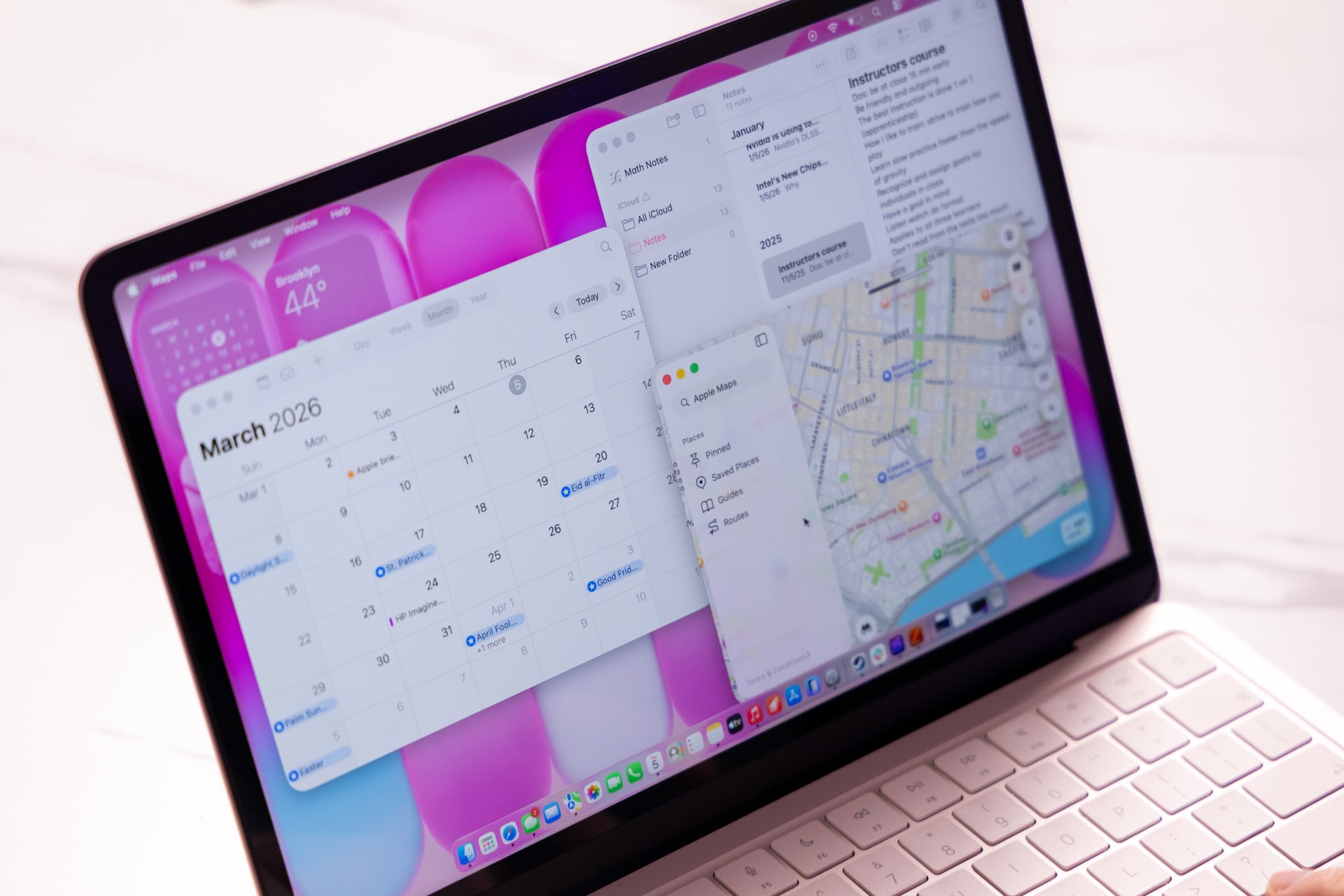
The MacBook Neo’s A18 chip first appeared on the iPhone 16 Pro. Why Apple didn’t opt for the latest A19 Pro on the iPhone 17 Pro is a mystery—though it’s likely to keep you waiting to upgrade to whatever MacBook Neo successor arrives in a year or two. The A18 Pro chip is a 6-core CPU and 5-core GPU setup. An M5 in the base M5 MacBook Air comes with a 10-core CPU and 8-core GPU configuration.
What’s more limiting is the 8GB of unified memory inside the MacBook Neo. All other modern MacBooks start with at least 16GB of RAM. Essentially, we’re running an iPhone chip at a higher TDP (thermal design power) thanks to a larger battery.
Apple’s mobile chips use a similar ARM-based microarchitecture to the M-series in its other Macs. Even with an iPhone chip, Apple promises users won’t have any app compatibility issues. In all my regular Apple and third-party apps, I never experienced any instance of incompatibility. The larger issue would be running some apps that demand more processing power than what the A18 Pro can provide.

The limited chip also means its benchmarks will leave few impressed. In Geekbench 6, which tests a CPU’s overall capabilities on a per-core basis and in multi-core settings, the MacBook Neo scored 3,361 in single-core and 8,334 in multi-core. While its per-core performance is only beaten by Apple’s own M-series chips, the laptop’s full capabilities are behind Qualcomm’s own ARM-based Snapdragon X chip from last year. However, Apple’s mobile chip actually beats an M1 MacBook Air in these same benchmarks. It also beats the Intel Core 5 120U CPU found in that HP Laptop 14 mentioned earlier.
In 3DMark tests, which measure the laptop’s capabilities with real-time graphics rendering, the MacBook Neo is still considerably behind some of its more expensive peers. However, the A18 Pro actually comes closest to an AMD Ryzen AI 7 350 CPU and its Radeon 860M graphics in a Framework Laptop 13 in our graphics tests. That being said, you’re not going to be using the MacBook Neo for any sort of 3D modeling software, like Blender for 3D modeling.
Limited memory hinders what apps you can use

Your colorful new MacBook may be good enough for light photo editing. In Apple’s Creator Studio suite, Pixelmator Pro ran perfectly fine on the 8GB laptop. Exporting high-quality photos takes longer than on more-powerful computers. If you’re not exporting dozens of photos through Adobe Lightroom, you’ll probably be fine. As for other creator apps, Final Cut Pro will be usable if you’re merely uploading your photos and videos from your phone via AirDrop and then exporting to your Instagram and TikTok channels. It may simply take longer to export these videos than if you were using a more expensive laptop.
The MacBook Neo is not a laptop that’s great for gaming. Even if you push past any issues with performance, you’re going to be inherently limited with just 256GB of storage on the $600 model. The $700 version with twice the storage will still run up against a wall when so many games with even modest graphics capabilities demand 40GB or more.
While Apple’s gaming ecosystem has expanded in recent years to include big-name titles like Cyberpunk 2077, Resident Evil 4, and Control, the A18 Pro chip isn’t best for any of these demanding games. The MacBook Neo’s specs are good enough for a more limited mobile title, like Oceanhorn 3, on medium graphics settings. You’re otherwise better off sticking with Apple Arcade games.
You’ll feel the limitations of 8GB of unified memory once you start trying to multitask beyond a few apps at once. With my MacBook Neo connected to a Studio Display XDR, running two Chrome browsers with several tabs on screen, the laptop started to lag as I maximized the unified memory.
What helps in multitasking is if you can push some of that processing power onto your phone. macOS’ iPhone Mirroring feature lets you control your iPhone screen using a mouse cursor and keyboard. I found this was my preferred way to get around any RAM usage limitations when my browsers seemed full up. If you have an app installed on your phone and not on your Mac, you can load those apps directly from the app drawer or Spotlight on macOS.
Okay battery life with slow-as-hell charging

The MacBook Neo, as should be expected, will not hit the full promised 24 hours of battery life as Apple claims the MacBook Air and MacBook Pro can. Instead, Apple promises you’ll get 16 hours of video streaming (testing is always done at low brightness settings) and 11 hours when web browsing. The old “all-day battery” claim has been a misnomer on every mobile device I’ve ever used.
Apple’s low-end laptop is no slouch in the battery department, but it’s simply not going to last you through a full 8-hour workday if you treat it as your main device. I’ve managed to get around six hours from the MacBook Neo before it ran completely dry just doing basic browsing and typing activities.
The bigger issue for the MacBook Neo is the slow charging you get through either USB-C port. Included in the box is a single 20W power adapter and a 1.5-meter USB-C cable. In my experience, it takes the laptop several hours to come up to a full charge. If you play the MacBook Neo as your workhorse computer, you may want to start thinking about investing in a quality external battery. A 300W Anker Prime external battery will cost you just south of $200 on sale. If you just need an emergency power bank to offer enough juice in a pinch, you can find a 20,000mAh battery from Anker for around $70.
‘Budget’ laptops have a new king to beat

The non-consumer tech members of my office often came up to me during my process of testing this laptop. They heard of the MacBook Neo, where news of a MacBook Air or MacBook Pro refresh would have them normally tune out. They’re far less interested in specifics about RAM or resolution. They just want to know how it feels. And does it do the simple stuff right? Is it good for browsing? How pink is it, actually?
The Mac and PC nerds who will actually care about the lack of 16GB of RAM and minimal storage are not the target audience for the MacBook Neo. It’s built for folk who need a computer and don’t want to feel like they’re buying a compromised system. Apple hasn’t pulled off a miracle with the Neo. It’s simply made all the right calls to keep a laptop like this cheap.
Let’s look at what’s available by comparison. A Chromebook like last year’s Lenovo Chromebook Plus 14 or Acer’s Chromebook Plus Spin 514 can be found for between $550 and $750 if on sale. While they feature 16GB of RAM, they offer performance just below Apple’s MacBook Neo. They are further restricted by ChromeOS—which limits the number of apps that run on-device. These laptops feel good with solid shells, but they can’t match up with the full macOS suite that the MacBook Neo provides.
In the PC space, you may be able to find an HP Laptop 14 with 16GB of RAM or a Samsung Galaxy Book 4 Edge PC with a Snapdragon X chip for around $700. Samsung’s competing laptop will also come with 512GB of storage and 16GB of RAM. It’s not as if there aren’t other options for cheap computers. There are simply few options that feel as good as the MacBook Neo.
I enjoy this side of Apple. The company that brought us the iPhone, the iPad, and the Mac has never been considered the affordable brand. Powerful? Yes, on average. Restrictive? Absolutely. But as time goes on and other gadgets get more costly due to tariffs, the RAM crisis, or the expanding cost of ever-more powerful processors, Apple is now more of a brand of expectation. It does what it says on the tin. The MacBook Neo is simply a solid laptop that only demands $600. It doesn’t need to be anything else.
Read the full article here