
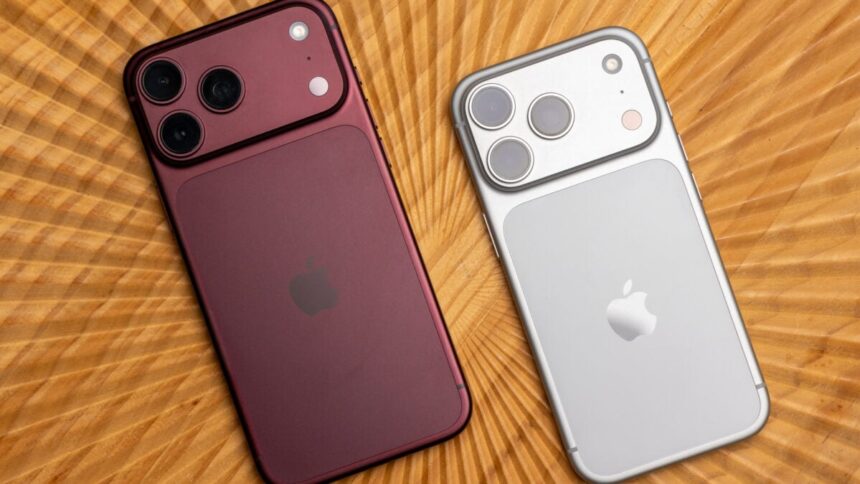
Based on early impressions and the tech specs that Apple has published, one thing is clear: the iPhone Duo, which arrives next month on Oct. 23, will not have the best cameras even with a price point of $2,000. For the best photos and videos, Apple’s iPhone 18 Pro and 18 Pro Max are the phones you’ll want. If you want a big screen that folds in half but also the best camera, why not carry both?
That’s a very real question that many people, especially those with money to burn, are asking themselves. In 2026, consumers are really considering an iPhone Duo in one pocket and another iPhone—like an iPhone 18 Pro—in the other. You could already do this previously with separate numbers for each device or one phone connecting to the other via a hotspot connection. Now there’s an easier way with iPhone Handoff.
Introduced with the release of iOS 27, iPhone Handoff lets you use two iPhones with one phone number. “Simply unlock whichever device you want to use and you’re ready to go,” reads Apple’s support page.
I’ve been testing iPhone Handoff for about a week with an iPhone 18 Pro and an 18 Pro Max, and then with an iPhone 18 Pro Max and an iPhone 17 Pro. Here, in New York City, iPhone Handoff has been nothing but seamless. I’ve encountered almost no major issues seamlessly switching between two paired devices.
Setting up iPhone Handoff is straightforward. First, both iPhones need to be running iOS 27 or later, so update if you haven’t. Then, it’s just a matter of designating one iPhone to be the main device for your eSIM phone number and another iPhone to be the secondary device. For illustration purposes, I selected the iPhone 18 Pro Max as the main device and the iPhone 17 Pro as the secondary.
I went into the Settings app > Cellular > iPhone Handoff and tapped through the instructions.
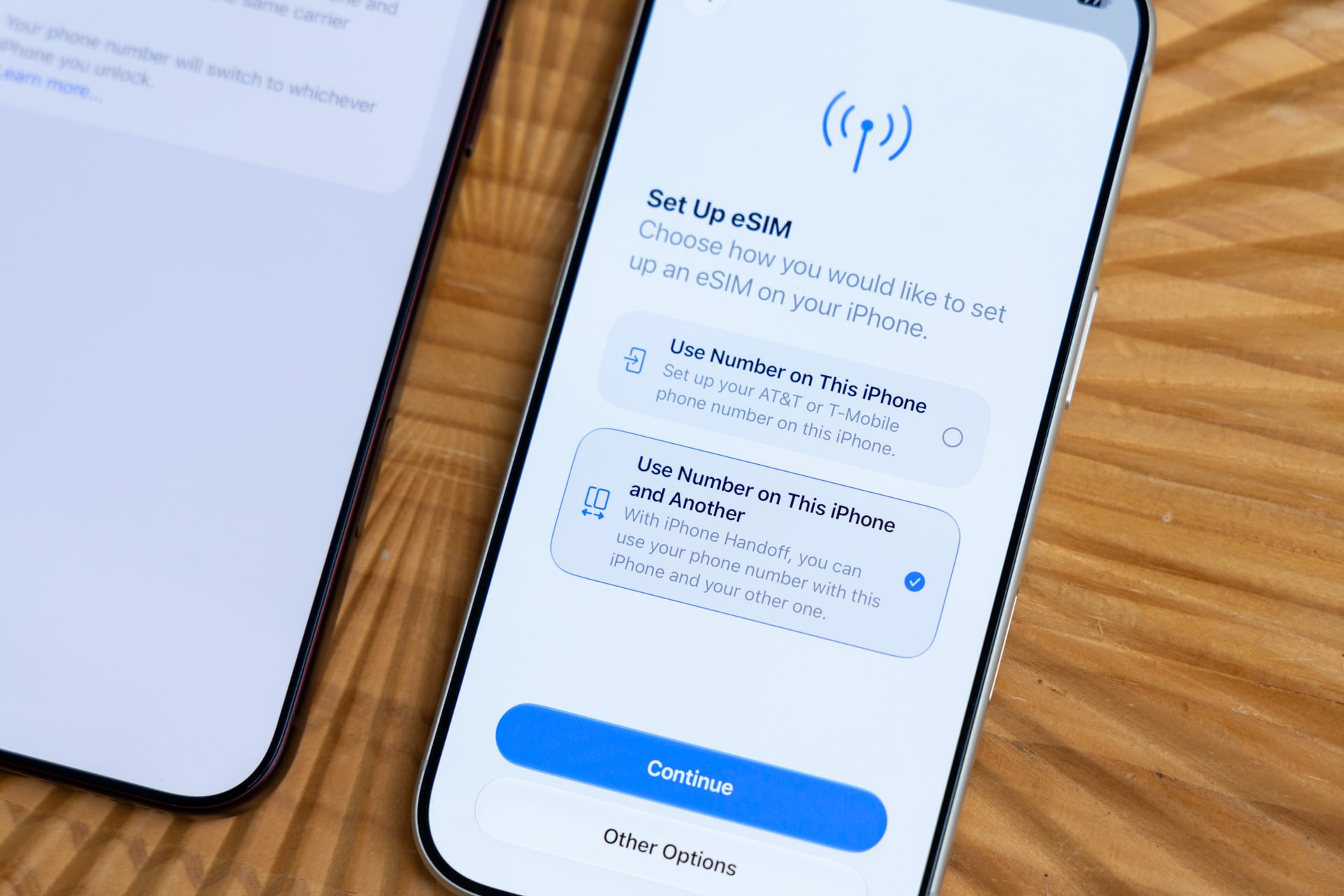
Select “Use Number on This iPhone” on the “Set Up eSIM” screen if you’re not using iPhone Handoff. Select “Use Number on This iPhone and Another” if you’re using iPhone Handoff. Then select the phone number you want for iPhone Handoff. If you have two active eSIM phone numbers, choose one.
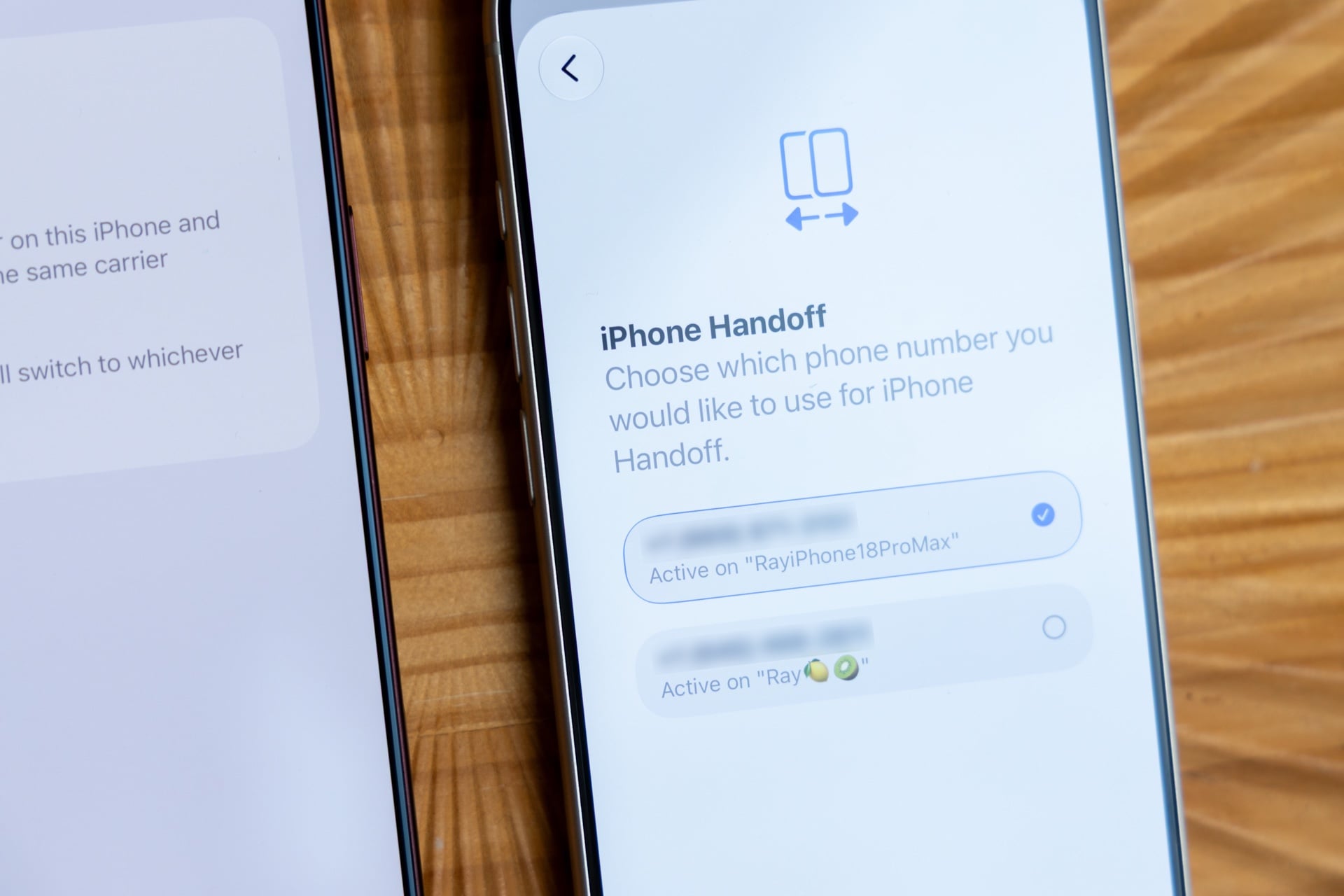
Data, including your calls, voicemail, messages (iMessage, RCS, or SMS/MMS), and Find My location switch to the iPhone that you’re currently using.
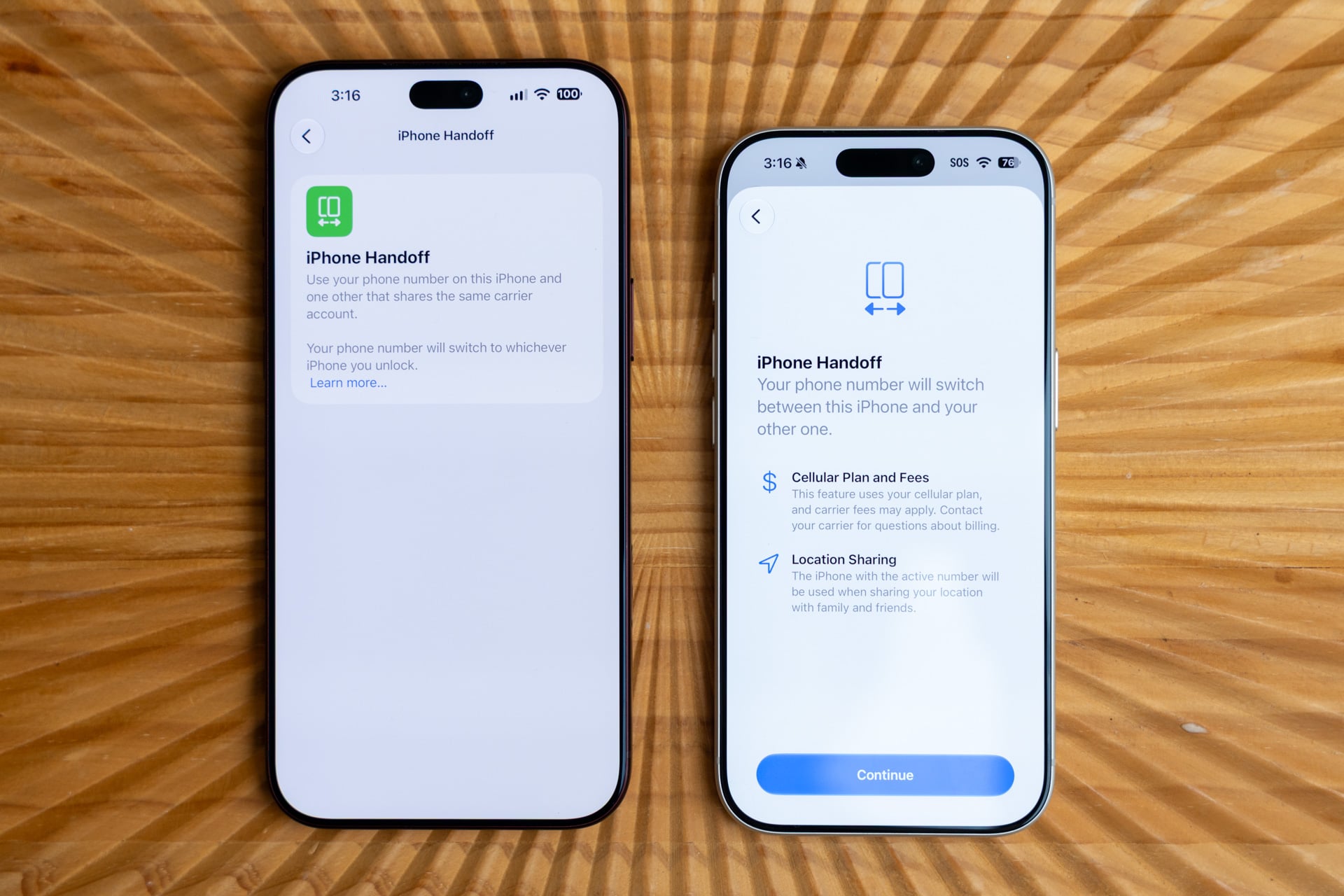
Next, you’ll be asked to select an iPhone as your main device and the other as the secondary. While your eSIM phone number will be active on both devices, it’s not transferred from the main iPhone. The secondary iPhone is merely piggybacking on the number from the main iPhone.
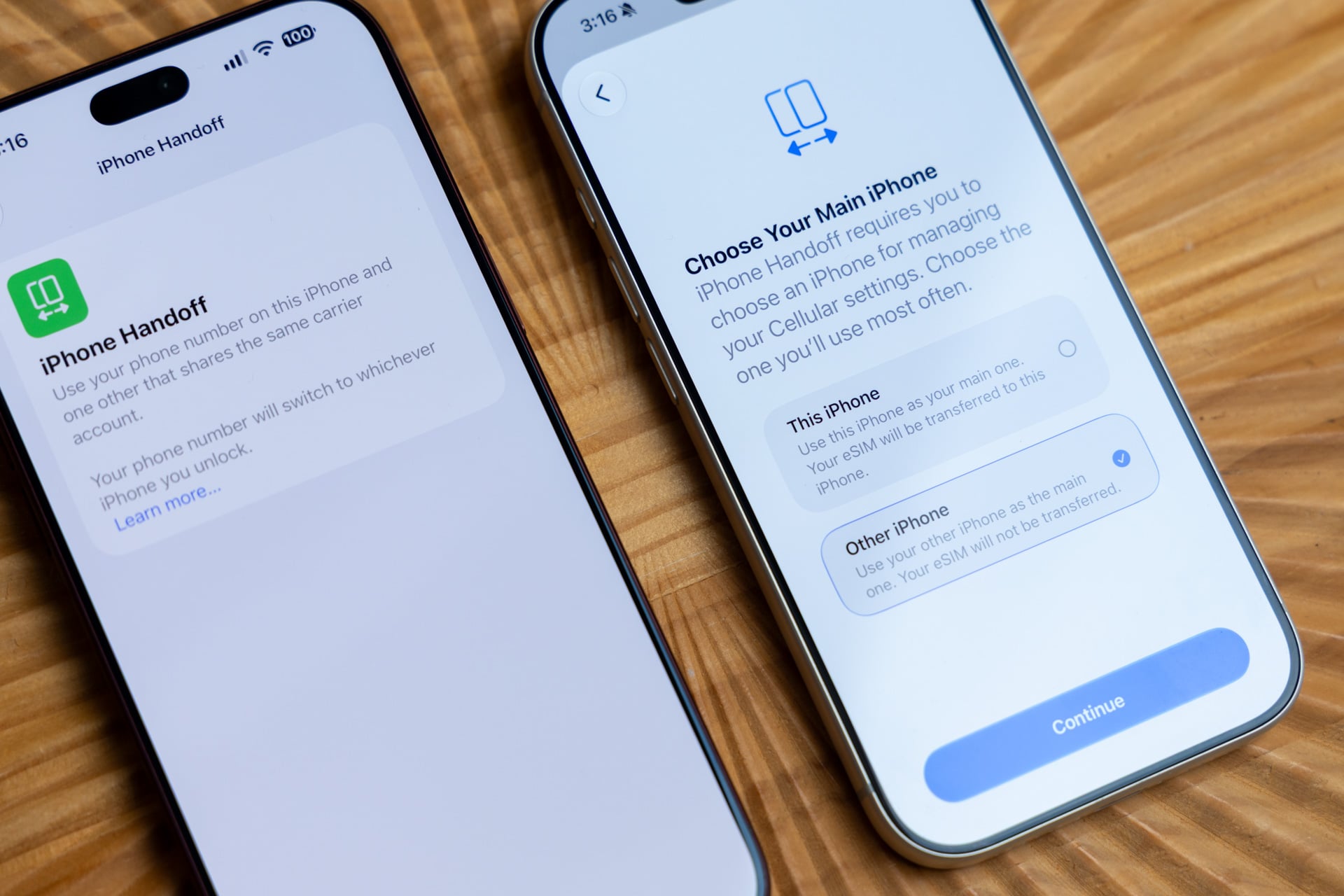
A few confirmation prompts later…
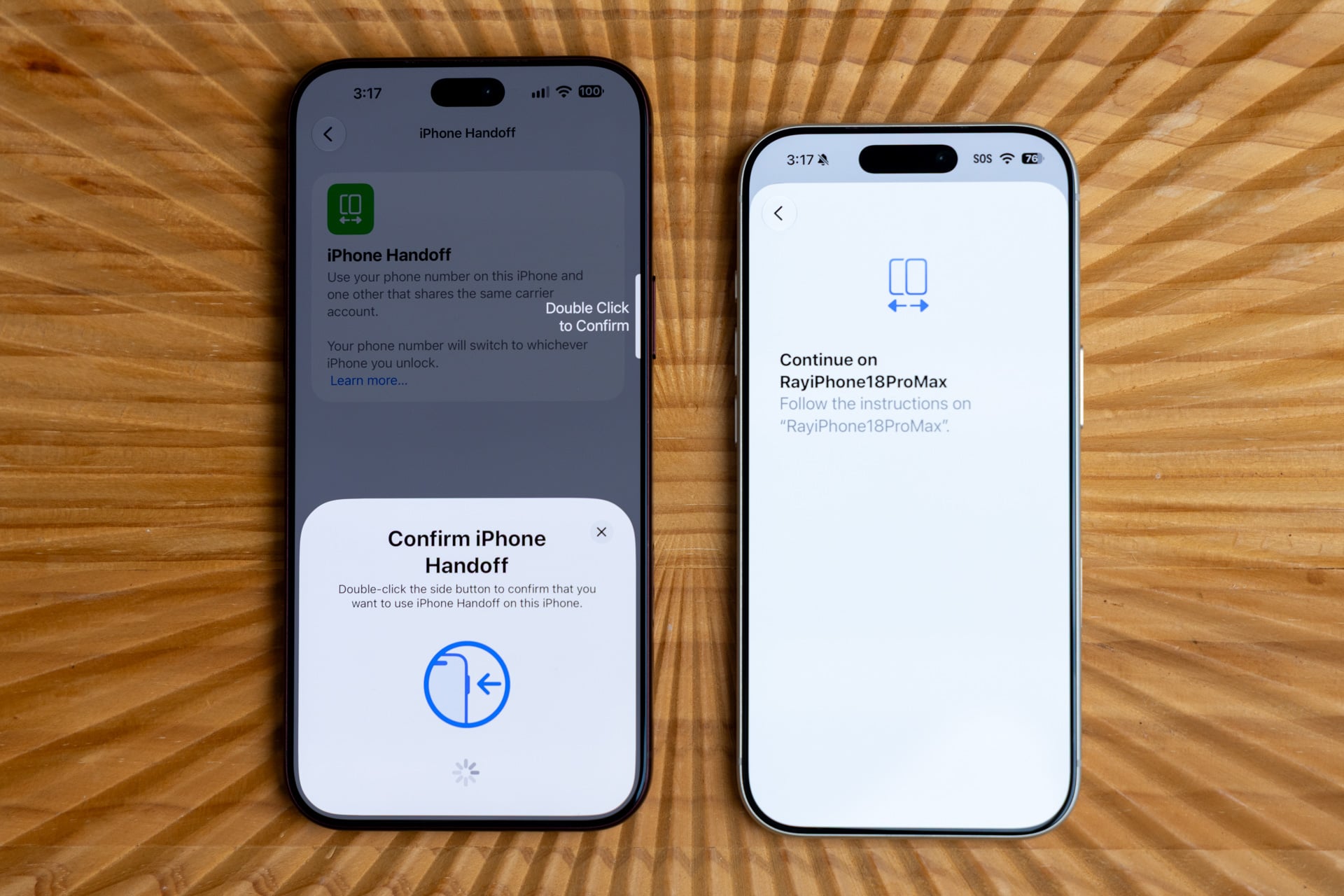
You’ll be asked to select a plan from a supported carrier. Currently, as of Sept. 22, 2026, iPhone Handoff only works on T-Mobile in the U.S. and on Telekom in Germany.
Verizon has confirmed support for iPhone Handoff by the end of this year. In the U.K., EE will also support the feature by the end of the year.
AT&T has not shared any news about iPhone Handoff support yet.
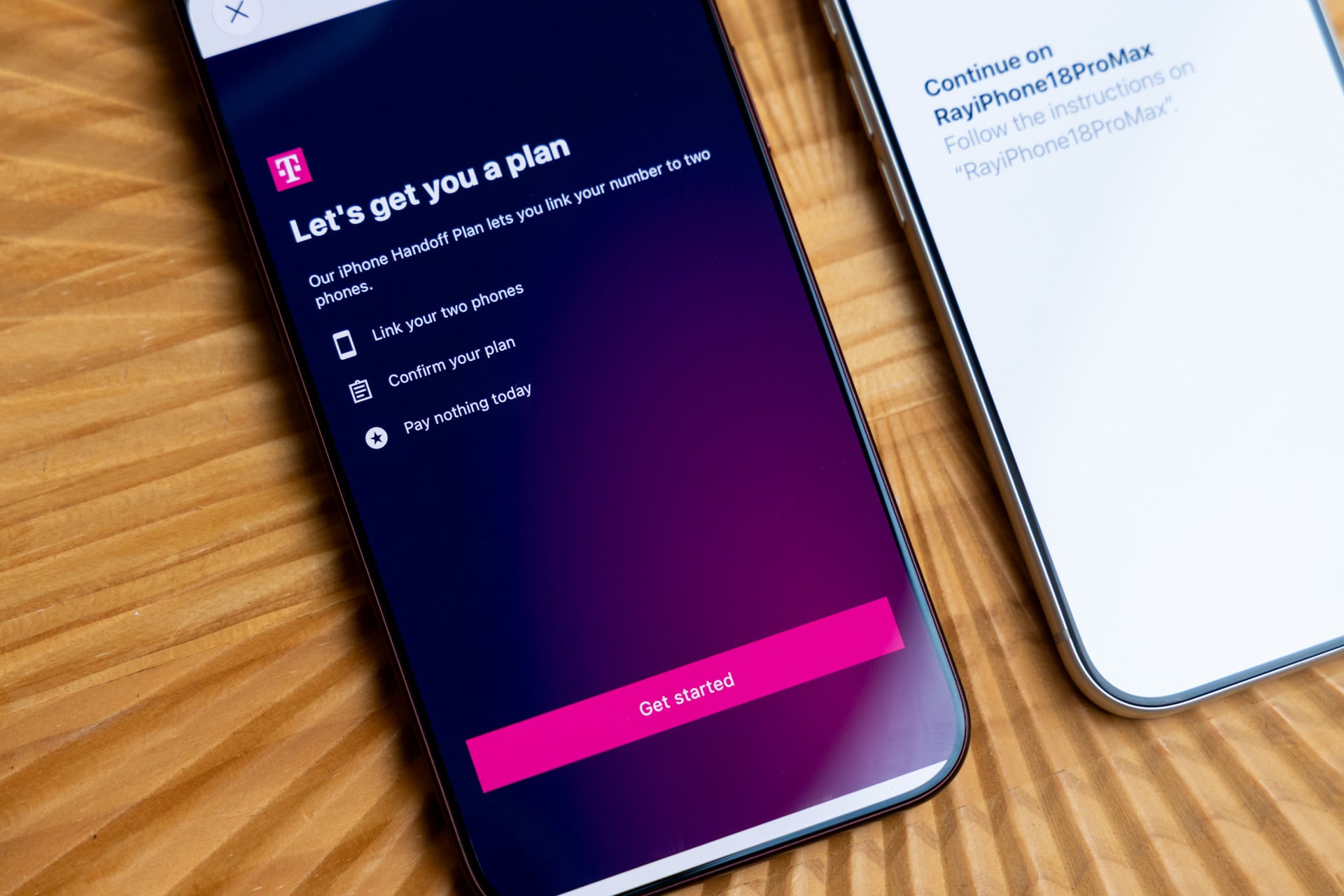
On T-Mobile, iPhone Handoff costs $5 a month. Yeah, it’s not free, but if you’re planning on wielding two iPhones, $60 a year isn’t terrible. What’s another 60 bucks if you’re spending top dollar for the iPhone Duo or a high-end iPhone 18 Pro?
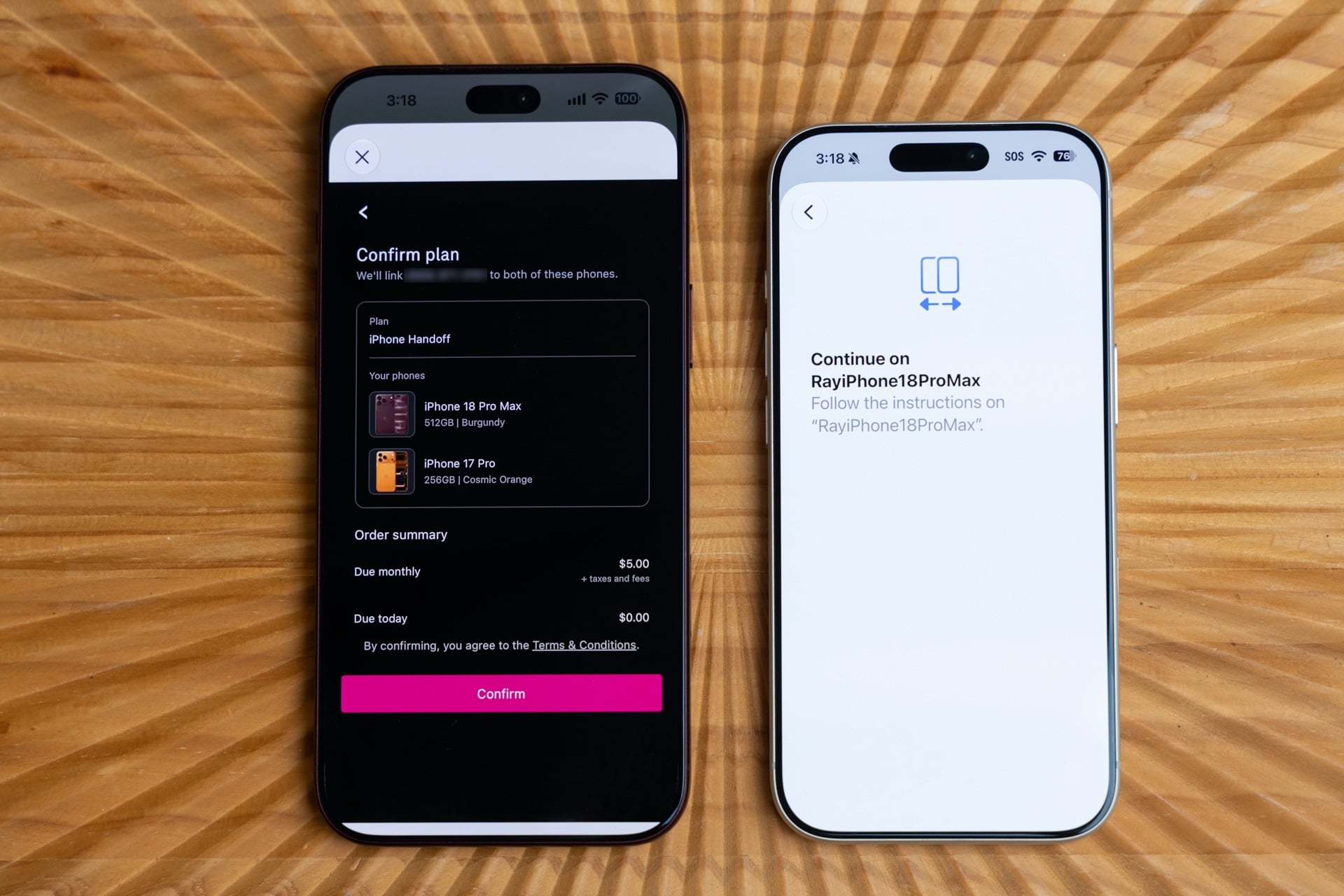
Weirdly, the iPhone Handoff plan confirmation screen incorrectly registered my iPhone 17 Pro. It said I had a Cosmic Orange iPhone 17 Pro with 256GB of storage, when in fact it’s in Silver and has 1TB. This had no effect on how iPhone Handoff worked. It’s merely a carrier-side error. I’ve noticed these device name errors in the T-Life app that’s used to manage activated devices on T-Mobile’s network.
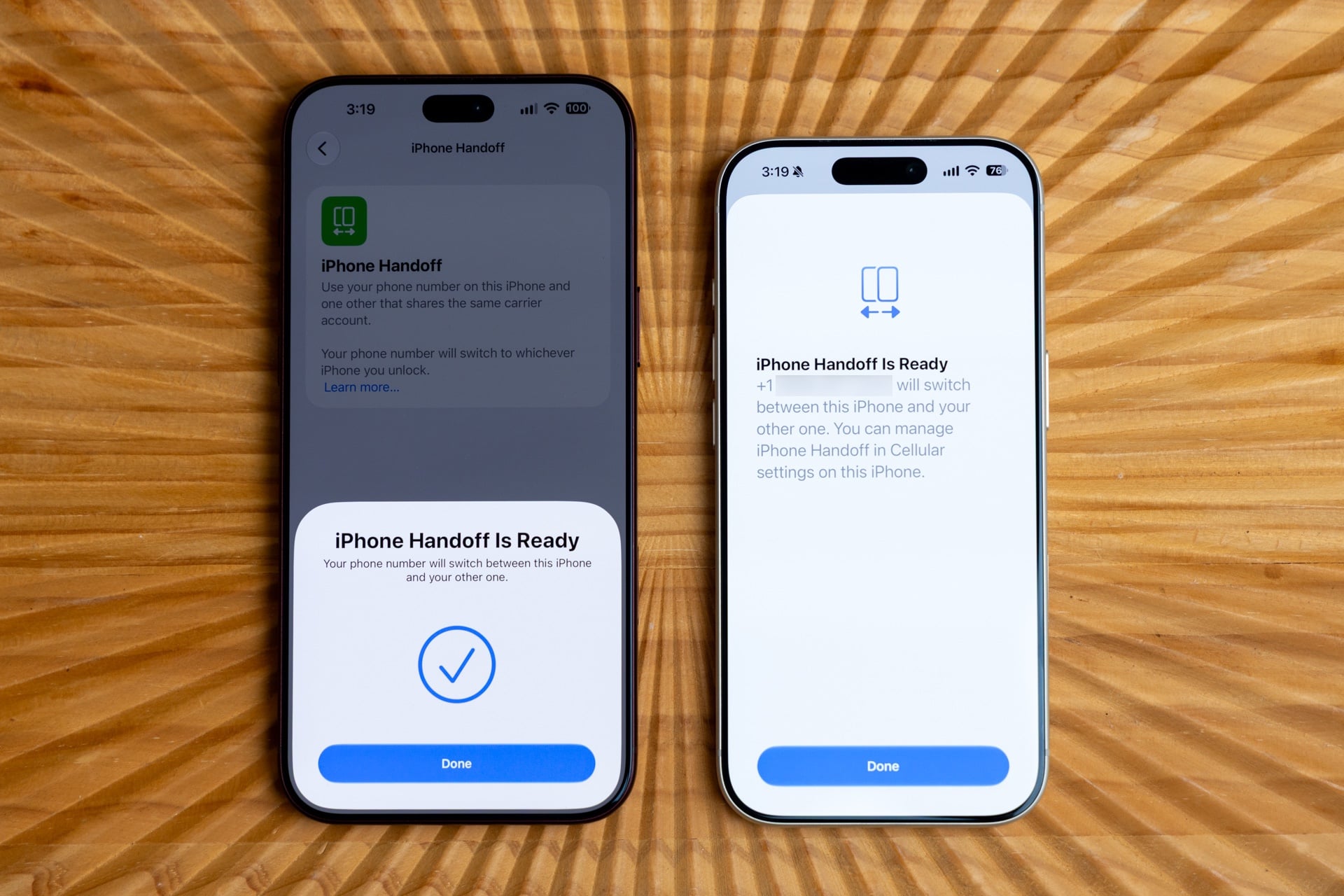
It took only a few minutes to get iPhone Handoff set up. During my week of use, I simply grabbed the iPhone I wanted to use, and all of the aforementioned data, along with my synced iCloud data, just worked. One thing I should clarify, because I know some people will ask, is that both iPhones do not need to be near each other. The whole point of iPhone Handoff is that you use two iPhones with a single phone number.
That being said, a few times I did encounter my secondary iPhone not connecting to cellular despite the main iPhone connecting properly. Not sure why that was the case, but it only happened when I was at home. Maybe the T-Mobile network was congested at the time. Honestly, it could have been anything. A restart of the secondary iPhone fixed the issue.
If you ever choose to stop paying for iPhone Handoff, make sure you transfer your eSIM number to another device first. The first time that I tested iPhone Handoff (with the iPhone 18 Pro and 18 Pro Max), I made the mistake of resetting the 18 Pro (the main device) without transferring the eSIM to another device first. I quickly learned that doing so deactivated the number on the iPhone 18 Pro Max, rendering it cellular-less. The only way to reactivate the eSIM would have been to call T-Mobile, and you know any call to the carrier can only lead to a ruined day. My suggestion: bookmark the iPhone Handoff support page and follow the instructions carefully.
So what did I learn? Basically, what I expected. iPhone Handoff is going to make carrying two iPhones a breeze. Whether that’s gonna be an iPhone Duo and another type of iPhone or whatever combination of two iPhones you want, you no longer need to manage two phone numbers.
Why might you want to have two iPhones share one number besides the obvious scenario of having two iPhones? Maybe you’re traveling and want to bring out an older iPhone (running iOS 27, of course) out and about in case it’s stolen. Or maybe you want a larger iPhone at certain times and a smaller iPhone during others. Your reasons are your reasons. At the very least, I can confirm it works reliably on T-Mobile. Other carriers may vary.
Read the full article here