

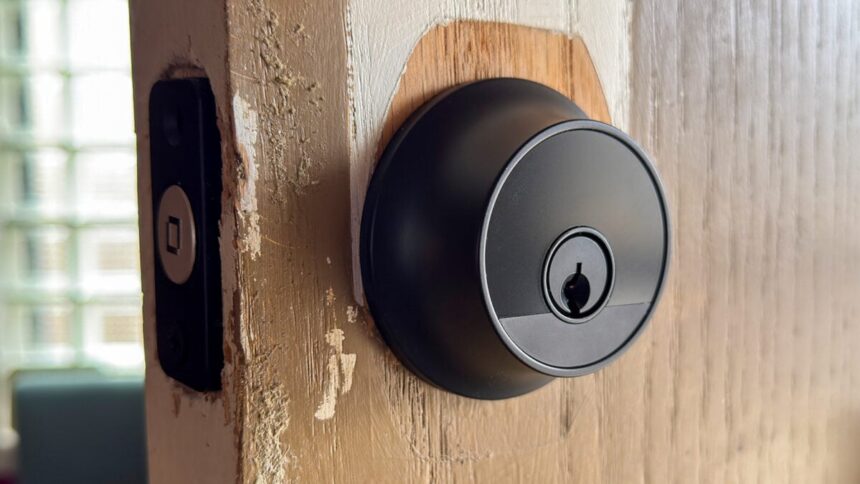
What are you willing to give up for aesthetics? That’s the question when it comes to the Level Lock Pro, a premium, Matter-compatible smart lock that, from the outside, is nearly indistinguishable from a boring old physical key-only deadbolt. It’s a smart lock for people who don’t want it to look like they have a smart lock.
The Lock Pro is a higher-end version of the Level Lock, a very sneaky smart lock that’s meant to look nicer on your door than your typically blocky, often out-of-place smart lock—to that end, Level even sells pricey matching knobs and levers. Hidden inside the Lock Pro is a motor to extend and retract its bolt, radios for Bluetooth and Thread, a speaker, and even a battery that the company says will keep the lock going for up to a year.
Yet the Lock Pro isn’t as big a step up from the Lock Plus, the company’s previous high-end smart lock, which it no longer sells. Both locks use Apple’s Home Key, support key fobs and key cards, work with Matter—and therefore any major smart home platform—and offer automatic locking and unlocking features. The main differences are two: the Lock Pro has door status detection and can sense whether your door is open or closed, and it features a more powerful dual-core processor that Level says gives it better performance than previous locks, including the Lock Plus.
Level Lock Pro
The Level Lock Pro is a fast, functional alternative for those who really hate the way smart locks look.
- Premium look and feel
- Doesn’t look like a smart lock
- Responsive
- Clever locking and unlocking options
- Works with Apple Home Key
- Easy to install
- Home Key can be sluggish
- Few phone-free unlocking alternatives
- No biometric authentication
- No Aliro support
- Non-rechargeable battery
- Pricey
I like the Level Lock Pro after several days testing it, but it’s definitely not for everyone thanks to some of its tradeoffs, especially at $349. The lack of biometric authentication stings the most with locks like this. Level provides plenty of alternative ways to unlock the Lock Pro, but it’s really hard to beat being able to press my fingerprint to, or hover my hand in front of, a smart lock to get into my house. I don’t think this ruins the Lock Pro, but it’s something to keep in mind.
Invisible design and fast installation
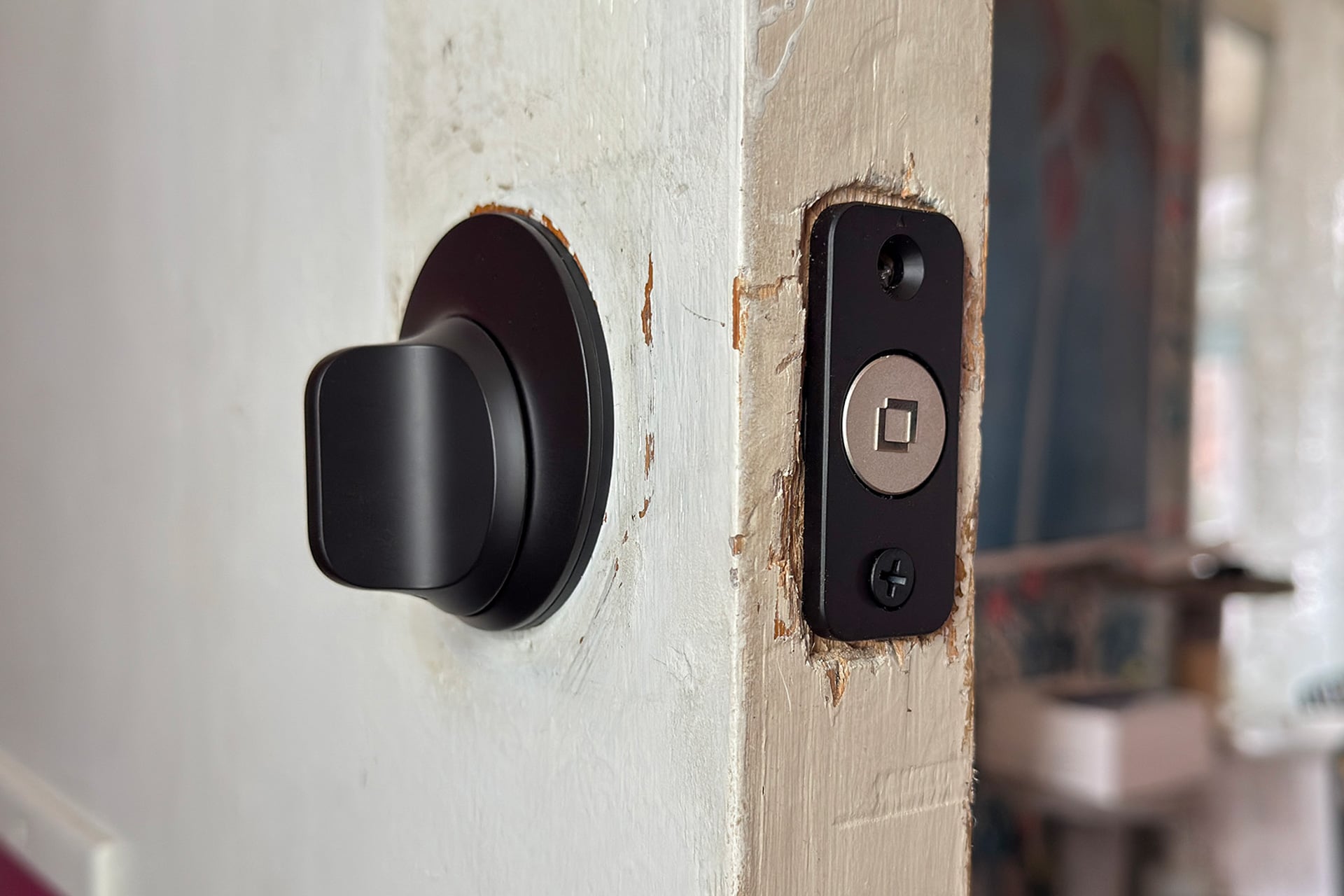
If the Level Lock Pro doesn’t resemble a smart lock from the outside, it looks even less like a dumb lock on the inside. Instead of a simple bolt slipped through a metal sleeve, the interior portion is a grayish puck with three holes in it. That puck has all of the smarts, while the bolt holds the Lock Pro’s CR2 battery and is a separate piece that you couple the puck to after the bolt is in your door.
You get one CR2 battery in the Lock Pro package, and Level says that’ll last up to a year, which is twice what the company claims for the Lock Plus. Neat as it is that this stubby little battery fits right inside the bolt, I wish the company had chosen a rechargeable solution. Rechargeable CR2s exist, but when I emailed to ask about using them, a Level spokesperson’s response said the lock is designed for standard 3-volt CR2s and advised against using rechargeables, as they “may damage the lock.” (Naturally, you can buy replacements from Level itself.) Still, a year of battery life is nice, assuming Level’s claim holds up.
See Level Lock Pro at Amazon
Physical installation was easy and took me less than 10 minutes, not counting the time it took me to widen the bolt hole in my door, since the Lock Pro’s bolt portion was a smidge wider than that of my Aqara U100. Once installed, it looked as I expected: like a well-made, but regular dumb deadbolt. Here is as good a place as any to mention that I asked Level if it had changed anything about the lock cylinder after YouTuber LockPickingLawyer found the original Level Lock’s cylinder was vulnerable to what he called “two of the lowest-skill attacks out there.” A Level spokesperson responded that the “cylinder includes enhancements to its pins for increased drill resistance, along with additional changes that reduce susceptibility to picking and bumping attempts.”
Actually connecting the Lock Pro to my smart home was quick, too; it paired within seconds when I scanned the Matter QR code in the included paperwork. You’ll need a Thread border router to connect the Lock Pro to your smart home; check out Level’s very handy list of compatible border routers if you’re not sure whether you’ve got one already. (If you’ve bought any smart speakers or hubs in the last few years, chances are good that you do.)
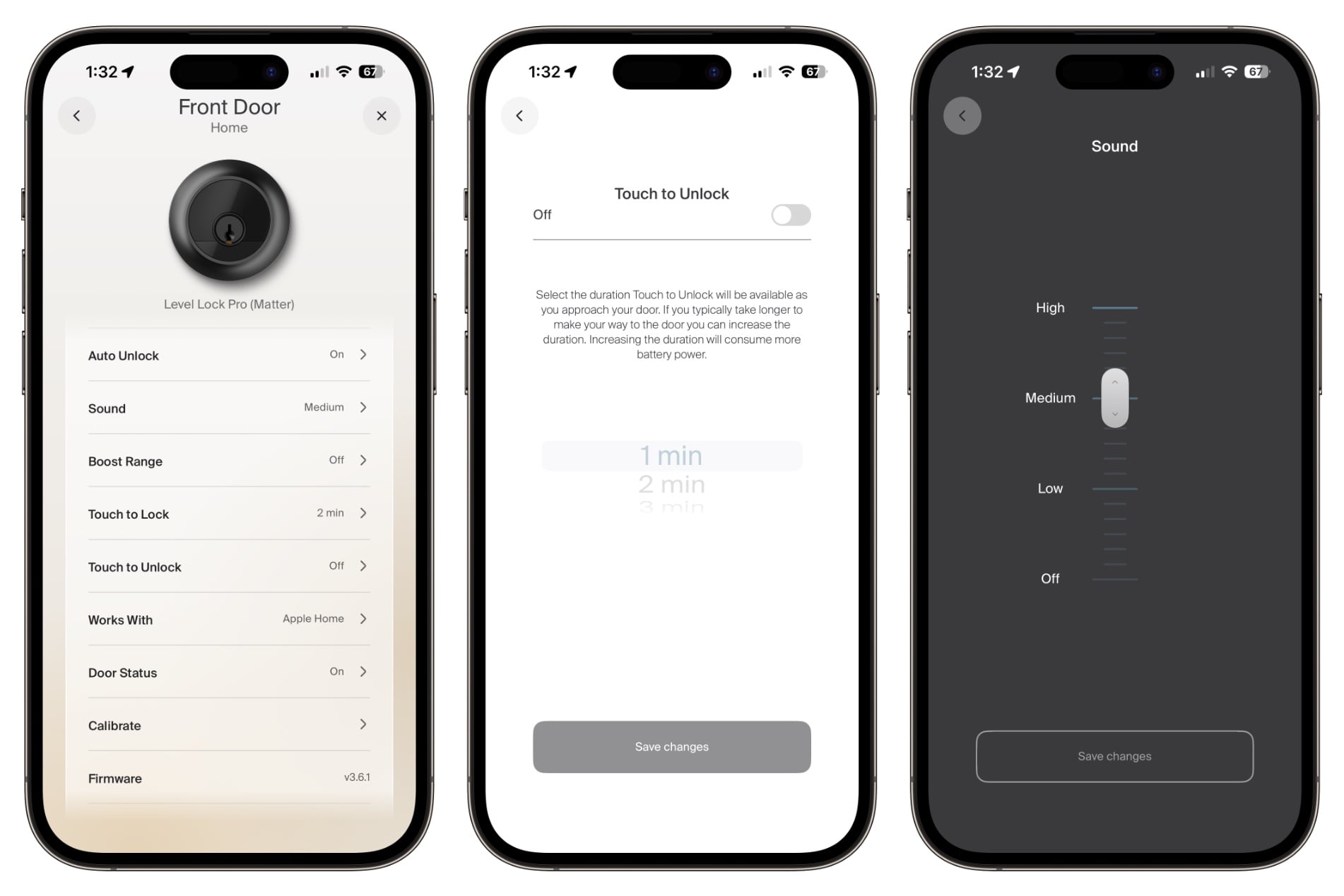
Also, a note for anyone else who’s installing the Lock Pro: make sure you connect it to the Level app as soon as possible, as it only stays in pairing mode for 30 minutes. After that you have to take off the inside part of the lock again to hold down a reset button. I found I didn’t need to calibrate the lock, but if you do, you’ll need the Level app to do so and to access a smattering of other crucial features. Those include automatic locking and unlocking, as well as a toggle that lets you touch the outside half of the Lock Pro to lock or unlock it.
Unfortunately, you can’t mess with the majority of the Level app’s Lock Pro settings if you’re too far from the lock to connect. That’s not uncommon for smart locks (the TCL D2 Pro I reviewed last year has this issue, too), and for most won’t be a big deal. After all, once you’ve set the lock how you want it, you’ll hardly ever use the app. But it’s still worth knowing, especially if you’re new to smart locks.
Living with the Level Lock Pro
There are several ways to unlock the Lock Pro, and you’ll need your smartphone or smartwatch with you for most of them. Having the door unlock automatically when you get home or when you touch the outside of the lock don’t require you to interact with your phone at all but won’t work if it’s not physically traveling with you. And obviously, you’ll need your phone if you want to use the Level app or talk to Siri or Google or whatever to control the lock. If you have an iPhone or Apple Watch, you can use Home Key—hold one or the other up to the lock for a few seconds and it should unlock.
You only have a couple of options if you don’t have your phone with you: a physical key or key fob. Level includes two of each with the Lock Pro, but make sure you pair your fobs with the lock before you try to rely on them, or you could end up trying to break into your own home.
So, do all of those unlocking methods work 100% of the time? I mean, the key and fob did, but everything that relied on my smartphone or smart home failed at one time or another. On the plus side, both Touch to Unlock and Auto Unlock worked nearly every time. For either to trigger, you need to leave a small area around your home—aka your “geofence”—then re-enter the area and connect to the Lock Pro via Bluetooth. If you’re using Touch to Unlock, you’ll have a one- to- three-minute window after connecting to Bluetooth to touch the lock, or it won’t work.
It feels kind of weird, from a security standpoint, to use these features, but after testing them I decided I’m comfortable enough to leave Touch to Unlock on. After all, it’s not like there are cartoon burglars in striped shirts and raccoon masks just waiting to tap my deadbolt and slip inside my house before I notice them. And frankly, with this lock, I would want as many unlocking options as I can get, because I found I couldn’t rely on just Apple Home or Home Key, especially with my Apple Watch, which the Lock Pro sometimes just didn’t respond to at all, leaving me standing at my door holding my wrist up for 10 seconds or more, letting my arm fall, and trying again before I gave up to take my phone out of my pocket.
At one point, the Lock Pro went unresponsive in Apple Home, and stayed that way for two days before I removed its battery to restart it. I didn’t know it had gone unresponsive until the morning after it first happened, when I found that it didn’t lock overnight as I’d programmed it to do using an Apple Home automation. Level’s spokesperson assured me that the company has “rarely seen” problems with smart home connectivity, but that it has found that some issues on “complex networks with multiple hubs and a large number of devices” can be resolved by rebooting Matter hubs.
As a smart home reviewer and general tech goblin, I’m okay with letting my bloated network take the fall here, and it didn’t go totally unresponsive again during my two weeks with the lock. But it does highlight the main problem with both the Lock Pro and the whole category of sneaky smart locks: they don’t let you totally give up the physical key lifestyle. I don’t trust any smart lock enough to actually leave my house without my key, but at least with my Aqara U100, I can typically count on being able to use its built-in keypad or fingerprint sensor if I just happen to not have my key or phone. (Although those stop working once every few months until I reboot it, so it’s not all roses.) And the TCL D2 Pro, which I’ve kept on my back door since reviewing it months ago, hasn’t once failed to unlock after a successful palm scan.
I’ve realized something about myself in recent years. As cool as unlocking my door by holding my phone or smartwatch up to it is, the real reason I want a smart door lock is for two reasons: I want to automate locking it at night or when I leave my house, and I want to be able to go outside without my key and still be able to get back into my house even if someone inside locked me out. As such, I wouldn’t consider the Lock Pro without the $79 Level Keypad, which messes with the “I’m not a smart lock” aesthetic a bit (which I don’t mind!) and effectively makes this, for me, a $428 product, not a $349 one.
Trading function for form can still be worth it
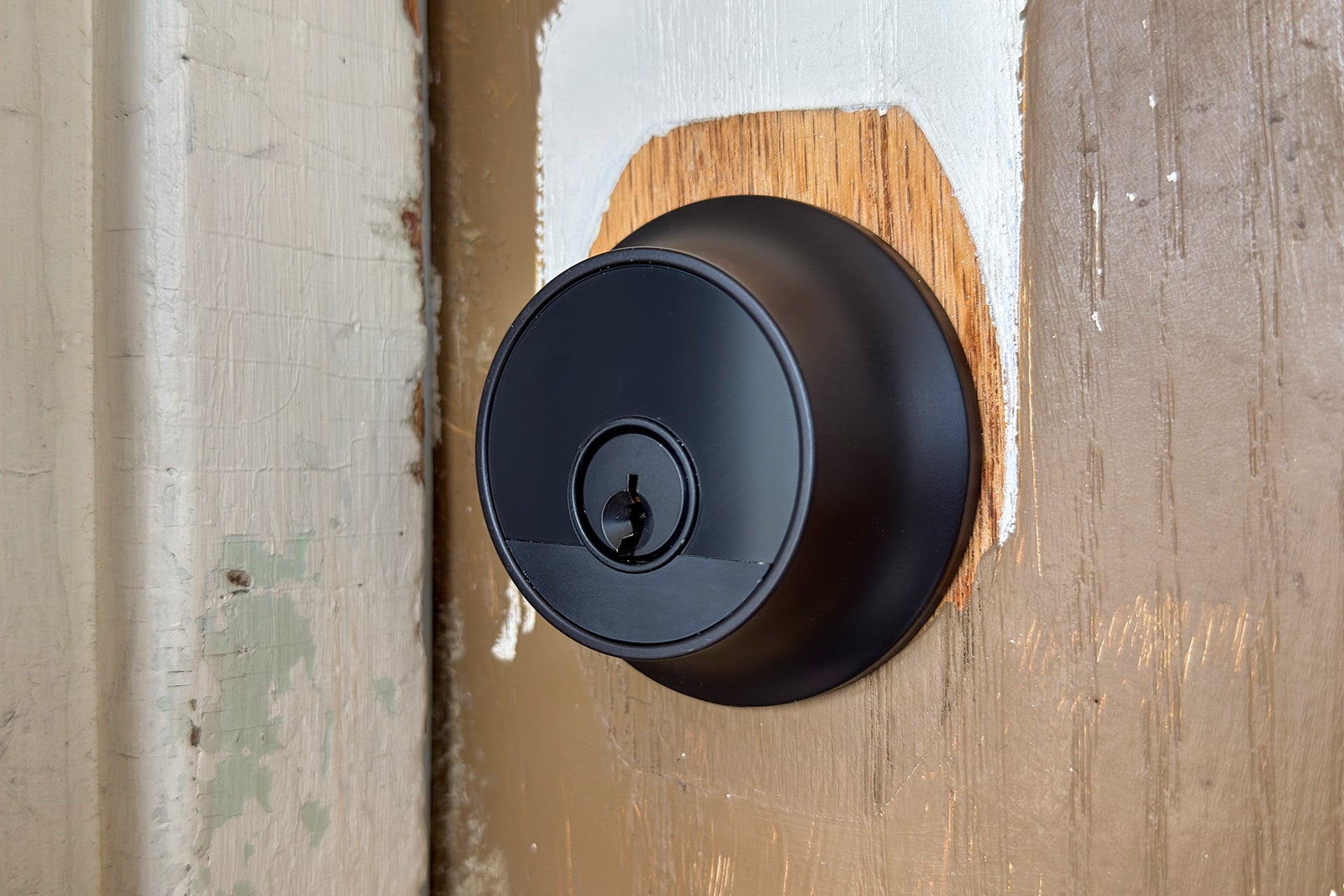
If you want a smart lock but really hate the way they look, the Level Lock Pro is a really great alternative. It looks as good on a door as any of the pricier dumb deadbolts can; its overall speed and responsiveness are good; and there are enough different ways to operate it that its form factor limitations aren’t as big a compromise as they could be.
Yet, they are still a compromise. See, smart locks work on a few levels; one is as stopgaps for forgetfulness. If you don’t remember to lock your door, automations can do it for you! And they make it less likely you’ll be locked out of your house, something that, as a one-time ‘90s latchkey kid, I never want to experience again. The Lock Pro can serve both of these needs, but imperfectly so when compared to locks with keypads and/or biometrics.
Still, there’s something to be said for the slickness of the Lock Pro, both in the way it looks and the way it works, even if it isn’t perfect every time. It isn’t worth $349 to me, but I can see how someone who really hates a keypad on their front door would want a lock like this. If you’re going to buy a nearly invisible smart lock, then I’d say the Level Lock Pro, with its Matter compatibility and flexible unlocking options, is the best possible version of it you can buy.
See Level Lock Pro at Amazon
Read the full article here