

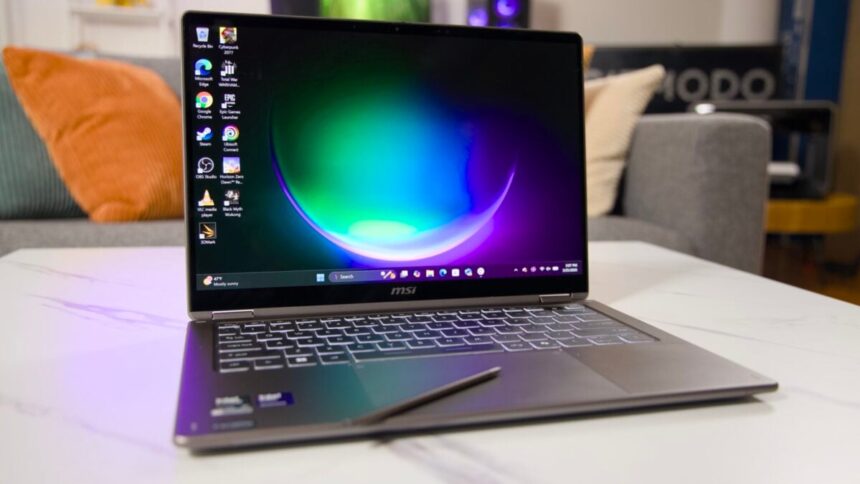
MSI’s 2-in-1 Prestige 14 Flip AI+ laptop tries to provide a metric ton of utility. It includes a built-in stylus that slots into the bottom of the chassis, the OLED touchscreen folds backwards to become a tablet, and it packs in Intel Panther Lake’s capable integrated GPU to push real-time graphics. Despite all of that, the overall experience just didn’t come together in a way it should have.
The stylus ended up the worst casualty of MSI’s new design. It’s built in such a way that you can’t easily slot it in without it getting loose. The stylus is also likely too thin for any artist and even a scribbler who just wants to jot down notes will find issues with its enclosure.
Build quality is this laptops’ Achilles’ heel. The mechanical trackpad is designed in such a way that you can’t click it nearest to the keyboard. My hand would constantly interact with the gesture controls when I didn’t want to, dimming the screen constantly during every lengthy typing session. And as a laptop for creative tasks, the OLED screen is too dim and the resolution is too low.
MSI Prestige 14 Flip AI+
This 2-in-1 laptop packs a ton of utility, but its hampered by some all-too obvious flaws.
- Great performance
- Solid screen and sound
- Clacky typing experience
- Relatively cheap way to get Panther Lake
- Terribly-designed pen enclosure
- Bad trackpad
- Relatively dim screen
I can still find many things that make the Prestige 14 Flip AI+ compelling. The number of ports and overall system performance are on point. The stylus is surprisingly useful, so long as I don’t accidentally lose it after forcing it into the chassis. For $1,700, a laptop with these specs should feel far more refined, with none of the “quirks” that I would expect to find on a device that costs less. However, for the price, this is one of the cheapest ways to get your hands on an Intel Core Ultra Series 3 chip with the extra graphics capabilities. I only wish it were as much of a pleasure to use as it is when watching benchmark numbers go up.
The Nano Pen is built to give you anxiety
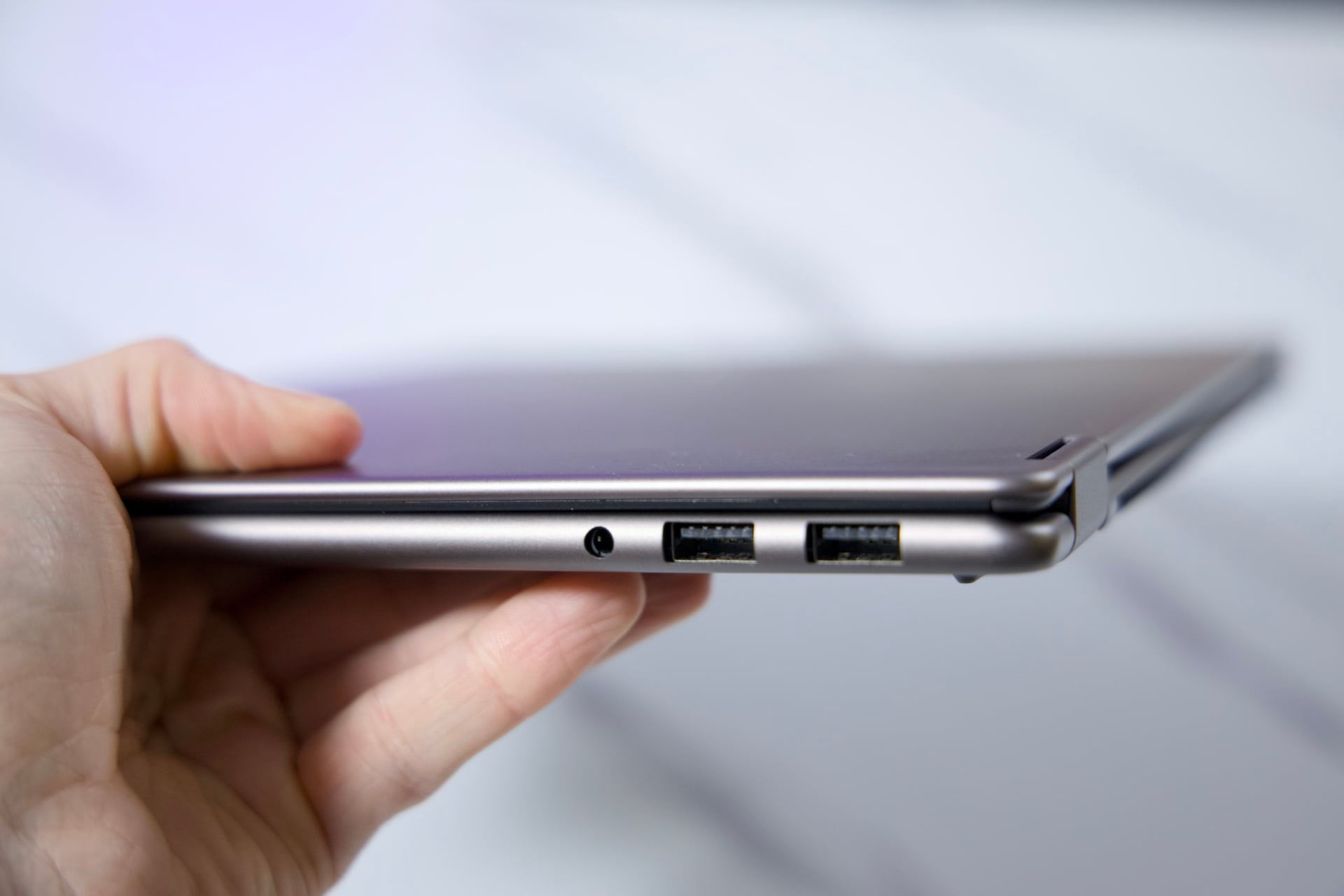
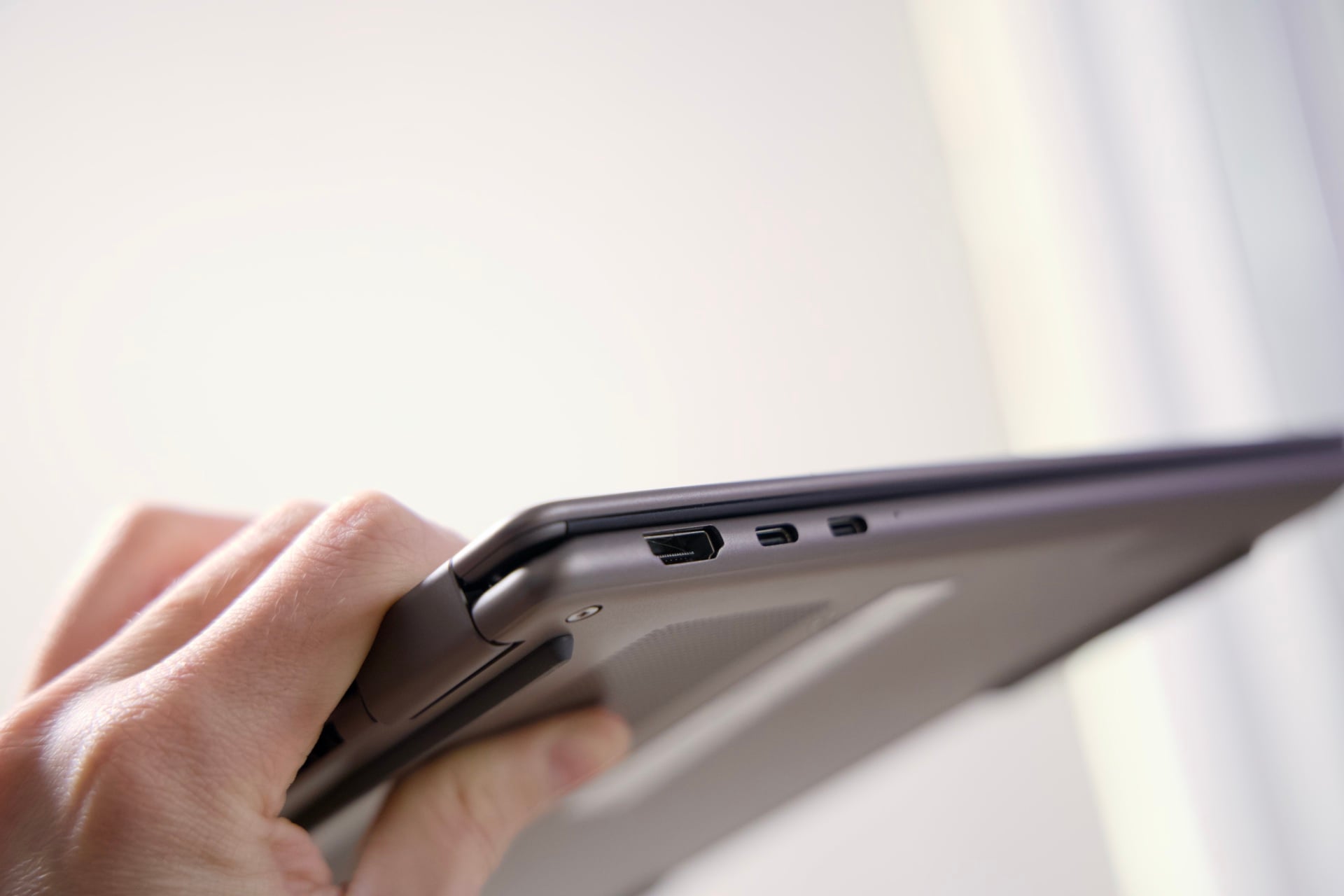
MSI’s big push for business laptops has a lot going for it, at least on first inspection. The chassis measures only 11.9mm (0.47 inches) at its thinnest point (13.9mm at the thickest part of the shell). It weighs just 2.9 pounds and still has a broad selection of I/O ports. There are two USB-A ports and a headphone jack on one side, and an HDMI and two Thunderbolt 4 USB-C ports on the other.
Underneath is where you’ll find the slot for the Nano Pen. The stylus is not necessarily built for artists looking for a combination PC and tablet. It’s there to enable quick notes on documents and the opportunity to highlight text when cramming for an exam. The issues are plain as soon as you try to couple the Nano Pen with the laptop. The magnets built into the laptop and stylus immediately drag the stylus to the side of the laptop chassis. When trying to match the Nano Pen’s charging points with its enclosure, the stylus spins to face the wrong way. The only way to make sure the Nano Pen slots in nice and tight is by maneuvering it in the correct way and jamming it down with both hands so it locks in place.
MSI promises about one hour of active use before you need to charge the Nano Pen. At least, it takes less than a minute inside the laptop before it’s good to go. The stylus proved especially dextrous when jotting down ideas in apps like Microsoft OneNote. Still, after my initial tests, I hardly ever used it. Not only did I dread having to stick it back in the laptop, but having it on the underside meant I needed to manhandle the whole laptop just to wedge it out of its hidey hole.
Why are we still doing this with trackpads?
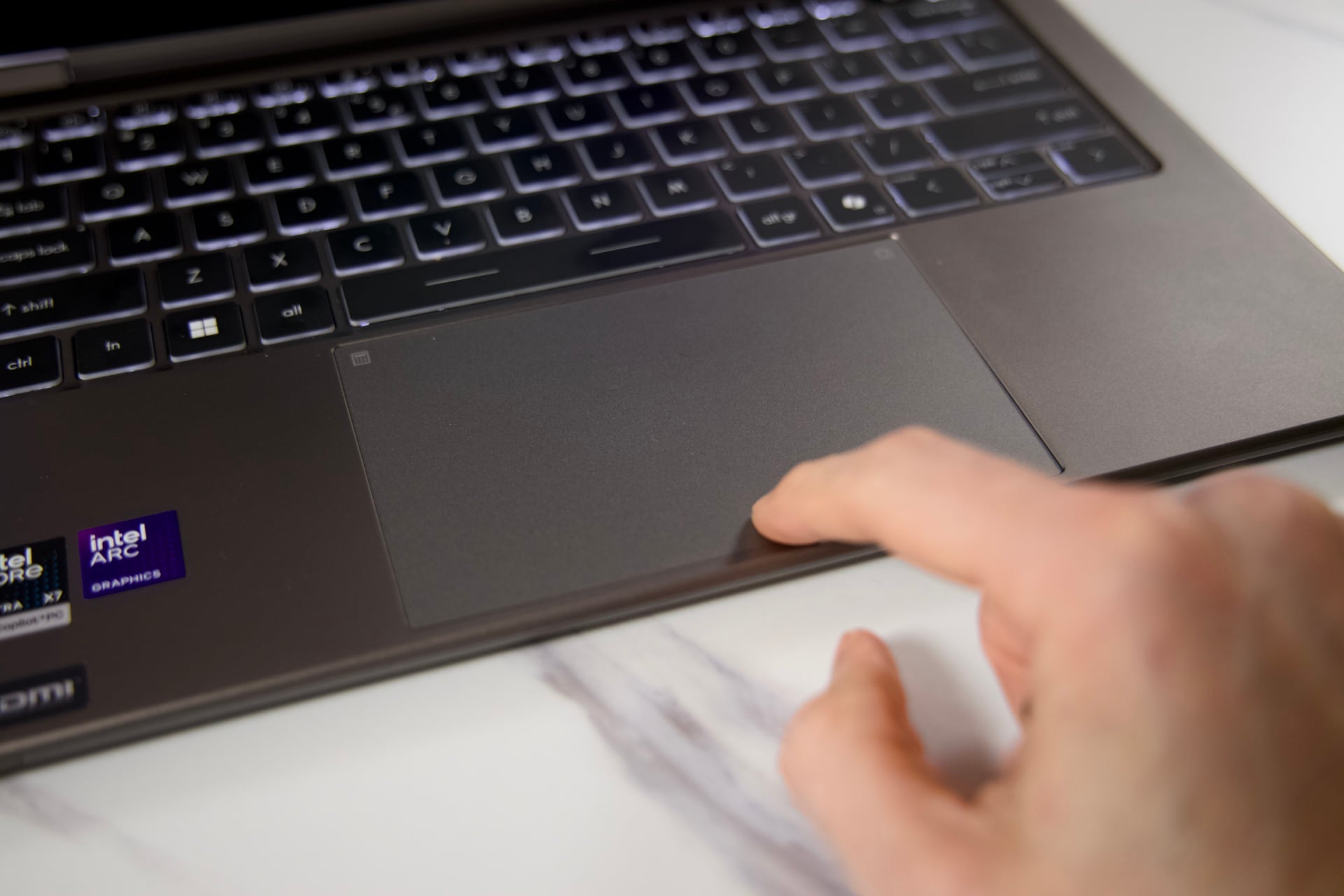
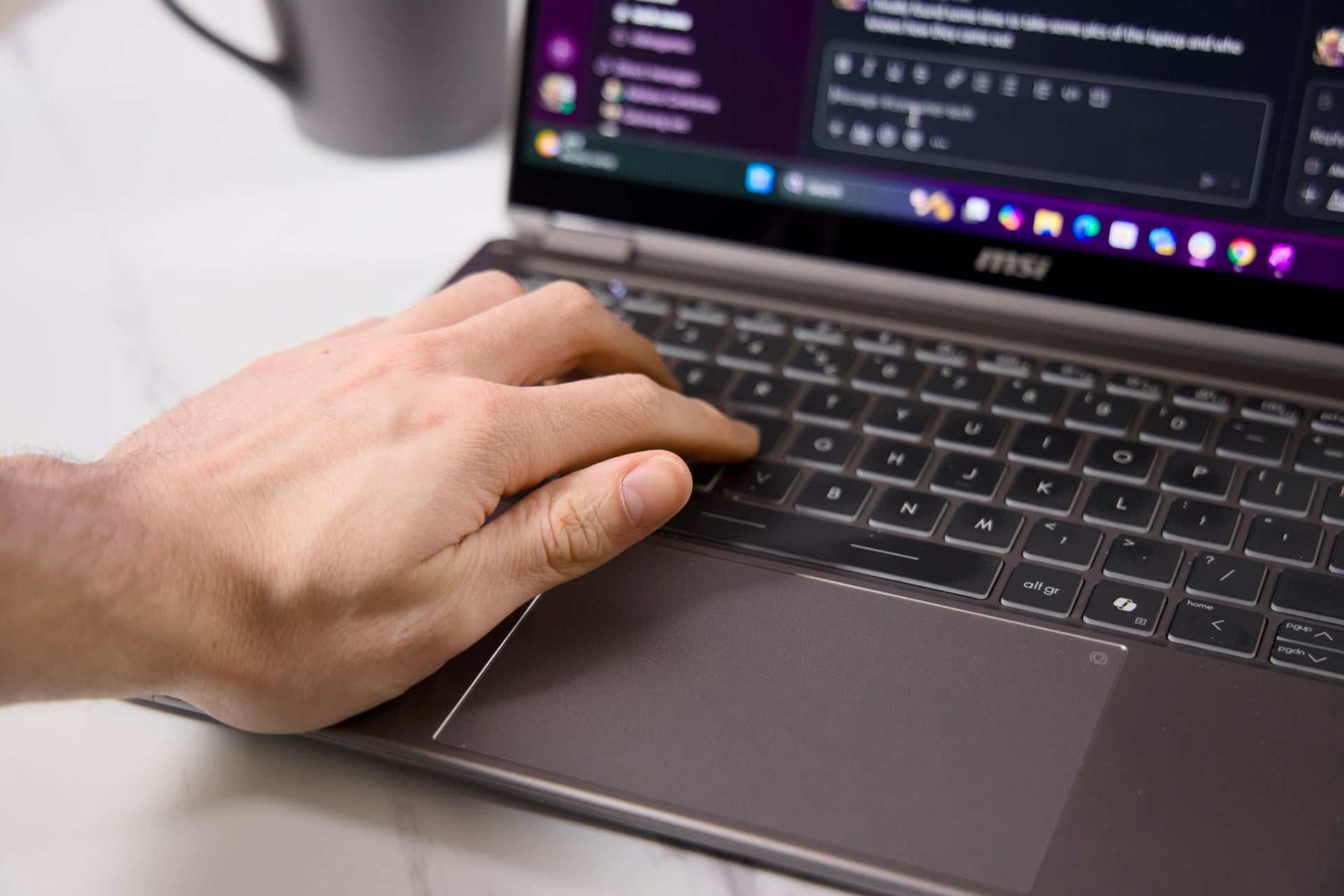
The keyboard is decent, except it has a slight amount of flex if you press directly in the center. You won’t actually feel any give during a regular typing session. The backlit keyboard itself features UV-cured keycaps with a “velvet touch” smudge-resistant finish. Each button press has a decided presence that fits my heavy-handed typing style.
The trackpad is a different story. It’s one of those mechanical touchpads where the top of the pad doesn’t register a full click until you attack the middle of it. Even three quarters of the way up, the only inputs it will register are touch-based.
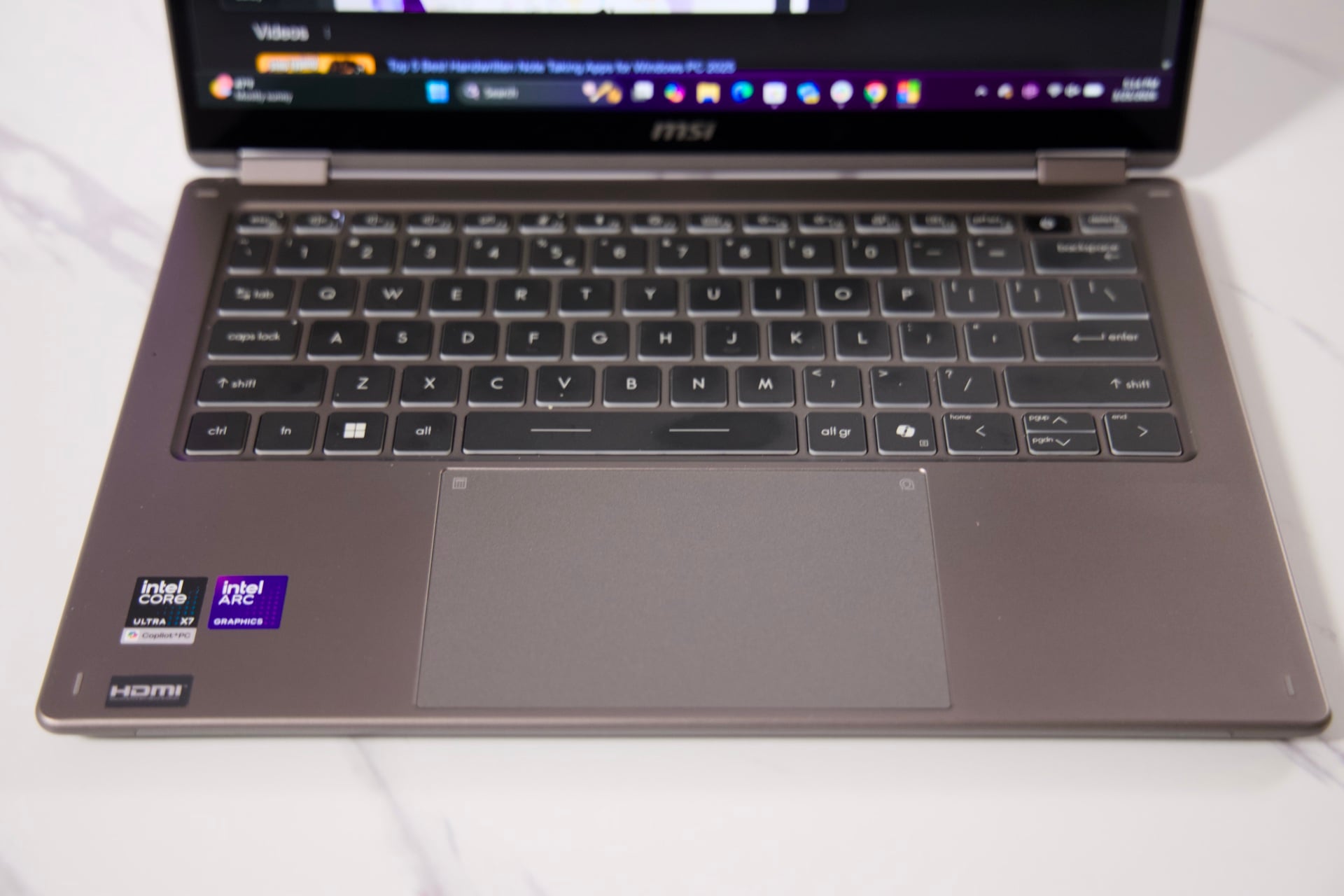
This is also one of those “Action” touchpads that recognizes programmable gestures. By default, scrolling up and down on the left side will call up volume controls. On the right side, it initiates brightness controls. The gesture feature was on by default. The PC’s palm rejection would often fail, leaving me unintentionally adjusting volume or brightness in the middle of typing up a document. It felt like a ghost was haunting my computer, rampantly changing settings as if it were flicking the lights on and off and screaming “boo.”
You can modify the Action touchpad in the MSI Center S app, or just turn it off entirely. If you use a mouse with your laptop setup, you can avoid these issues, as well. This laptop looks the part of a high-end mobile workstation. It just doesn’t have all the quality-of-life features you should expect from one.
The screen and sound just meet the bar
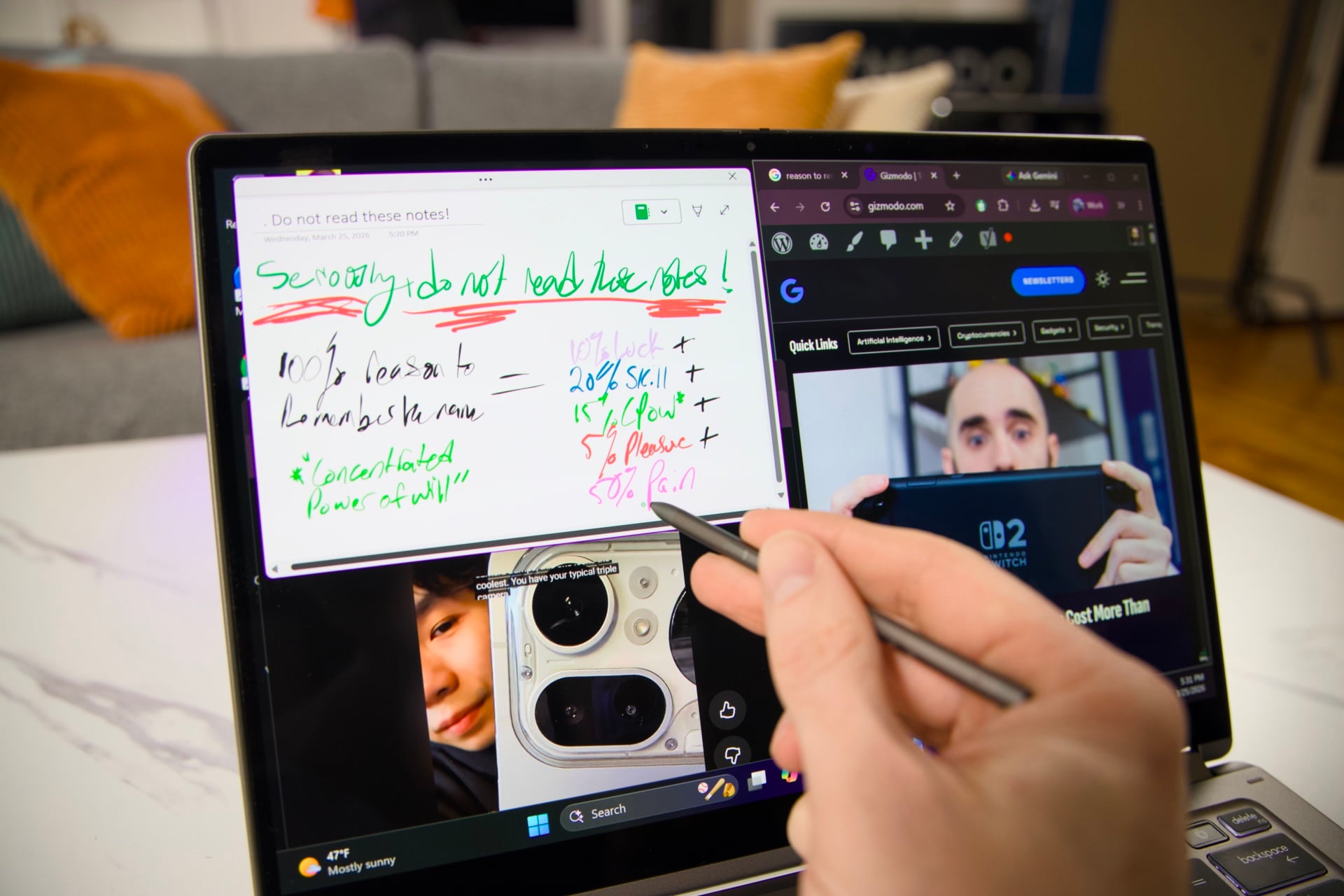
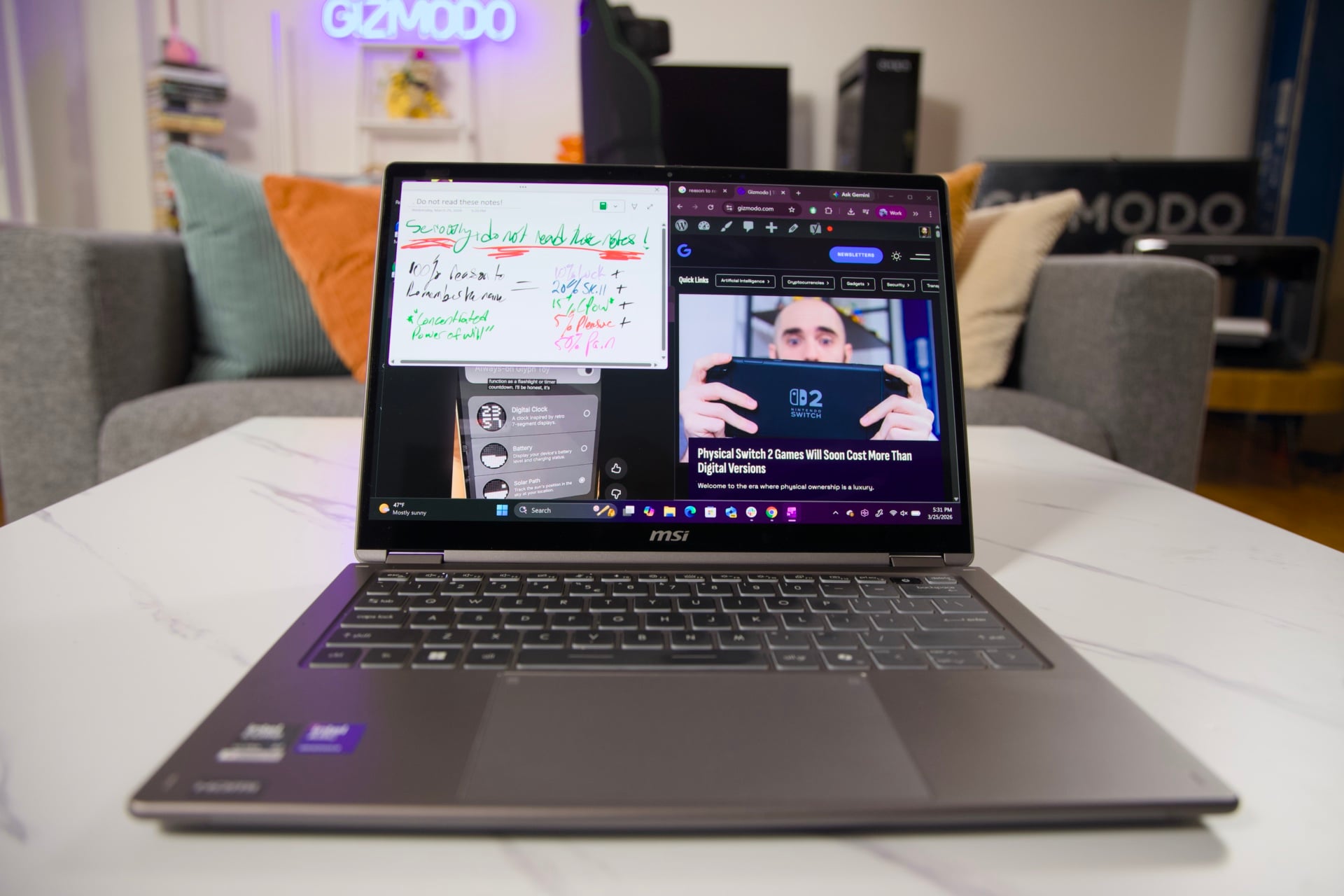
Sure, the boring gray body isn’t a looker, but at least the OLED screen grants the right levels of contrast you want, whether that’s watching videos or playing around with whatever productivity app is your current fancy. MSI’s 14-incPrestige 14 Flip models only go up to an 1,920 x 1,200 (FHD+) resolution. It’s also limited to a 60Hz refresh rate, whereas the 16-inch model supports 120Hz with variable refresh rate (VRR).
The display offers just enough for a 14-inch laptop, but that doesn’t mean you shouldn’t hope for a slightly higher resolution considering the Prestige 14 Flip AI+ is a few hundred shy of $2,000. At least the two side bezels don’t scrunch the screen too much. The bottom bezel is the largest of the four sides, while the top includes the hole for the 1080p webcam, complete with a physical privacy shutter. The IR camera also supports Windows Hello biometric face unlock.
OLED, which stands for organic light-emitting diode, is becoming more common even on cheaper-end laptops. It’s an alternative to LCD screens with self-emissive technology allowing for deeper blacks and striking colors on screen. It also results in slightly lower brightness than you may get with backlit displays. The Prestige 14 Flip AI+ isn’t too bad on that score. It’s merely not as bright as it could be for when you hope to work outdoors or near a window on a sunny day. The screen also has a glossy sheen that may result in some glare and mirror-like reflections, depending on your ambient lighting.
Compared to the previous generation of Prestige laptops, the new model has richer sound with four speakers instead of two. These are featured in two downward-firing grills found under the chassis. Just as the screen doesn’t get too bright, these speakers don’t get too loud, either. Beyond decibels, this laptop’s sound is quality enough I wasn’t immediately reaching for a pair of headphones while I was watching Netflix in the dark. For watching and listening to content, this laptop just meets the bar.
Extra graphics oomph
When you’re thinking of lightweight laptops in 2026, and you’re not looking at Apple’s latest MacBooks, you should be investigating if Intel’s Panther Lake is right for the performance you need. Intel’s Core Ultra Series 3 chips that we’ve tested inside the Asus Zenbook Duo and Dell XPS 14 have proved strong candidates for any lightweight laptop. It’s the same story inside the Prestige 14 Flip AI+.
My review model of the business-class 2-in-1 laptop came with 32GB of RAM plus 1TB of SSD storage. The Intel Core Ultra X7 358H CPU includes the 12 Xe3 GPU cores exclusive to the “X” variants. While the CPU performance is strong enough that it can match up with Intel’s previous midrange Arrow Lake chips in laptops like the Lenovo ThinkPad P1 Gen 8, it has graphics capabilities that are a cut above many competing laptop chips from both Apple and AMD.
In Geekbench 6 tests, the Prestige 14 Flip AI+’s CPU scored around 1,000 points less than AMD’s top-end Strix Halo chip, the AMD Ryzen AI Max+ 395 inside an Asus ProArt PX13. That’s actually a very strong showing considering the price difference between that $3,000 laptop and MSI’s, which demands $1,700. Apple’s M5 chips inside a MacBook Air still hold a strong edge in both single-core (a score of 4,172 versus 2,879), which makes it slightly faster for loading web pages. Still, the Core Ultra X7 358H can actually beat Apple’s entry-level chip in Cinebench 2026 multi-thread scores. Those tests measure the CPU’s ability to handle rendering tasks.
My configured unit actually came out slightly worse in my tests than the $2,300 Dell XPS 14 with the same chip, though that may be down to Dell’s faster RAM (9,600MT/s versus 8,533MT/s inside the Prestige 14 Flip AI+). However, in terms of graphics performance, MSI’s laptop is no slouch. It trounces Apple’s M5 in 3DMarks “Steel Nomad” tests. It’s around 500 points shy of the ProArt’s top-end Strix Halo in the same test, but it’s still a major contender for real-time graphics performance and rendering based on my tests with Blender.
At a resolution of 1,920 x 1,200, the Prestige 14 Flip is just the right scale for what the Core Ultra X7 358H can handle in gaming scenarios. I ran the laptop through our gamut of gaming benchmarks, and it’s a surprisingly deft machine for quick-and-dirty gaming, so long as you rely on upscaling. Cyberpunk 2077 managed just over 30 fps at the laptop’s full resolution with the lowest ray tracing setting without any upscaling. It was a similar story across games like Horizon Zero Dawn Remastered and Black Myth: Wukong. Enabling Intel’s XeSS upscaling could push frame rates to just over 40 in most of these games.
You could try forcing Intel’s XeSS multi-frame generation to get even higher fps if all you want is smoother frame rates. Just don’t come crying to me if you see more ghosting and graphics artifacts. The CPU is still strong enough to handle Total War: Warhammer III’s battle benchmark and maintain an average 55 fps on the highest graphics settings. MSI’s Prestige 14 Flip Flip AI+ isn’t any one thing, but it’s versatile enough to handle most situations you throw at it, short of trying to run native AI models.
Excellent battery life rounds out a flawed laptop
Intel’s latest chips have proved they offer significant upgrades for laptop longevity. Using MSI’s Prestige 14 Flip AI+ over the course of several weeks, I could routinely make it through a full workday and still have several hours to spare afterwards. If used continuously with the brightness set to its highest setting (which proved necessary more often than I would have preferred), it would get through just shy of five hours before demanding a power cable.
The Prestige 14 Flip AI+ is the laptop that’s best suited for the kind of workaholic who doesn’t mind a few odd quirks. I don’t know how much mileage each individual will get out of the attached stylus. It will feel even worse if you lose it because of the faulty slotting mechanism. Even if you don’t plan to use that stylus, you’ll inevitably feel more than miffed MSI didn’t provide a slightly brighter screen or a trackpad that didn’t curl your fingers in frustration. It doesn’t need harping on—for sure Apple already has too many advantages in the laptop space—but the MacBook Neo offers a better mechanical trackpad for $600.
MSI is mostly known for its desktop components and gaming laptops. The company is getting closer to cracking the day-to-day laptop with the new Prestige 14 Flip AI+, but it’s still not quite there yet. If MSI can keep the $1,700 price tag and fix a few of these design flaws, the next refresh could be a truly great laptop.
Read the full article here