

Not to be controversial, but hotel Wi-Fi sucks. And coffee shops ain’t much better. I’m grateful for my smartphone’s hotspot, which is much better now than it used to be, but it can still be finicky and drain my phone’s battery. For those willing to spend some money, however, there is another way: Wi-Fi hotspot routers.
I’ve been trying out the Netgear Nighthawk 5G M7 Portable WiFi Hotspot with eSIM—let’s just call that the Nighthawk M7 from here on out—and like the Nighthawk M5 I tested back in 2022, it could be an invaluable tool if you’re always on the move and need to stay connected. At $500, it’s both affordable for what it is (It’s not hard to spend hundreds more on such a device, especially from Netgear) and spendier than many of the most powerful home routers out there.
Of course, you won’t get high-end home router performance out of the Nighthawk M7. Instead, you get decent Wi-Fi from a compact device that saves you the headache of fiddling with the janky alternatives you get when you’re away from home. The Nighthawk M7 uses Wi-Fi 7, has up to 10 hours of battery life, and can manage as many as 32 devices at once, which could be handy if you’re on a trip with your family and want one common, easy internet connection for everyone to share.
Netgear Nighthawk 5G M7
The Nighthawk M7 is a compact mobile hotspot router that makes a great lightweight travel companion.
- Very portable
- Fast Wi-Fi 7 connection
- Easy to use
- No carrier lock
- Supports physical SIM and eSIM
- Gets a strong signal where my phone cannot
- Costs as much as a high-end home router
- No mmWave support
- Slower 5G performance than my phone
- Limited range
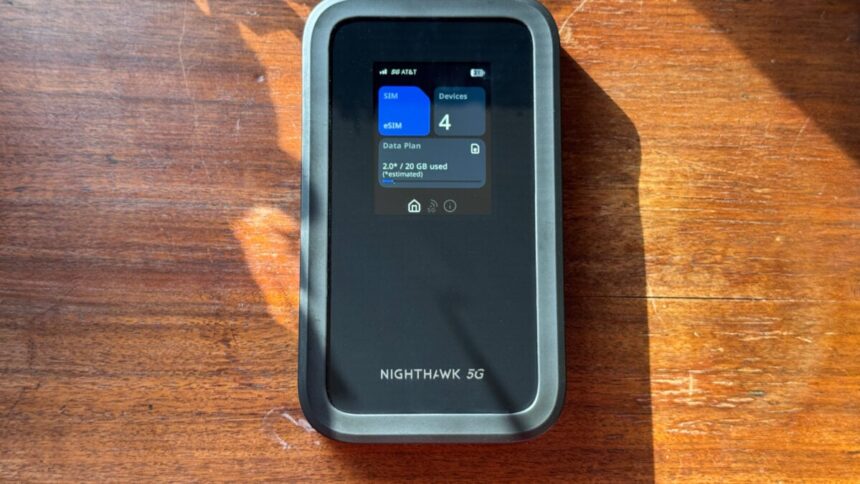
It’s the Nighthawk M7’s size, more than anything, that sets it apart from other portable hotspot routers—Netgear’s included. Measuring 5.7 inches long, 3.3 inches wide, and 0.67 inches thick, it’s got the feel of a smartphone stuffed into a very chunky Otterbox case. (The Nighthawk M7 isn’t totally unique here; TP-Link makes a similarly priced, but slightly shorter, narrower, and thicker portable hotspot router.) That made it very easy to toss into my laptop travel bag for testing out in the real world.
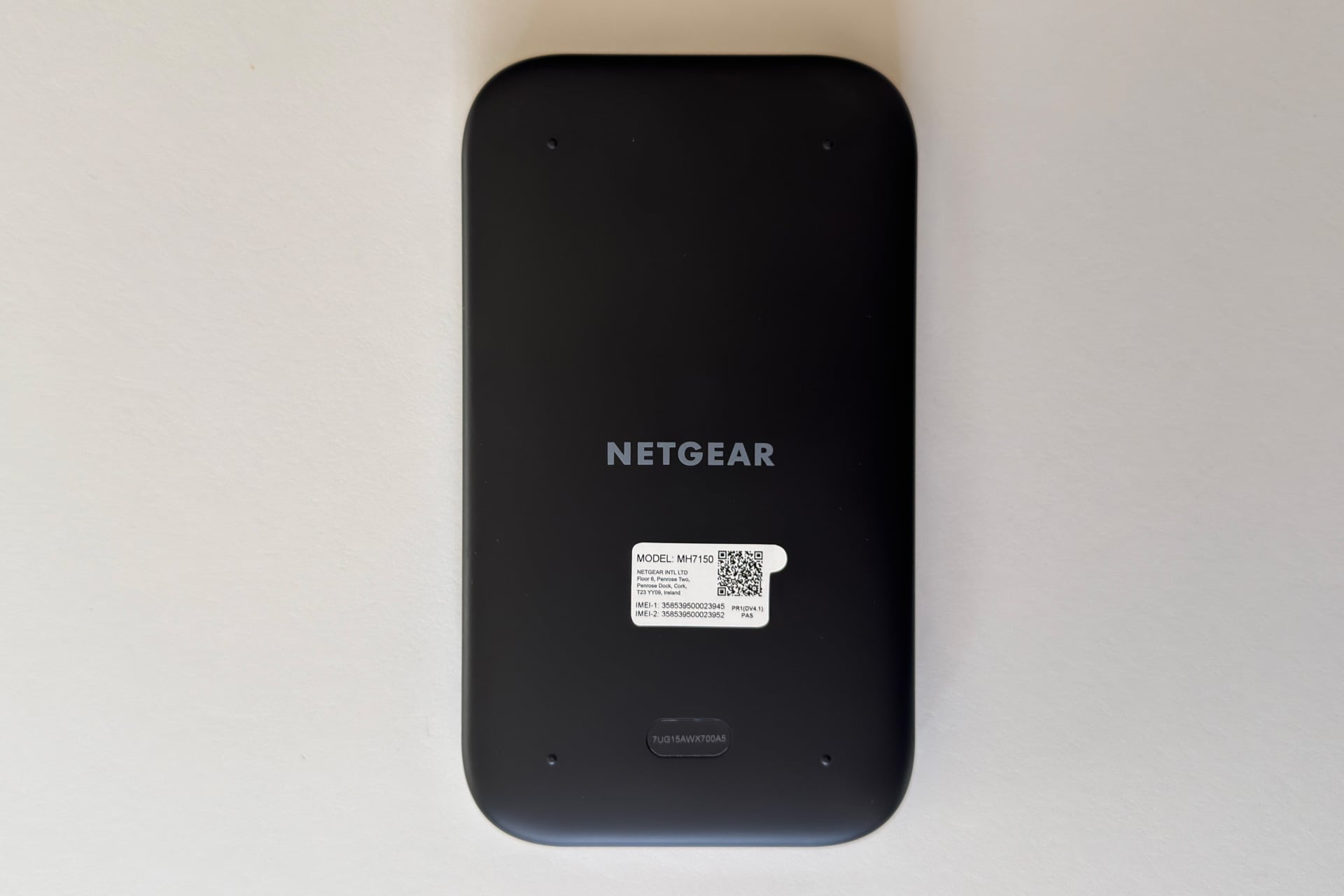
The Nighthawk M7 looks and feels like a smartphone all around, actually. On the bottom edge is a USB-C port for charging and data (you can connect it to a laptop or a USB-C-to-ethernet adapter for a wired internet connection). It has a non-replaceable, rechargeable 3,850mAh battery.
The front is covered in a sheet of glass, most of which is empty space, apart from a 2.4-inch display in the upper half. The display is mostly there for information; it shows you, at a glance, things like the number of connected devices, the amount of cellular data you’ve used, and the network name and password. You’ll cycle through the display screens using a very iPhone-like oblong button, which also functions as the power button, on its right edge. Also on that side is a physical SIM card tray, if you’d rather go that route than buy eSIMs.
Inside, the Nighthawk M7 packs dual-band Wi-Fi 7 (2.4Ghz and 5Ghz) and 5G Sub-6 connectivity to the 5G C-Band—that’s the fastest bit of cellular spectrum available besides mmWave. Netgear’s spec sheet says the Nighthawk M7’s Wi-Fi throughput can reach “up to 3.6 Gbps,” but you’ll never see that on a single device. I’ll get into what you can expect shortly.
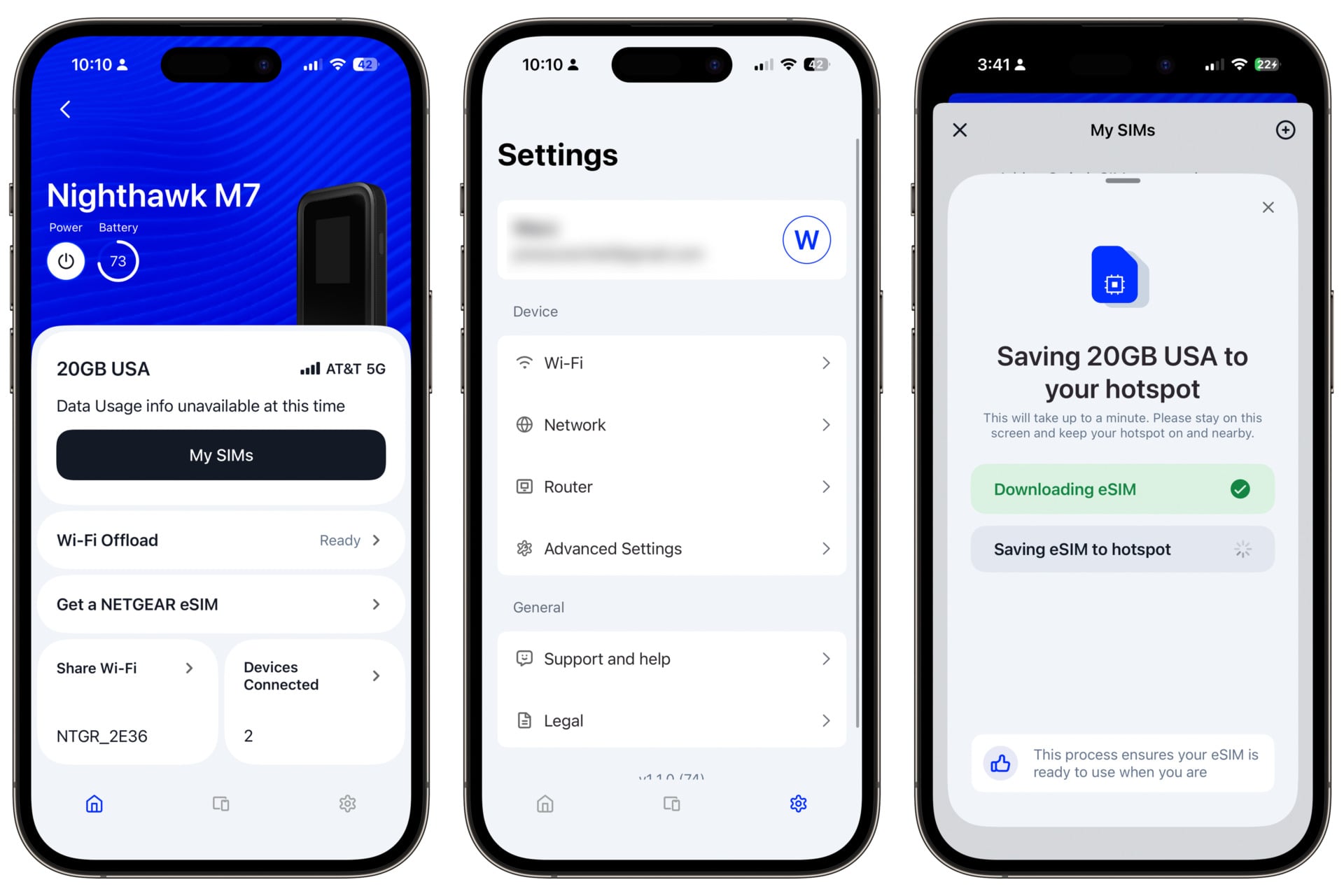
Most folks will probably configure the Nighthawk M7 with Netgear’s smartphone app, where you can also go to turn on or off Wi-Fi Offload or buy eSIMs from various carriers using Netgear’s in-app eSIM marketplace. It also lets you tweak your network’s name and password or toggle between WPA security versions, or set the Nighthawk M7 to isolate connected devices from each other, which is great if you’re sharing your connection with multiple people.
You’ll find more advanced options, like port forwarding rules, in the browser interface, to which the app handily links you. These features are a far cry from the deep, detailed configuration options you’d find on something like an Asus router, but that’s not a problem for the vast majority of people, who will set it up once and probably never touch these settings again.
Keep your expectations realistic
It’s important to understand that although Netgear bills this as a Wi-Fi 7 device, it doesn’t use all of the features of the standard. For instance, you won’t see 320MHz channel bandwidth, a key feature of Wi-Fi 7 that enables true, multi-gigabit wireless throughput. Neither will you get Multi-Link Operation (MLO), which can enable devices to use two bands concurrently for theoretically higher throughput.
That may not really matter, though. MLO doesn’t seem to have been fully implemented in the majority of Wi-Fi 7 routers, for one—see this Rtings story for more on that—and at least the cellular plan I tested the Nighthawk M7 with didn’t push enough throughput to even saturate the 80MHz channel bandwidth it does use on the 5GHz band. As a result, the fastest throughput I saw while testing the Nighthawk M7 was the 700 Mb/s transfers I got when using the network testing software iPerf to simulate direct file transfers between two connected laptops, one wired and one connected wirelessly using an MSI Wi-Fi 7 adapter.
The Nighthawk M7’s range was decent, giving me about the same result whether I was right next to it or 14 feet away with a direct line of sight. It wasn’t up to the task of getting a signal to my office (about 20 feet in the other direction), but that room is surrounded by plaster-and-lath walls and bordered by my bathroom and kitchen. In other words, Wi-Fi goes there to die. Tell its family it loves them.
I then tested the Nighthawk M7’s throughput on its 5G connection at a coffee shop in my neighborhood. My iPhone 15 Pro is on AT&T, so I chose an AT&T prepaid eSIM to get as close to an even comparison as possible. The Nighthawk M7 was almost always slower than just using my phone’s native 5G signal, sometimes by quite a lot. My laptop saw 300 Mb/s downloads and 5 Mb/s uploads when connected to my phone’s hotspot, but it barely got above 100 Mb/s down and couldn’t break 5 Mb/s up when connected to the Nighthawk M7. It was better at my house—around 220 Mb/s down and 18 Mb/s up to my phone’s 270 Mb/s down and 10 Mb/s up—so it could be that the prepaid plan is a lower priority in busy areas, as far as AT&T is concerned.
The Nighthawk M7’s 5G connection also consistently had very high latency, with ping in the 300ms range, compared to around 60ms on my phone’s cellular connection or 10ms on my home Wi-Fi. That could be why, when I connected my Nintendo Switch 2 to it, I could play Mario Kart World online but got booted when I tried to play a bout of Super Smash Bros. Ultimate, a game that calls for greater precision.
But speed isn’t everything! I reran the tests in my basement, where my phone can barely tug out any cellular signal. My iPhone 15 Pro’s throughput predictably tanked, with downloads ranging between 6 Mb/s and 36 Mb/s and uploads not even cracking 1 Mb/s. It seemed at first like the Nighthawk M7 would suffer the same fate, but after two tests, its throughput climbed over 90 Mb/s, reaching as high as 186 Mb/s. Uploads still suffered, but at least reached 1 Mb/s in two of my tests. Throttling or no, the Nighthawk M7 is clearly better than my phone is at getting a signal in harder-to-reach places.
After all that, I stress-tested the Nighthawk M7 by connecting several devices—my desktop, three laptops, two smartphones, and my Switch 2—and streaming video (or playing Mario Kart World, in the case of the Switch 2). Where the streams would let me, I set the video resolution to the highest each device could display, and although I couldn’t watch all screens at the same time, I didn’t see any noticeable buffering or quality dips. Mario Kart struggled, with other karts randomly appearing, or getting hit but not actually crashing out for a second or two, but that’s to be expected. That was all with the Nighthawk M7 in a separate room, connected only to 5G. Performance was good, even as I blew through almost half of my 20GB of prepaid data in less than 10 minutes.
During actual use, my experience working while connected to the Nighthawk M7 was as smooth as it would’ve been on my home Wi-Fi network. I can’t always say the same for my phone’s hotspot, which can be sluggish, randomly drop my laptop, or refuse to connect at all. And battery life was good! The Nighthawk M7 goes into standby when it’s not in use, turning off Wi-Fi broadcasting until you press the side button, and it always seemed ready to go when I left it alone for a long time. Netgear says it can last up to 10 hours on a charge, which feels like a good ballpark; I got about 8.5 hours out of it while connected to 5G and with my phone and laptop talking to it over Wi-Fi. I’d expect the Nighthawk M7 to last longer if I were hardwired to it or using Wi-Fi Offload.
Worth considering, if the niche suits you
The Nighthawk M7 will make a great travel companion if you’re looking for a simple way to stay connected without having to mess with your phone’s hotspot or cruddy, potentially insecure Wi-Fi connections out in the wild. It’s especially useful for groups of tech-addled people like me. Families, too: give it the same Wi-Fi name and password as your home network, turn it on when you check into your hotel room, and voilà, your family is on the internet (assuming you’ve got an active SIM or eSIM installed). And given the Nighthawk M7’s performance when connected to many devices, I’d say it’s even suitable as a way to get a bunch of coworkers online.
Does any of that make the Nighthawk M7 worth $500? Not for me, and chances are, not for you, either. That’s not because it’s a bad product; it’s a perfectly fine cellular Wi-Fi hotspot. It’s just that, in 2026, it feels a little like a solution in search of a problem. Sure, sometimes it’s a pain to get my iPhone’s hotspot to work, but when it does, it’s fine. Do I wish I had something like the Nighthawk M7 on hand when my hotspot is being finicky? Oh, absolutely—I’m just not willing to pay $500 to own one. I’m not even sure I’d pay $200.
But that’s not to say this device isn’t worth $500 to somebody. As a smart home reviewer, I don’t work outside my house that much. If I more often lugged my work setup to coffee shops, shared workspaces, libraries, and so forth, though? If I traveled a lot with very connected family, friends, or coworkers? Yeah, I could see wanting to spend some money. A little Wi-Fi stability, after all, goes a long way.
Read the full article here